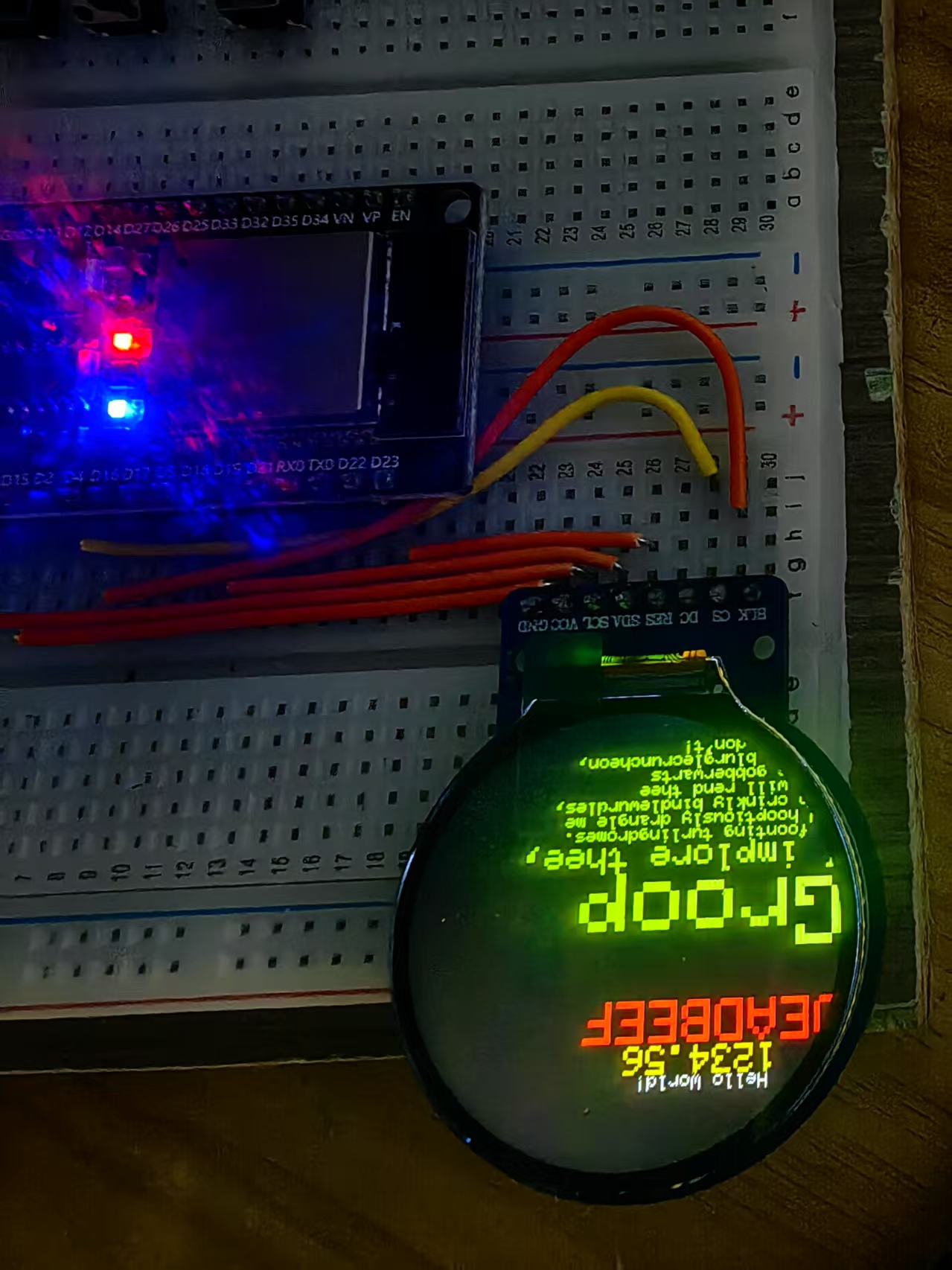
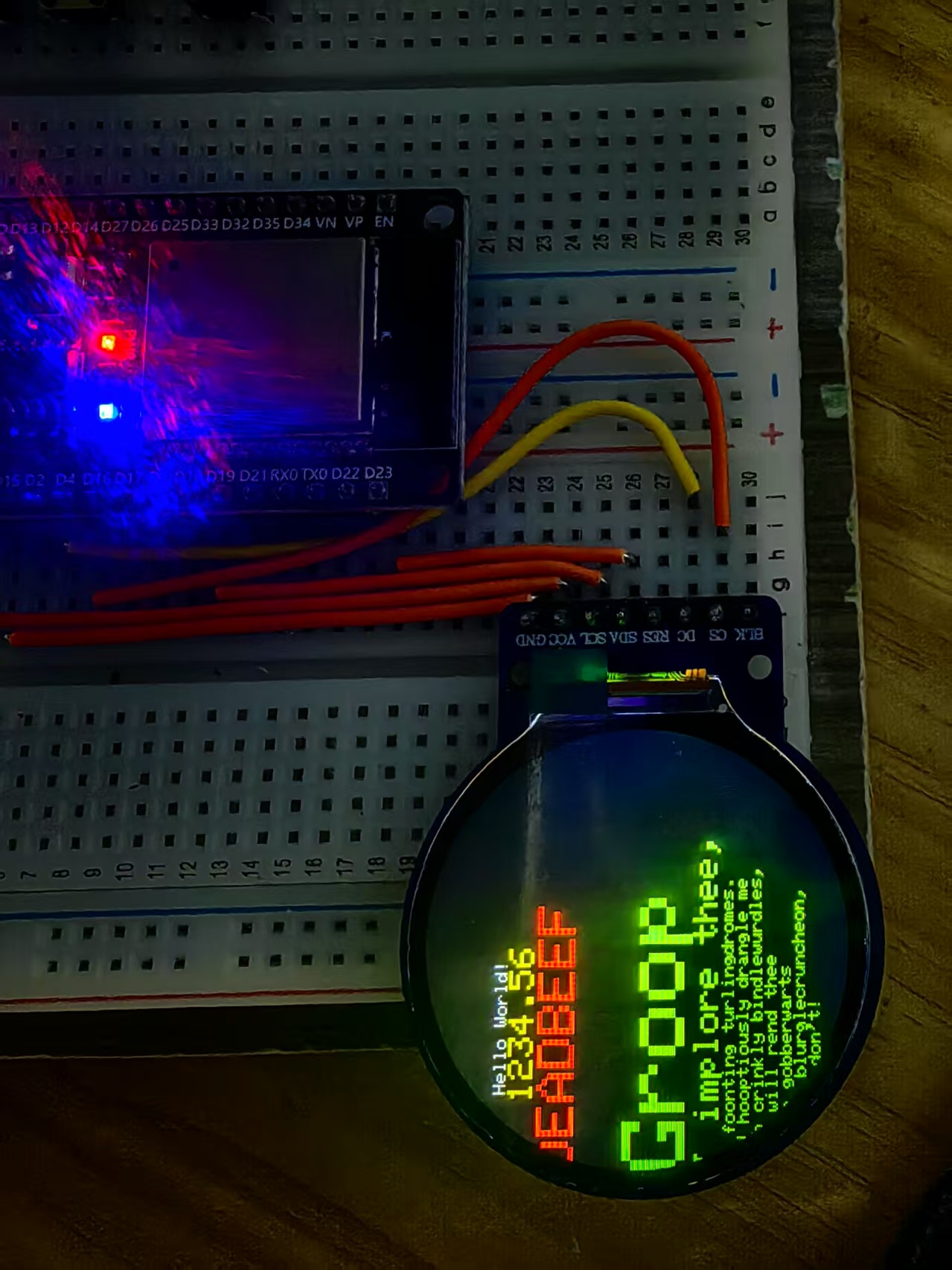
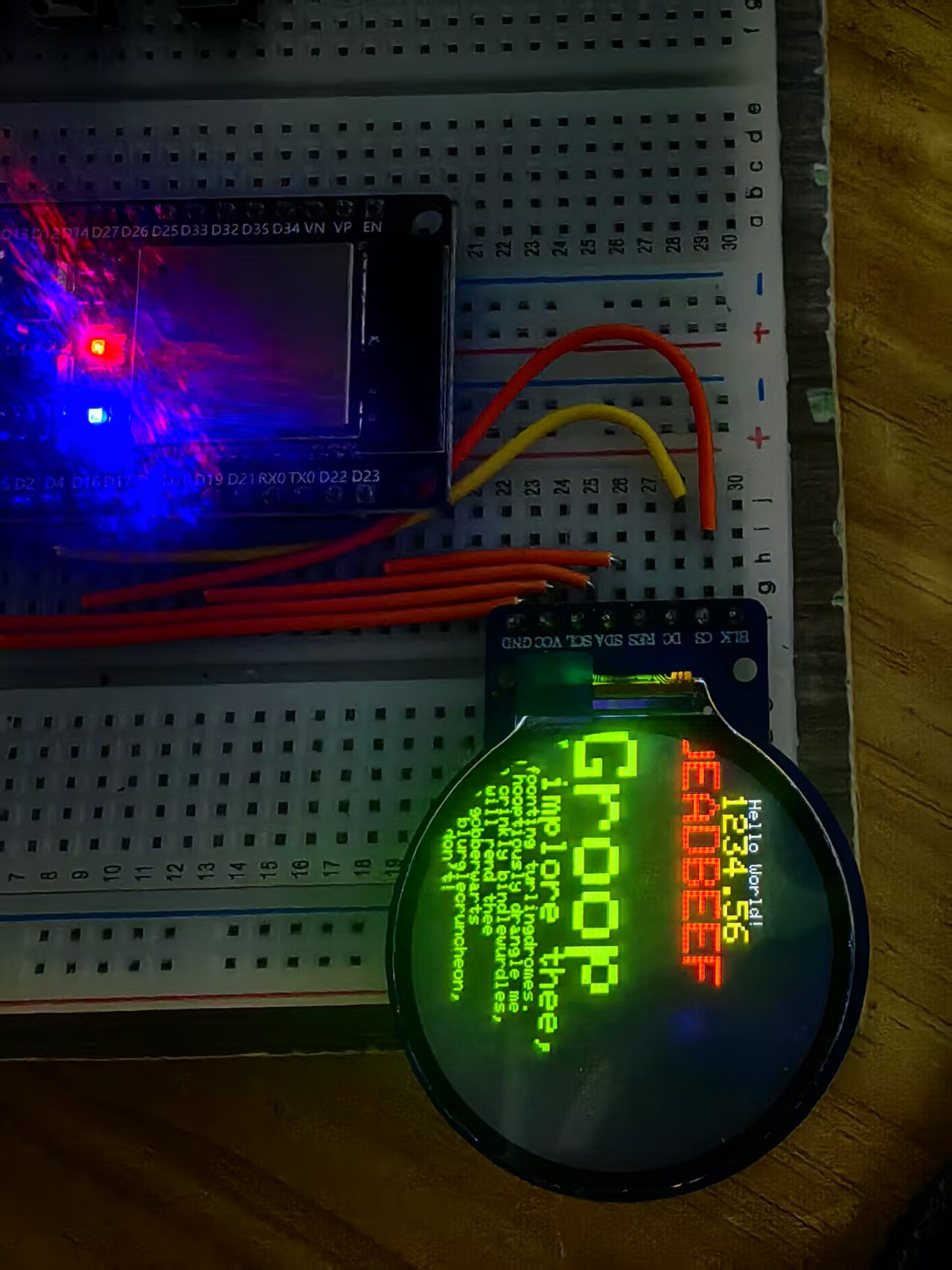
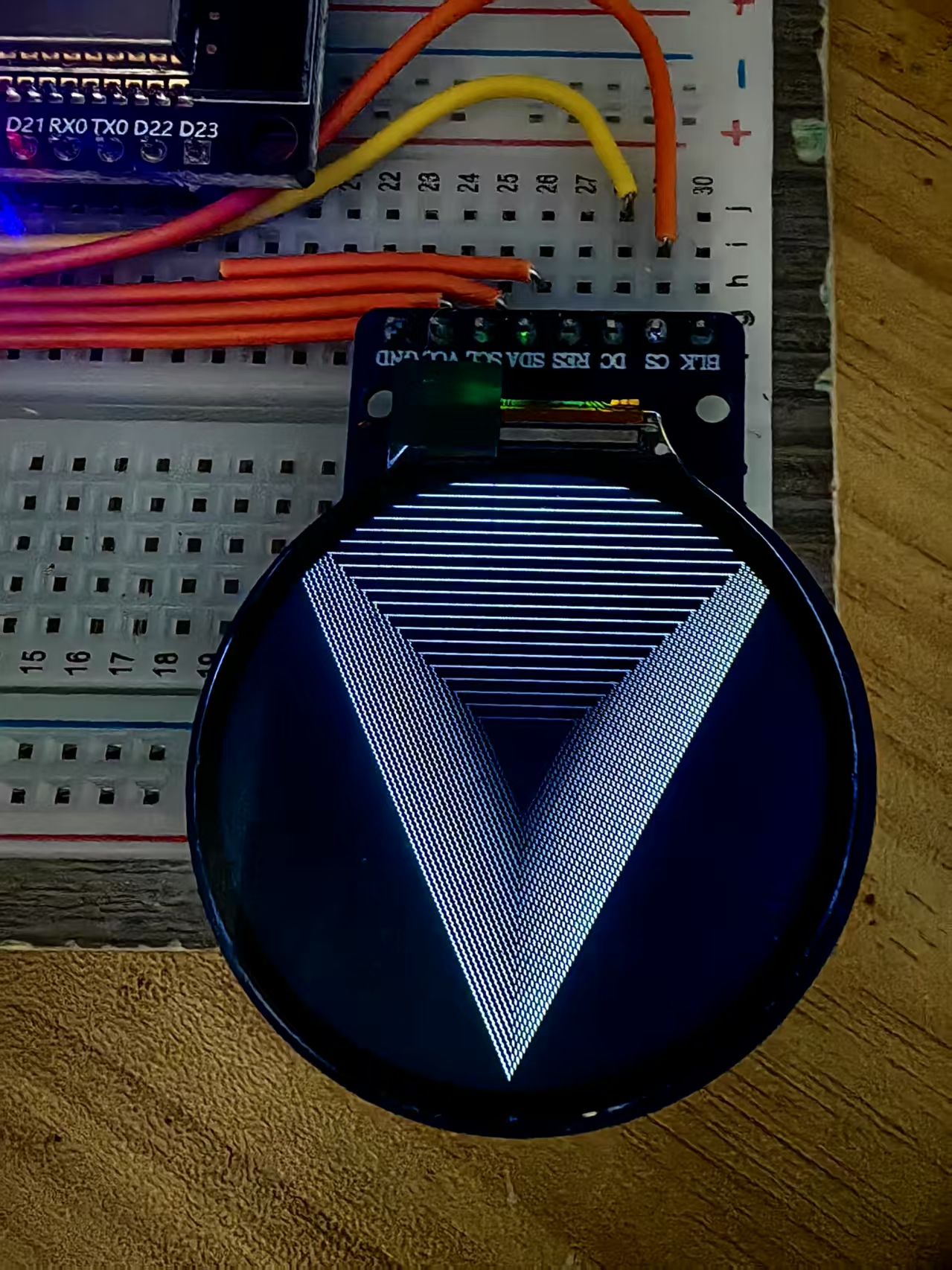
【花雕学编程】Arduino动手做(249)---基于Adafruit_GFX库测试ESP32与GC9A01显示屏的综合功能
【Arduino】189种传感器模块系列实验(资料代码+仿真编程+图形编程)
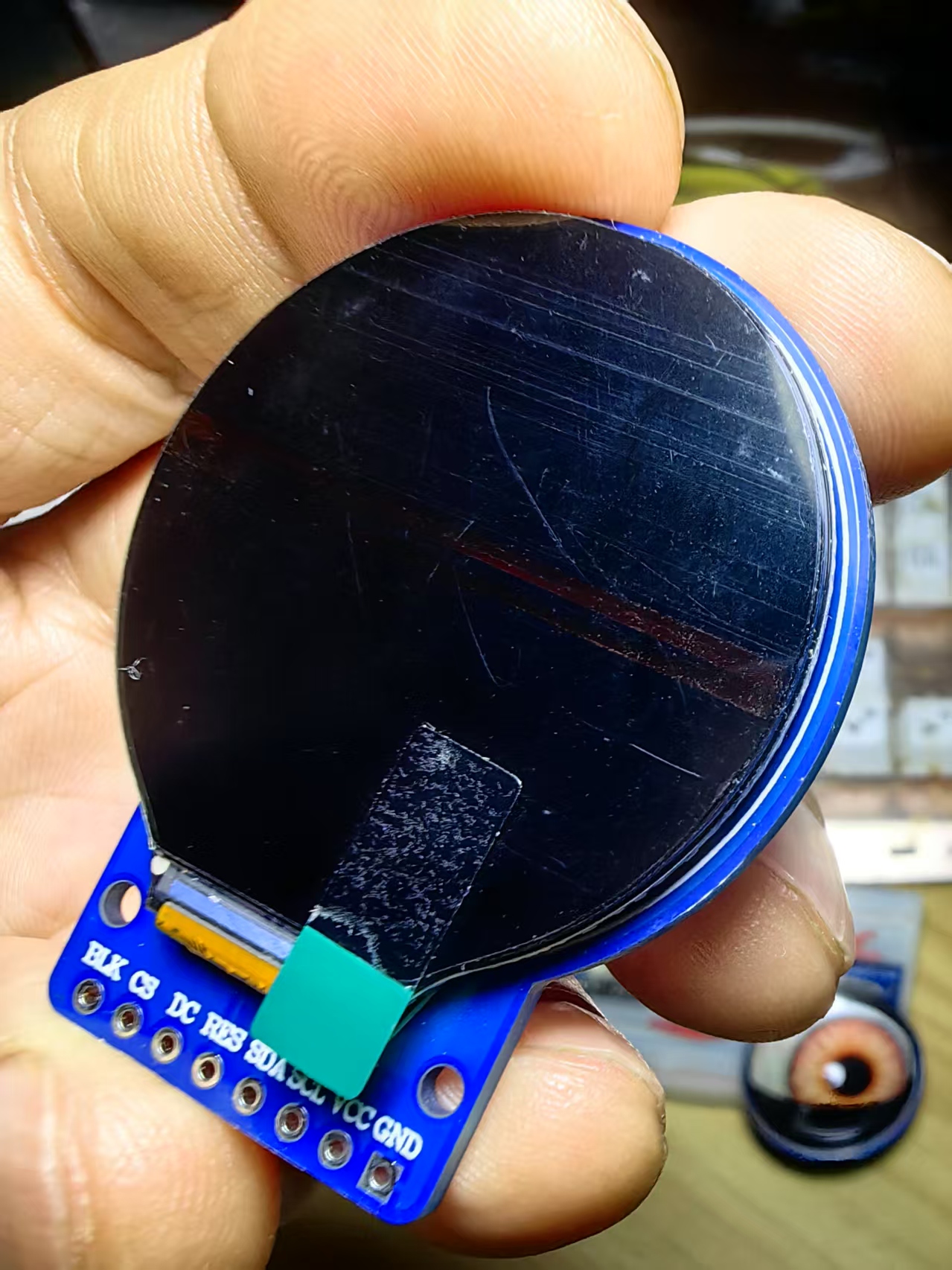
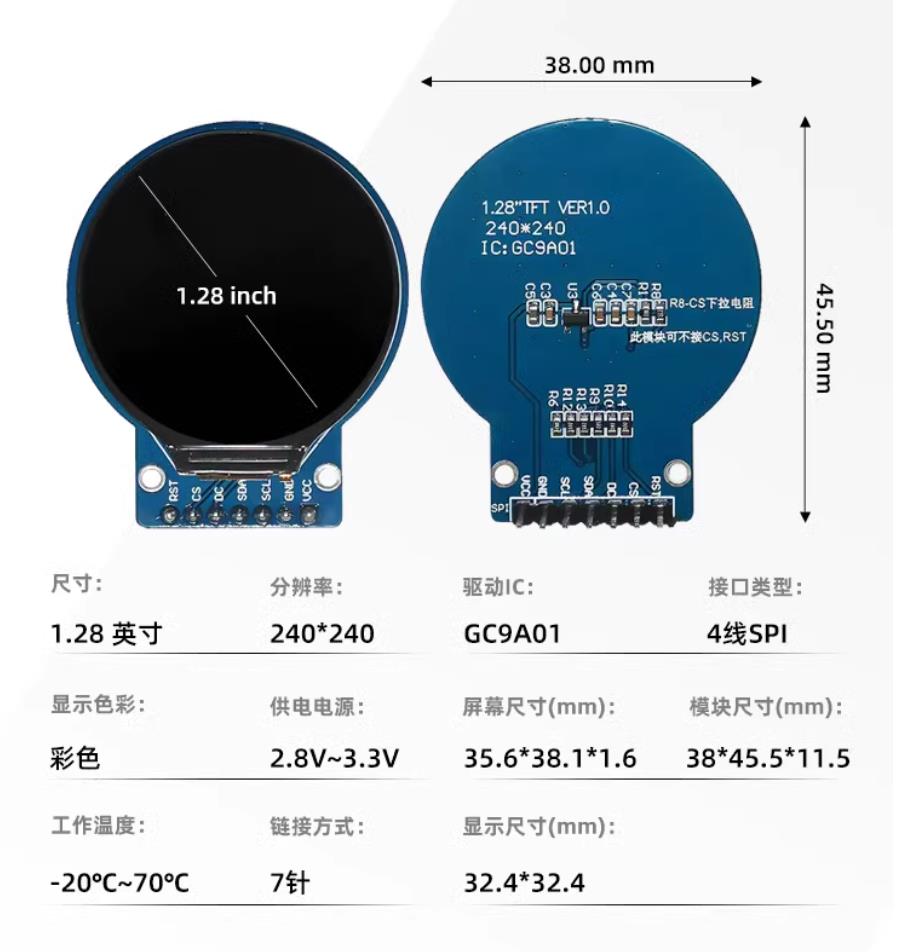
实验二百四十九:1.28寸圆形彩色TFT显示屏 高清IPS 模块 240*240 SPI接口GC9A01驱动
项目实验之二十:基于Adafruit_GFX库测试ESP32与GC9A01显示屏的功能
实验开源代码
/*
  【Arduino】189种传感器模块系列实验(资料代码+仿真编程+图形编程)
  实验二百四十九:1.28寸圆形彩色TFT显示屏 高清IPS 模块 240*240 SPI接口GC9A01驱动
  项目实验之二十:基于Adafruit_GFX库测试ESP32与GC9A01显示屏的功能
*/

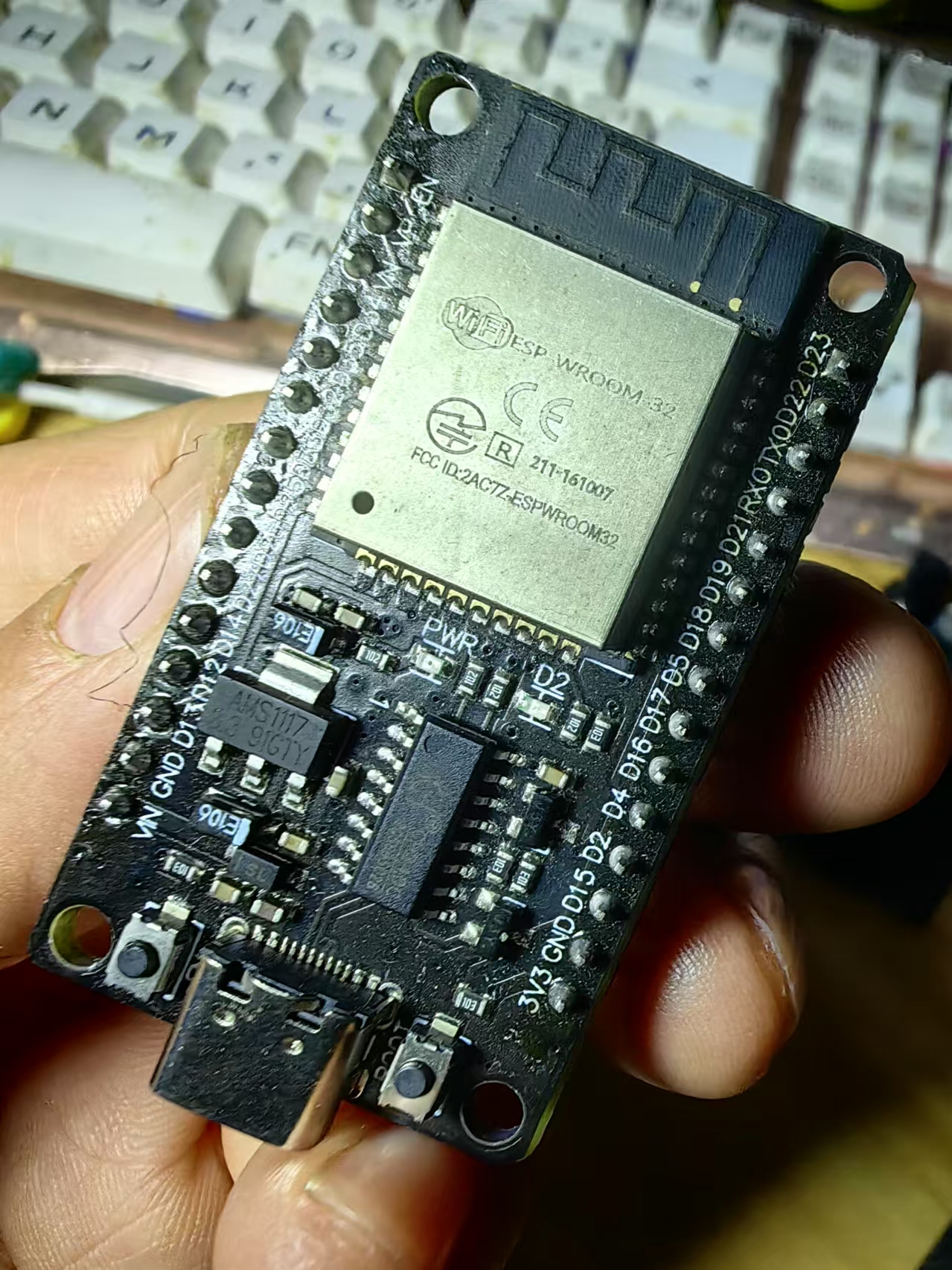
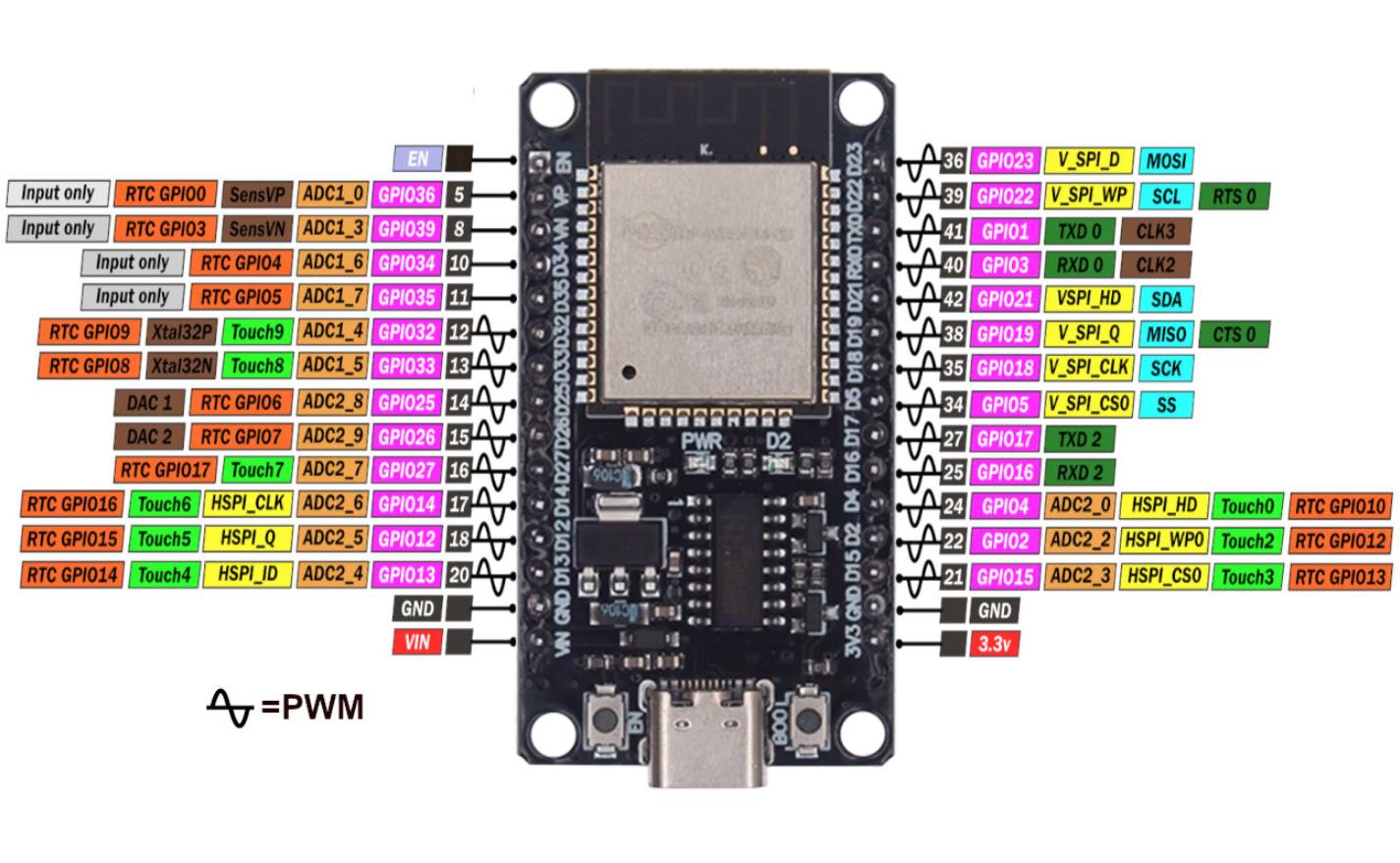
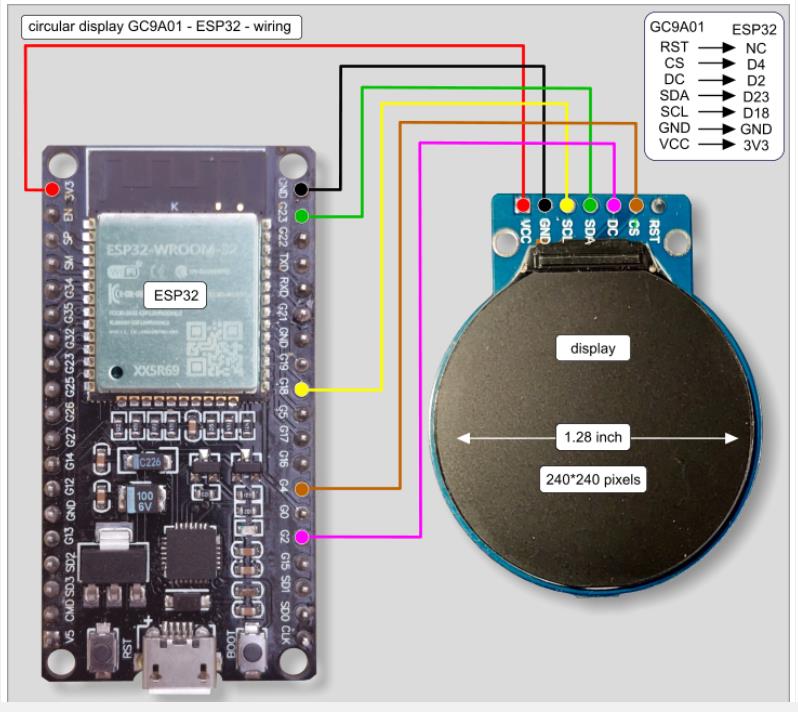
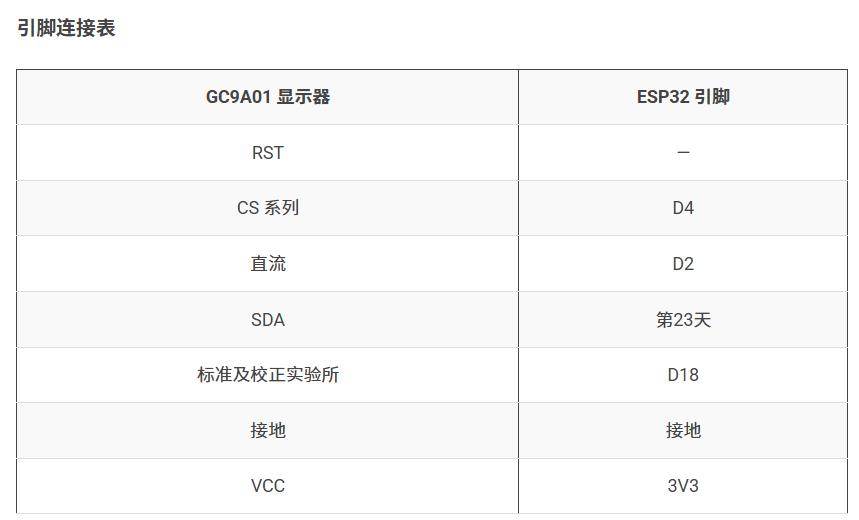
//       GC9A010 -------- ESP32
//       RST ------------ NC(复位引脚,此处未连接)
//       CS ------------- D4(片选引脚,连接到ESP32的D4引脚)
//       DC ------------- D2(数据/命令选择引脚,连接到ESP32的D2引脚)
//       SDA ------------ D23 (green)(主数据输出引脚,连接到ESP32的D23引脚,绿色线)
//       SCL ------------ D18 (yellow)(时钟信号引脚,连接到ESP32的D18引脚,黄色线)
//       GND ------------ GND(接地引脚,连接到ESP32的接地端)
//       VCC -------------3V3(电源引脚,连接到ESP32的3.3V电源)

#include "SPI.h"
#include "Adafruit_GFX.h"
#include "Adafruit_GC9A01A.h"

#define TFT_DC 2
#define TFT_CS 4

Adafruit_GC9A01A tft(TFT_CS, TFT_DC);

void setup() {

  Serial.begin (9600);
  Serial.println (" ");
  Serial.println ("GC9A01A Test!");

  tft.begin();

  Serial.println (F("Benchmark                Time (microseconds)"));
  delay (10);
  Serial.print(F ("Screen fill              "));
  Serial.println (testFillScreen ());
  delay (500);

  Serial.print (F("Text                     "));
  Serial.println (testText());
  delay (3000);

  Serial.print (F("Lines                    "));
  Serial.println (testLines (GC9A01A_CYAN));
  delay (500);

  Serial.print (F("Horiz/Vert Lines         "));
  Serial.println (testFastLines (GC9A01A_RED, GC9A01A_BLUE));
  delay (500);

  Serial.print (F("Rectangles (outline)     "));
  Serial.println (testRects (GC9A01A_GREEN));
  delay (500);

  Serial.print (F("Rectangles (filled)      "));
  Serial.println (testFilledRects (GC9A01A_YELLOW, GC9A01A_MAGENTA));
  delay (500);

  Serial.print (F("Circles (filled)         "));
  Serial.println (testFilledCircles (10, GC9A01A_MAGENTA));

  Serial.print (F("Circles (outline)        "));

  delay (500);

  Serial.print (F("Triangles (outline)      "));
  Serial.println (testTriangles ());
  delay (500);

  Serial.print (F("Triangles (filled)       "));
  Serial.println (testFilledTriangles ());
  delay (500);

  Serial.print (F("Rounded rects (outline)  "));
  Serial.println (testRoundRects ());
  delay (500);

  Serial.print (F("Rounded rects (filled)   "));
  Serial.println (testFilledRoundRects ());
  delay (500);

  Serial.println (F("Done!"));
}

void loop(void) {

  for (uint8_t rotation = 0; rotation < 4; rotation++)
  {
    tft.setRotation (rotation);
    testText ();
    delay (1000);
  }
}

unsigned long testFillScreen() {

  unsigned long start = micros();
  tft.fillScreen (GC9A01A_BLACK);
  yield ();
  tft.fillScreen (GC9A01A_RED);
  yield ();
  tft.fillScreen (GC9A01A_GREEN);
  yield ();
  tft.fillScreen (GC9A01A_BLUE);
  yield ();
  tft.fillScreen (GC9A01A_BLACK);
  yield ();
  return micros () - start;
}

unsigned long testText () {

  tft.fillScreen (GC9A01A_BLACK);
  unsigned long start = micros ();
  tft.setCursor (10, 40);
  tft.setTextColor (GC9A01A_WHITE);  tft.setTextSize(1);
  tft.println ("     Hello World!");
  tft.setTextColor (GC9A01A_YELLOW); tft.setTextSize(2);
  tft.println ("   1234.56");
  tft.setTextColor (GC9A01A_RED);    tft.setTextSize(3);
  tft.println (0xDEADBEEF, HEX);
  tft.println ();
  tft.setTextColor (GC9A01A_GREEN);
  tft.setTextSize (5);
  tft.println ("Groop");
  tft.setTextSize (2);
  tft.println ("I implore thee,");
  tft.setTextSize (1);
  tft.println ("my foonting turlingdromes.");
  tft.println ("And hooptiously drangle me");
  tft.println ("with crinkly bindlewurdles,");
  tft.println ("Or I will rend thee");
  tft.println ("in the gobberwarts");
  tft.println ("with my blurglecruncheon,");
  tft.println ("see if I don't!");
  return micros () - start;
  delay (1000);
}

unsigned long testLines (uint16_t color) {

  unsigned long start, t;
  int           x1, y1, x2, y2,
                w = tft.width (),
                h = tft.height ();

  tft.fillScreen (GC9A01A_BLACK);
  yield ();

  x1    = y1 = 0;
  y2    = h - 1;
  start = micros ();
  for (x2 = 0; x2 < w; x2 += 6) tft.drawLine (x1, y1, x2, y2, color);
  x2    = w - 1;
  for (y2 = 0; y2 < h; y2 += 6) tft.drawLine (x1, y1, x2, y2, color);
  t     = micros () - start;
  // fillScreen doesn't count against timing
  yield ();
  tft.fillScreen (GC9A01A_BLACK);
  yield ();

  x1    = w - 1;
  y1    = 0;
  y2    = h - 1;
  start = micros ();
  for (x2 = 0; x2 < w; x2 += 6) tft.drawLine (x1, y1, x2, y2, color);
  x2    = 0;
  for (y2 = 0; y2 < h; y2 += 6) tft.drawLine (x1, y1, x2, y2, color);
  t    += micros() - start;
  yield ();
  tft.fillScreen (GC9A01A_BLACK);
  yield ();

  x1    = 0;
  y1    = h - 1;
  y2    = 0;
  start = micros ();
  for (x2 = 0; x2 < w; x2 += 6) tft.drawLine (x1, y1, x2, y2, color);
  x2    = w - 1;
  for (y2 = 0; y2 < h; y2 += 6) tft.drawLine (x1, y1, x2, y2, color);
  t    += micros () - start;
  yield ();
  tft.fillScreen (GC9A01A_BLACK);
  yield ();

  x1    = w - 1;
  y1    = h - 1;
  y2    = 0;
  start = micros ();
  for (x2 = 0; x2 < w; x2 += 6) tft.drawLine (x1, y1, x2, y2, color);
  x2    = 0;
  for (y2 = 0; y2 < h; y2 += 6) tft.drawLine (x1, y1, x2, y2, color);
  yield();
  return micros () - start;
}

unsigned long testFastLines(uint16_t color1, uint16_t color2) {

  unsigned long start;
  int           x, y, w = tft.width (), h = tft.height ();

  tft.fillScreen (GC9A01A_BLACK);
  start = micros ();
  for (y = 0; y < h; y += 5) tft.drawFastHLine ( 0, y, w, color1);
  for (x = 0; x < w; x += 5) tft.drawFastVLine (x, 0, h, color2);

  return micros () - start;
}

unsigned long testRects (uint16_t color) {

  unsigned long start;
  int           n, i, i2,
                cx = tft.width ()  / 2,
                cy = tft.height () / 2;

  tft.fillScreen (GC9A01A_BLACK);
  n     = min (tft.width (), tft.height ());
  start = micros ();
  for (i = 2; i < n; i += 6)
  {
    i2 = i / 2;
    tft.drawRect (cx - i2, cy - i2, i, i, color);
  }
  return micros () - start;
}

unsigned long testFilledRects (uint16_t color1, uint16_t color2) {

  unsigned long start, t = 0;
  int           n, i, i2,
                cx = tft.width ()  / 2 - 1,
                cy = tft.height () / 2 - 1;

  tft.fillScreen (GC9A01A_BLACK);
  n = min (tft.width (), tft.height ());
  for (i = n; i > 0; i -= 6)
  {
    i2    = i / 2;
    start = micros ();
    tft.fillRect (cx - i2, cy - i2, i, i, color1);
    t    += micros () - start;
    // outlines are not included in timing results
    tft.drawRect (cx - i2, cy - i2, i, i, color2);
    yield ();
  }
  return t;
}

unsigned long testFilledCircles(uint8_t radius, uint16_t color) {

  unsigned long start;
  int x, y, w = tft.width (), h = tft.height (), r2 = radius * 2;

  tft.fillScreen (GC9A01A_BLACK);
  start = micros ();
  for (x = radius; x < w; x += r2)
  {
    for (y = radius; y < h; y += r2)
    {
      tft.fillCircle (x, y, radius, color);
    }
  }
  return micros () - start;
}

unsigned long testCircles (uint8_t radius, uint16_t color) {

  unsigned long start;
  int           x, y, r2 = radius * 2,
                      w = tft.width ()  + radius,   // screen is not cleared for this one -- this is
                      h = tft.height () + radius;   // intentional and does not affect the reported time.
  start = micros ();

  for (x = 0; x < w; x += r2)
  {
    for (y = 0; y < h; y += r2)
    {
      tft.drawCircle (x, y, radius, color);
    }
  }
  return micros () - start;
}

unsigned long testTriangles () {

  unsigned long start;
  int           n, i, cx = tft.width  () / 2 - 1,
                      cy = tft.height () / 2 - 1;

  tft.fillScreen (GC9A01A_BLACK);
  n     = min (cx, cy);
  start = micros ();
  for (i = 0; i < n; i += 5)
  {
    tft.drawTriangle (
      cx    , cy - i,                                                     // top of triangle
      cx - i, cy + i,                                                     // bottom left
      cx + i, cy + i,                                                     // bottom right
      tft.color565( i, i, i));
  }
  return micros () - start;
}

unsigned long testFilledTriangles () {

  unsigned long start, t = 0;
  int           i, cx = tft.width ()  / 2 - 1,
                   cy = tft.height () / 2 - 1;

  tft.fillScreen (GC9A01A_BLACK);
  start = micros ();
  for (i = min (cx, cy); i > 10; i -= 5)
  {
    start = micros ();
    tft.fillTriangle (cx, cy - i, cx - i, cy + i, cx + i, cy + i,
                      tft.color565 (0, i * 10, i * 10));
    t += micros () - start;
    tft.drawTriangle (cx, cy - i, cx - i, cy + i, cx + i, cy + i,
                      tft.color565 (i * 10, i * 10, 0));
    yield ();
  }
  return t;
}

unsigned long testRoundRects () {

  unsigned long start;
  int           w, i, i2,
                cx = tft.width  () / 2 - 1,
                cy = tft.height () / 2 - 1;

  tft.fillScreen (GC9A01A_BLACK);
  w     = min (tft.width (), tft.height ());
  start = micros ();
  for (i = 0; i < w; i += 6)
  {
    i2 = i / 2;
    tft.drawRoundRect (cx - i2, cy - i2, i, i, i / 8, tft.color565 (i, 0, 0));
  }
  return micros () - start;
}

unsigned long testFilledRoundRects () {

  unsigned long start;
  int           i, i2,
                cx = tft.width  () / 2 - 1,
                cy = tft.height () / 2 - 1;

  tft.fillScreen (GC9A01A_BLACK);
  start = micros ();
  for (i = min (tft.width (), tft.height ()); i > 20; i -= 6)
  {
    i2 = i / 2;
    tft.fillRoundRect (cx - i2, cy - i2, i, i, i / 8, tft.color565 (0, i, 0));
    yield ();
  }
  return micros () - start;
}
代码解读
1、引脚定义与初始化
#define TFT_DC 2
#define TFT_CS 4
Adafruit_GC9A01A tft(TFT_CS, TFT_DC);
定义了与 GC9A01A 屏幕连接的引脚:
TFT_DC:数据/命令控制引脚。
TFT_CS:片选引脚。
创建了一个 Adafruit_GC9A01A 对象 tft,用于控制屏幕。
2、setup() 函数
void setup() {
Serial.begin(9600);
Serial.println("GC9A01A Test!");
tft.begin();
Serial.println(F("Benchmark Time (microseconds)"));
delay(10);
Serial.print(F("Screen fill "));
Serial.println(testFillScreen());
delay(500);
// 其他测试函数调用...
}
初始化串口通信,波特率设置为 9600。
初始化屏幕。
执行一系列测试函数(如 testFillScreen、testText 等),并输出每种测试的执行时间。
3、loop() 函数
void loop(void) {
for (uint8_t rotation=0; rotation<4; rotation++) {
tft.setRotation(rotation);
testText();
delay(1000);
}
}
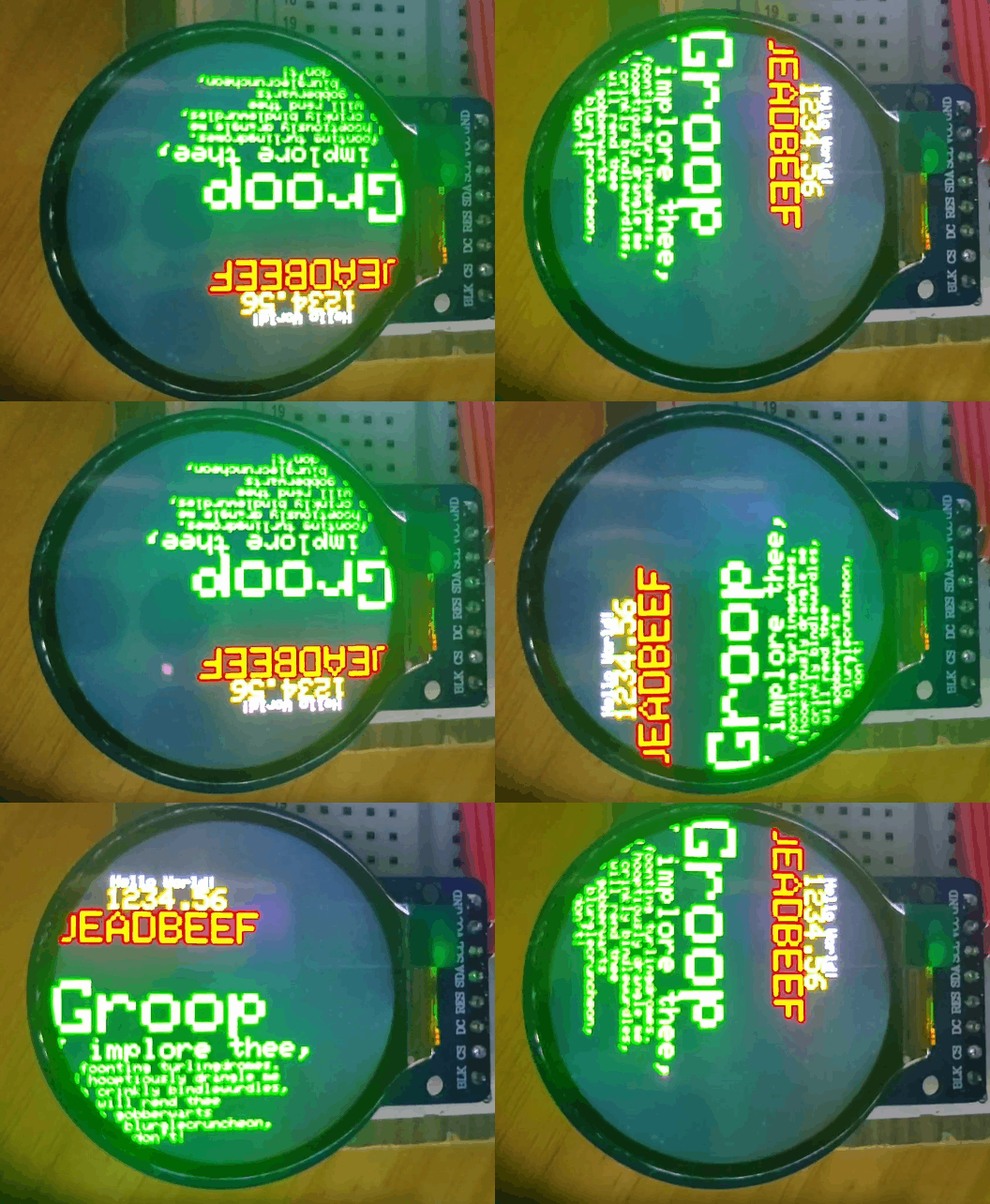
在主循环中,屏幕的方向(rotation)被设置为 0 到 3 的值,分别对应不同的旋转角度。
每次旋转后,调用 testText() 函数显示文本,持续 1 秒。
4、测试函数
testFillScreen():测试屏幕填充操作的性能。
unsigned long testFillScreen() {
unsigned long start = micros();
tft.fillScreen(GC9A01A_BLACK);
yield();
tft.fillScreen(GC9A01A_RED);
yield();
tft.fillScreen(GC9A01A_GREEN);
yield();
tft.fillScreen(GC9A01A_BLUE);
yield();
tft.fillScreen(GC9A01A_BLACK);
yield();
return micros() - start;
}
使用 fillScreen() 方法填充屏幕为不同颜色。
使用 micros() 记录操作的开始和结束时间,计算总耗时。
testText():测试文本绘制操作的性能。
unsigned long testText() {
tft.fillScreen(GC9A01A_BLACK);
unsigned long start = micros();
tft.setCursor(10, 40);
tft.setTextColor(GC9A01A_WHITE);
tft.setTextSize(1);
tft.println("Hello World!");
// 其他文本绘制操作...
return micros() - start;
}
使用 fillScreen() 清屏。
设置文本颜色、大小和位置,绘制多行文本。
记录并返回操作耗时。
testLines():测试绘制线条的性能。
unsigned long testLines(uint16_t color) {
unsigned long start, t;
int x1, y1, x2, y2, w = tft.width(), h = tft.height();
tft.fillScreen(GC9A01A_BLACK);
yield();
x1 = y1 = 0;
y2 = h - 1;
start = micros();
for (x2=0; x2
return micros() - start;
}
使用 drawLine() 方法绘制多条线条。
记录并返回操作耗时。
其他测试函数:如 testFastLines()、testRects()、testFilledRects()、testFilledCircles() 等,分别测试绘制快速线条、矩形、填充矩形、填充圆形等操作的性能。
要点说明
1、屏幕初始化与配置
使用 Adafruit_GC9A01A 库初始化屏幕,并设置引脚连接。
通过 tft.begin() 初始化屏幕,确保屏幕处于可操作状态。
2、性能测试
通过一系列测试函数(如 testFillScreen、testText 等),评估屏幕绘制操作的性能。
使用 micros() 函数记录操作的开始和结束时间,计算并输出每种操作的耗时。
3、图形绘制操作
展示了如何使用 Adafruit_GC9A01A 库绘制各种图形,包括填充屏幕、绘制文本、线条、矩形、圆形等。
通过改变颜色、大小和位置参数,实现多样化的图形绘制。
4、屏幕旋转
在 loop() 函数中,通过 tft.setRotation() 方法改变屏幕的方向,展示不同方向下的图形绘制效果。
5、实时反馈
通过串口输出每种测试操作的耗时,便于开发者实时监控和评估屏幕的性能。
6、应用场景
图形界面开发:适用于开发需要图形界面的项目,如智能手表、手持设备等。
性能优化:通过性能测试,帮助开发者优化图形绘制代码,提高屏幕响应速度。
教育与实验:作为教学示例,帮助学习者理解图形库的使用和屏幕操作的基本原理。
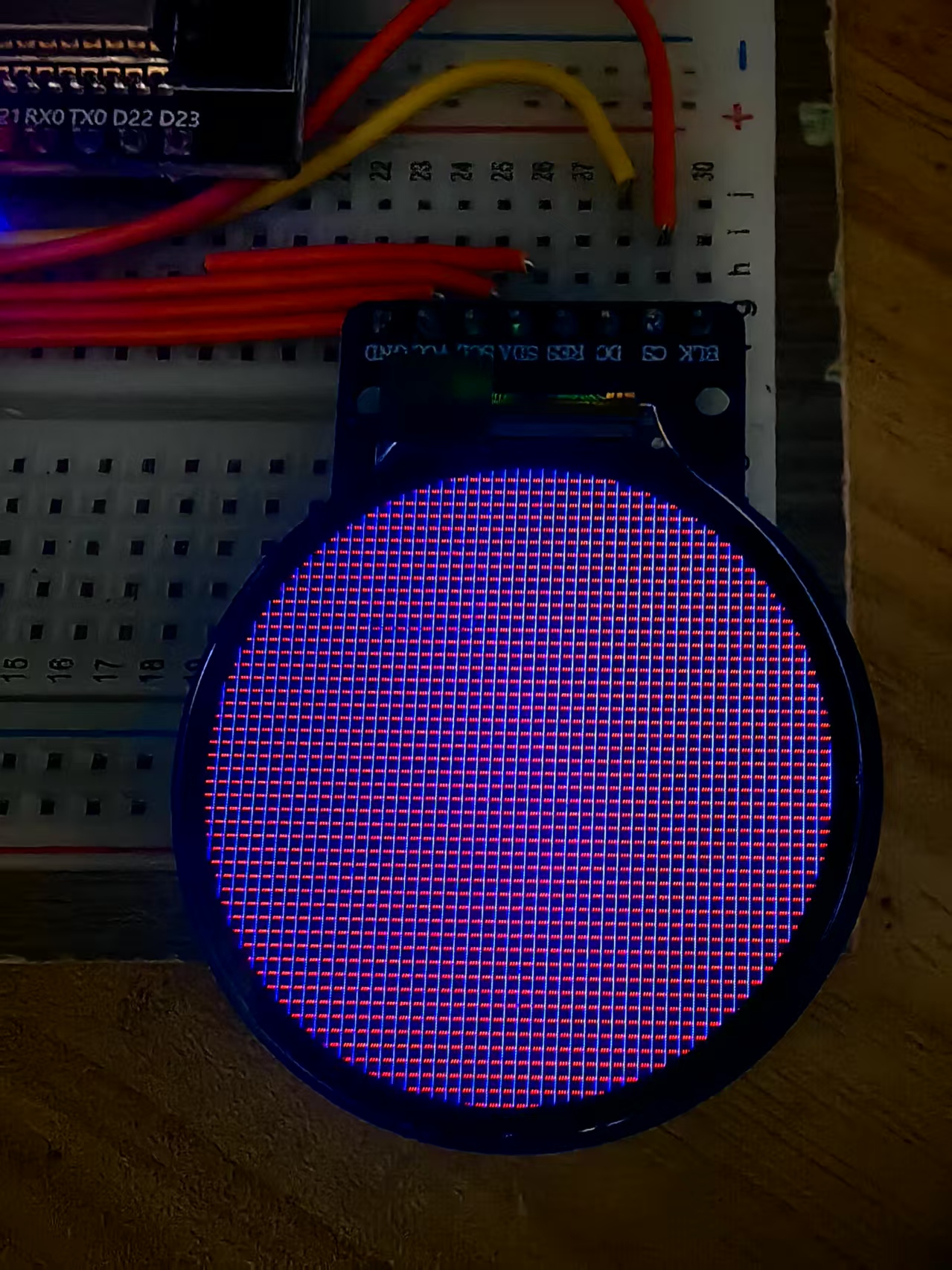
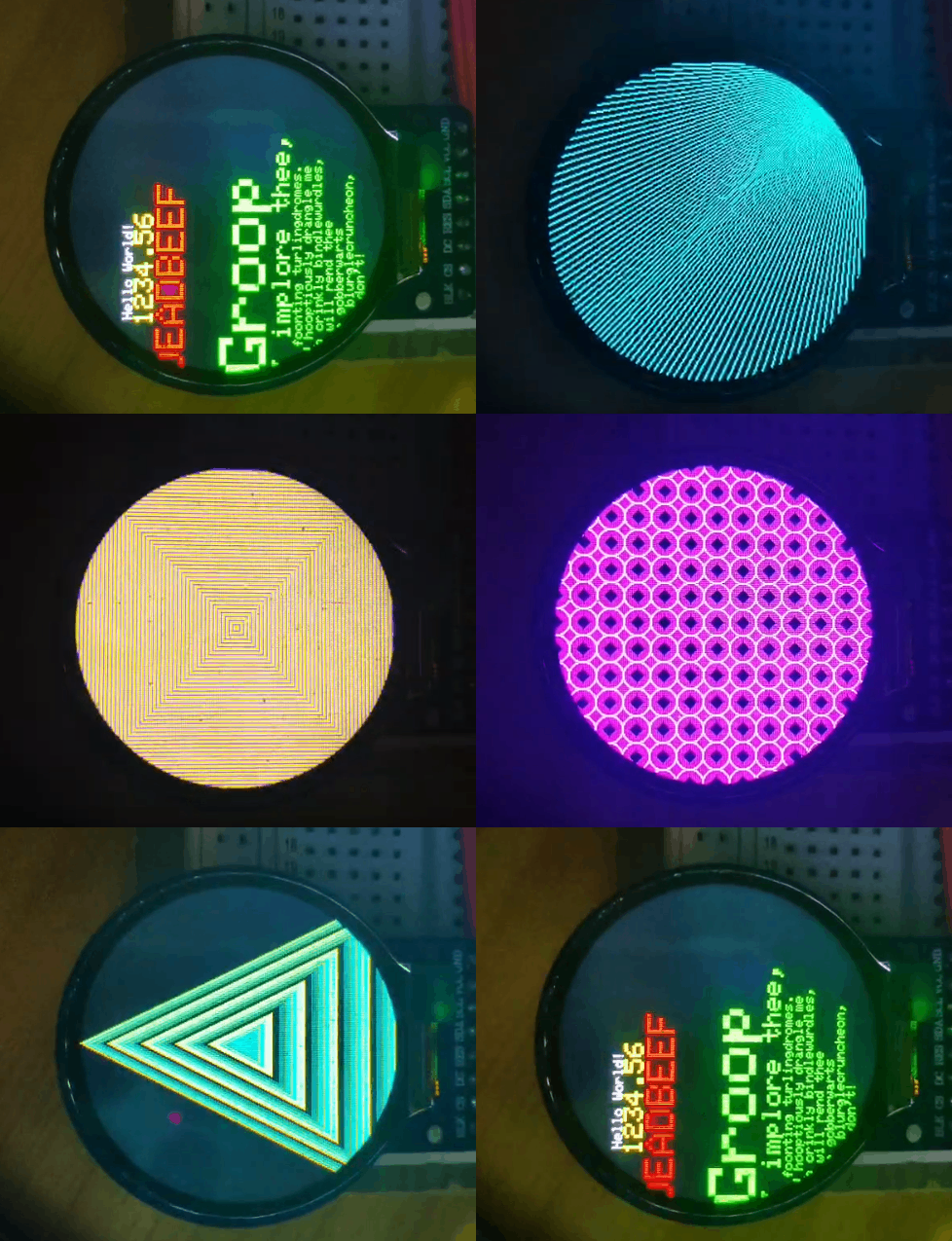
实验场景图 动态图