我的专题是用手机通过蓝芽连接Leonardo , 而Leonardo会使用USB线连接电脑,当我使用手机send "Hello"到Leonardo, Leonardo的serial mon会显示"Hello"
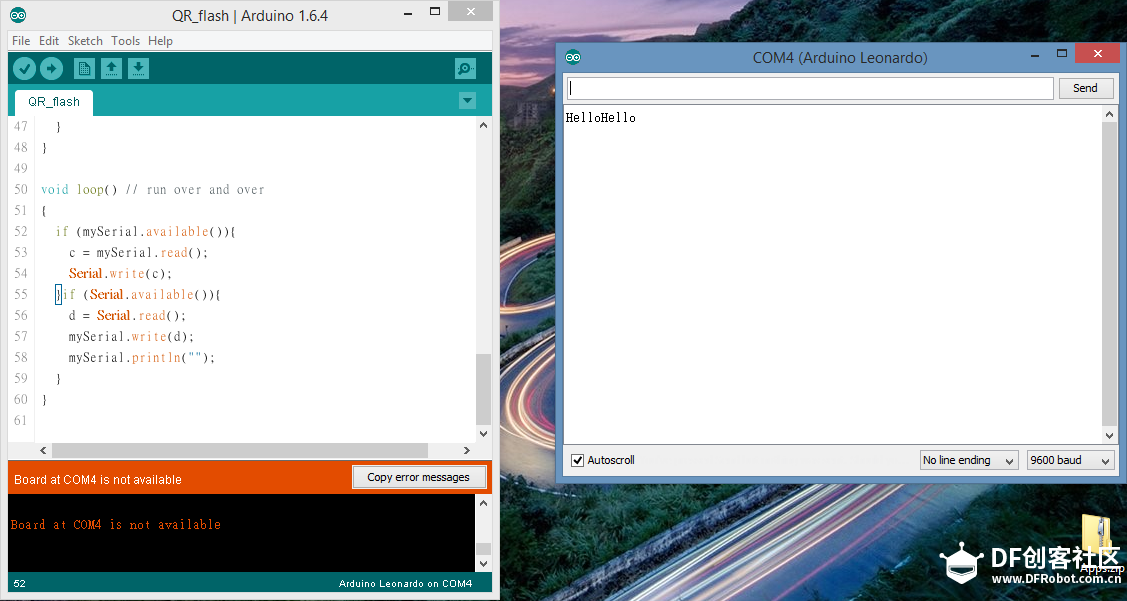 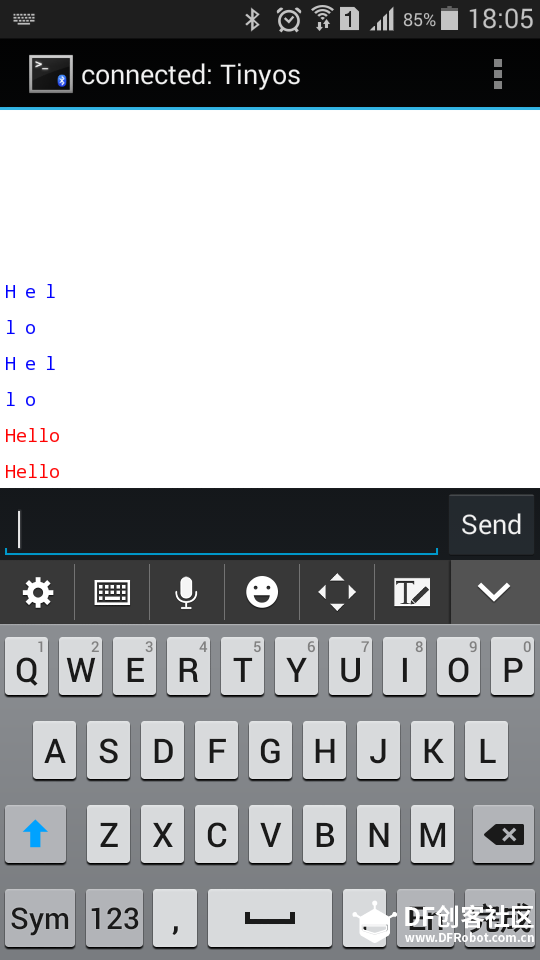
但是当我开了serproxy之后 , Flash完全接收不了手机的data, 用XBee代替蓝牙也一样, Flash的output没有显示手机的data
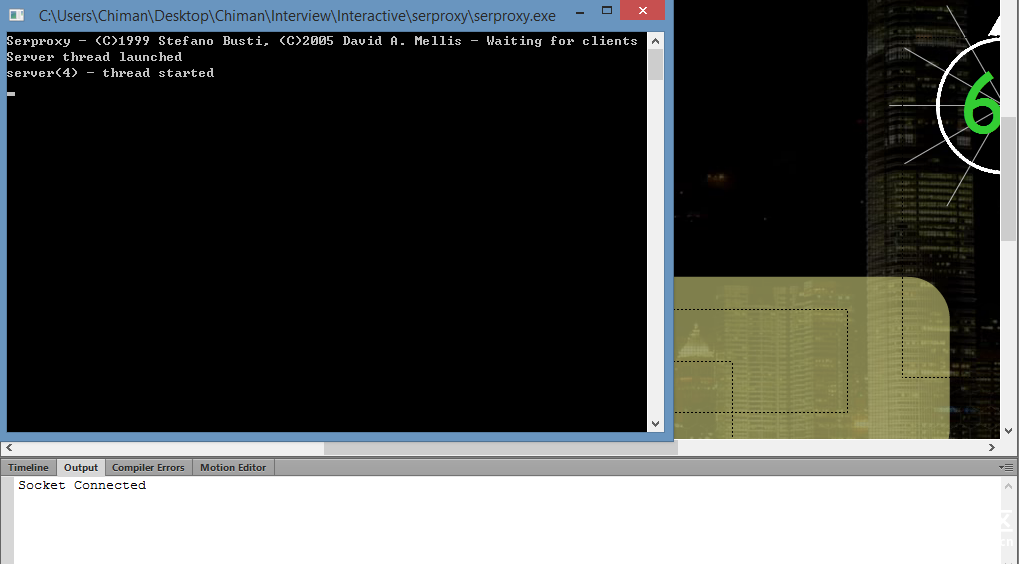
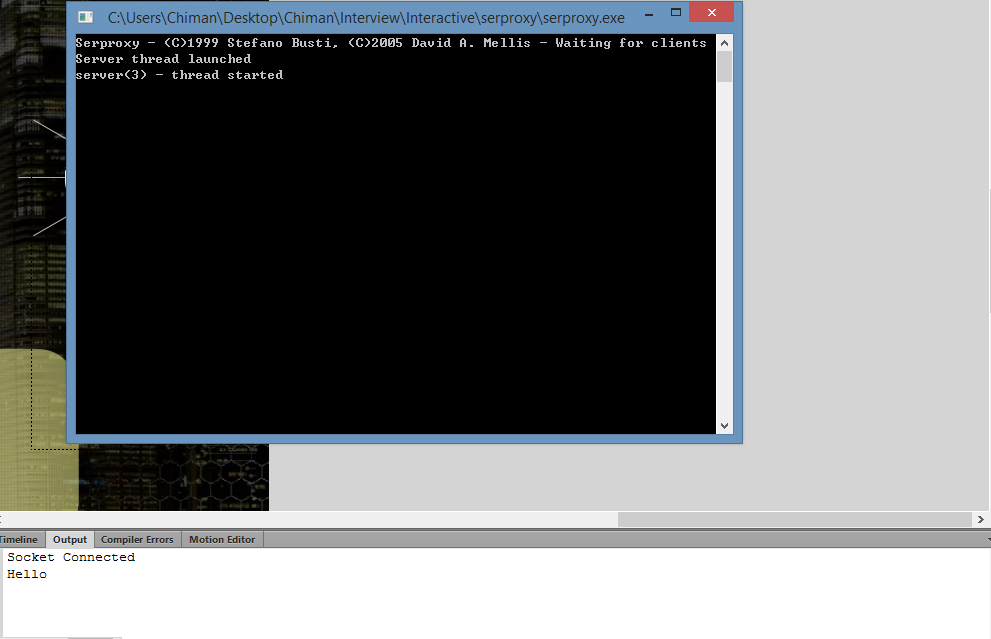
但是当我用Uno板子代替Leonardo重复上面的内容, Flash接收到我手机的data, 當我send "Hello"去Uno, Flash的output会出现Hello
下面是我用在Uno和Leonardo的code
Code in Arduino IDE
- #include <SoftwareSerial.h>
-
-
- SoftwareSerial mySerial(10, 11); // RX, TX
- byte c;
- byte d;
-
- void setup()
- {
- // Open serial communications and wait for port to open:
- Serial.begin(9600);
- Serial.println("Start!!");
-
- // set the data rate for the SoftwareSerial port
- mySerial.begin(9600);
- mySerial.println("Hello, world?");
-
- while (!Serial) {
- ; // wait for serial port to connect. Needed for Leonardo only
- }
- }
-
- void loop() // run over and over
- {
- if (mySerial.available()){
- c = mySerial.read();
- Serial.write(c);
- }if (Serial.available()){
- d = Serial.read();
- mySerial.write(d);
- mySerial.println("");
- }
- }
我也用了Serial1去代替SoftwareSerial, 可是也不行
- byte c;
- byte d;
-
- void setup()
- {
- // Open serial communications and wait for port to open:
- Serial.begin(9600);
- Serial.println("Start!!");
-
- // set the data rate for the SoftwareSerial port
- Serial1.begin(9600);
- Serial1.println("Hello, world?");
-
- while (!Serial) {
- ; // wait for serial port to connect. Needed for Leonardo only
- }
- }
-
- void loop() // run over and over
- {
- if (Serial1.available()){
- c = Serial1.read();
- Serial.print(c);
- Serial.print((byte)0);
- }if (Serial.available()){
- d = Serial.read();
- Serial1.write(d);
- Serial1.println("");
- }
- }
Code in .cfg for serproxy
- newlines_to_nils=false
-
- comm_baud=9600
-
- comm_databits=8
-
- comm_stopbits=1
-
- comm_parity=none
-
- timeout=300
-
- comm_ports=4
- #when I use Uno, comm_ports=3
- net_port4=5331
- #when I use Uno, net_port3=5331
Code in Flash
- import flash.events.Event;
- import flash.display.Sprite;
- import flash.net.Socket;
- import flash.events.IOErrorEvent;
- import flash.events.ProgressEvent;
- import flash.events.SecurityErrorEvent;
- import flash.utils.Endian;
-
- const TOGGLE_LED_STATE:String= "t";
- const EOL_DELIMITER:String = "\n";
- var _socket:Socket;
- var _proxyAddress:String = "127.0.0.1";
- var _proxyPort:int = 5331;
-
- function onAddedToStage():void
- {
- removeEventListener(Event.ADDED_TO_STAGE, onAddedToStage);
- stage.addEventListener(KeyboardEvent.KEY_DOWN, onKeyPressed);
- _socket = new Socket();
- _socket.addEventListener( Event.CONNECT, onConnect );
- _socket.addEventListener( Event.CLOSE, onClose );
- _socket.addEventListener( ProgressEvent.SOCKET_DATA, onSocketData );
- _socket.addEventListener( IOErrorEvent.IO_ERROR, onIOError );
- _socket.addEventListener( SecurityErrorEvent.SECURITY_ERROR, onSecurityError );
- _socket.endian = Endian.LITTLE_ENDIAN;
- _socket.connect(_proxyAddress, _proxyPort);
- }
-
- function onConnect(event:Event):void
- {
- trace("Socket Connected");
- }
-
- function onSocketData(event:ProgressEvent):void{
- var data:String = _socket.readUTFBytes( _socket.bytesAvailable );
- trace(data);
- }
-
- function onKeyPressed(evt:KeyboardEvent):void
- {
- trace("onKeyPressed");
- if(!_socket.connected)
- {
- trace("You must be connected to send a command to the Arduino.");
- return;
- }
- switch (evt.charCode) {
- case Keyboard.A:
- trace(bg_mc.currentFrame);
- trace(bg_mc.totalFrames);
- break;
- case Keyboard.B:
- bg_mc.nextFrame();
- break;
- default:
- trace("keyCode:", evt.keyCode, "charCode:", evt.charCode);
- }
- _socket.flush();
- }
-
- function onClose(event:Event):void
- {
- trace("Socket Closed");
- }
-
- function onIOError(event:IOErrorEvent):void
- {
- timer.stop();
- timer.removeEventListener(TimerEvent.TIMER,counting);
- question_mc.visible = false;
- trace("IOErrorEvent : " + event.text);
- }
-
- function onSecurityError(event:SecurityErrorEvent):void
- {
- trace("SecurityErrorEvent : " + event.text);
- }
-
- onAddedToStage();
我发现问题应该是出在Leonardo的ATmega32u4, 可能是因为Leonardo只用一个处理器, 我在google和百度找了好多遍也没有解决的方法, 求大神解答我的问题
| 



#define EOL_DELIMITER "\n"
int v = 0;
void setup()
{
pinMode(ledPin, OUTPUT);
Serial.begin(9600);
while (!Serial) {
; // wait for serial port to connect. Needed for Leonardo only
}
}
void loop() {
int sensorReading = analogRead(A0);
Serial.print(sensorReading);
Serial.print(EOL_DELIMITER); //add NEWLINE wit the end of sensor value
if ( Serial.available()) {
char ch = Serial.read(); //reicieve charater from computer
switch(ch) {
case '0'...'9':
v = v * 10 + ch - '0';
break;
case 'A':
analogWrite(ledPin, v);
v = 0;
break;
case 'H':
digitalWrite(ledPin,HIGH); //set LED ON
break;
case 'L':
digitalWrite(ledPin,LOW); //set LED OFF
break;
}
}
delay(1);
}
[/code]
这是它的file里面的code, 我就是用它给我code试, 可是不行
https://github.com/maowu/FlashArduinoLeonardoGettingStarted/wiki
[align=left]由於Leonardo Arduino的Serial port溝通是透過軟體模擬的(較不同於UNO,是直接由另外一顆晶片硬體處理),所以在程式撰寫上,需要注意一些小細節。[/align][list]
[*]Arduino端程式重點:
[*]在Setup()中,當呼叫完Serial.begin(_baudrate_)後,需要加上下列的程式碼,來等待Serial port正確被連接上: while (!Serial) { ; }
[*]在使用Serial.print(_value_)後,需再Serial.print(EOL_DELIMITER),作為TinkProxy判斷封包使用,必須在Loop()的結束前,加上適當的delay(1),以免Leonardo的Serial port太過忙碌,造成訊號無法正確傳遞。
[/list][font=Helvetica Neue, Helvetica, Segoe UI, Arial, freesans, sans-serif] #define EOL_DELIMITER "\n"[/font]
[font=Consolas,]var _baudrate_ = 9600;[/font]
[font=Consolas,]
[/font]可是我试完上面的example也是不行, 用的所有file也是它的例子,有没有大神有这方面的知识