

菜鸟入门edison系列(四):Edison固件更新
2015-08-121.3万

AI 快速预览详细
本文介绍了在Ubuntu系统中使用烧录工具进行Edison固件更新的方法。首先,从Intel官网下载固件镜像和烧录工具。接着,将固件包放在~/software/edison_image目录下,烧录工具放在~/software/edison_flash_tools目录下。然后,根据操作系统版本安装必要的依赖库,并使用gdebi命令安装烧录工具。打开烧录工具后,选择下载好的固件镜像并开始烧录。整个过程简单易懂,适合初学者和技术爱好者。
|
接:菜鸟入门edison系列(三):Eclipse for linux 环境配置https://mc.dfrobot.com.cn/forum.php?mod=viewthread&tid=12548&fromuid=72181 Edison的固件更新: 玩过硬件的人基本都听说过这个词:固件,相信很多人对固件更新也是有兴趣的,在ubuntu里面是可以完全用命令行实现固件烧录更新的,在Angelo大神编写的教程Edison解密篇里面就介绍了这种方法,今天在Ubuntu里面借助一个烧录软件来实现,也很简单。 下载的文件名:edison-image-ww25.5-15.zip 下载的文件名:phoneflashtoollite_5.2.4.0_linux_x86_64.deb 这里我将下载的固件包放在目录:~/software/edison_image:  将下载的固件烧录工具放在目录:~/software/edison_flash_tools  软件包准备好后我们需要对刷机工具进行安装: 安装ubuntu工具,对应自己的操作系统操作: sudo apt-get install gdebi ia32-libs (这里是在Ubuntu 12.04 TLS下操作) sudo apt-get install gdebi libncurses5:i386 libstdc++6:i386 (这里是在Ubuntu 13.04 64-bit下操作)  下面我们安装烧录软件: 输入命令:sudo gdebi phoneflashtoollite_5.2.4.0_linux_x86_64.deb 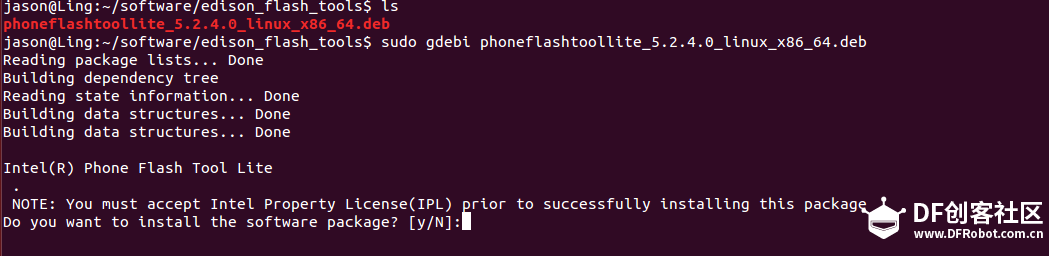 解压完成后,回到桌面会发现桌面多了一个软件,这就是我们需要的烧录工具: 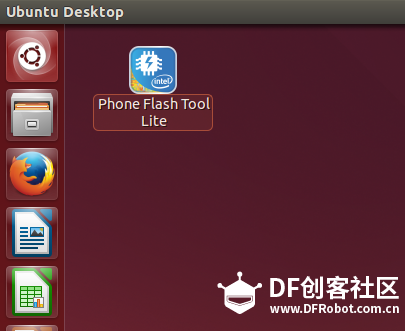 双击打开烧录工具: 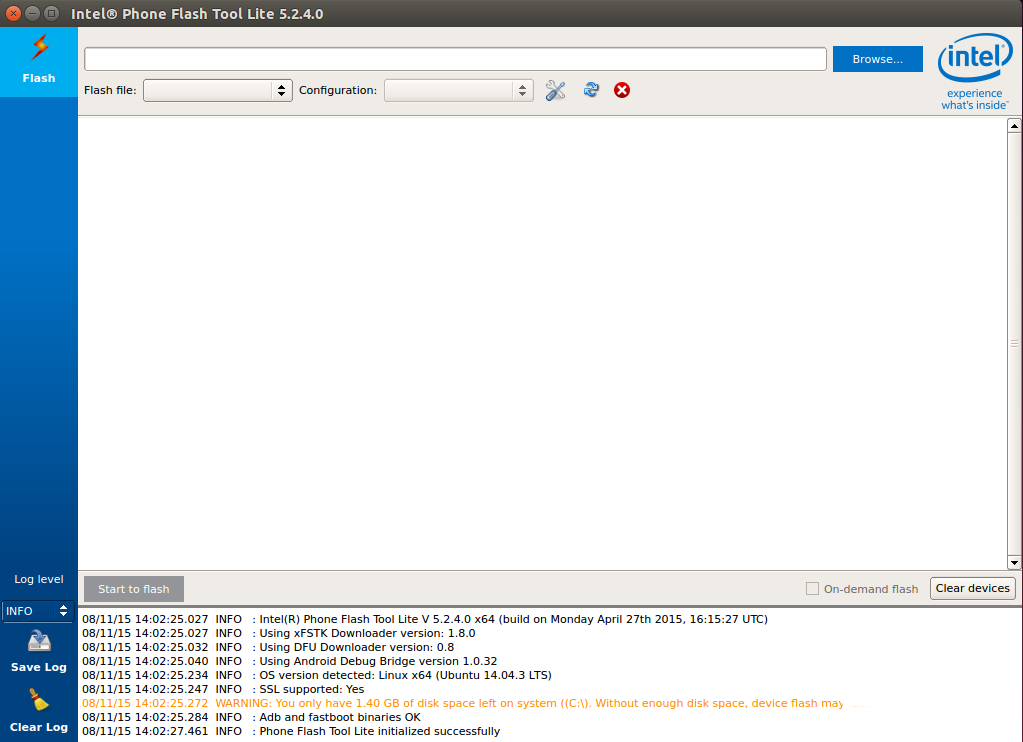 点击右上角的browse..选中下载好的镜像包,点击右下角的open: 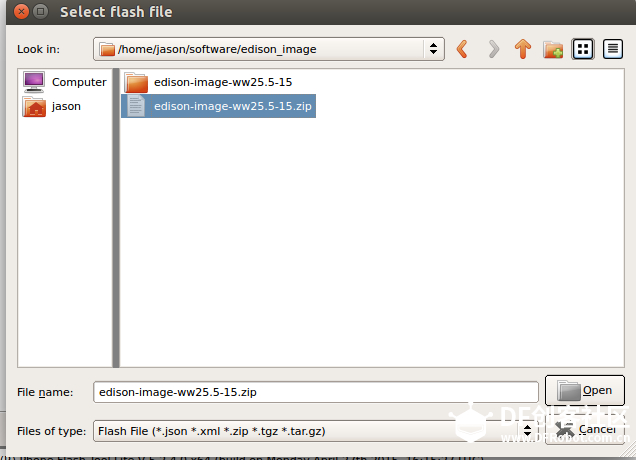 软件会自动提取压缩包里面的.jaso文件:  完成后点击左下方的Start to flash,会弹出一个窗口,提示插拔一下USB(不是串口): 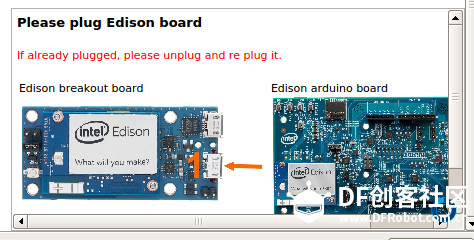 此时你插拔一下USB,固件就开始烧录了,(静静的等待,可以去泡杯茶):  烧录完成软件右上角会提示烧录成功,提示的时间很短,恭喜你,固件更新完成!  至此,Edison固件更新已经完成!  |


│ │
│ ies/7z920-source.tar.bz2
│
│ dfu-util: Device Firmware Upgrade Utilities, License: GPL v2, Website:
│ http://dfu-util.sourceforge.net/ sources:
│ https://download.01.org/android-ia/tools/platformflashtool-lite/3rd-part
│ ies/dfu-util-0.8.4.zip
│
│ InnoSetup, Website: http://www.jrsoftware.org/isinfo.php
│
│
│
│ Copies of the various licenses associated with the above libraries can
│ be found within the installation folder for reference. Please see the
│ contents of
│
│ <确定>
│ │
└─────────────────────────────────────────────────────────────
│ │
│ ies/7z920-source.tar.bz2
│
│ dfu-util: Device Firmware Upgrade Utilities, License: GPL v2, Website:
│ http://dfu-util.sourceforge.net/ sources:
│ https://download.01.org/android-ia/tools/platformflashtool-lite/3rd-part
│ ies/dfu-util-0.8.4.zip
│
│ InnoSetup, Website: http://www.jrsoftware.org/isinfo.php
│
│
│
│ Copies of the various licenses associated with the above libraries can
│ be found within the installation folder for reference. Please see the
│ contents of
│
│ <确定>
│ │
└─────────────────────────────────────────────────────────────
│ │
│ ies/7z920-source.tar.bz2
│
│ dfu-util: Device Firmware Upgrade Utilities, License: GPL v2, Website:
│ http://dfu-util.sourceforge.net/ sources:
│ https://download.01.org/android-ia/tools/platformflashtool-lite/3rd-part
│ ies/dfu-util-0.8.4.zip
│
│ InnoSetup, Website: http://www.jrsoftware.org/isinfo.php
│
│
│
│ Copies of the various licenses associated with the above libraries can
│ be found within the installation folder for reference. Please see the
│ contents of
│
│ <确定>
│ │
└─────────────────────────────────────────────────────────────