

当掌控遇上Blynk(2)——远程控制七彩灯
2019-01-031.4万
AI 快速预览详细
本文介绍了如何使用掌控板和Blynk实现远程控制七彩灯。首先,通过连接WiFi并配置Blynk授权码,然后通过Blynk应用远程控制RGB灯的颜色。文中详细展示了代码示例和具体步骤,帮助用户轻松实现远程控制功能。
 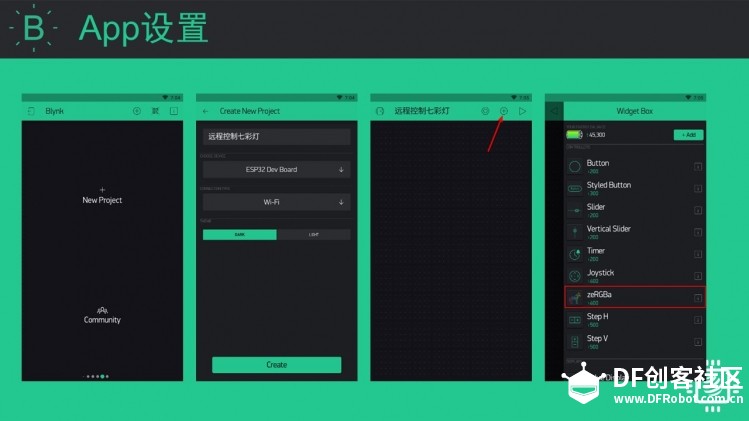 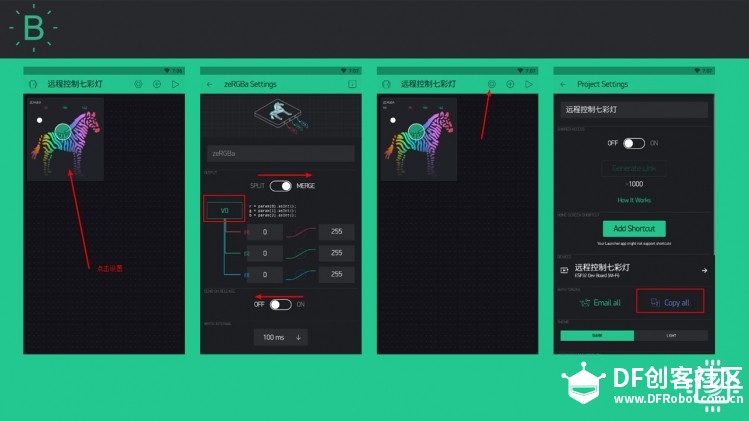 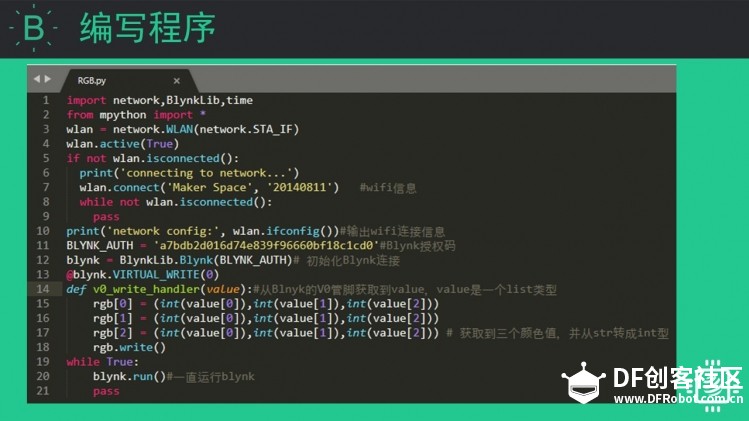 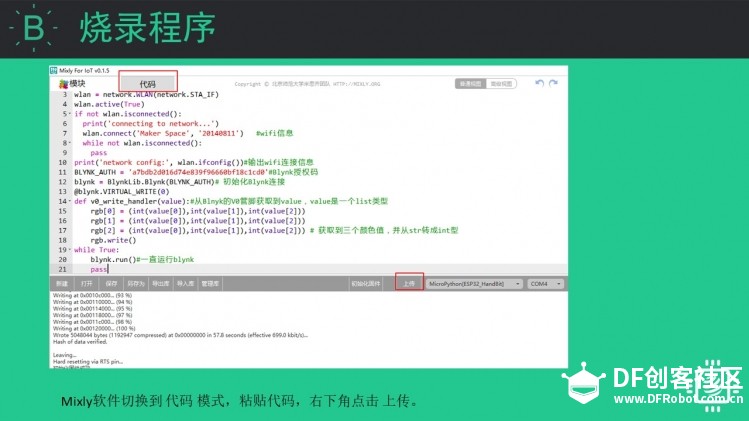 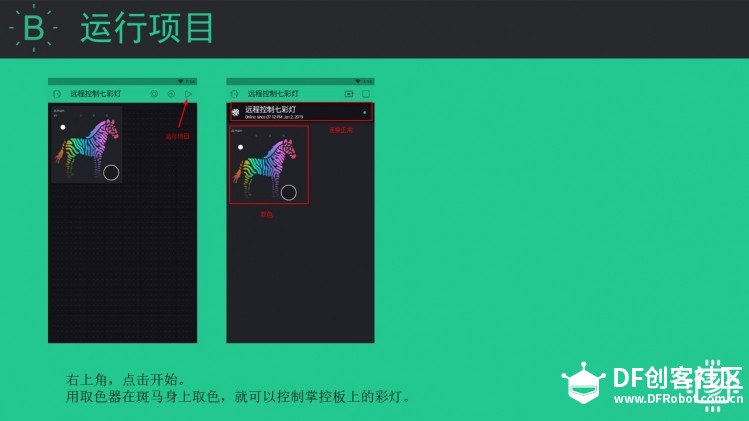 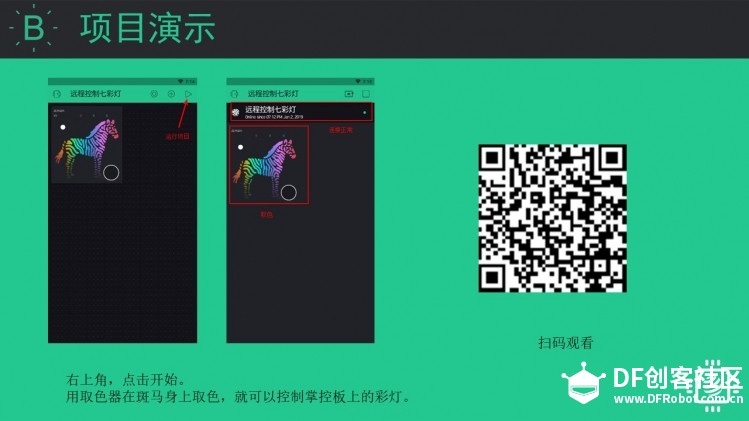 [mw_shl_code=python,true]import network,BlynkLib,time from mpython import * wlan = network.WLAN(network.STA_IF) wlan.active(True) if not wlan.isconnected(): print('connecting to network...') wlan.connect('Maker Space', '12345678') #wifi信息 while not wlan.isconnected(): pass print('network config:', wlan.ifconfig())#输出wifi连接信息 BLYNK_AUTH = 'a7bdb2d016d74e839f96660bf******'#Blynk授权码 blynk = BlynkLib.Blynk(BLYNK_AUTH)# 初始化Blynk连接 @blynk.VIRTUAL_WRITE(0) def v0_write_handler(value):#从Blnyk的V0管脚获取到value,value是一个list类型 rgb[0] = (int(value[0]),int(value[1]),int(value[2])) rgb[1] = (int(value[0]),int(value[1]),int(value[2])) rgb[2] = (int(value[0]),int(value[1]),int(value[2])) # 获取到三个颜色值,并从str转成int型 rgb.write() while True: blynk.run()#一直运行blynk pass[/mw_shl_code] |





我已经对该项进行了配置,为什么还是不能找到BlynkLib
Timeout: Serial has no response! Now retry...
========> done!
NOTICE: mixly_tool.py is the same in board, now skip it!
NOTICE: BlynkLib.py is the same in board, now skip it!
write file mpython.py...
========> done!
NOTICE: reset.py is the same in board, now skip it!
machine reseting...
========> done!
set main.py...
========> done!
run program...
exec(open('mixly.py').read(),globals())
___ __ __
/ _ )/ /_ _____ / /__
/ _ / / // / _ \/ '_/
/____/_/\_, /_//_/_/\_\
/___/ for Python v0.2.0
[0;32mI (2722) phy: phy_version: 3910, c0c45a3, May 21 2018, 18:07:06, 0, 0[0m
connecting to network...
network config: ('172.19.233.23', '255.255.0.0', '172.19.233.1', '172.19.233.1')
Traceback (most recent call last):
File "
File "
File "BlynkLib.py", line 211, in __init__
File "BlynkLib.py", line 57, in __init__
TypeError: function takes 2 positional arguments but 1 were given
>>>
请问出现了这种问题该怎么修改?
exec(open('mixly.py').read(),globals())
Traceback (most recent call last):
File "
File "
ImportError: no module named 'BlynkLib'
>>>
出现这些错误信息,请问哪里出错了