Maqueen - how to get an I2C address of a device installed on Maqueen platform
2019-08-205755
AI 快速预览详细
本文介绍了如何在Maqueen平台上获取I2C设备的地址。首先,需要准备micro:bit、Maqueen机器人和I2C设备。然后,使用Mind+软件,通过扩展功能中的IIC扫描功能来检测I2C地址。上传代码后,可以在串口监视器中看到所有检测到的I2C地址。例如,BME280环境传感器的I2C地址为0x36,Li-battery燃料计的I2C地址为0x77。这种方法可以帮助用户快速确定I2C设备的地址,从而解决设备连接问题。
|
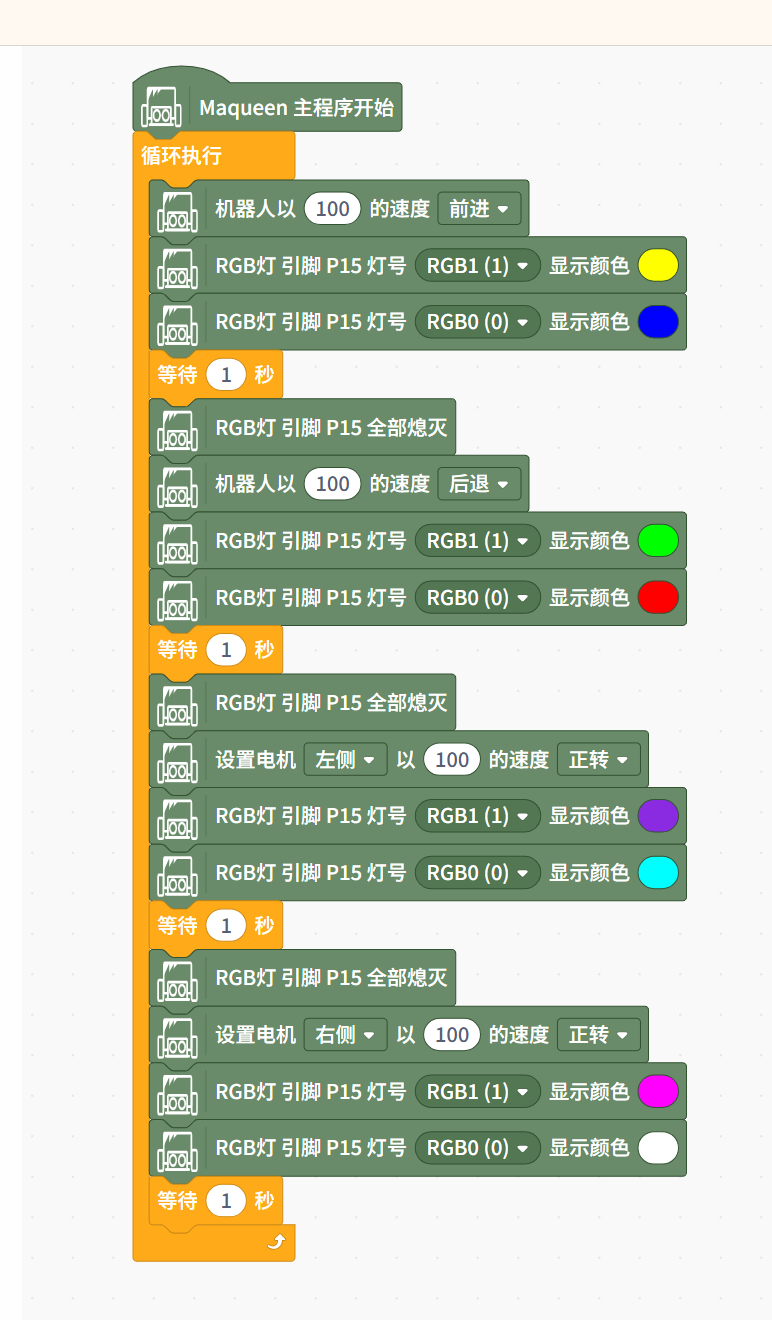
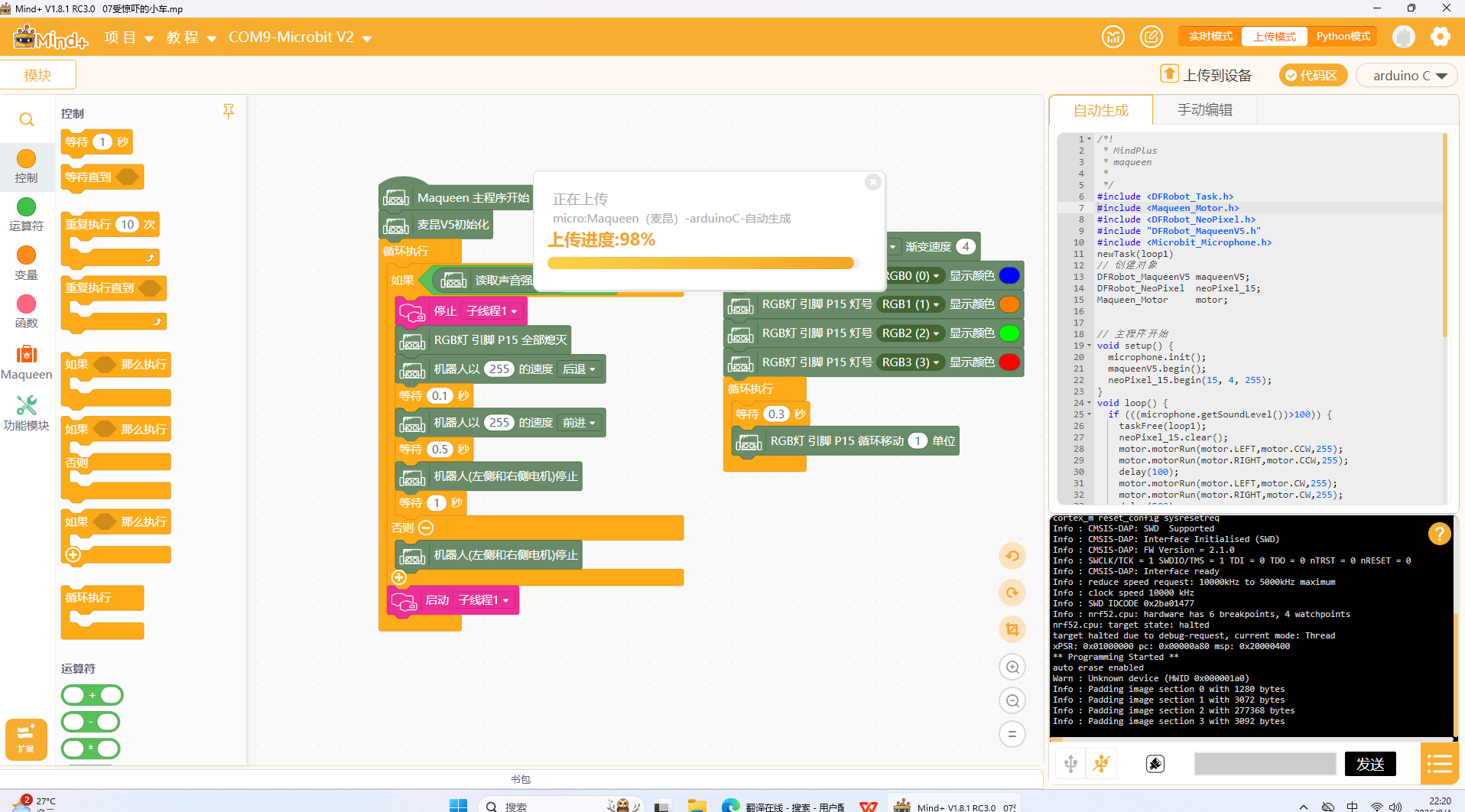
Here is an instruction to figure out the I2C address ofthe device installed on the Maqueen platform. Hardware: -micro bit -Maqueen robot -I2C device (sensors, LCD,etc.) -4 pin jump wire Software: -mind+ You can download from http://mindplus.cc/ Steps : 1.open mind+ click extension 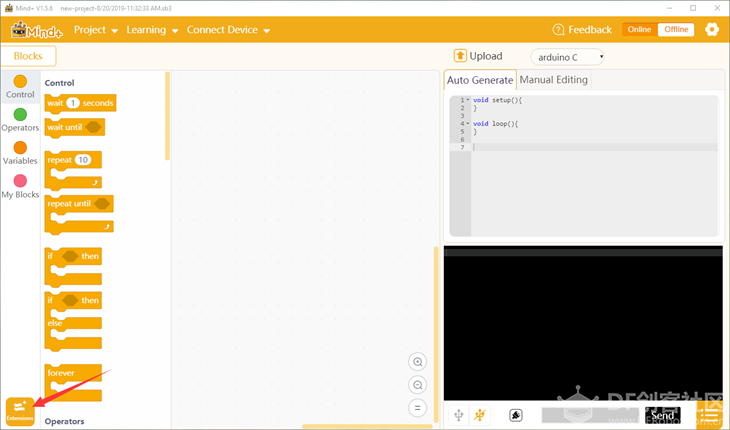 2. click kit and select Maqueen 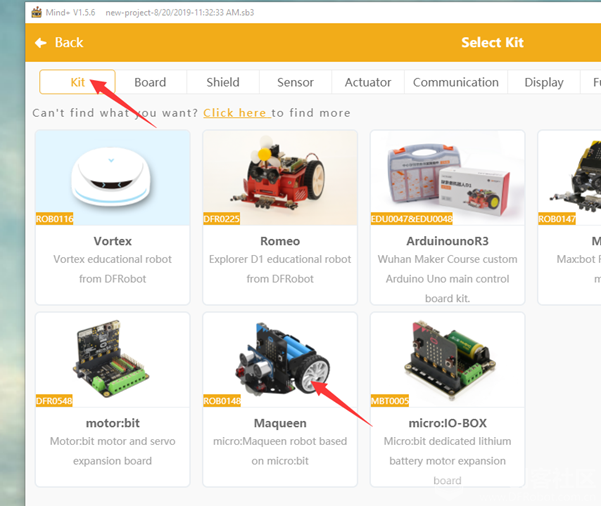 3. We have an I2C scan function integrated. Then clickFunction and select IIC scan. 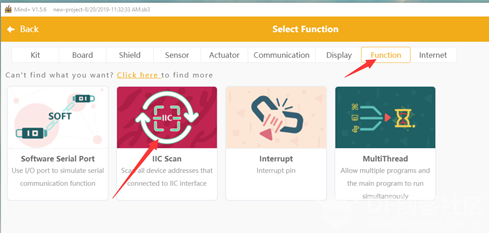 4. After addingboth, you will find the blocks in the programming page. And then program likethis and it will display the all detected I2Caddresses in the serial monitor.  5. set upyour connection, connect the micro bit with PC and plug the micro bit on the Maqueenchassis. And connect the I2C module to I2C port.  DifferentI2C modules have different I2C addresses. (We are using BME 280 Environmentsensor and Li-battery fuel gauge as examples here)  6. Uploadthe code and open the Serial. If you plug nothing, the detected I2C address isonly 0x10. Then plug BME280 Environment sensor, it gives one more I2C address,which is 0x36. Then switch to the fuel gauge module, the I2C address changes to 0x77. 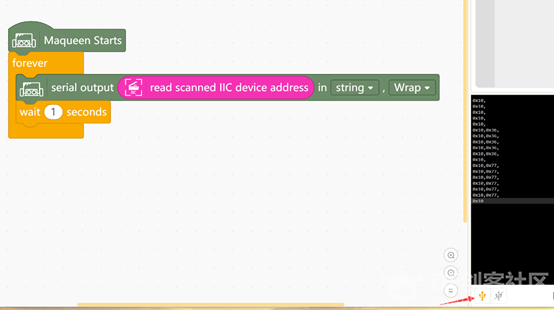 That is how I determine the I2C address of a deviceinstalled on Maqueen. Hope it can be helpful for you. |