Color Unit试用项目准备工作——天气预报灯
2020-04-191.3万
AI 快速预览详细
本项目介绍了如何使用M5stack和心知天气API制作一个实时显示天气图标和温度的天气预报灯。项目包括硬件清单、最终效果、难度等级等详细内容。适合STEM教育场景,帮助孩子理解天气数据的应用。
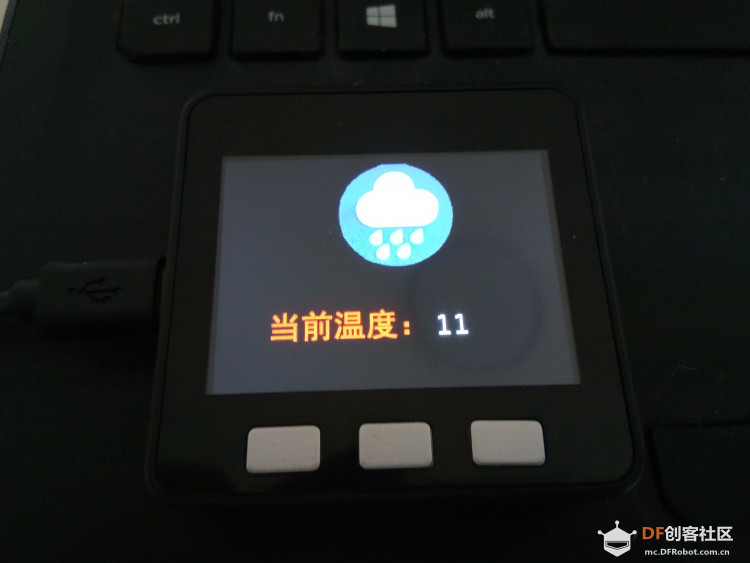 屏幕上显示当天天气图标,当前温度。https://www.seniverse.com/“心知天气”提供的数据 [mw_shl_code=html,false]{"results":[{"location":{"id":"WX38NPJ1DP88","name":"张家口","country":"CN","path":"张家口,张家口,河北,中国","timezone":"Asia/Shanghai","timezone_offset":"+08:00"},"now":{"text":"小雨","code":"13","temperature":"11"},"last_update":"2020-04-19T17:31:00+08:00"}]}[/mw_shl_code] 根据“心知天气”提供的数据也显示三天的天气情况。包含以下数据: [mw_shl_code=html,false]{"results":[{"location":{"id":"WX38NPJ1DP88","name":"张家口","country":"CN","path":"张家口,张家口,河北,中国","timezone":"Asia/Shanghai","timezone_offset":"+08:00"},"daily":[{"date":"2020-04-19","text_day":"小雨","code_day":"13","text_night":"多云","code_night":"4","high":"17","low":"2","rainfall":"3.1","precip":"","wind_direction":"西北","wind_direction_degree":"315","wind_speed":"45.00","wind_scale":"6","humidity":"64"},{"date":"2020-04-20","text_day":"晴","code_day":"0","text_night":"晴","code_night":"1","high":"8","low":"-2","rainfall":"0.0","precip":"","wind_direction":"西北","wind_direction_degree":"328","wind_speed":"45.00","wind_scale":"6","humidity":"21"},{"date":"2020-04-21","text_day":"晴","code_day":"0","text_night":"晴","code_night":"1","high":"7","low":"-3","rainfall":"0.0","precip":"","wind_direction":"西北","wind_direction_degree":"321","wind_speed":"45.00","wind_scale":"6","humidity":"32"}],"last_update":"2020-04-19T11:17:53+08:00"}]}[/mw_shl_code] 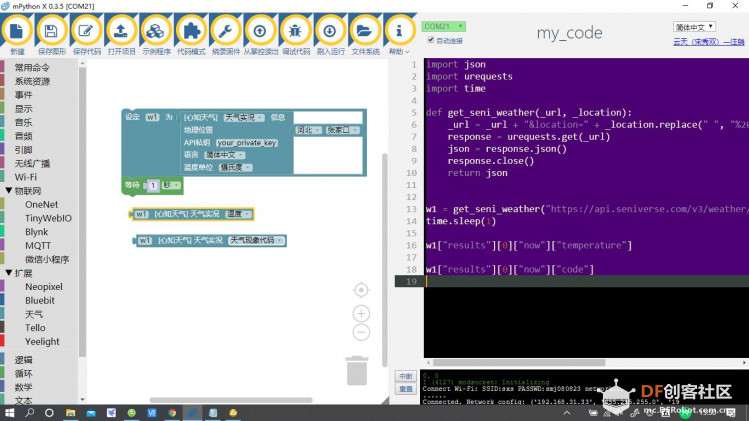 参考Mpython X 的python代码,设计 M5stack的Python代码: 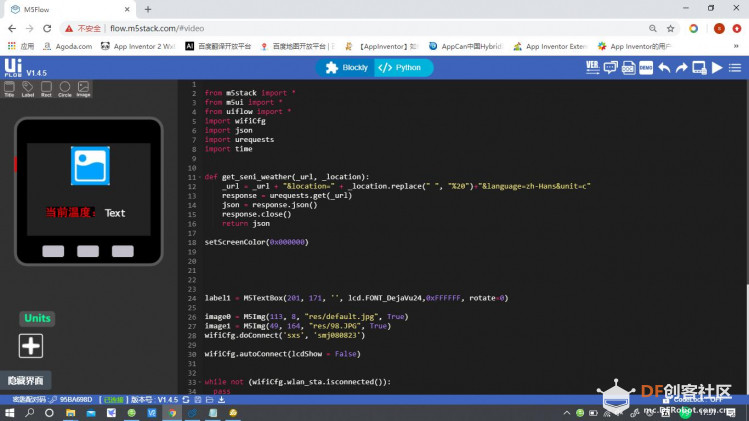 因暂时没有实现,显示中文,所以“当前温度”用自制图片显示:  天气图标使用Firework软件进行处理,背景使用纯黑。 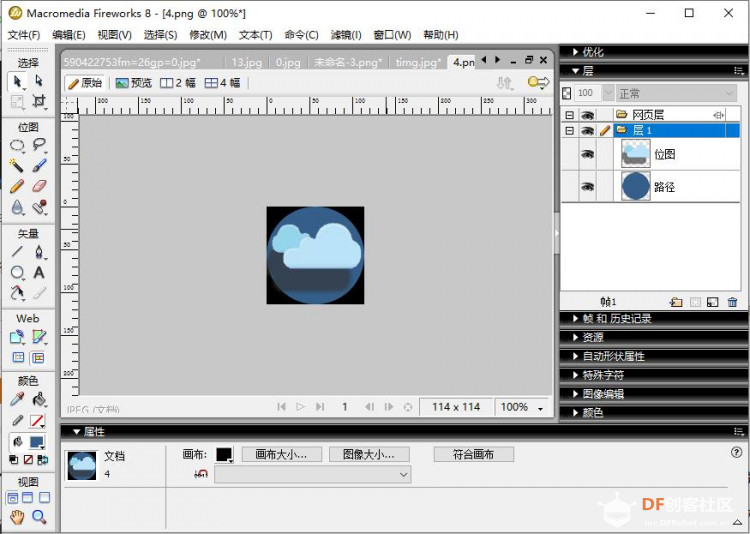 M5stack中设置背景为纯黑:setScreenColor(0x000000) label1.setText(str( w1["results"][0]["now"]["temperature"])) if w1["results"][0]["now"]["code"]== "0": image0.changeImg("res/0.JPG") if w1["results"][0]["now"]["code"]== "13": image0.changeImg("res/13.JPG") if w1["results"][0]["now"]["code"]== "4": image0.changeImg("res/4.JPG") 只做了三张图片0.JPG为晴天;13.JPG为下雨;4.JPG为多云。 ["results"][0]["now"]["code"]获取的是天气代码。对应如下表:  因“知心天气”限制一分钟访问20次。还因天气数据变化缓慢,所以中间使用time.sleep(20)延时访问。 [mw_shl_code=python,false] from m5stack import * from m5ui import * from uiflow import * import wifiCfg import json import urequests import time def get_seni_weather(_url, _location): _url = _url + "&location=" + _location.replace(" ", "%20")+"&language=zh-Hans&unit=c" response = urequests.get(_url) json = response.json() response.close() return json setScreenColor(0x000000) label1 = M5TextBox(201, 171, '', lcd.FONT_DejaVu24,0xFFFFFF, rotate=0) image0 = M5Img(113, 8, "res/default.jpg", True) image1 = M5Img(49, 164, "res/98.JPG", True) wifiCfg.doConnect('sxs', 'smj080823') wifiCfg.autoConnect(lcdShow = False) while not (wifiCfg.wlan_sta.isconnected()): pass label1.setText(str('NET OK')) while True: w1 = get_seni_weather("https://api.seniverse.com/v3/weather/now.json?key=SAabm-73z5YLtTaxb", "zhangjiakou") label1.setText(str( w1["results"][0]["now"]["temperature"])) if w1["results"][0]["now"]["code"]== "0": image0.changeImg("res/0.JPG") if w1["results"][0]["now"]["code"]== "13": image0.changeImg("res/13.JPG") if w1["results"][0]["now"]["code"]== "4": image0.changeImg("res/4.JPG") #w2 = get_seni_weather("https://api.seniverse.com/v3/weather/daily.json?key=SAabm-73z5YLtTaxb", "zhangjiakou") #w3 = get_seni_weather("https://api.seniverse.com/v3/life/suggestion.json?key=SAabm-73z5YLtTaxb", "zhangjiakou") time.sleep(20) wait_ms(2) [/mw_shl_code] 完整代码。  由于今天一直阴天刮风,时不时的下雨,温度一降再降。  亮灯代码 [mw_shl_code=python,false] from m5stack import * from m5ui import * from uiflow import * import wifiCfg import json import urequests import time import unit def get_seni_weather(_url, _location): _url = _url + "&location=" + _location.replace(" ", "%20")+"&language=zh-Hans&unit=c" response = urequests.get(_url) json = response.json() response.close() return json setScreenColor(0x000000) neopixel0 = unit.get(unit.NEOPIXEL, unit.PORTB, 10) label1 = M5TextBox(201, 171, '', lcd.FONT_DejaVu24,0xFFFFFF, rotate=0) image0 = M5Img(113, 8, "res/default.jpg", True) image1 = M5Img(49, 164, "res/98.JPG", True) wifiCfg.doConnect('sxs', 'smj080823') wifiCfg.autoConnect(lcdShow = False) while not (wifiCfg.wlan_sta.isconnected()): pass label1.setText(str('NET OK')) while True: w1 = get_seni_weather("https://api.seniverse.com/v3/weather/now.json?key=SAabm-73z5YLtTaxb", "zhangjiakou") label1.setText(str( w1["results"][0]["now"]["temperature"])) if w1["results"][0]["now"]["code"]== "0": image0.changeImg("res/0.JPG") neopixel0.setColorFrom(1, 10, 0xff0000) if w1["results"][0]["now"]["code"]== "13": image0.changeImg("res/13.JPG") neopixel0.setColorFrom(1, 10, 0x00ff00) if w1["results"][0]["now"]["code"]== "4": image0.changeImg("res/4.JPG") neopixel0.setColorFrom(1, 10, 0x0000ff0) #w2 = get_seni_weather("https://api.seniverse.com/v3/weather/daily.json?key=SAabm-73z5YLtTaxb", "zhangjiakou") #w3 = get_seni_weather("https://api.seniverse.com/v3/life/suggestion.json?key=SAabm-73z5YLtTaxb", "zhangjiakou") time.sleep(20) wait_ms(2) [/mw_shl_code] |