DIY一个RFID音乐盒-回味老歌,致敬经典
2020-03-191.2万

AI 快速预览详细
这个项目是通过DIY一个RFID音乐盒来播放经典老歌,唤起青春回忆。所需硬件包括Arduino UNO、DFPlayer MINI和RC522。通过识别不同的RFID标签,播放相应的歌曲。项目简单易上手,适合零基础的新手。通过修改代码中的UID码,可以自定义每个标签对应的歌曲。
|
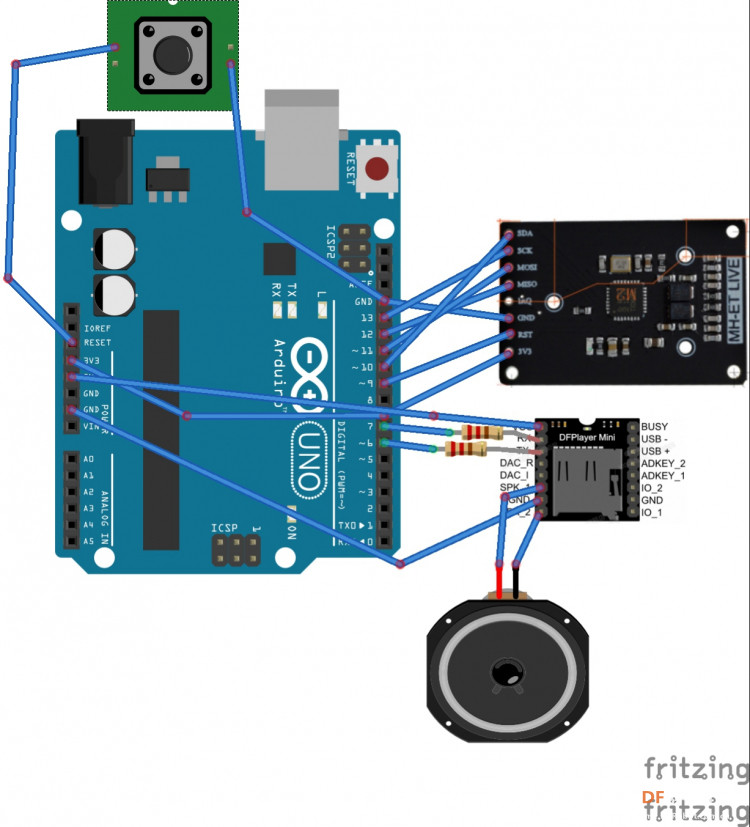
这次以RFID音乐盒为载体,回味老歌,致敬经典 听的是老歌 咀嚼的是青春回忆 一首首经典老歌,勾起我们逝去的青春记忆 “每一首老歌的背后都藏着你我的青春记忆,有考试时的紧张,有情窦初开的甜蜜,还有大考后的放松,也有失恋的难过……。” 那些经典歌曲总能穿破岁月的灰尘,越过遗忘的脑海,复活在每个人的心中。让我们坐上重返青春的列车,一起聆听那真挚、浪漫、一尘不染的美妙之声。 聆听这样的歌声,总使人有时光倒流的感觉,仿佛又回到了从前,回到了我们年轻的时候,让我们致敬经典,致敬曾经的歌坛巨星。致敬那一去不返的青春。 值此大疫之时,历尽沧桑不低头,归来日快意人生。 项目所需硬件如下: 1.Arduino UNO 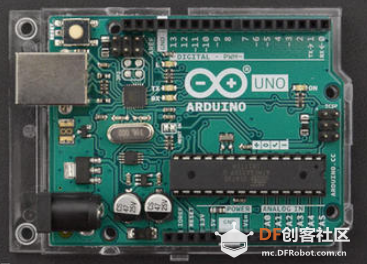 2.DFPlayer MINI 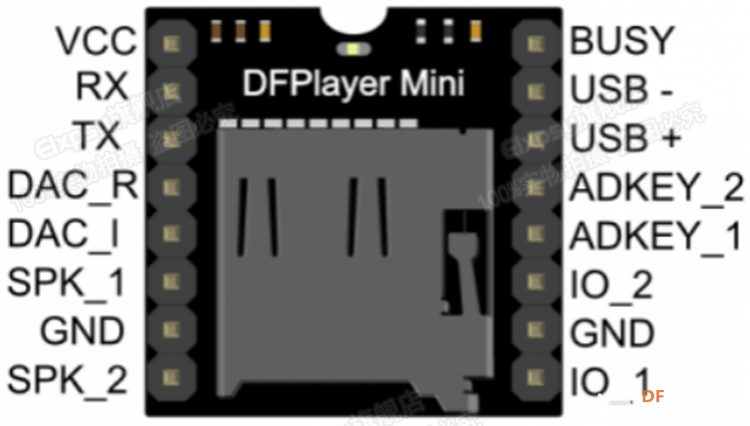 3.RC522和6个钥匙扣Tag 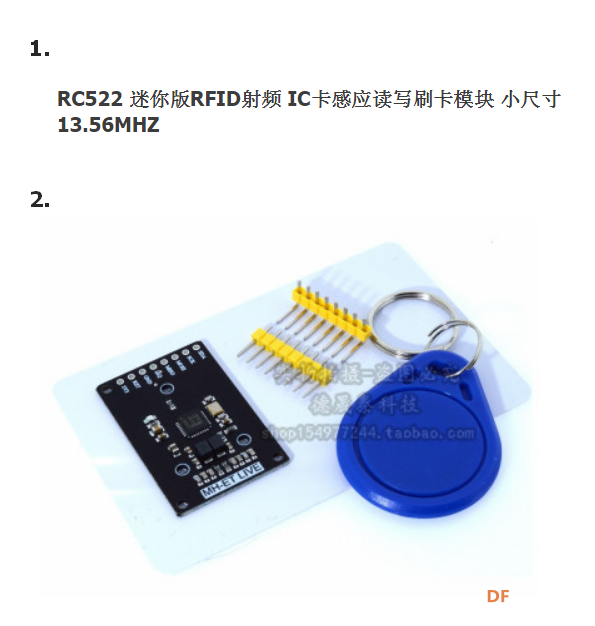 硬件连线图 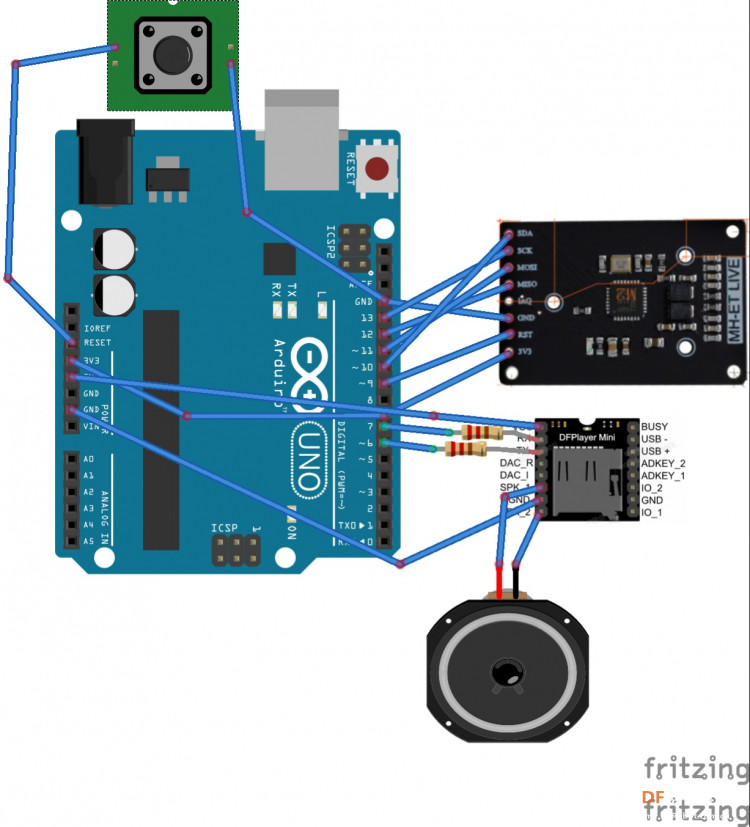 [mw_shl_code=applescript,false]/* * This Sketch is made by gada888 -----luoyang-China------ -----2020-03-18---------- */ #include <SPI.h> #include <MFRC522.h> #include "Arduino.h" #include "SoftwareSerial.h" #include <DFPlayerMini_Fast.h> #define SS_PIN 10 #define RST_PIN 9 MFRC522 mfrc522(SS_PIN, RST_PIN); // Create MFRC522 instance. SoftwareSerial mySerial(7, 6); // RX, TX DFPlayerMini_Fast myMP3; void setup() { mySerial.begin(9600); myMP3.begin(mySerial); myMP3.volume(23); Serial.begin(115200); // Initiate a serial communication SPI.begin(); // Initiate SPI bus mfrc522.PCD_Init(); // Initiate MFRC522 Serial.println("Approximate your card to the reader..."); Serial.println(); } void loop() { // Look for new cards if ( ! mfrc522.PICC_IsNewCardPresent()) { return; } // Select one of the cards if ( ! mfrc522.PICC_ReadCardSerial()) { return; } //Show UID on serial monitor Serial.print("UID tag :"); String content= ""; byte letter; for (byte i = 0; i < mfrc522.uid.size; i++) { Serial.print(mfrc522.uid.uidByte < 0x10 ? " 0" : " "); Serial.print(mfrc522.uid.uidByte, HEX); content.concat(String(mfrc522.uid.uidByte < 0x10 ? " 0" : " ")); content.concat(String(mfrc522.uid.uidByte, HEX)); } Serial.println(); Serial.print("Message : "); content.toUpperCase(); if (content.substring(1) == "69 E4 3C A3") //change here the UID of the card/cards that you want to give access { Serial.println("Authorized access"); Serial.println(); myMP3.play(1); delay(1000); } if (content.substring(1) == "67 33 7E 7A") //change here the UID of the card/cards that you want to give access { Serial.println("Authorized access"); Serial.println(); myMP3.play(2); delay(1000); } if (content.substring(1) == "D7 3F 7C 7B") //change here the UID of the card/cards that you want to give access { Serial.println("Authorized access"); Serial.println(); myMP3.play(3); delay(1000); } if (content.substring(1) == "F7 E6 51 7B") //change here the UID of the card/cards that you want to give access { Serial.println("Authorized access"); Serial.println(); myMP3.play(4); delay(1000); } if (content.substring(1) == "E7 B6 72 7B") //change here the UID of the card/cards that you want to give access { Serial.println("Authorized access"); Serial.println(); myMP3.play(5); delay(1000); } if (content.substring(1) == "37 18 84 7B") //change here the UID of the card/cards that you want to give access { Serial.println("Authorized access"); Serial.println(); myMP3.play(6); delay(1000); } if (content.substring(1) == "87 2E 79 7A") //change here the UID of the card/cards that you want to give access { Serial.println("Authorized access"); Serial.println(); myMP3.play(7); delay(1000); } else { Serial.println(" Access denied"); delay(1000); } } [/mw_shl_code] 代码运行后,打开串口COM。按个去试每一个钥匙扣Tag,可以看到COM口给出的每个Tag的UID代码。把他们抄下来,写在每个tag后面,让再填入程序的if-else 语句里。这个程序里我填的都是我买的Tag码,记住:每个Tag的UID码都不一样,你需要填你自己的。 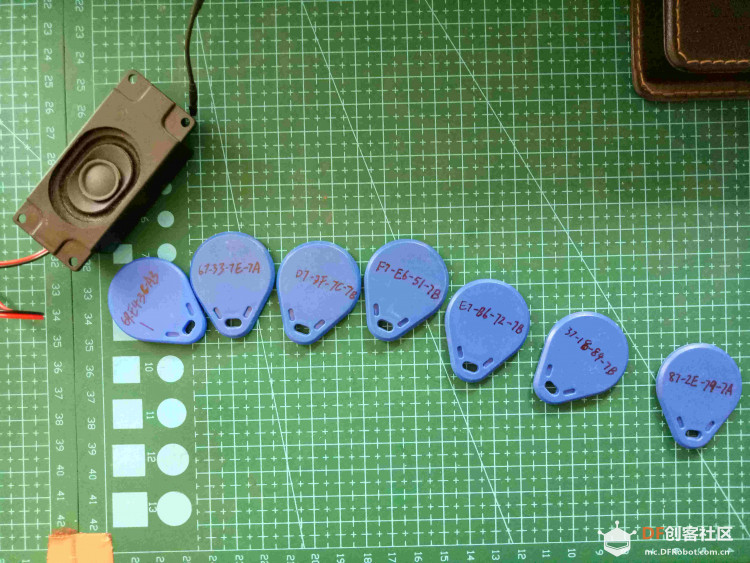  在SD卡里copy入以下mp3文件 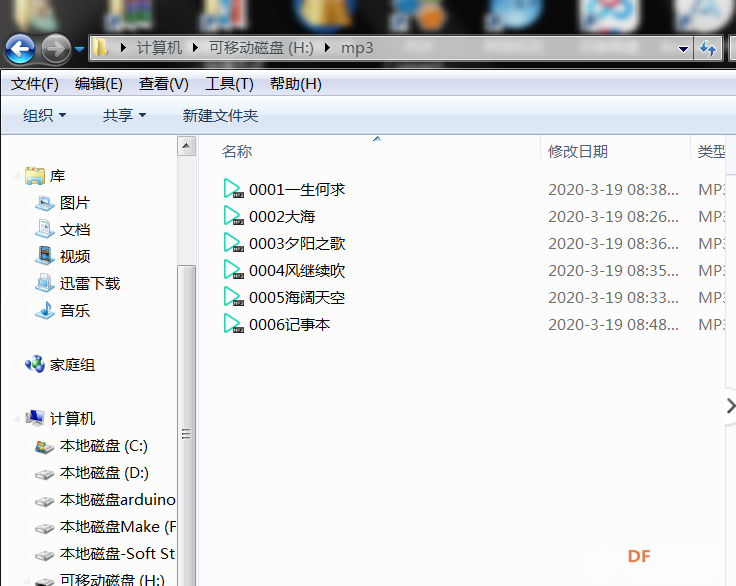 硬件测试如下   本来想用3D打印机打印明星的,后来因为3D部分学艺不精,放弃了。改用纸盒了。 这个每次用Tag识别时候,都要先按Reset键一下,其次,识别完的纸盒人要放在RC522旁边,因为我设置的是每秒识别一次Tag,放在它上面,就会每秒从头放mp3. |
-
Wiring.jpg (122.71 KB, 下载次数: 1478)