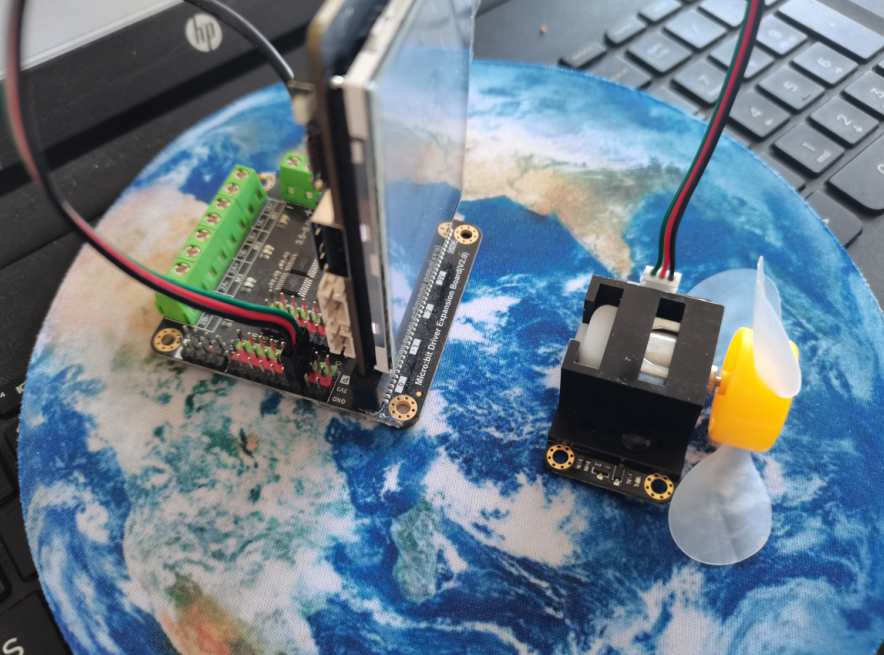
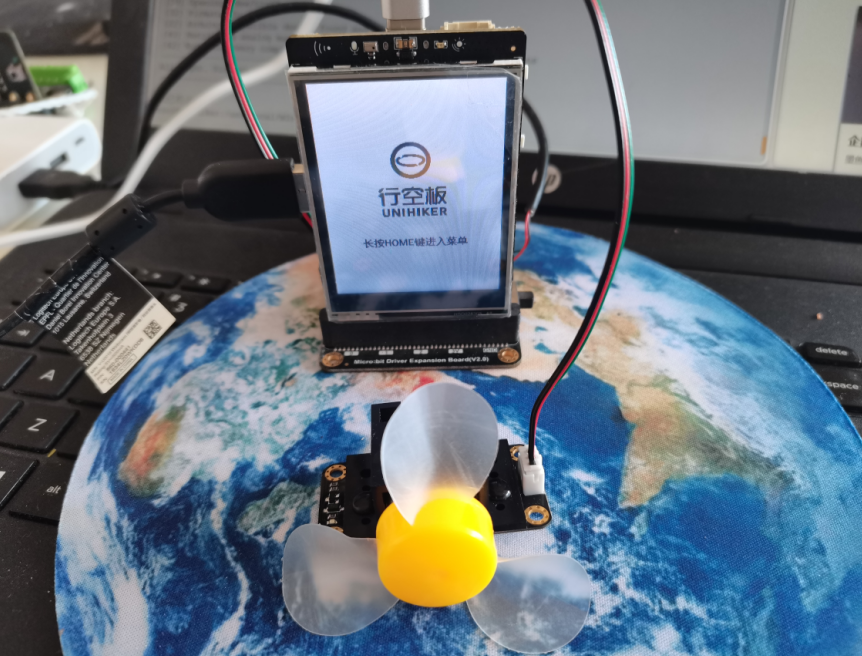
【项目设计】Mediapipe识别手势,利用手指间距来控制风扇转速,风扇连接在扩展板上单独供电。软件编程利用Mind+测试版中可以连接行空板进行编程。
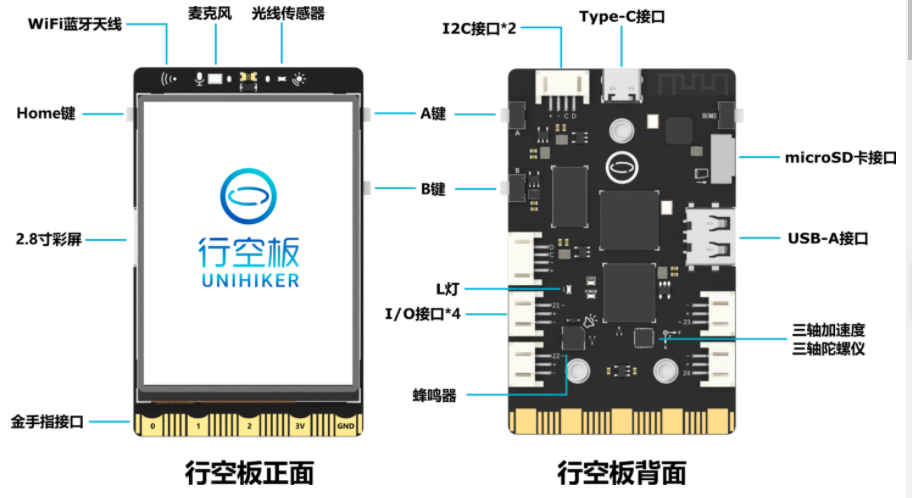
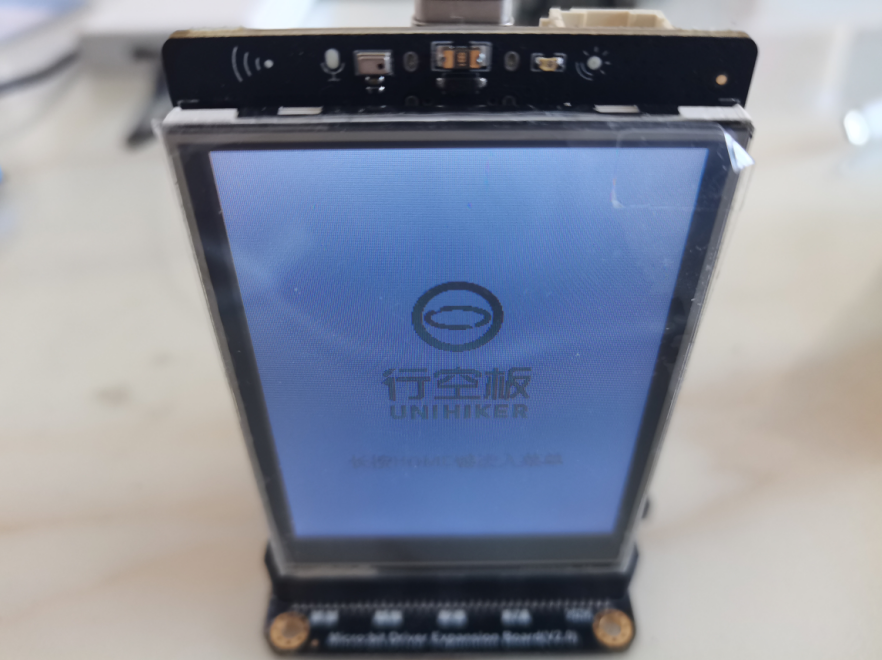
【行空板】 行空板是一款专为Python学习和使用设计的新一代国产开源硬件,采用单板计算机架构,集成LCD彩屏、WiFi蓝牙、多种常用传感器和丰富的拓展接口。同时,其自带Linux操作系统和Python环境,还预装了常用的Python库,让广大师生只需两步就能进行Python教学。
【测试风扇】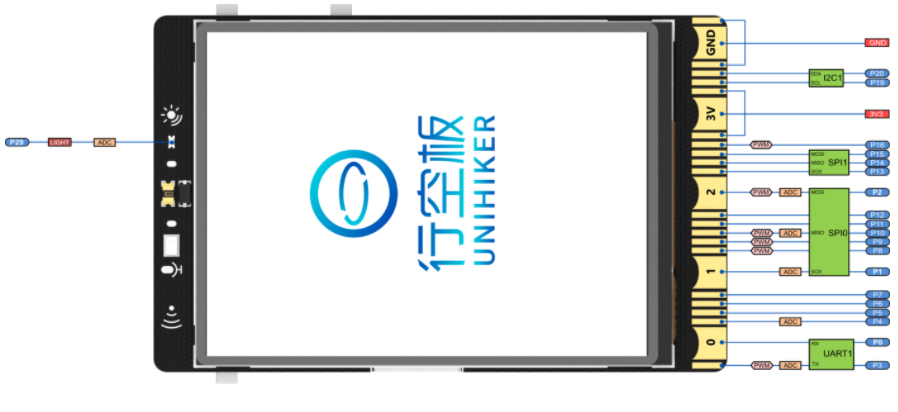
金手指:引脚编号兼容micro:bit, 19路独立I/O(支持1路I2C、1路UART、2路SPI、6路12位ADC、5路12位PWM)
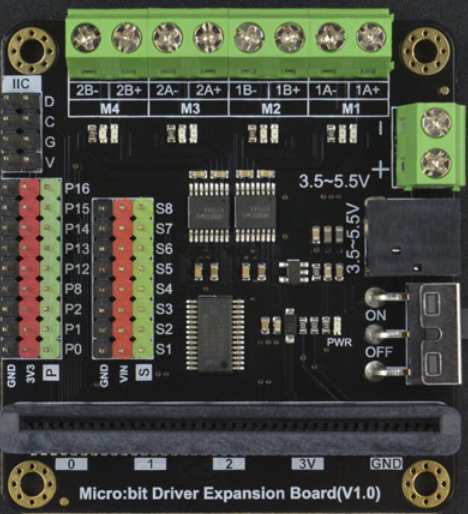
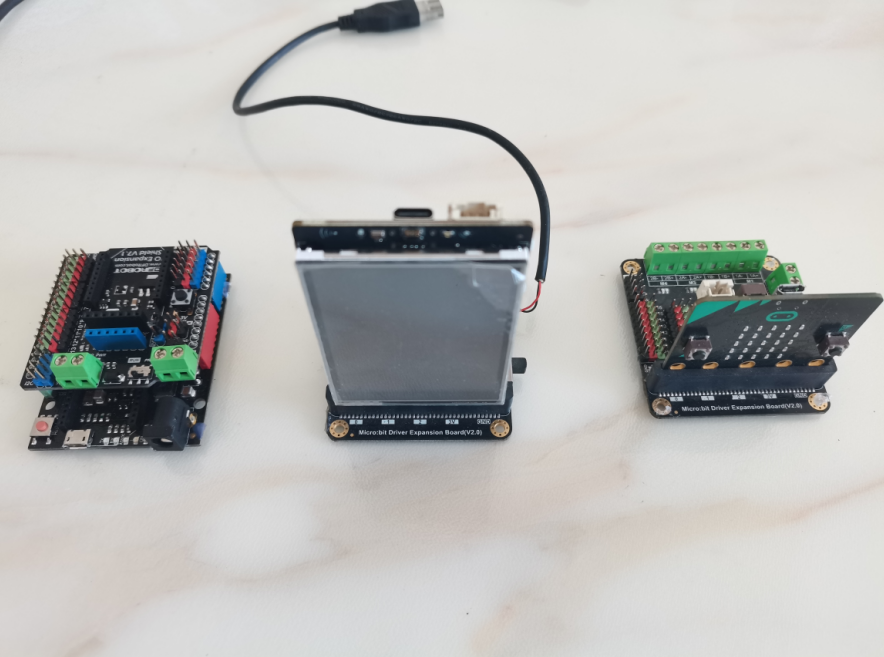
micro:bit 电机驱动扩展板
-
- # -*- coding: UTF-8 -*-
- #实验效果: PWM输出实验,控制LED灯亮度变化
- #接线:LED灯接到行空板P21引脚上
- import time
- from pinpong.board import Board,Pin
-
- Board().begin() #初始化
-
- # PWM模拟输出引脚支持: P0 P2 P3 P10 P16 P21 P22 P23
- #pwm21 = PWM(Pin(Pin.P21)) #将引脚传入PWM初始化 模拟输出方法1
- pwm2 = Pin(Pin.P2, Pin.PWM) #初始化引脚为PWM模式 模拟输出方法2
-
- while True:
-
- pwm2.write_analog(1023) #PWM输出
- time.sleep(4)
- pwm2.write_analog(0) #PWM输出
- time.sleep(4)
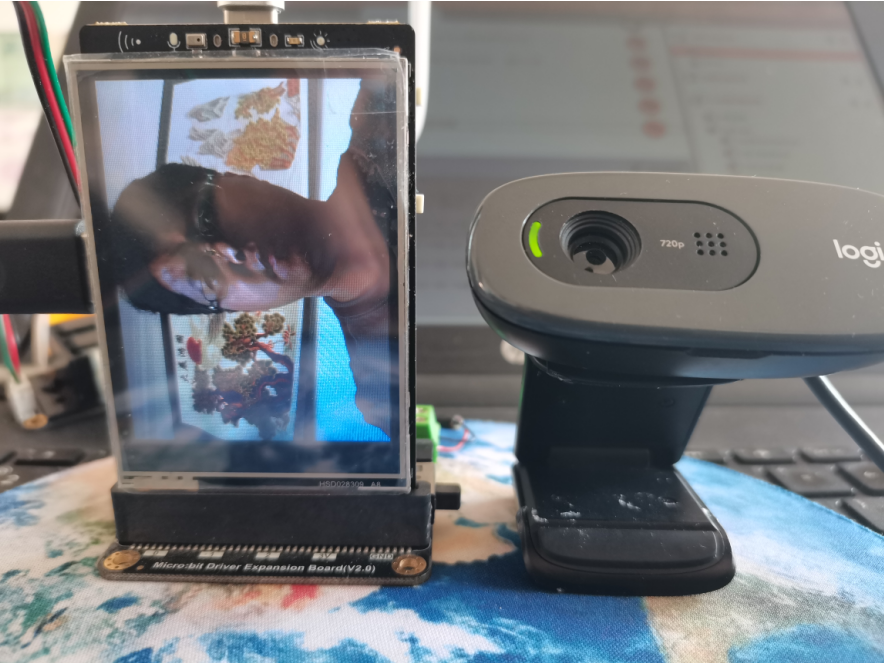
【测试摄像头】
安装Mediapipe库与OpenCV库,参考AI人工智能应用:https://wiki.unihiker.com/ai_project
-
- import cv2
- #False:不旋转屏幕(竖屏显示,上下会有白边)
- #True:旋转屏幕(横屏显示)
- screen_rotation = True
- cap = cv2.VideoCapture(0)
- cap.set(cv2.CAP_PROP_FRAME_WIDTH, 320) #设置摄像头图像宽度
- cap.set(cv2.CAP_PROP_FRAME_HEIGHT, 240) #设置摄像头图像高度
- cap.set(cv2.CAP_PROP_BUFFERSIZE, 1) #设置OpenCV内部的图像缓存,可以极大提高图像的实时性。
-
- cv2.namedWindow('camera',cv2.WND_PROP_FULLSCREEN) #窗口全屏
- cv2.setWindowProperty('camera', cv2.WND_PROP_FULLSCREEN, cv2.WINDOW_FULLSCREEN) #窗口全屏
-
- while True:
- success, img = cap.read()
- if not success:
- print("Ignoring empty camera frame.")
- continue
- if screen_rotation: #是否要旋转屏幕
- img = cv2.rotate(img, cv2.ROTATE_90_COUNTERCLOCKWISE) #旋转屏幕
- cv2.imshow("camera", img)
- if cv2.waitKey(1) & 0xFF == ord('q'):
- break
【手指距离识别】
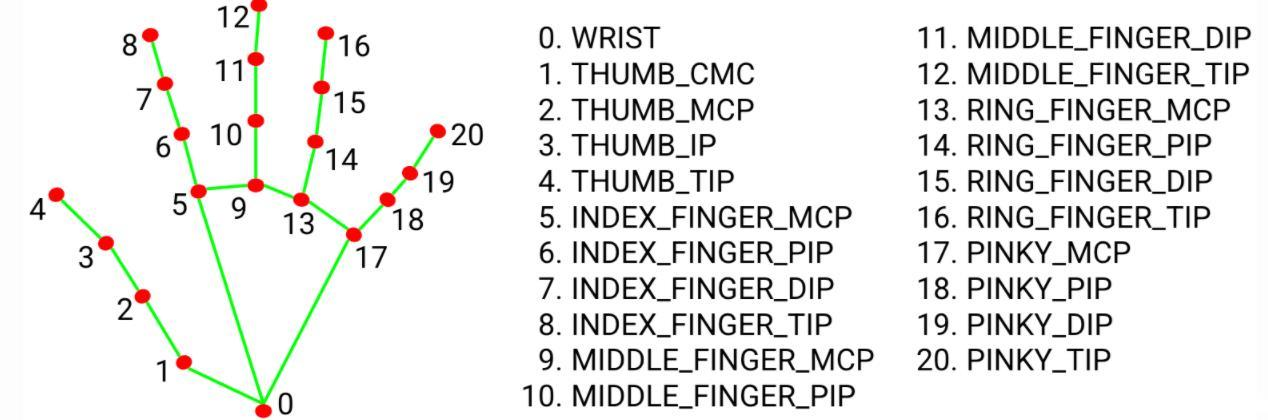
-
- import cv2
- from cvzone.HandTrackingModule import HandDetector
- cap = cv2.VideoCapture(0)
- detector = HandDetector(detectionCon=0.8, maxHands=2)
- cap.set(cv2.CAP_PROP_FRAME_WIDTH, 320) #设置摄像头图像宽度
- cap.set(cv2.CAP_PROP_FRAME_HEIGHT, 240) #设置摄像头图像高度
- cap.set(cv2.CAP_PROP_BUFFERSIZE, 1) #设置OpenCV内部的图像缓存,可以极大提高图像的实时性。
- screen_rotation = False
- while True:
- # Get image frame
- success, img = cap.read()
- # Find the hand and its landmarks
- hands, img = detector.findHands(img) # with draw
- # hands = detector.findHands(img, draw=False) # without draw
-
- if hands:
- # Hand 1
- hand1 = hands[0]
- lmList1 = hand1["lmList"] # List of 21 Landmark points
- bbox1 = hand1["bbox"] # Bounding box info x,y,w,h
- centerPoint1 = hand1['center'] # center of the hand cx,cy
- handType1 = hand1["type"] # Handtype Left or Right
-
- fingers1 = detector.fingersUp(hand1)
- # Find Distance between two Landmarks. Could be same hand or different hands
- length, info, img = detector.findDistance(lmList1[8][0:2], lmList1[4][0:2],img,True) # with draw
- # length, info = detector.findDistance(lmList1[8], lmList2[8]) # with draw
- # Display
- cv2.imshow("Image", img)
- if cv2.waitKey(1) & 0xFF == ord('q'):
- break
-

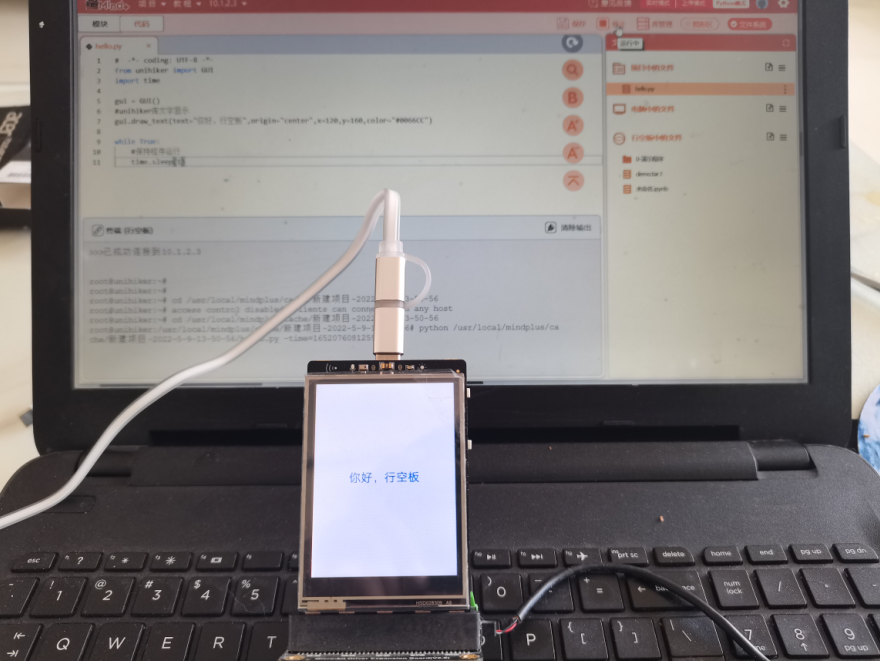
mind+中测试

行空板中测试
【控制风扇完整程序】
-
- import cv2
- from HandTrackingModule import HandDetector
- from pinpong.board import Board,Pin
-
- Board().begin() #初始化
- pwm2 = Pin(Pin.P2, Pin.PWM) #初始化引脚为PWM模式 模拟输出方法2
- cap = cv2.VideoCapture(0)
- detector = HandDetector(detectionCon=0.8, maxHands=2)
- cap.set(cv2.CAP_PROP_FRAME_WIDTH, 320) #设置摄像头图像宽度
- cap.set(cv2.CAP_PROP_FRAME_HEIGHT, 240) #设置摄像头图像高度
- cap.set(cv2.CAP_PROP_BUFFERSIZE, 1) #设置OpenCV内部的图像缓存,可以极大提高图像的实时性。
- def numberMap(x, in_min, in_max, out_min, out_max):
- return int((x - in_min) * (out_max - out_min) / (in_max - in_min)) + out_min
-
- while True:
- # Get image frame
- success, img = cap.read()
- # Find the hand and its landmarks
- hands, img = detector.findHands(img) # with draw
- # hands = detector.findHands(img, draw=False) # without draw
-
- if hands:
- # Hand 1
- hand1 = hands[0]
- lmList1 = hand1["lmList"] # List of 21 Landmark points
- bbox1 = hand1["bbox"] # Bounding box info x,y,w,h
- centerPoint1 = hand1['center'] # center of the hand cx,cy
- handType1 = hand1["type"] # Handtype Left or Right
-
- fingers1 = detector.fingersUp(hand1)
- length1, info = detector.findDistance(lmList1[20][0:2], lmList1[0][0:2],img,False) # with draw
- length, info, img = detector.findDistance(lmList1[8][0:2], lmList1[4][0:2],img,True) # with draw
- pwm2.write_analog(numberMap(int(length/length1*100),0,100,0,1024)) #PWM输出
- else:
- pwm2.write_analog(0) #PWM输出
- # Display
- cv2.imshow("Image", img)
- cv2.waitKey(1)
-
 【演示视频】 【演示视频】
| 


File "/root/mindplus/cache/手势控风扇.mp/shoushifengshan.py", line 33, in
length1, info = detector.findDistance(lmList1[20][0:2], lmList1[0][0:2],img,False)
TypeError: findDistance() takes from 3 to 4 positional arguments but 5 were given请问哪里出错了