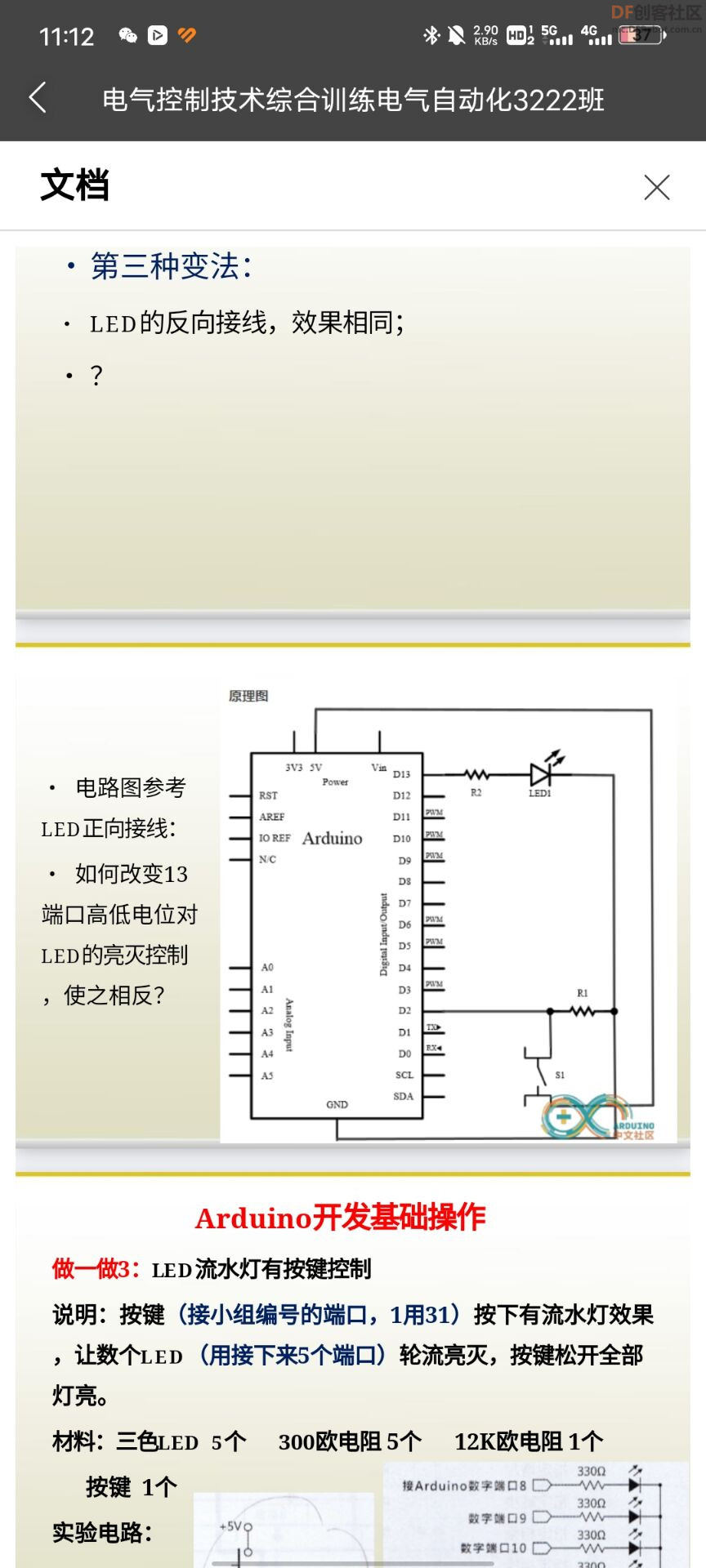
这个怎么办
2023-03-103643
AI 快速预览详细
本文介绍了如何在Arduino项目中实现按钮控制LED的功能反转。通过更改按钮和LED的连接方式及代码逻辑,可以实现按钮按下时LED状态反转的效果。具体步骤包括修改代码中的`digitalWrite`函数参数。适合初学者和技术爱好者参考。
|
怎么换线又不能只能换按钮上面的线让它的功能反一下 const int buttonPin = 2; // the number of the pushbutton pin const int ledPin = 13; // the number of the LED pin // variables will change: int buttonState = 0; // variable for reading the pushbutton status void setup() { // initialize the LED pin as an output: pinMode(ledPin, OUTPUT); // initialize the pushbutton pin as an input: pinMode(buttonPin, INPUT); } void loop() { // read the state of the pushbutton value: buttonState = digitalRead(buttonPin); // check if the pushbutton is pressed. If it is, the buttonState is HIGH: if (buttonState == HIGH) { // turn LED on: digitalWrite(ledPin, HIGH); } else { // turn LED off: digitalWrite(ledPin, LOW); |
-
FriMarch-202303101180..jpg (224.79 KB, 下载次数: 2485)