

【Arduino 动手做】使用 ESP32 构建电子纸模拟时钟
2025-06-131618
AI 快速预览详细
本项目介绍了一款基于ESP32的低功耗电子纸时钟。该时钟具有罗马/阿拉伯数字切换、实时进度条和分分钟更新功能。使用CrowPanel ESP32 4.2英寸电子纸显示屏模块,内置多个IO端口、microSD卡槽、按钮和电池充电电路。通过Wi-Fi同步时间,支持颜色反转和多种显示模式。这款时钟非常适合STEM教育和儿童科学实验。
|
基于 ESP32 打造的低功耗电子纸时钟,具有罗马/阿拉伯数字切换、实时进度条和分分钟更新功能。 在我之前的几个项目中,你可以看到各种各样不同寻常的时钟,包括几款复古风格的模拟时钟。这次,我将向你展示这个系列中的另一款时钟,但它是电子纸显示屏上的。具体来说,在这个项目中,我使用了CrowPanel ESP32 4.2 英寸电子纸显示屏模块,内置 ESP32S3 MCU。 这个显示器是我之前项目中用到的,我可以告诉你,它非常实用,无需连接元件和焊接,而且它有多个IO端口、一个microSD卡槽、多个按钮,甚至还有一个电池充电电路。这个项目的灵感来源于makerguides网站,所以我对基本代码做了一些修改和补充。 这些变化包括: 针对上述显示模块调整代码, 将方向从垂直更改为水平 纠正部分刷新导致的残留“鬼影”打印 每 60 秒(经过的分钟)屏幕完全刷新一次,在此期间颜色会短暂反转,从而呈现出良好的视觉和信息效果 与原始代码不同,时针现在连续移动,并与经过的分钟数成比例 并且,时钟外框加厚,其参数可以在代码中更改 当然,我添加了几个新选项,除了视觉之外,它们还具有非常有用的信息特性,我将在时钟操作描述中解释它们的功能。 新功能: 两个进度条以图形方式显示已用时间,每个进度条分为四个间隔, 有关当天已用小时数以及当前小时数的数字信息, 使用按钮在阿拉伯数字和罗马数字之间更改钟面。 而且只需按一下按钮,就可以选择反转颜色。 至于代码,如您所见,它的设计方式允许您轻松更改基本的图形参数,因此您可以根据自己的想法轻松创建自定义外观的钟面。 值得一提的是,确切时间是根据您居住的时区通过互联网下载的。其他时区定义请查看Posix 时区数据库。您还需要输入本地 Wi-Fi 网络的凭证。 现在让我们看看该设备在实际情况下是如何工作的。开机后,需要等待一段时间,时钟才能连接到Wi-Fi并下载正确的时间。然后,时钟会以模拟方式显示在白色背景上。它会显示正确的时间、星期几以及以日/月/年格式显示的完整日期。 时钟两侧各有两个进度条。右侧进度条以图形形式显示当天已用时间,下方进度条则以数值形式显示该时间。同样,左侧进度条也以图形和数值形式显示当前小时已用时间。为了更直观地显示已用时间,两个进度条被分为四个部分,右侧进度条代表 6 小时,左侧进度条代表 15 分钟。 正如我之前提到的,显示模块包含多个按钮,因此我使用了其中两个按钮来提供更多选项。按下上方的按钮,指示小时的数字就会从阿拉伯数字转换为罗马数字。 再次按下按钮,它们将恢复到原始状态。现在,按下下方按钮,显示屏的颜色将反转,背景为黑色,小时为白色。 在讲解过程中,您可能会注意到屏幕会在新的一分钟开始的时刻准确刷新,这带来了额外的视觉和信息效果。考虑到显示屏刷新时间非常短(每分钟一次),电池续航时间非常长。 最后来个简短的总结。这是一款低功耗电子纸模拟时钟,具有 Wi-Fi 时间同步、可反转显示、罗马/阿拉伯数字切换、实时进度条和分分钟更新等智能功能,基于 ESP32 显示模块构建,即插即用。 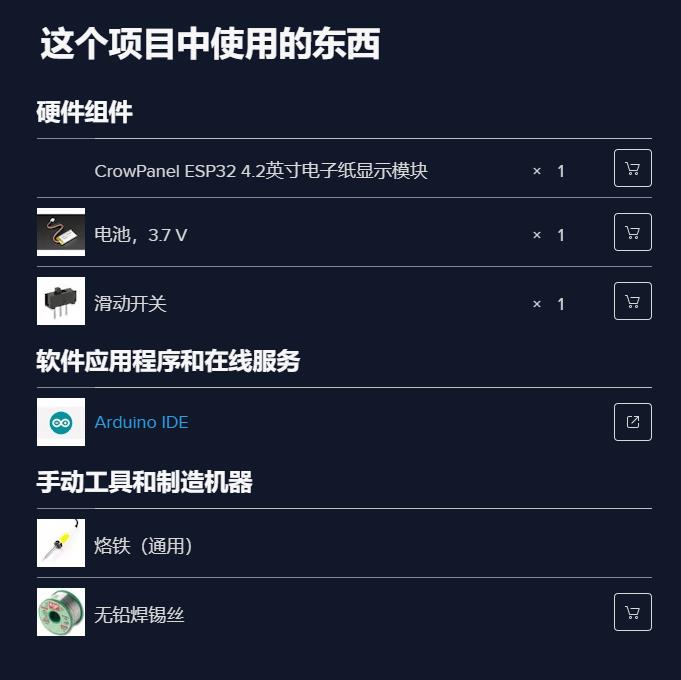 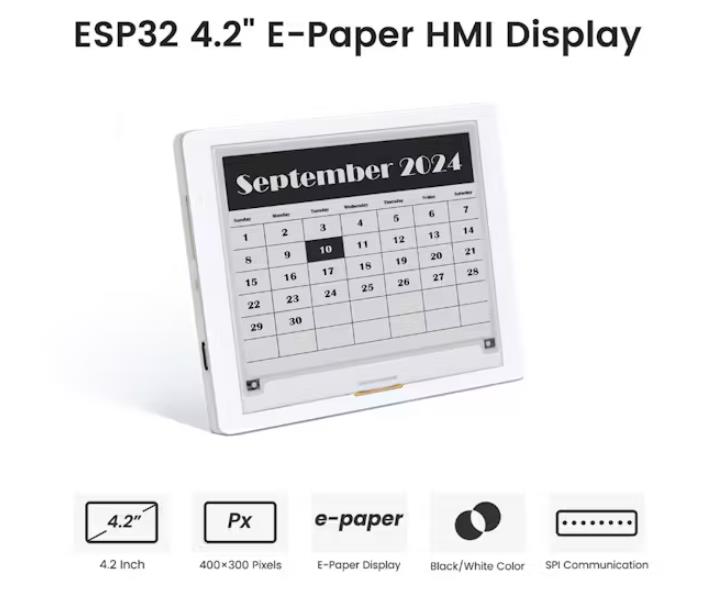 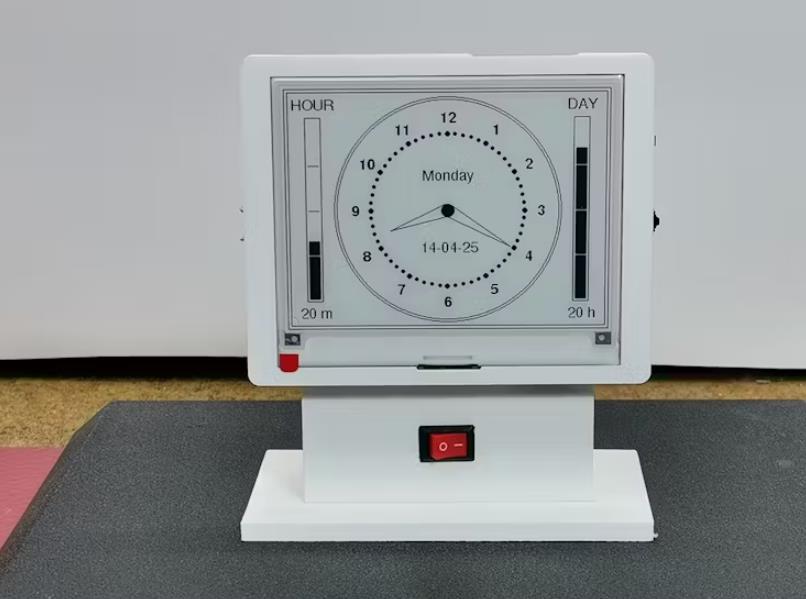 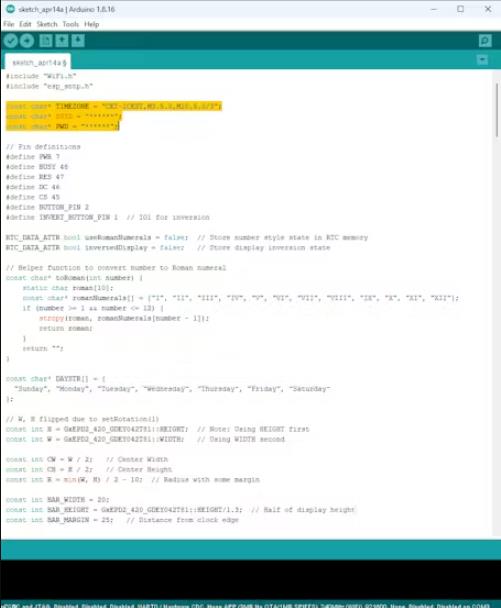 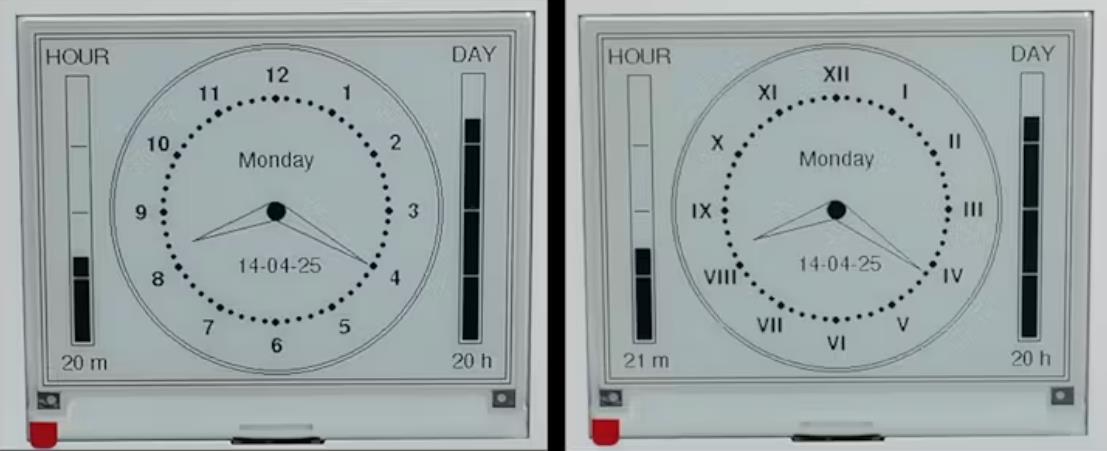 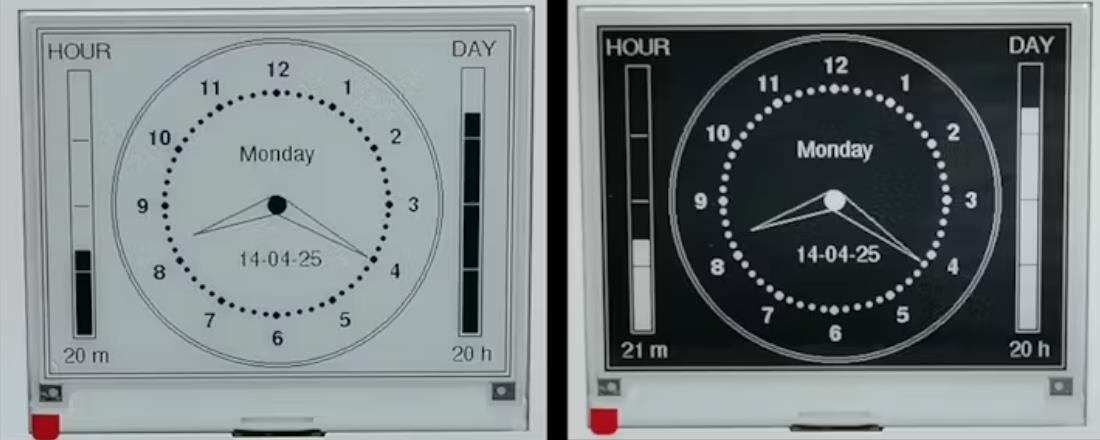 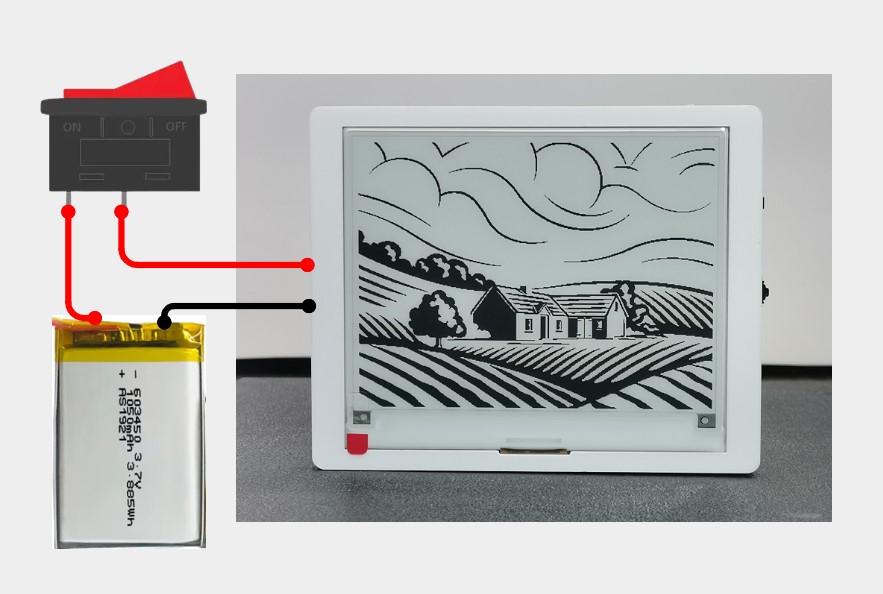 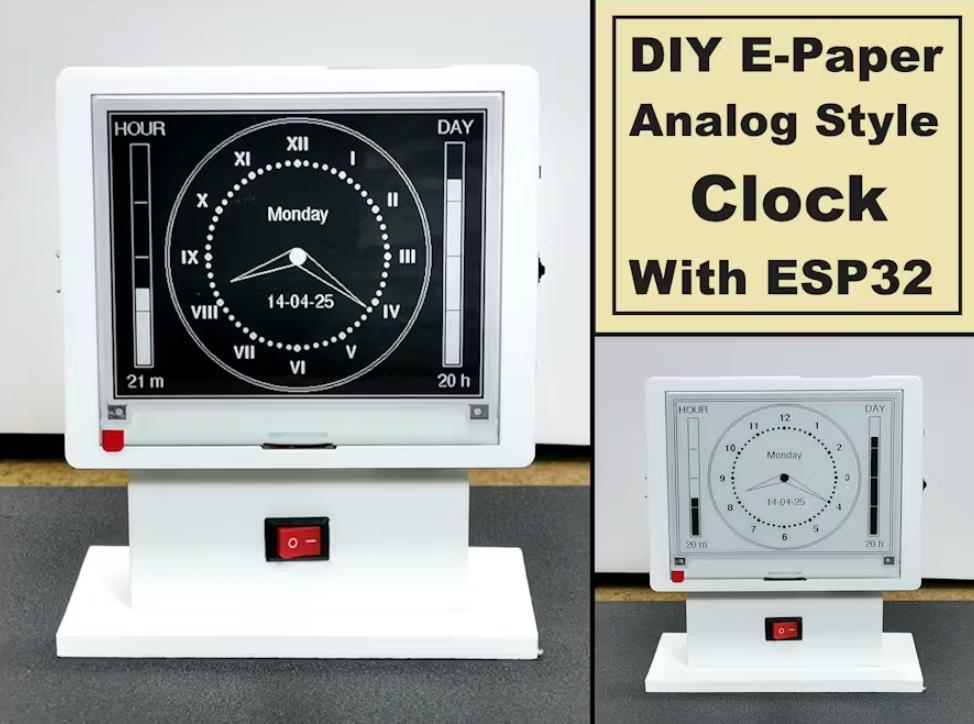 |



【Arduino 动手做】使用 ESP32 构建电子纸模拟时钟
项目链接:https://www.hackster.io/mircemk/building-an-e-paper-analog-clock-with-esp32-full-tutorial-c3e2f3
项目作者:北马其顿 米尔塞姆克(Mirko Pavleski)
项目视频 :https://www.youtube.com/watch?v=BUBnaO2A57o&t=4s
项目代码:https://www.hackster.io/code_files/668599/download
参考资料:https://www.makerguides.com/analog-clock-e-paper-esp32/
https://www.makerguides.com/digital-clock-e-paper-esp32/
[code]/*E-Paper Analog Clock with ESP32
by mircemk, May 2025
*/
#include "GxEPD2_BW.h"
#include "Fonts/FreeSans9pt7b.h"
#include "Fonts/FreeSansBold9pt7b.h"
#include "WiFi.h"
#include "esp_sntp.h"
const char* TIMEZONE = "CET-1CEST,M3.5.0,M10.5.0/3";
const char* SSID = "******";
const char* PWD = "******";
// Pin definitions
#define PWR 7
#define BUSY 48
#define RES 47
#define DC 46
#define CS 45
#define BUTTON_PIN 2
#define INVERT_BUTTON_PIN 1 // IO1 for inversion
RTC_DATA_ATTR bool useRomanNumerals = false; // Store number style state in RTC memory
RTC_DATA_ATTR bool invertedDisplay = false; // Store display inversion state
// Helper function to convert number to Roman numeral
const char* toRoman(int number) {
static char roman[10];
const char* romanNumerals[] = {"I", "II", "III", "IV", "V", "VI", "VII", "VIII", "IX", "X", "XI", "XII"};
if (number >= 1 && number <= 12) {
strcpy(roman, romanNumerals[number - 1]);
return roman;
}
return "";
}
const char* DAYSTR[] = {
"Sunday", "Monday", "Tuesday", "Wednesday", "Thursday", "Friday", "Saturday"
};
// W, H flipped due to setRotation(1)
const int H = GxEPD2_420_GDEY042T81::HEIGHT; // Note: Using HEIGHT first
const int W = GxEPD2_420_GDEY042T81::WIDTH; // Using WIDTH second
const int CW = W / 2; // Center Width
const int CH = H / 2; // Center Height
const int R = min(W, H) / 2 - 10; // Radius with some margin
const int BAR_WIDTH = 20;
const int BAR_HEIGHT = GxEPD2_420_GDEY042T81::HEIGHT/1.3; // Half of display height
const int BAR_MARGIN = 25; // Distance from clock edge
const uint16_t WHITE = GxEPD_WHITE;
const uint16_t BLACK = GxEPD_BLACK;
RTC_DATA_ATTR uint16_t wakeups = 0;
GxEPD2_BW
uint16_t getFgColor() {
return invertedDisplay ? WHITE : BLACK;
}
uint16_t getBgColor() {
return invertedDisplay ? BLACK : WHITE;
}
void drawDisplayFrame() {
// Outer frame
epd.drawRect(0, 0, W, H, getFgColor());
// Inner frame (3 pixels gap)
epd.drawRect(4, 4, W-8, H-8, getFgColor());
}
void epdPower(int state) {
pinMode(PWR, OUTPUT);
digitalWrite(PWR, state);
}
void initDisplay() {
bool initial = wakeups == 0;
epd.init(115200, initial, 50, false);
epd.setRotation(0); // Set rotation to 0 (90 degrees)
epd.setTextSize(1);
epd.setTextColor(getFgColor());
}
void setTimezone() {
setenv("TZ", TIMEZONE, 1);
tzset();
}
void syncTime() {
if (wakeups % 50 == 0) {
WiFi.begin(SSID, PWD);
while (WiFi.status() != WL_CONNECTED)
;
configTzTime(TIMEZONE, "pool.ntp.org");
}
}
void printAt(int16_t x, int16_t y, const char* text) {
int16_t x1, y1;
uint16_t w, h;
epd.getTextBounds(text, x, y, &x1, &y1, &w, &h);
epd.setCursor(x - w / 2, y + h / 2);
epd.print(text);
}
void printfAt(int16_t x, int16_t y, const char* format, ...) {
static char buff[64];
va_list args;
va_start(args, format);
vsnprintf(buff, 64, format, args);
printAt(x, y, buff);
}
void polar2cart(float x, float y, float r, float alpha, int& cx, int& cy) {
alpha = alpha * TWO_PI / 360;
cx = int(x + r * sin(alpha));
cy = int(y - r * cos(alpha));
}
void checkButton() {
pinMode(BUTTON_PIN, INPUT_PULLUP);
if (digitalRead(BUTTON_PIN) == LOW) {
delay(50); // Debounce
if (digitalRead(BUTTON_PIN) == LOW) {
useRomanNumerals = !useRomanNumerals;
redrawDisplay();
while(digitalRead(BUTTON_PIN) == LOW); // Wait for button release
}
}
}
void checkInversionButton() {
pinMode(INVERT_BUTTON_PIN, INPUT_PULLUP);
if (digitalRead(INVERT_BUTTON_PIN) == LOW) {
delay(50); // Debounce
if (digitalRead(INVERT_BUTTON_PIN) == LOW) {
invertedDisplay = !invertedDisplay;
redrawDisplay();
while(digitalRead(INVERT_BUTTON_PIN) == LOW); // Wait for button release
}
}
}
void redrawDisplay() {
epd.setFullWindow();
epd.fillScreen(getBgColor());
drawDisplayFrame();
drawProgressBars();
drawClockFace();
drawClockHands();
drawDateDay();
epd.display(false);
}
void drawClockFace() {
int cx, cy;
epd.setFont(&FreeSansBold9pt7b);
epd.setTextColor(getFgColor());
const int FRAME_THICKNESS = 1; // Outer frame thickness
const int FRAME_GAP = 3; // Gap between outer and inner circles
// Draw outer thick frame
for(int i = 0; i < FRAME_THICKNESS; i++) {
epd.drawCircle(CW, CH, R + i, getFgColor());
}
// Draw inner circle after the gap
epd.drawCircle(CW, CH, R - FRAME_GAP, getFgColor());
// Center dot
epd.fillCircle(CW, CH, 8, getFgColor());
// Draw hour markers and numbers
for (int h = 1; h <= 12; h++) {
float alpha = 360.0 * h / 12;
// Move numbers slightly inward to accommodate new frame
polar2cart(CW, CH, R - 25, alpha, cx, cy);
if (useRomanNumerals) {
const char* romanNumeral = toRoman(h);
printfAt(cx, cy, "%s", romanNumeral);
} else {
printfAt(cx, cy, "%d", h);
}
polar2cart(CW, CH, R - 45, alpha, cx, cy);
epd.fillCircle(cx, cy, 3, getFgColor());
// Draw minute markers
for (int m = 1; m <= 12 * 5; m++) {
float alpha = 360.0 * m / (12 * 5);
polar2cart(CW, CH, R - 45, alpha, cx, cy);
epd.fillCircle(cx, cy, 2, getFgColor());
}
}
}
void drawTriangle(float alpha, int width, int len) {
int x0, y0, x1, y1, x2, y2;
polar2cart(CW, CH, len, alpha, x2, y2);
polar2cart(CW, CH, width, alpha - 90, x1, y1);
polar2cart(CW, CH, width, alpha + 90, x0, y0);
epd.drawTriangle(x0, y0, x1, y1, x2, y2, getFgColor());
}
void drawClockHands() {
struct tm t;
getLocalTime(&t);
// Calculate minute angle
float alphaM = 360.0 * (t.tm_min / 60.0);
// Calculate hour angle with smooth movement
float hourAngle = (t.tm_hour % 12) * 30.0;
float minuteContribution = (t.tm_min / 60.0) * 30.0;
float alphaH = hourAngle + minuteContribution;
// Draw the hands
drawTriangle(alphaM, 8, R - 50); // Minute hand
drawTriangle(alphaH, 8, R - 65); // Hour hand
epd.fillCircle(CW, CH, 8, getFgColor()); // Center dot
}
void drawDateDay() {
struct tm t;
getLocalTime(&t);
epd.setFont(&FreeSans9pt7b);
epd.setTextColor(getFgColor());
printfAt(CW, CH+R/3, "%02d-%02d-%02d",
t.tm_mday, t.tm_mon + 1, t.tm_year -100);
printfAt(CW, CH-R/3, "%s", DAYSTR[t.tm_wday]);
}
void drawProgressBar(int x, int y, int width, int height, float percentage, const char* label) {
// Draw outer rectangle
epd.drawRect(x, y, width, height, getFgColor());
// Calculate inner area with margin
int innerX = x + 3;
int innerY = y + 3;
int innerWidth = width - 6;
int innerHeight = height - 6;
// Calculate fill height
int fillHeight = (int)(innerHeight * percentage);
int fillTop = innerY + innerHeight - fillHeight;
// First draw the filled portion
epd.fillRect(innerX, fillTop, innerWidth, fillHeight, getFgColor());
// Now draw the ticks - they'll appear correctly in both filled and empty areas
for(int i = 1; i < 4; i++) {
int tickY = innerY + (innerHeight * i / 4);
// For each pixel in the tick line
for(int px = innerX; px < innerX + innerWidth; px++) {
// If this pixel is in the filled area, use bg color, else use fg color
uint16_t color = (tickY >= fillTop) ? getBgColor() : getFgColor();
epd.drawPixel(px, tickY, color);
}
}
// Draw label above the bar
epd.setFont(&FreeSans9pt7b);
epd.setTextColor(getFgColor());
int16_t x1, y1;
uint16_t w, h;
epd.getTextBounds(label, 0, 0, &x1, &y1, &w, &h);
epd.setCursor(x + (width - w)/2, y - 10);
epd.print(label);
}
void drawProgressBars() {
struct tm t;
getLocalTime(&t);
float hourProgress = (t.tm_min * 60.0f + t.tm_sec) / (60.0f * 60.0f);
float dayProgress = (t.tm_hour * 3600.0f + t.tm_min * 60.0f + t.tm_sec) / (24.0f * 3600.0f);
int leftX = BAR_MARGIN;
int leftY = (H - BAR_HEIGHT)/2;
int rightX = W - BAR_MARGIN - BAR_WIDTH;
int rightY = (H - BAR_HEIGHT)/2;
// Draw the progress bars
drawProgressBar(leftX, leftY, BAR_WIDTH, BAR_HEIGHT, hourProgress, "HOUR");
drawProgressBar(rightX, rightY, BAR_WIDTH, BAR_HEIGHT, dayProgress, "DAY");
// Add elapsed time information below the bars
epd.setFont(&FreeSans9pt7b);
epd.setTextColor(getFgColor());
// Minutes elapsed
char minuteStr[10];
sprintf(minuteStr, "%d m", t.tm_min);
int16_t x1, y1;
uint16_t w, h;
epd.getTextBounds(minuteStr, 0, 0, &x1, &y1, &w, &h);
epd.setCursor(leftX + (BAR_WIDTH - w)/2, leftY + BAR_HEIGHT + 20);
epd.print(minuteStr);
// Hours elapsed
char hourStr[10];
sprintf(hourStr, "%d h", t.tm_hour);
epd.getTextBounds(hourStr, 0, 0, &x1, &y1, &w, &h);
epd.setCursor(rightX + (BAR_WIDTH - w)/2, rightY + BAR_HEIGHT + 20);
epd.print(hourStr);
}
void drawClock(const void* pv) {
static int lastMinute = -1;
struct tm t;
getLocalTime(&t);
// Full refresh every minute
if (lastMinute != t.tm_min || wakeups == 0) {
epd.setFullWindow();
epd.fillScreen(getBgColor());
// Draw the display frame first
drawDisplayFrame();
// Draw progress bars first (behind clock)
drawProgressBars();
// Draw clock elements
drawClockFace();
drawClockHands();
drawDateDay();
lastMinute = t.tm_min;
}
}
void setup() {
epdPower(HIGH);
initDisplay();
setTimezone();
syncTime();
esp_sleep_wakeup_cause_t wakeup_reason = esp_sleep_get_wakeup_cause();
if (wakeup_reason == ESP_SLEEP_WAKEUP_EXT0) {
checkButton();
}
if (wakeup_reason == ESP_SLEEP_WAKEUP_EXT1) {
uint64_t wakeup_pin_mask = esp_sleep_get_ext1_wakeup_status();
if (wakeup_pin_mask & (1ULL << INVERT_BUTTON_PIN)) {
checkInversionButton();
}
}
drawClock(0);
wakeups = (wakeups + 1) % 1000;
epd.display(false);
epd.hibernate();
// Enable wakeup from both buttons
esp_sleep_enable_ext0_wakeup((gpio_num_t)BUTTON_PIN, LOW);
esp_sleep_enable_ext1_wakeup((1ULL << INVERT_BUTTON_PIN), ESP_EXT1_WAKEUP_ANY_LOW);
struct tm t;
getLocalTime(&t);
uint64_t sleepTime = (60 - t.tm_sec) * 1000000ULL;
esp_sleep_enable_timer_wakeup(sleepTime);
esp_deep_sleep_start();
}
void loop() {
}[/code]