

【Arduino 动手做】Arduino 矩阵滚动气象站和带 BME 的时钟
2025-06-262022
AI 快速预览详细
本文介绍了如何使用Arduino Nano微控制器、7个8x8 MAX7219 LED矩阵模块、BME280传感器和DS3231实时时钟模块制作一个滚动气象站。该项目显示温度、湿度、气压和时间,适合STEM教育项目。硬件清单包括Arduino Nano、MAX7219 LED矩阵模块、BME280传感器和DS3231实时时钟模块。最终效果是一个能够独立于互联网连接工作的滚动气象站。
|
如何制作显示温度、空气湿度和相对大气压以及时间的滚动气象站。 在我以前的一个项目(蓝牙控制的滚动文本)中,我有一个完成的 8x56 LED 矩阵,由 7 个 8x8 MAX7219 Led 矩阵模块组成,位于适当的盒子中。我使用这个现成的矩阵制作了一个滚动气象站,它显示温度、空气湿度和相对大气压力,以及当前时间。 为此,我使用 BME280 传感器和 DS3231 实时时钟模块,因此该器件独立于 Internet 连接工作。BME280 板放置在外壳的外侧以获得更准确的读数,也可以借助四线电缆将其放置在外部。让我提一下,这些矩阵模块是较旧的类型,正如您所看到的(在给定的图片中),正面包含 DIL IC。新模块采用 smd 技术制成,通常由 4 个耦合矩阵组成,顺时针旋转 90 度。 在这个项目中,使用库 “Max72xxPanel” ,每个矩阵的内容位置可以通过命令 “matrix.setRotation” 在代码中旋转,因此我们可以使用任何类型的矩阵。数组中的矩阵数量也可以更改,由以下命令定义: int numberOfHorizontalDisplays = 7;我们可以根据我们使用的矩阵数量简单地更改这个数字 正如我之前提到的,该设备的构建非常简单,包含以下组件: - Arduino Nano 微控制器 - 7 个由 MAX7219 芯片驱动的 8x8 Led Matrix 模块 - BME280 传感器模块 - 和 DS3231 实时时钟模块 打开后,滚动文本会立即按顺序显示 - 星期几 - 当前时间 - 温度(摄氏度) - 空气湿度 - 和相对大气压(百帕斯卡) 由于二极管数量众多,该器件应由外部电源供电,该电源应提供 2 安培或更高的电流。 LED 的强度以及滚动文本的速度可以在代码中轻松调整。 int 等待 = 25;速度 matrix.setIntensity(3);使用介于 0 和 15 之间的值表示亮度 在视频中,您可以观看有关此设备制造过程的简短说明。 最后,将设备内置到由 PVC 板制成的合适外壳中,厚度为 3 毫米和 5 毫米。 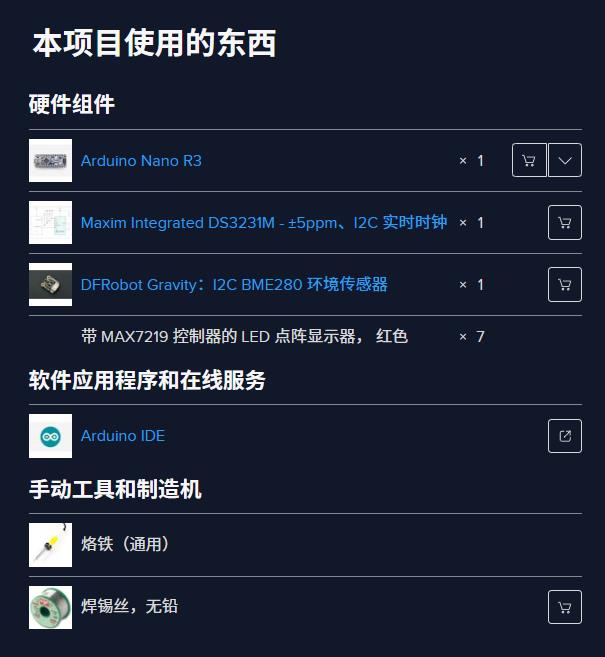 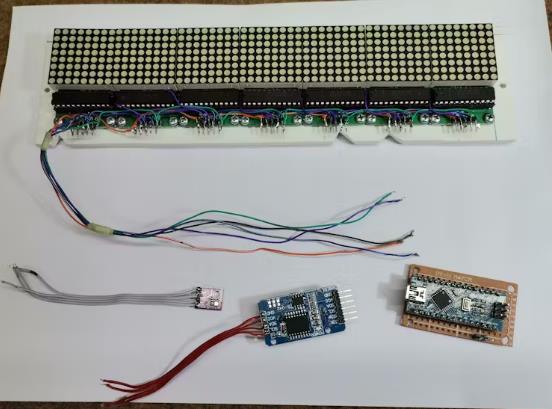 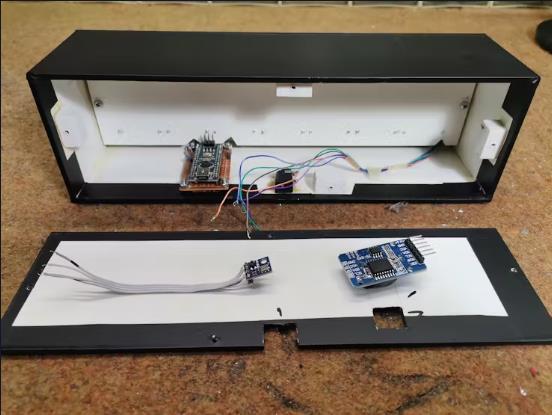 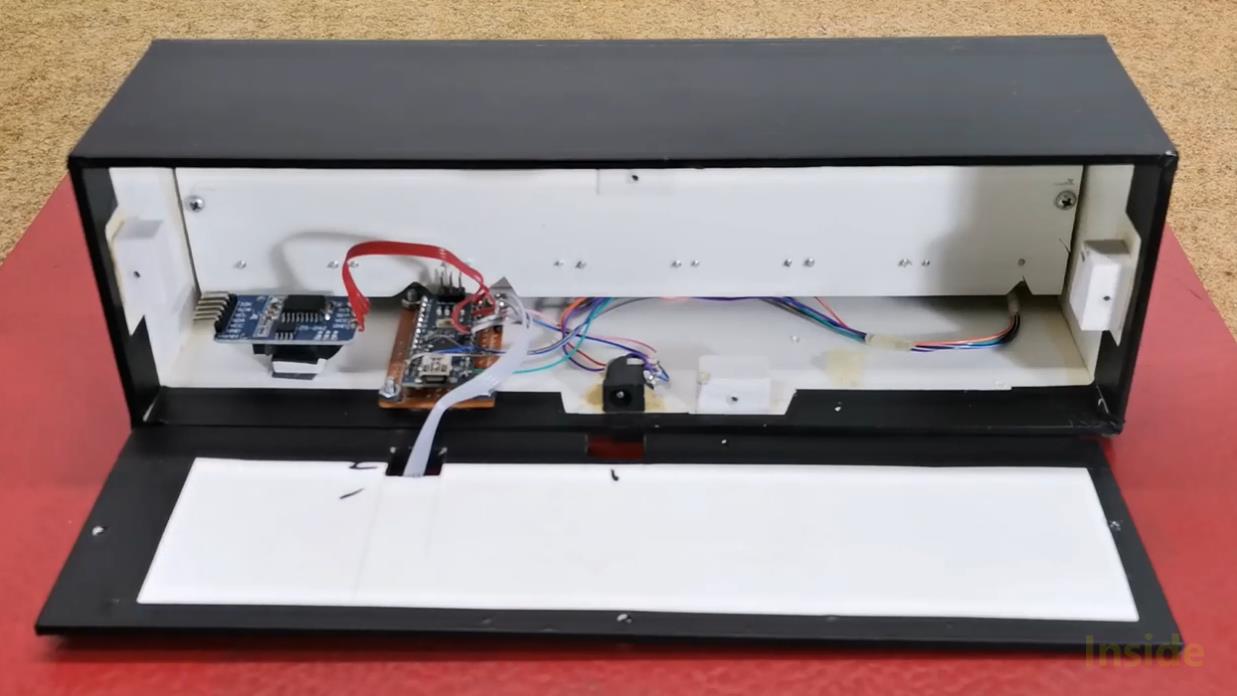 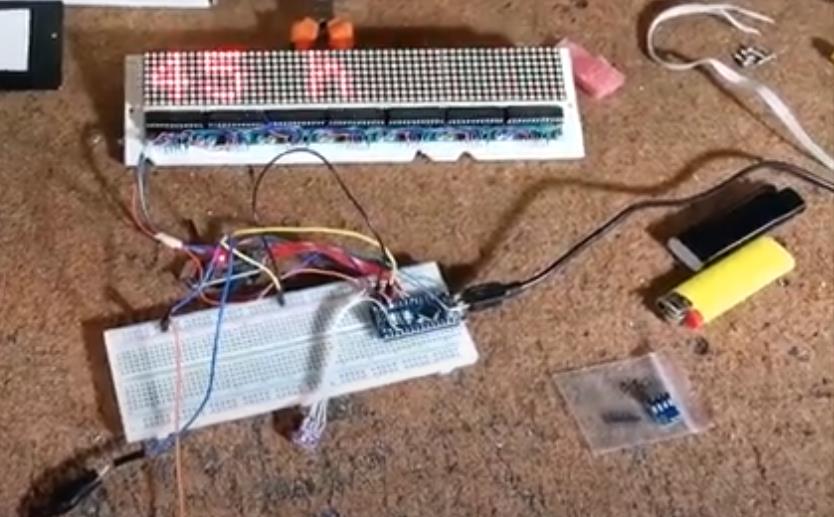 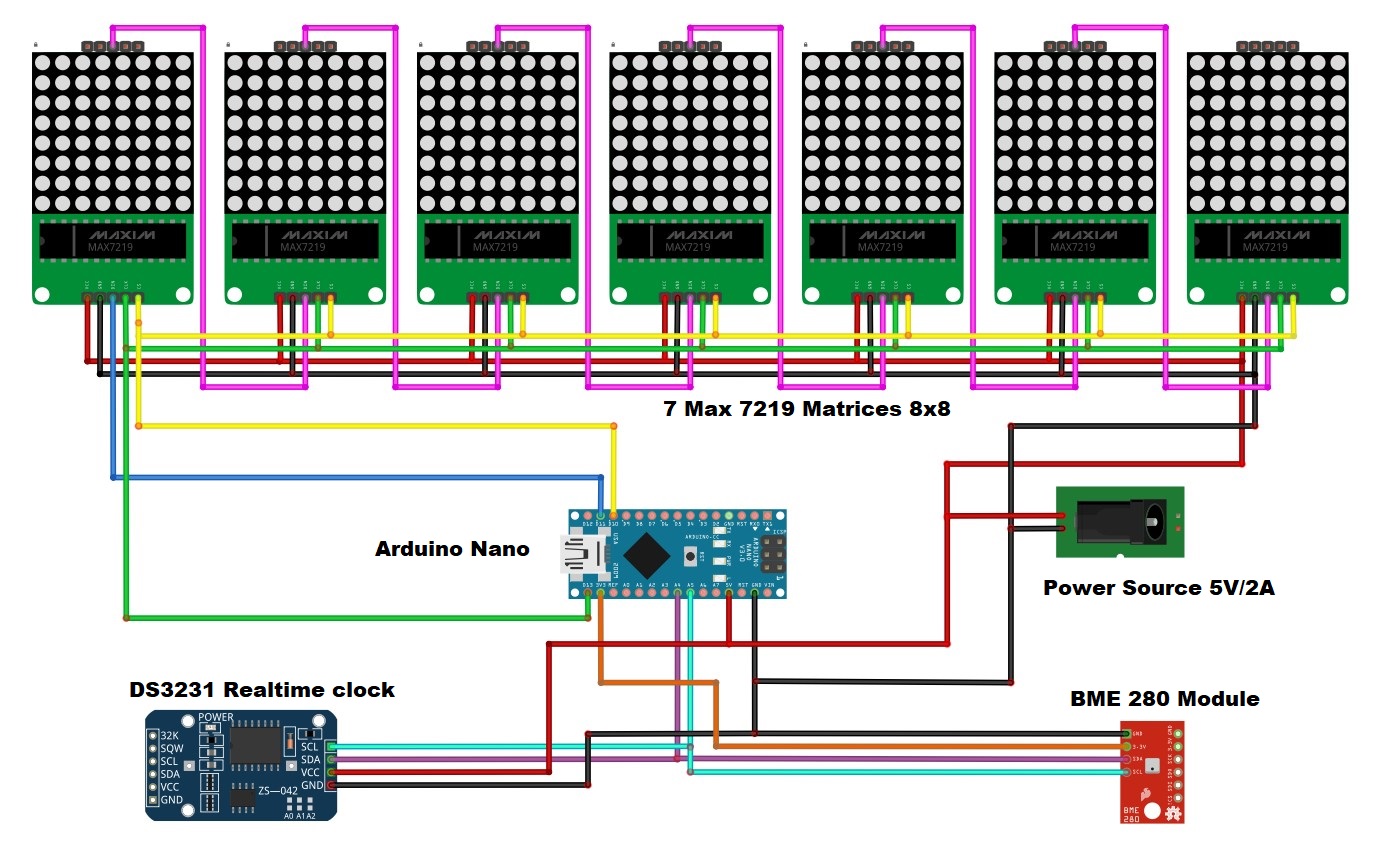 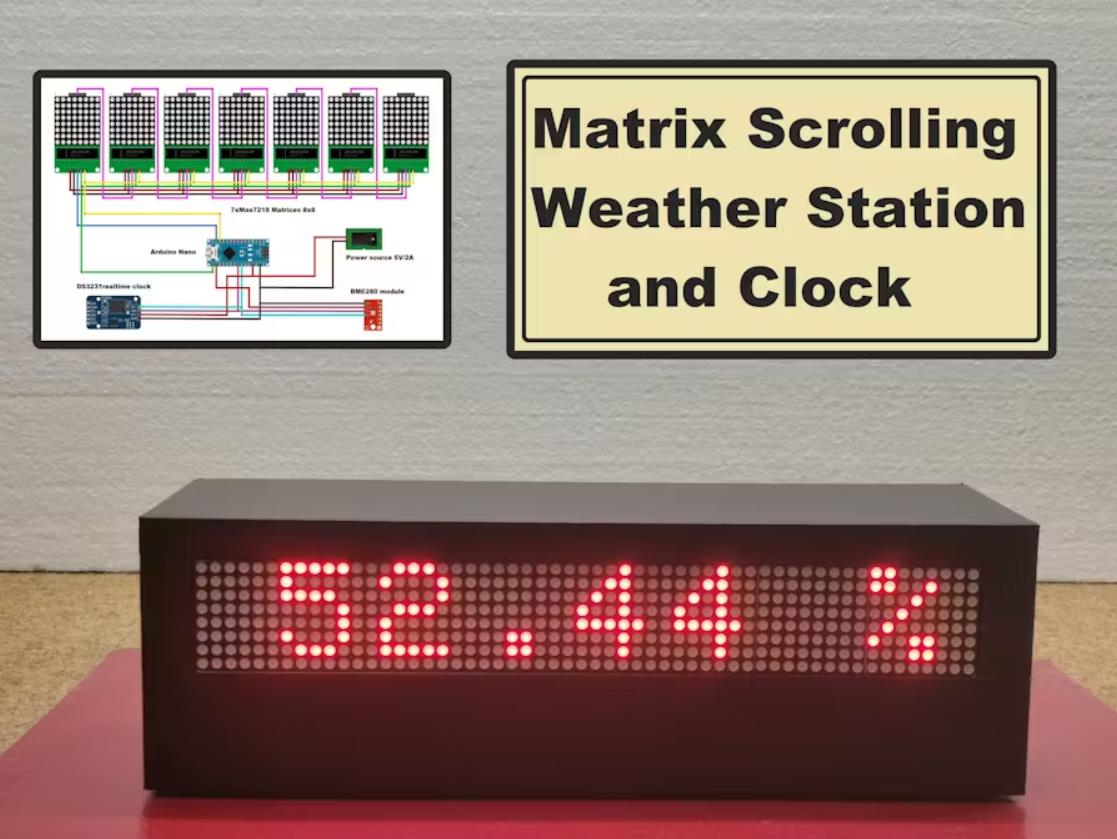 |


项目链接:https://www.hackster.io/mircemk/arduino-matrix-scrolling-weather-station-and-clock-with-bme-1e8a98
项目作者:米尔科·帕夫莱斯基
项目视频 :https://www.youtube.com/watch?v=OBu0xWGZhzc
项目代码:https://www.hackster.io/code_files/611607/download
[code]#include
#include
#include
#include
#include "RTClib.h"
RTC_DS1307 rtc;
char daysOfTheWeek[7][12] = {"Sunday", "Monday", "Tuesday", "Wednesday", "Thursday", "Friday", "Saturday"};
Adafruit_BME280 bme280;
int mm;
int pinCS = 10; // Uno or Duemilanove DIN 11 (MOSI) CLK 13 (SCK)
int numberOfHorizontalDisplays = 7;
int numberOfVerticalDisplays = 1;
Max72xxPanel matrix = Max72xxPanel(pinCS, numberOfHorizontalDisplays, numberOfVerticalDisplays);
String tape = "";
int wait = 25; // speed
int spacer = 2; // Character spacing (points)
int width = 5 + spacer; // Font width 5 pixels
String utf8rus(String source)
{
int i,k;
String target;
unsigned char n;
char m[2] = { '0', '\0' };
k = source.length(); i = 0;
while (i < k) {
n = source[i]; i++;
if (n >= 0xC0) {
switch (n) {
case 0xD0: {
n = source[i]; i++;
if (n == 0x81) { n = 0xA8; break; }
if (n >= 0x90 && n <= 0xBF) n = n + 0x2F;
break;
}
case 0xD1: {
n = source[i]; i++;
if (n == 0x91) { n = 0xB7; break; }
if (n >= 0x80 && n <= 0x8F) n = n + 0x6F;
break;
}
}
}
m[0] = n; target = target + String(m);
}
return target;
}
String Serial_Read() {
unsigned char c; // variable port for reading series
String Serial_string = ""; // Forming from a character string
while (Serial.available() > 0) { // If there are symbols in the series
c = Serial.read(); // We read a symbol
//Serial.print(c,HEX); Serial.print(" "); Serial.print(c);
if (c == '\n') { //If this is a string of lines
return Serial_string; // We return the line
}
if (c == 0xB8) c = c - 0x01;
if (c >= 0xBF && c <= 0xFF) c = c - 0x01;
Serial_string = Serial_string + String(char(c)); //Add symbol to line
}
return Serial_string;
}
String chas;
String myn;
//String mesyc = "";
void setup() {
Serial.begin(9600);
Serial.println(F("bme280"));
//==================================== hours
if (! rtc.begin()) {
Serial.println("Couldn't find RTC");
Serial.flush();
abort();
}
if (! rtc.isrunning()) {
Serial.println("RTC is NOT running, let's set the time!");
// When time needs to be set on a new device, or after a power loss, the
// following line sets the RTC to the date & time this sketch was compiled
rtc.adjust(DateTime(F(__DATE__), F(__TIME__)));
// This line sets the RTC with an explicit date & time, for example to set
// January 21, 2014 at 3am you would call:
// rtc.adjust(DateTime(2014, 1, 21, 3, 0, 0));
}
//====================================
while (!bme280.begin(BME280_ADDRESS - 1)) {
Serial.println(F("Could not find a valid bme280 sensor, check wiring!"));
delay(2000);
}
matrix.setIntensity(3); // Use a value between 0 and 15 for brightness
matrix.setRotation(matrix.getRotation()+0); //1 - 90 2 - 180 3 - 270
//a=a+1;
}
void loop() {
DateTime now = rtc.now();
float temperature = bme280.readTemperature();
float pressure = bme280.readPressure()/100.0F;
float altitude = bme280.readAltitude(1013.2);
float humidity = bme280.readHumidity();
pressure = pressure + 78.5 ; //Relative pressure for 700m above sea level, comment this row for relative atmospheric pressure
//======================================= correction digit time zero before the number
chas ="";
myn = "";
if (now.hour() < 10) {
chas = '0';
}
if (now.minute() < 10) {
myn = ('0');
}
//=======================================
tape = utf8rus((String)+daysOfTheWeek[now.dayOfTheWeek()]+" Time "+chas +now.hour()+":"+myn+now.minute()+" h Temperature = "+temperature +" degree C Humidity = " + humidity + " % Pressure = "+ pressure +" Hpa");
if (Serial.available()){
tape=Serial_Read();
}
for ( int i = 0 ; i < width * tape.length() + matrix.width() - 1 - spacer; i++ )
{
matrix.fillScreen(LOW);
int letter = i / width; // number of symbols displayed on a matrix
int y = (matrix.width() - 1) - i % width;
int x = (matrix.height() - 8) / 2;
while ( y + width - spacer >= 0 && letter >= 0 ) {
if ( letter < tape.length() ) {
matrix.drawChar(y, x, tape[letter], HIGH, LOW,1);
}
letter--;
y -= width;
}
matrix.write(); // Send a picture for display
delay(wait);
}
}[/code]