

【花雕动手做】基于 Kitronik 可编程开发板之漫天烟花
2025-09-101525
AI 快速预览详细
Kitronik ARCADE是一款专为编程教学与创客实践设计的可编程游戏机开发板。它支持微软的MakeCode Arcade平台,用户可以通过图形化或JavaScript编程方式轻松创建、下载并运行复古风格的街机游戏。该开发板集成了彩色LCD显示屏、方向控制键、功能按键、蜂鸣器和震动马达等交互组件,适用于中小学编程课程、创客工作坊、游戏开发教学以及个人项目原型设计。无论是初学者进行编程启蒙,还是创客群体开发交互式作品,Kitronik ARCADE都能作为理想的硬件载体,助力创意实现。
|
Kitronik ARCADE 是一款由英国教育科技公司 Kitronik 精心打造的可编程游戏机开发板,专为编程教学与创客实践而设计。该设备原生支持微软的 MakeCode Arcade 平台,用户可通过图形化或 JavaScript 编程方式,轻松创建、下载并运行复古风格的街机游戏。 它集成了彩色 LCD 显示屏、方向控制键、功能按键、蜂鸣器和震动马达等交互组件,提供完整的游戏输入输出体验。无论是初学者进行编程启蒙,还是创客群体开发交互式作品,Kitronik ARCADE 都能作为理想的硬件载体,助力创意实现。 凭借其开源友好、易于上手、兼容性强等特点,该开发板广泛应用于中小学编程课程、创客工作坊、游戏开发教学以及个人项目原型设计,深受教育者与技术爱好者的喜爱。 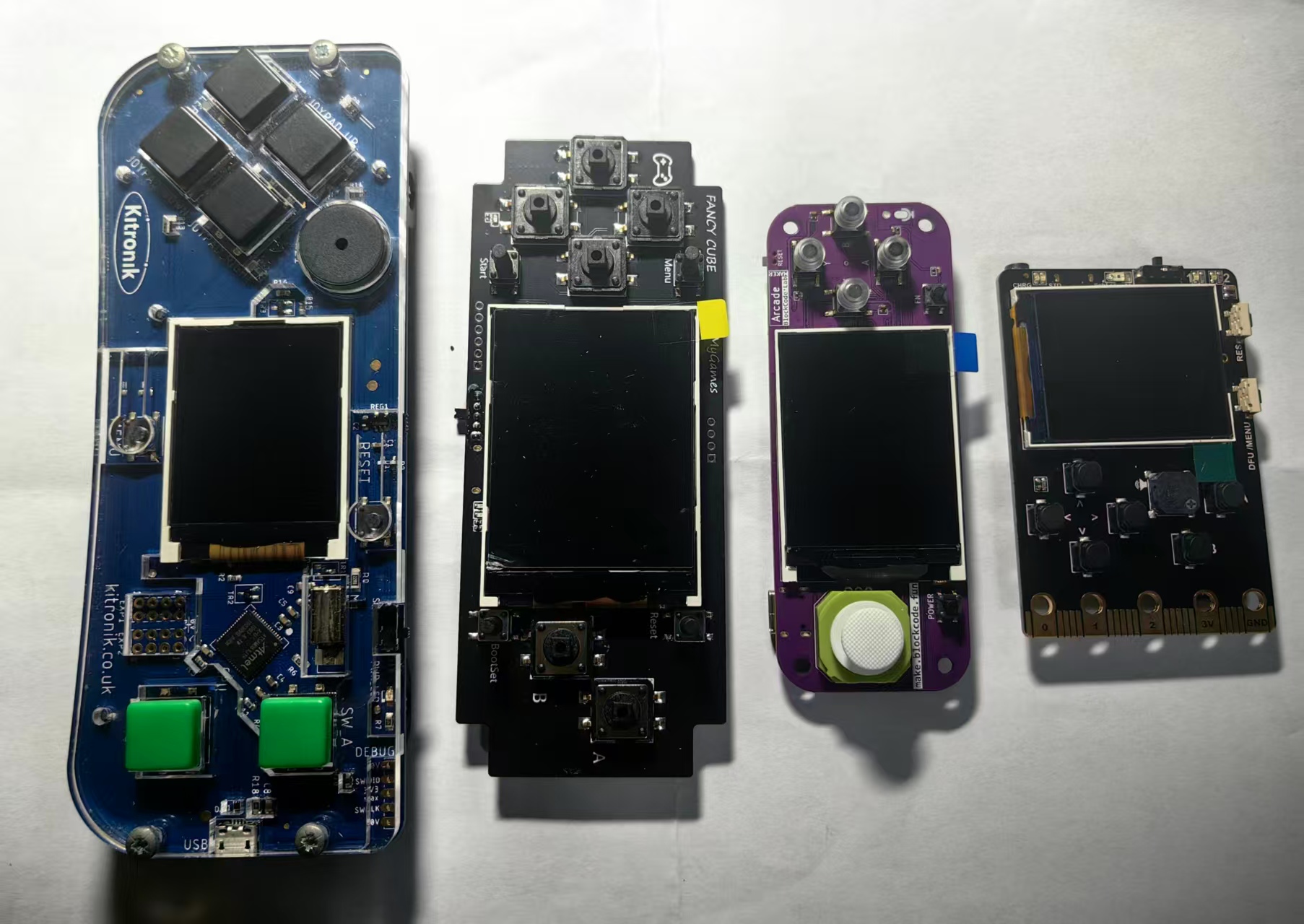 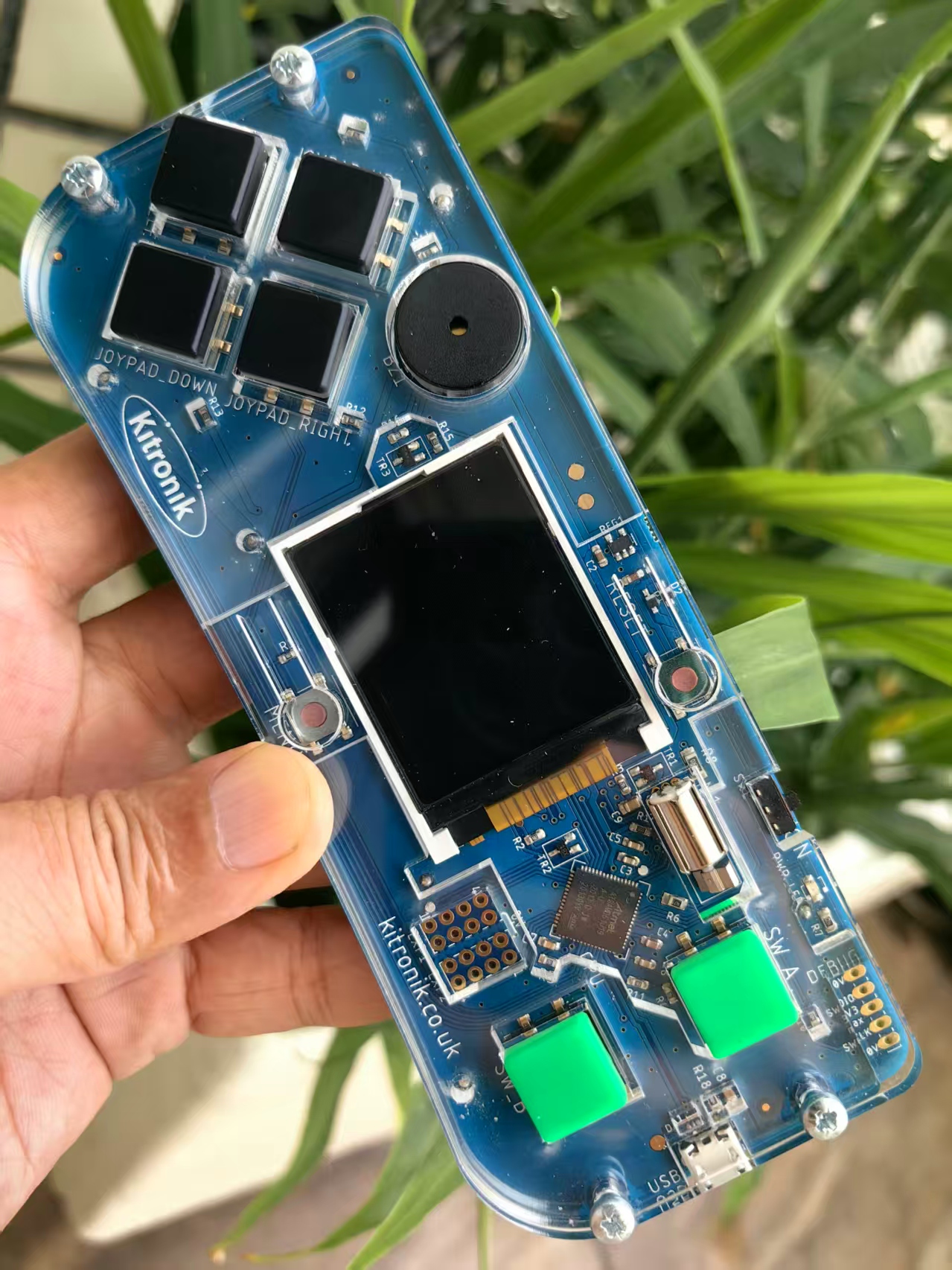 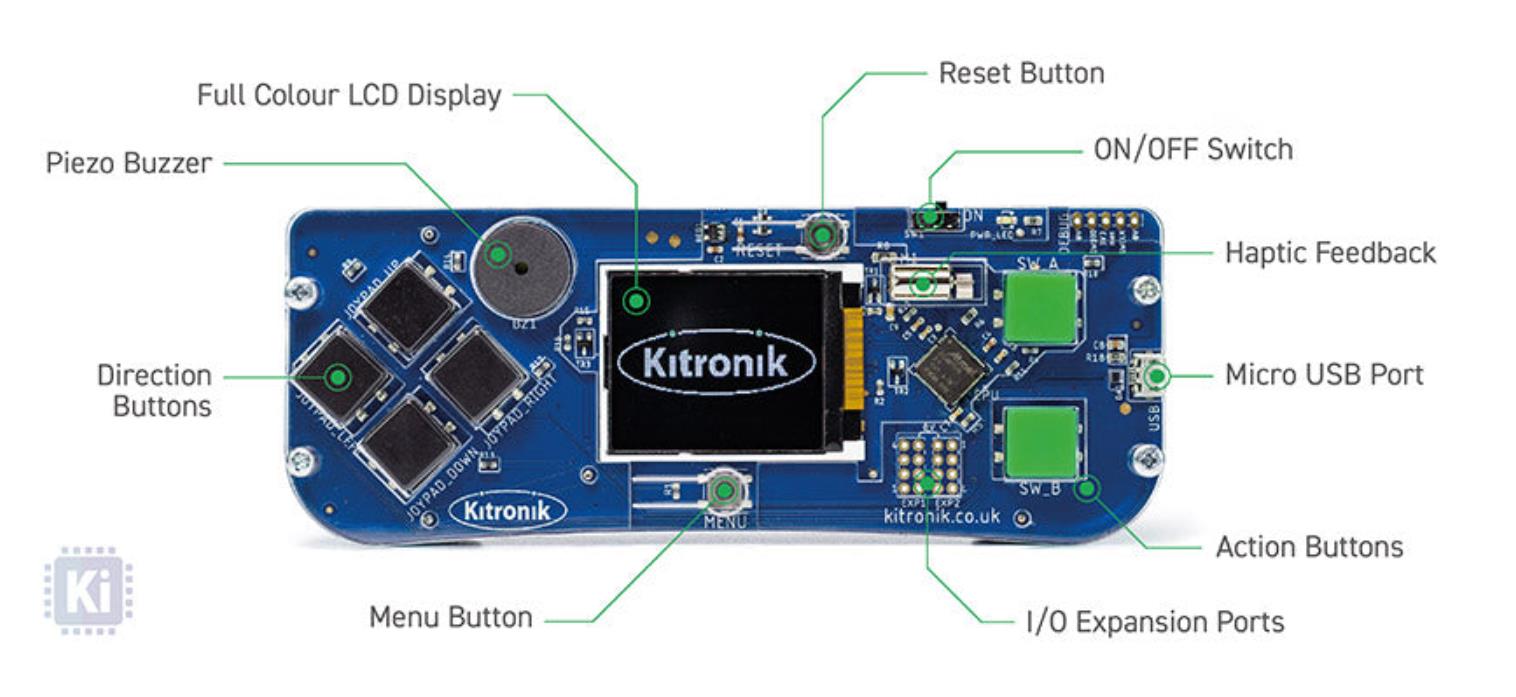 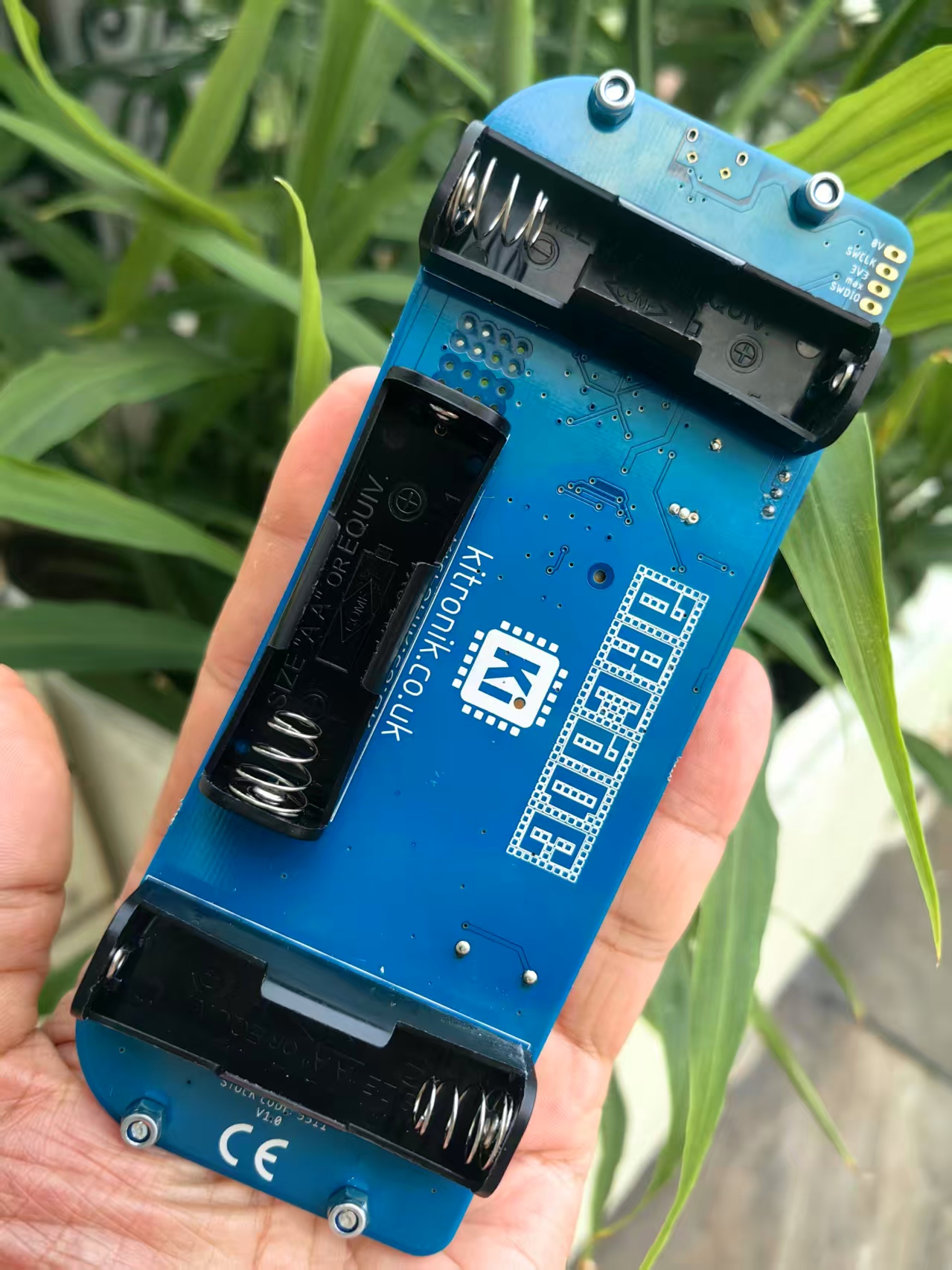 |



实验场景记录
这是一个精美的烟花模拟程序,使用MakeCode Arcade的粒子系统创建了多种烟花效果。
程序概述
这是一个交互式烟花模拟器,玩家可以按下任何按钮发射烟花,烟花会在空中**并产生多种华丽的粒子效果。程序包含多种烟花类型、颜色渐变和自动发射机制。
核心代码解析
1. 烟花效果定义
程序定义了4种不同的烟花效果:
1.1 小型旋转效果 (Small Spinner)
typescript
[code]createEffect(1000, 300, () => {
class ShortRadial extends particles.RadialFactory {
createParticle(anchor: particles.ParticleAnchor) {
const p = super.createParticle(anchor);
p.lifespan = randint(200, 450); // 缩短粒子寿命形成小半径
return p;
}
}
return new ShortRadial(2, 50, 5, randomPalette(randint(2, 5)));
})[/code]
1.2 锦缎效果 (Brocade)
typescript
[code]new effects.ParticleEffect(600, 500, function (anchor, particlesPerSecond) {
class BrocadeFactory extends particles.SprayFactory {
// 创建"伞状"图案,25%概率使用主色,75%概率使用副色
createParticle(anchor) {
if (this.galois.percentChance(25)) {
p.color = this.palette[0];
p.lifespan = randint(50, 150);
} else {
p.color = this.palette[1];
p.lifespan = randint(50, 350);
}
}
}
})[/code]
1.3 火花效果 (Sparkler)
typescript
[code]createEffect(600, 600, () => {
class SparklerFactory extends particles.SprayFactory {
// 创建闪烁的火花效果,粒子会闪烁显示
drawParticle(p, x, y) {
if ((p.data >> 1) % 2) { // 通过位移操作实现闪烁
// 90%概率显示单像素,10%概率显示小形状
}
}
}
})[/code]
1.4 十字效果 (Crossette)
typescript
[code]createEffect(100, 600, () => {
class CrossetteFactory extends particles.SprayFactory {
// 创建直线飞行带小分支的效果
drawParticle(p, x, y) {
// 绘制双线使粒子位置更粗
screen.drawLine(x, y, this.anchor.x, this.anchor.y, p.color);
}
}
})[/code]
2. 辅助函数
createEffect 包装器
typescript
[code]function createEffect(defaultParticlesPerSecond, defaultLifespan, factoryFactory) {
// 将简单粒子工厂包装成易于使用的效果
return new effects.ParticleEffect(defaultParticlesPerSecond, defaultLifespan,
(anchor, pps) => new particles.ParticleSource(anchor, pps, factoryFactory()));
}[/code]
3. 背景效果
不闪烁的星星
typescript
[code]new effects.ScreenEffect(2, 5, 5000, function (anchor, particlesPerSecond) {
class NoTwinkleStarFactory extends particles.StarFactory {
// 覆盖draw方法,创建不闪烁的星星
drawParticle(p, x, y) {
const selected = this.images[rest & p.data].clone();
selected.replace(0x1, p.color);
screen.drawTransparentImage(selected, x, y);
}
}
}).startScreenEffect();[/code]
4. 烟花轨迹效果
typescript
[code]const fireworkTrail = createEffect(25, 50, a => {
class FireworkTrail extends particles.ParticleFactory {
createParticle(anchor) {
p.vx = Fx.neg(Fx8(anchor.vx + randint(-10, 10))); // 反向速度加随机偏移
p.vy = Fx.neg(Fx8(anchor.vy >> 1)); // 垂直速度减半并反向
p.color = Math.percentChance(90) ? 0xE : randint(0x1, 0xD); // 90%白色,10%随机色
}
}
});[/code]
5. 发射控制
按钮控制
typescript
[code]controller.anyButton.onEvent(ControllerButtonEvent.Pressed, tryToFire);
function tryToFire() {
if (lastFired + TIMEOUT < time) {
const firework = sprites.createProjectileFromSide(img`e e`, vx, randint(-150, -125));
firework.startEffect(fireworkTrail);
firework.ay = 100; // 重力加速度
firework.lifespan = randint(800, 1200); // 生存时间
}
}[/code]
自动发射
typescript
[code]game.onUpdate(function () {
if (lastFired + (3 * TIMEOUT) < game.runtime()) {
tryToFire(); // 如果一段时间没有发射,自动发射
}
});[/code]
6. **效果
typescript
[code]sprites.onDestroyed(SpriteKind.Projectile, s => {
Math.pickRandom(fireworkEffects).start(s, 500); // 烟花销毁时随机选择一种**效果
});[/code]
7. 颜色系统
调色板设置
typescript
[code]const p = color.currentPalette();
p.setColor(0xB, generatePastel().hexValue());
p.setColor(0xC, generatePastel().hexValue());
p.setColor(0xD, generatePastel().hexValue());
p.setColor(0xE, 0xFFFFFF); // 白色
color.setPalette(p);[/code]
颜色渐变
typescript
[code]forever(() => {
new color.Fade()
.mapEndHSL(generatePastel, 0x1, 0xA) // 在颜色1-10之间渐变
.startUntilDone(500);
})
function generatePastel() {
return new color.HSL(
randint(0, 359), // 随机色相
1, // 100%饱和度
randint(75, 95) / 100 // 75-95%亮度(pastel色调)
);
}[/code]
随机调色板生成
typescript
[code]function randomPalette(len: number) {
const palette: number[] = [];
for (let i = 0; i < len; i++) {
const selected = randint(1, 0xA); // 从颜色1-10中随机选择
if (palette.indexOf(selected) < 0) { // 确保不重复
palette.push(selected);
}
}
return palette;
}[/code]
技术特点
高级粒子系统:使用MakeCode的粒子系统创建复杂效果
面向对象设计:通过类继承创建自定义粒子工厂
颜色管理:动态调色板和HSL颜色空间使用
物理模拟:模拟重力、速度、加速度等物理效果
随机化:大量使用随机数创建多样化效果
性能优化:通过粒子生命周期管理优化性能
视觉效果
多种烟花类型:4种不同的**效果
颜色渐变:背景颜色持续渐变
粒子多样性:不同形状、颜色、寿命的粒子
轨迹效果:烟花上升时的尾迹
星空背景:不闪烁的星星背景
打开网页版:https://arcade.makecode.com/,设置项目名称:漫天烟花
JavaScript 实验参考代码
[code]const fireworkEffects: effects.ParticleEffect[] = [
/** small spinner effect **/
createEffect(
1000,
300,
() => {
/**
* this extends the radial factory used in the warm radial, cool radial,
* and halo effects to shorten the lifespan of the particles, so they will
* form a smaller radius
*/
class ShortRadial extends particles.RadialFactory {
createParticle(anchor: particles.ParticleAnchor) {
const p = super.createParticle(anchor);
p.lifespan = randint(200, 450);
return p;
}
}
return new ShortRadial(
2,
50,
5,
randomPalette(randint(2, 5))
);
}
),
/** Brocade: forms an 'umbrella like' pattern. I started building this off of the 'fountain' particle **/
new effects.ParticleEffect(600, 500, function (anchor: particles.ParticleAnchor, particlesPerSecond: number) {
class BrocadeFactory extends particles.SprayFactory {
galois: Math.FastRandom;
palette: number[];
constructor() {
super(110, 180, 359);
this.galois = new Math.FastRandom();
this.palette = randomPalette(2);
}
createParticle(anchor: particles.ParticleAnchor) {
const p = super.createParticle(anchor);
if (this.galois.percentChance(25)) {
p.color = this.palette[0];
p.lifespan = randint(50, 150);
} else {
p.color = this.palette[1];
p.lifespan = randint(50, 350);
}
return p;
}
drawParticle(p: particles.Particle, x: Fx8, y: Fx8) {
// always just fill a pixel if color is first color, otherwise single pixel 3/4 the time
if (p.color == this.palette[0] || this.galois.percentChance(85)) {
screen.setPixel(Fx.toInt(x), Fx.toInt(y), p.color);
} else {
const toPrint = this.galois.randomBool()
? img`
. 1 .
1 1 1
. 1 .
`
: img`
1 . 1
. 1 .
1 . 1
`;
toPrint.replace(0x1, p.color);
screen.drawTransparentImage(
toPrint,
Fx.toInt(x),
Fx.toInt(y)
);
}
}
}
const factory = new BrocadeFactory();
const source = new particles.ParticleSource(anchor, particlesPerSecond, factory);
source.setAcceleration(0, 600);
return source;
}),
/** Sparkler like effect**/
createEffect(
600,
600,
() => {
class SparklerFactory extends particles.SprayFactory {
galois: Math.FastRandom;
palette: number[];
constructor() {
super(50, 180, 359);
this.galois = new Math.FastRandom();
this.palette = randomPalette(2);
}
createParticle(anchor: particles.ParticleAnchor) {
const p = super.createParticle(anchor);
p.data = randint(0, 10);
if (this.galois.percentChance(25)) {
p.color = this.palette[0];
p.lifespan = randint(250, 450);
} else {
p.color = this.palette[2];
p.lifespan = randint(500, 750);
}
return p;
}
drawParticle(p: particles.Particle, x: Fx8, y: Fx8) {
++p.data;
// this condition will make the particles flicker;
// p.data >> 1 is equivalent to dividing by 2,
// and % 2 evaluates to 1 or 0 (effectively, odd or even)
// this condition then executes if it evaluates to 1,
// which javascript considers to be 'truthy'
if ((p.data >> 1) % 2) {
// mostly print single dots, but potentially also print small shapes
const toPrint = this.galois.percentChance(90)
? img`1`
: this.galois.randomBool()
? img`
. 1 .
1 . 1
. 1 .
`
: img`
1 . 1
. 1 .
`;
toPrint.replace(1, p.color);
screen.drawTransparentImage(
toPrint,
Fx.toInt(x),
Fx.toInt(y)
);
}
}
}
return new SparklerFactory();
}
),
/** Crossette: straight lines that fly straight out, with small 'branches' **/
createEffect(
100,
600,
() => {
class CrossetteFactory extends particles.SprayFactory {
galois: Math.FastRandom;
anchor: particles.ParticleAnchor;
particlesRemaining: number
palette: number[];
constructor() {
super(40, 180, 359);
this.galois = new Math.FastRandom();
this.particlesRemaining = 8;
this.palette = randomPalette(2);
}
createParticle(anchor: particles.ParticleAnchor) {
if (--this.particlesRemaining < 0) {
return undefined;
}
if (!this.anchor)
this.anchor = anchor;
const p = super.createParticle(anchor);
const particleRateMultiple = Fx8(randint(60, 100) / 100);
p.vx = Fx.mul(p.vx, particleRateMultiple);
p.vy = Fx.mul(p.vy, particleRateMultiple);
p.color = this.palette[this.galois.randomRange(0, 1)];;
p.lifespan = randint(600, 800);
return p;
}
drawParticle(p: particles.Particle, x: Fx8, y: Fx8) {
// double line with offset x to make the current position of the particle
// slightly 'thicker'
for (let i = 0; i < 2; i++) {
screen.drawLine(
Fx.toInt(x) + i,
Fx.toInt(y),
this.anchor.x,
this.anchor.y,
p.color
);
}
if (this.galois.randomBool()) {
screen.drawTransparentImage(
this.galois.randomBool()
? img`
4 . 4
. 4 .
4 . 4
`
: img`
. 4 .
4 . 4
. 4 .
`,
Fx.toInt(x) - 1,
Fx.toInt(y) - 1
);
}
}
}
return new CrossetteFactory();
}
),
]
/**
* This is copied from my original definition for it in
* pxt-common-packages/libs/game/particleeffects.ts, as that isn't currently exported.
*
* It is used to wrap simple particle factories that are created with a standard source
* into effects that can be easily used
*/
function createEffect(
defaultParticlesPerSecond: number,
defaultLifespan: number,
factoryFactory: (anchor?: particles.ParticleAnchor) => particles.ParticleFactory
): effects.ParticleEffect {
return new effects.ParticleEffect(defaultParticlesPerSecond, defaultLifespan,
(anchor: particles.ParticleAnchor, pps: number) =>
new particles.ParticleSource(anchor, pps, factoryFactory()));
}
// stars that don't twinkle - focus should be on fireworks, not the random
// changes in the background
new effects.ScreenEffect(
2,
5,
5000,
function (anchor: particles.ParticleAnchor, particlesPerSecond: number) {
class NoTwinkleStarFactory extends particles.StarFactory {
constructor() {
super();
this.possibleColors = [0xE, 0xB, 0xC, 0xD];
}
drawParticle(p: particles.Particle, x: Fx8, y: Fx8) {
const rest = 0x7FFF;
const selected = this.images[rest & p.data].clone();
selected.replace(0x1, p.color);
screen.drawTransparentImage(
selected,
Fx.toInt(x),
Fx.toInt(y)
);
}
}
const factory = new NoTwinkleStarFactory();
return new particles.ParticleSource(
anchor,
particlesPerSecond,
new NoTwinkleStarFactory()
);
}
).startScreenEffect();
const fireworkTrail = createEffect(
25,
50,
a => {
class FireworkTrail extends particles.ParticleFactory {
constructor() {
super();
}
createParticle(anchor: particles.ParticleAnchor) {
const p = super.createParticle(anchor);
p.vx = Fx.neg(Fx8(anchor.vx + randint(-10, 10)));
p.vy = Fx.neg(Fx8(anchor.vy >> 1));
p.lifespan = randint(50, 500);
p.color = Math.percentChance(90) ? 0xE : randint(0x1, 0xD);
return p;
}
drawParticle(p: particles.Particle, x: Fx8, y: Fx8) {
screen.setPixel(
Fx.toInt(x),
Fx.toInt(y),
p.color
);
}
}
return new FireworkTrail;
}
);
// disable the menu button - menus shouldn't get in the way of the demonstration!
controller.menu.onEvent(ControllerButtonEvent.Pressed, undefined);
controller.anyButton.onEvent(
ControllerButtonEvent.Pressed,
tryToFire
);
const TIMEOUT = 200;
let lastFired = game.runtime();
function tryToFire() {
const time = game.runtime();
if (lastFired + TIMEOUT < time) {
const vx = randint(-35, 35);
const firework = sprites.createProjectileFromSide(
img`
e
e
`,
vx,
randint(-150, -125)
);
if (!firework.vx || Math.percentChance(70)) {
firework.x = randint(25, screen.width - 25);
} else {
firework.y -= 20;
firework.vy *= .8;
if (Math.abs(firework.vx) < 10) {
firework.vx = randint(30, 40) * (firework.vx < 0 ? -1 : 1);
} else {
firework.vx *= 2;
}
}
firework.startEffect(fireworkTrail);
firework.ay = 100;
firework.lifespan = randint(800, 1200);
lastFired = time;
}
}
game.onUpdate(function () {
if (lastFired + (3 * TIMEOUT) < game.runtime()) {
// auto fire if there hasn't been any for a while
tryToFire();
}
});
sprites.onDestroyed(SpriteKind.Projectile, s => {
Math.pickRandom(fireworkEffects).start(s, 500);
});
/**
* Color stuff
*
* this uses the pxt-color extension to change the color palette at runtime.
* To make all the fireworks unique, this generates a random palette of pastel-ish colors,
* with the exception of 0xE (set to white) and 0xF (left as black).
* It also continuously changes the colors from 0x1 to 0xA, fading between different palettes
* for those colors at random.
*/
const p = color.currentPalette();
p.setColor(0xB, generatePastel().hexValue());
p.setColor(0xC, generatePastel().hexValue());
p.setColor(0xD, generatePastel().hexValue());
p.setColor(0xE, 0xFFFFFF);
color.setPalette(p);
forever(() => {
new color.Fade()
.mapEndHSL(
generatePastel,
0x1,
0xA
)
.startUntilDone(500);
})
function generatePastel() {
// generate a random pastel-adjacent color:
// pastels have 100% saturation and high luminosity ('brightness')
return new color.HSL(
randint(0, 359),
1,
randint(75, 95) / 100
);
}
/**
* Generates a value to be used to specify the colors for each firework,
* so that the colors aren't always the same between fireworks that run
* at the same time (value between 1 and 8, so there will always be )
*/
function randomPalette(len: number) {
if (len > 8) {
len = 8;
}
const palette: number[] = [];
for (let i = 0; i < len; i++) {
while (palette.length == i) {
const selected = randint(1, 0xA);
if (palette.indexOf(selected) < 0) {
palette.push(selected);
}
}
}
return palette;
}[/code]