

【花雕动手做】基于 Kitronik 游戏机开发板之弹跳桶游戏
2025-09-251421
AI 快速预览详细
本文介绍了如何使用 Kitronik ARCADE 开发板和 Microsoft MakeCode 平台创建弹跳桶游戏。Kitronik ARCADE 支持图形化编程界面和即时模拟器,适合初学者。通过拖拽式编程,孩子可以轻松创建并测试自己的游戏,提升逻辑思维和动手能力。
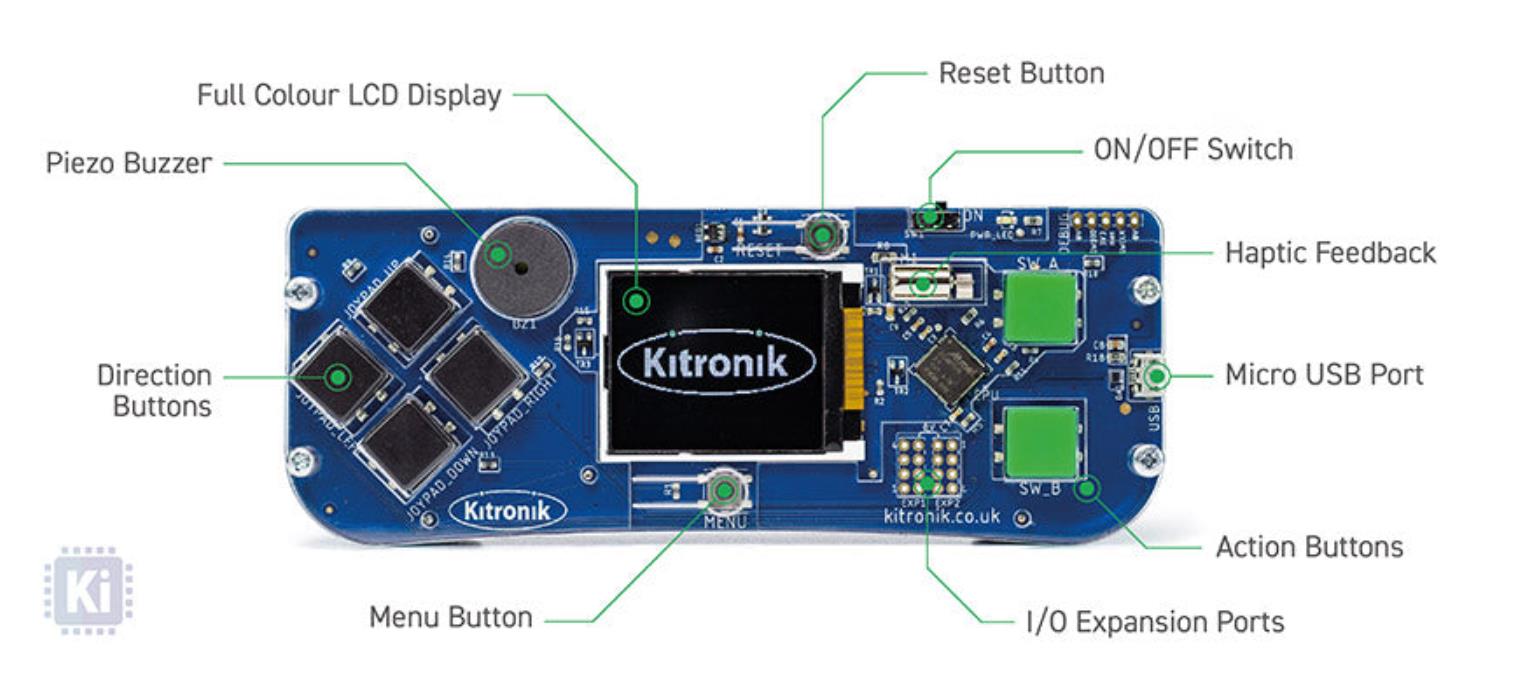 Kitronik ARCADE 使用 Microsoft MakeCode 平台,具有以下优势: 图形化编程界面:适合初学者,支持拖拽式编程。 即时模拟器:可以实时测试游戏效果。 硬件兼容性:可部署到 Kitronik ARCADE 设备,实现实体游戏体验。 支持 Python/JavaScript:便于进阶学习。 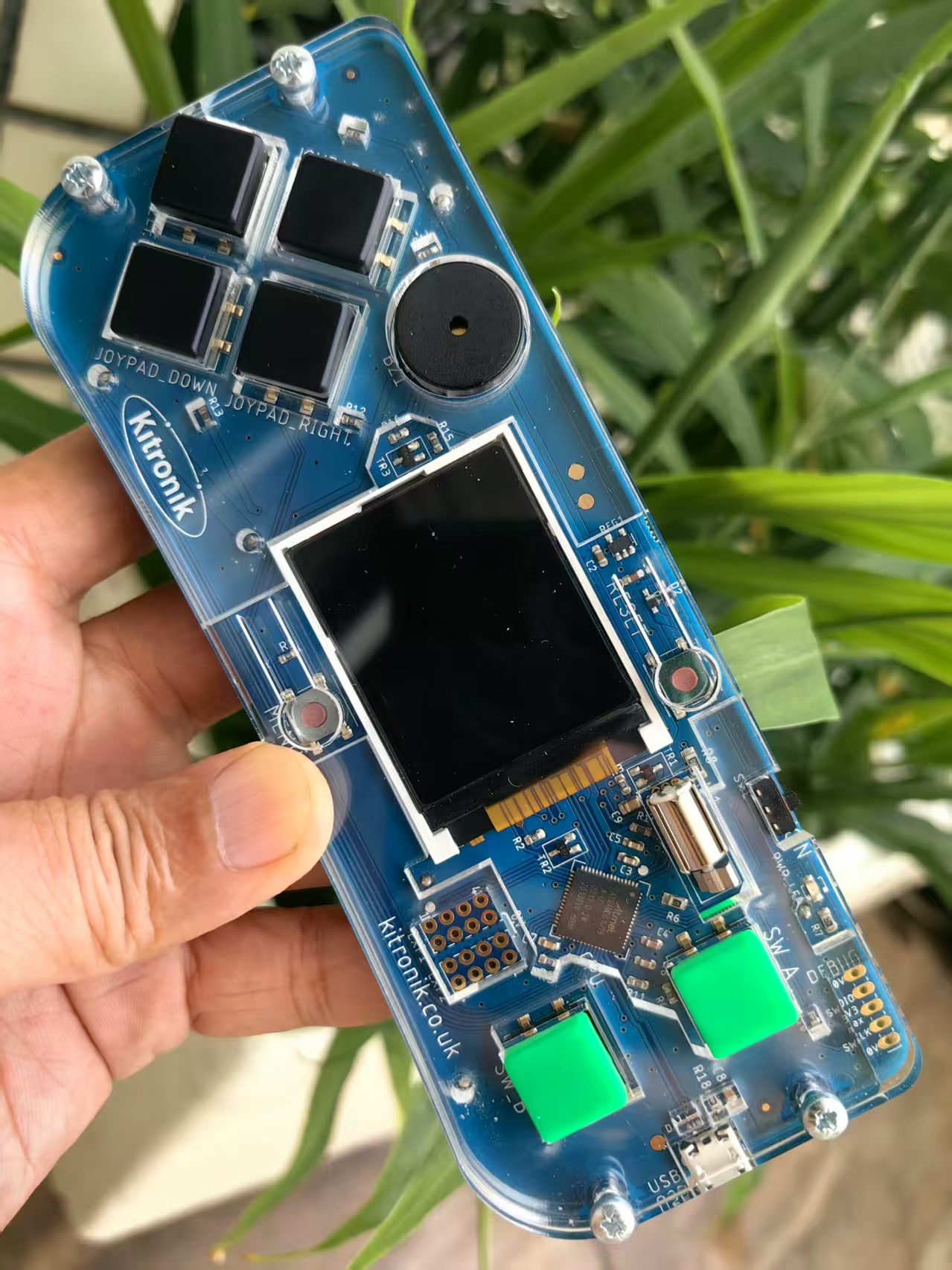 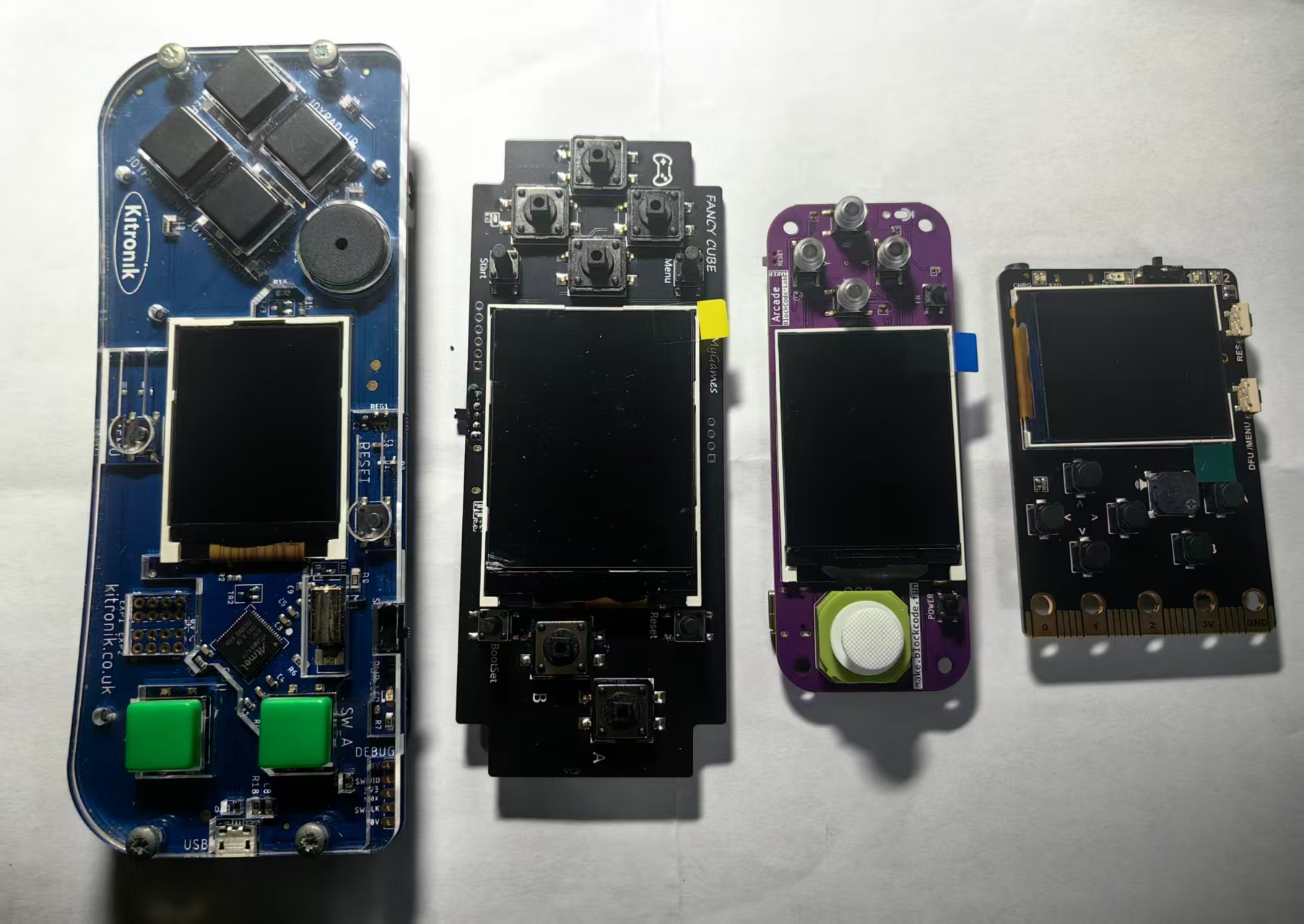 |



实验场景记录
代码结构详解
1、精灵种类定义
python
[code]@namespace
class SpriteKind:
Ball = SpriteKind.create()[/code]
创建一个新的精灵种类 Ball,用于标记弹跳球。
2、球的图像与列表初始化
python
[code]balls: List[Image] = []
balls.append(img("""...""")) # 三种不同颜色的球[/code]
创建三种不同颜色的球图像并存入列表,供后续随机选择。
3、玩家桶设置
python
[code]catcher = sprites.create(img("""..."""), SpriteKind.player)
catcher.bottom = scene.screen_height() - 1
catcher.set_stay_in_screen(True)[/code]
创建玩家控制的“桶”精灵,放置在屏幕底部。
限制其不离开屏幕。
4、得分机制与碰撞处理
python
[code]def on_on_overlap(sprite, otherSprite):
if sprite.x > otherSprite.x - 2 and sprite.x < otherSprite.x + 2:
if sitting > 300:
otherSprite.say("nope", 200)
sprite.vy = sprite.vy * -2
else:
normalScore = abs(sprite.vx)
otherSprite.say(str(normalScore), 200)
info.set_score(info.score() + normalScore)
sprite.destroy()
elif sprite.x <= otherSprite.x:
sprite.vx = sprite.vx * -2
else:
sprite.vx = sprite.vx * 2[/code]
当球与桶重叠时:
如果桶长时间未移动(sitting > 300),球弹回并显示“nope”。
否则,根据球的水平速度 vx 计算得分。
球被销毁,得分显示在桶上方。
如果碰撞位置偏左或偏右,球会反弹或加速。
5、 倒计时结束处理
python
[code]def on_countdown_end():
playing = False
game.over(False)[/code]
游戏时间结束后,游戏失败。
6、球销毁后自动补球
python
[code]def on_on_destroyed(sprite2):
...
makeBouncer()[/code]
当球被销毁时,从列表中移除,并补充一个新球。
7、控制器启动游戏
python
[code]def on_a_pressed():
makeBouncer()
info.start_countdown(60)
def on_b_pressed():
for i in range(10):
makeBouncer()
info.start_countdown(30)[/code]
按 A 键:生成 1 个球,游戏时间 60 秒。
按 B 键:生成 10 个球,游戏时间 30 秒。
8、生成弹跳球函数
python
[code]def makeBouncer():
ballChoice = randint(0, 2)
bouncer = sprites.create(balls[ballChoice], SpriteKind.Ball)
bouncer.set_flag(SpriteFlag.AUTO_DESTROY, True)
bouncer.x = randint(0, scene.screen_width() / 4)
bouncer.y = randint(0, scene.screen_height() / 3)
bouncer.vx = 10 + ballChoice * 10
bouncer.ay = 100[/code]
随机选择一种球图像。
设置初始位置、速度和重力加速度。
9、玩家移动与静止检测
python
[code]def on_on_update():
moveX = controller.dx()
if moveX != 0:
sitting = 0
catcher.x += moveX[/code]
玩家通过方向键移动桶。
如果桶移动了,sitting 重置为 0。
10、球反弹逻辑与静止计数
python
[code]def on_update_interval():
for bouncer in bouncers:
if bouncer.bottom >= scene.screen_height() and bouncer.vy > 0:
bouncer.vy = bouncer.vy * -1
bouncer.ay += 20
sitting += 1[/code]
每 10 毫秒检查球是否触底并反弹。
增加重力加速度使球更难接。
增加 sitting 计数,用于判断桶是否长时间未动。
打开网页版:https://arcade.makecode.com/,设置项目名称:弹跳桶
MicroPython实验代码
[code]@namespace
class SpriteKind:
Ball = SpriteKind.create()
bouncers: List[Sprite] = []
balls: List[Image] = []
catcher: Sprite = None
deadball: Sprite = None
sitting = 0
playing = False
game.splash("Bouncer Bucket", "A = 1 ball, B = 10 balls")
balls.append(img("""
. . 7 7 7 7 . .
. 7 7 7 7 7 7 .
7 7 7 7 7 7 7 7
7 7 7 7 7 7 7 7
7 7 7 7 7 7 7 7
7 7 7 7 7 7 7 7
. 7 7 7 7 7 7 .
. . 7 7 7 7 . .
"""))
balls.append(img("""
. . 2 2 2 2 . .
. 2 2 2 2 2 2 .
2 2 2 2 2 2 2 2
2 2 2 2 2 2 2 2
2 2 2 2 2 2 2 2
2 2 2 2 2 2 2 2
. 2 2 2 2 2 2 .
. . 2 2 2 2 . .
"""))
balls.append(img("""
. . 4 4 4 4 . .
. 4 4 4 4 4 4 .
4 4 4 4 4 4 4 4
4 4 4 4 4 4 4 4
4 4 4 4 4 4 4 4
4 4 4 4 4 4 4 4
. 4 4 4 4 4 4 .
. . 4 4 4 4 . .
"""))
catcher = sprites.create(img("""
. . . . . . . . . . . . . . . .
. . . . . . . . . . . . . . . .
1 . . . . . . . . . . . . . . 1
f e e . . . . . . . . . . e e f
1 f e e . . . . . . . . e e f 1
1 1 f e e e e e e e e e e f 1 1
. 1 e f e e e e e e e e f e 1 .
. 1 e f e e e e e e e e f e 1 .
. 1 e e f f e e e e f f e e 1 .
. 1 e e e e f f f f e e e e 1 .
. 1 1 e e e e e e e e e e 1 1 .
. . 1 e e e e e e e e e e 1 . .
. . 1 e e e e e e e e e e 1 . .
. . 1 1 e e e e e e e e 1 1 . .
. . . 1 e e e e e e e e 1 . . .
. . . 1 1 1 1 1 1 1 1 1 1 . . .
"""),
SpriteKind.player)
catcher.bottom = scene.screen_height() - 1
catcher.set_stay_in_screen(True)
info.set_score(0)
def on_on_overlap(sprite, otherSprite):
if sprite.x > otherSprite.x - 2 and sprite.x < otherSprite.x + 2:
if sitting > 300:
otherSprite.say("nope", 200)
sprite.vy = sprite.vy * -2
else:
normalScore = sprite.vx
if normalScore < 0:
normalScore = normalScore * -1
otherSprite.say("" + str(normalScore), 200)
info.set_score(info.score() + normalScore)
sprite.destroy()
elif sprite.x <= otherSprite.x:
sprite.vx = sprite.vx * -2
else:
sprite.vx = sprite.vx * 2
sprites.on_overlap(SpriteKind.Ball, SpriteKind.player, on_on_overlap)
def on_countdown_end():
global playing
playing = False
game.over(False)
info.on_countdown_end(on_countdown_end)
def on_on_destroyed(sprite2):
global deadball
j = 0
while j <= len(bouncers) - 1:
if bouncers[j] == sprite2:
deadball = bouncers.remove_at(j)
j += 1
makeBouncer()
sprites.on_destroyed(SpriteKind.Ball, on_on_destroyed)
def on_a_pressed():
global playing
if not playing:
playing = True
makeBouncer()
info.start_countdown(60)
controller.A.on_event(ControllerButtonEvent.PRESSED, on_a_pressed)
def on_b_pressed():
global playing
if not playing:
playing = True
for i in range(10):
makeBouncer()
info.start_countdown(30)
controller.B.on_event(ControllerButtonEvent.PRESSED, on_b_pressed)
def makeBouncer():
ballChoice = randint(0, 2)
ballsCount = bouncers.unshift(sprites.create(balls[ballChoice], SpriteKind.Ball))
bouncers[0].set_flag(SpriteFlag.AUTO_DESTROY, True)
bouncers[0].x = randint(0, scene.screen_width() / 4)
bouncers[0].y = randint(0, scene.screen_height() / 3)
bouncers[0].vx = 10 + ballChoice * 10
bouncers[0].ay = 100
def on_on_update():
global sitting
moveX = controller.dx()
if moveX != 0:
sitting = 0
catcher.x += moveX
game.on_update(on_on_update)
def on_update_interval():
global sitting
for bouncer in bouncers:
if bouncer.bottom >= scene.screen_height() and bouncer.vy > 0:
bouncer.vy = bouncer.vy * -1
bouncer.ay = bouncer.ay + 20
sitting += 1
game.on_update_interval(10, on_update_interval)
[/code]