【花雕学编程】MimiClaw 嵌入式 AI 智能体命令全集:含飞书配置、串口调试、系统管理与常用指令汇总
{花雕学编程,动手又动脑}
你是否想过——只用一块 30 元的 ESP32-S3 芯片,就能跑一个自带长期记忆、飞书对话、GPIO 控制、定时任务的 AI 智能体?
MimiClaw(曾用名 MimicLaw)正是这样一个轻量级嵌入式 AI 代理框架。它不需要 Linux、不需要树莓派,纯 C 语言实现,功耗仅 0.5W,却能通过串口 CLI 或飞书/Telegram 与你自然交流,并直接操控传感器与执行器。
然而,面对几十条命令,新手常常不知道从哪里开始:如何连 Wi-Fi?怎么配置飞书机器人?怎样让 AI 记住我的偏好?定时任务又该如何设置?
这里为你整理了一份超全、超实用的 MimiClaw 命令速查表,覆盖 14 大模块:系统基础、Wi‑Fi 与 AP 配网、LLM 模型配置、飞书/Telegram 机器人、上下文与长期记忆、文件系统(SPIFFS)、工具系统、网络工具、定时任务、日志调试以及配置管理。每条命令都附有说明和典型示例,让你一看就懂,一用就会。
无论你是刚拿到开发板的创客,还是想深度定制 AI 智能体的极客,这篇“命令全集”都值得收藏备用。文末还附赠了飞书版快速上手指南,10 分钟让你的 ESP32-S3 拥有一个 7×24 小时在线的 AI 助手。
开始你的嵌入式 AI 之旅吧!

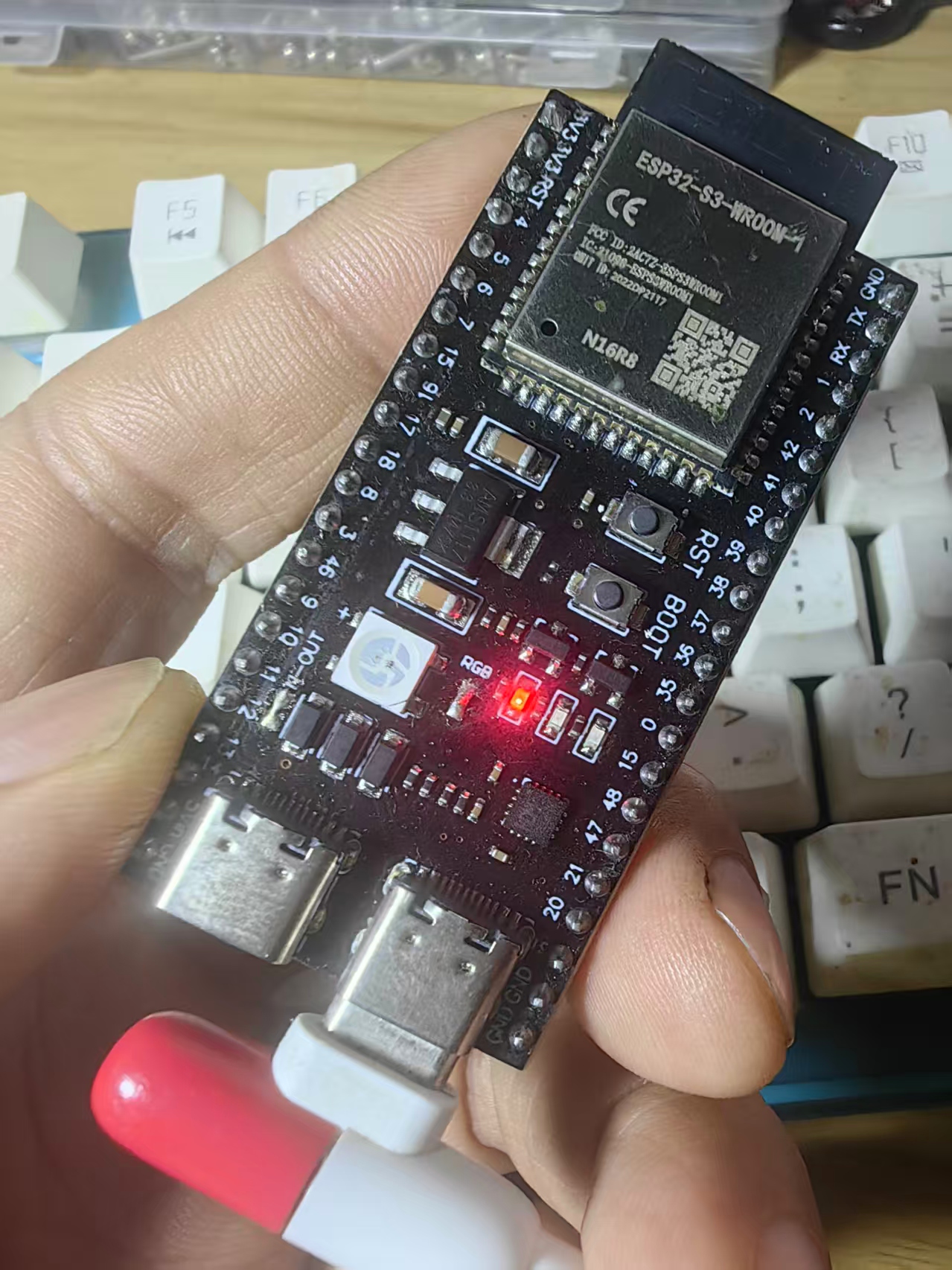
ESP32S3连接电脑,打开ESP-IDF 5.5 的CMD
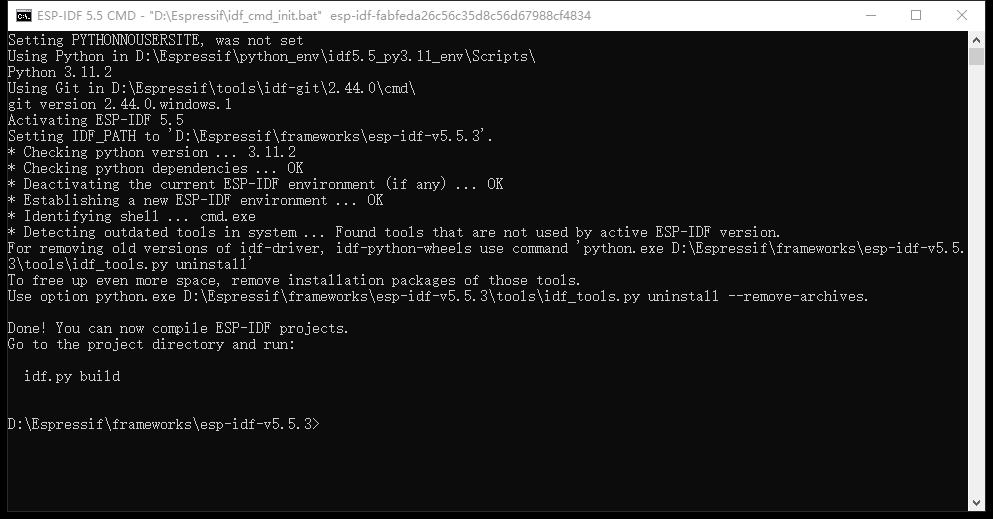
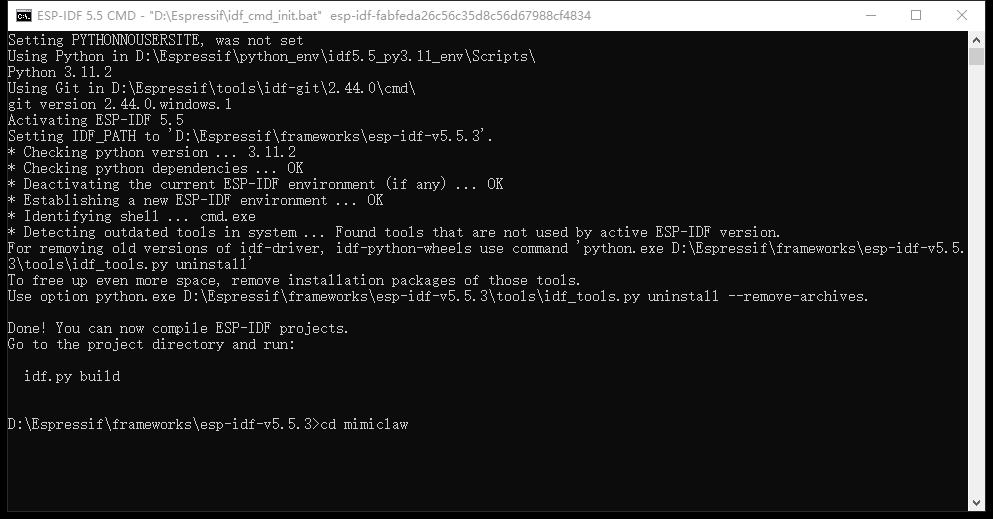
输入 cd mimiclaw 命令,进入mimiclaw项目
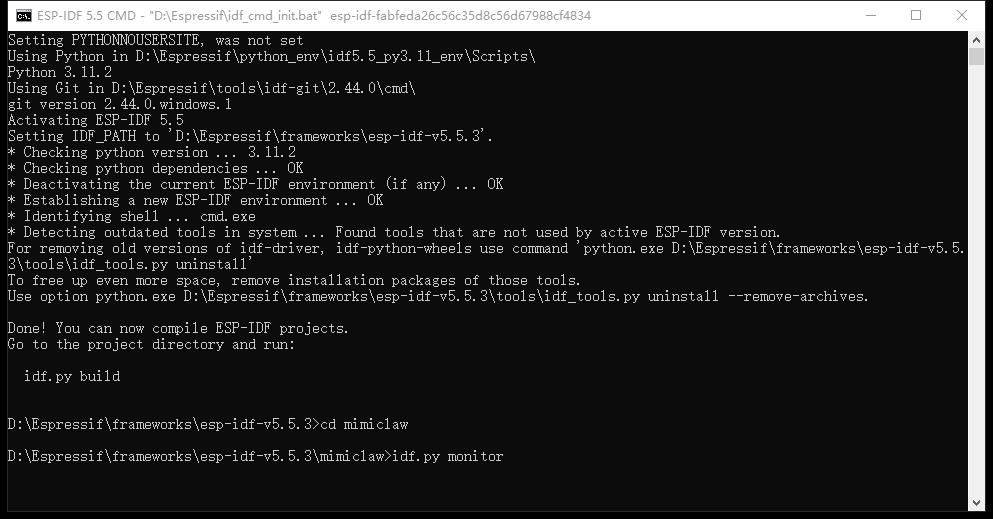
输入idf.py monitor命令,进入项目串口监视器
进入后,串口监视器会给出一份长长的 mimiclaw 启动日志
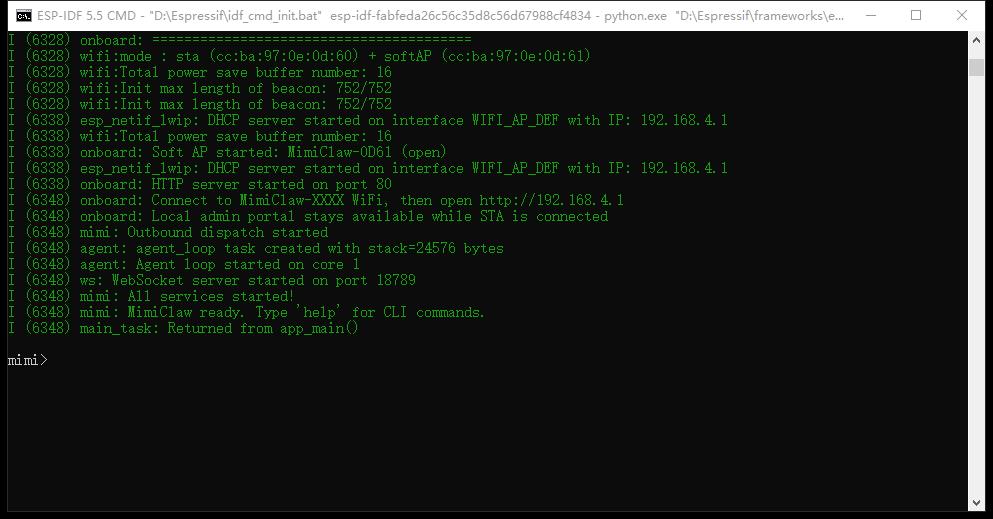
全文启动日志如下
D:\Espressif\frameworks\esp-idf-v5.5.3\mimiclaw>idf.py monitor
Executing action: monitor
Serial port COM7
Connecting...
Detecting chip type... ESP32-S3
Running idf_monitor in directory D:\Espressif\frameworks\esp-idf-v5.5.3\mimiclaw
Executing "D:\Espressif\python_env\idf5.5_py3.11_env\Scripts\python.exe D:\Espressif\frameworks\esp-idf-v5.5.3\tools/idf_monitor.py -p COM7 -b 115200 --toolchain-prefix xtensa-esp32s3-elf- --target esp32s3 --revision 0 D:\Espressif\frameworks\esp-idf-v5.5.3\mimiclaw\build\mimiclaw.elf D:\Espressif\frameworks\esp-idf-v5.5.3\mimiclaw\build\bootloader\bootloader.elf --force-color -m 'D:\Espressif\python_env\idf5.5_py3.11_env\Scripts\python.exe' 'D:\Espressif\frameworks\esp-idf-v5.5.3\tools\idf.py'"...
--- Warning: GDB cannot open serial ports accessed as COMx
--- Using \\.\COM7 instead...
--- esp-idf-monitor 1.9.0 on \\.\COM7 115200
--- Quit: Ctrl+] | Menu: Ctrl+T | Help: Ctrl+T followed by Ctrl+H
ESP-ROM:esp32s3-20210327
Build:Mar 27 2021
rst:0x15 (USB_UART_CHIP_RESET),boot:0x28 (SPI_FAST_FLASH_BOOT)
Saved PC:0x40048e22
--- 0x40048e22: uart_rx_readbuff in ROM
SPIWP:0xee
mode:DIO, clock div:1
load:0x3fce2820,len:0x16a4
load:0x403c8700,len:0xe80
--- 0x403c8700: _stext at ??:?
load:0x403cb700,len:0x3188
entry 0x403c8948
--- 0x403c8948: call_start_cpu0 at D:/Espressif/frameworks/esp-idf-v5.5.3/components/bootloader/subproject/main/bootloader_start.c:27
I (24) boot: ESP-IDF v5.5.3-dirty 2nd stage bootloader
I (24) boot: compile time Mar 31 2026 20:46:13
I (25) boot: Multicore bootloader
I (25) boot: chip revision: v0.2
I (25) boot: efuse block revision: v1.3
I (25) qio_mode: Enabling default flash chip QIO
I (25) boot.esp32s3: Boot SPI Speed : 80MHz
I (26) boot.esp32s3: SPI Mode       : QIO
I (26) boot.esp32s3: SPI Flash Size : 16MB
I (26) boot: Enabling RNG early entropy source...
I (26) boot: Partition Table:
I (26) boot: ## Label            Usage          Type ST Offset   Length
I (27) boot:  0 nvs              WiFi data        01 02 00009000 00006000
I (27) boot:  1 otadata          OTA data         01 00 0000f000 00002000
I (28) boot:  2 phy_init         RF data          01 01 00011000 00001000
I (28) boot:  3 ota_0            OTA app          00 10 00020000 00200000
I (28) boot:  4 ota_1            OTA app          00 11 00220000 00200000
I (29) boot:  5 spiffs           Unknown data     01 82 00420000 00bd0000
I (29) boot:  6 coredump         Unknown data     01 03 00ff0000 00010000
I (30) boot: End of partition table
I (30) esp_image: segment 0: paddr=00020020 vaddr=3c0d0020 size=3c724h (247588) map
I (67) esp_image: segment 1: paddr=0005c74c vaddr=3fc9ce00 size=038cch ( 14540) load
I (70) esp_image: segment 2: paddr=00060020 vaddr=42000020 size=c0ddch (789980) map
I (188) esp_image: segment 3: paddr=00120e04 vaddr=3fca06cc size=01c00h (  7168) load
I (189) esp_image: segment 4: paddr=00122a0c vaddr=40374000 size=18d04h (101636) load
I (209) esp_image: segment 5: paddr=0013b718 vaddr=50000000 size=00020h (    32) load
I (219) boot: Loaded app from partition at offset 0x20000
I (219) boot: Disabling RNG early entropy source...
I (220) octal_psram: vendor id    : 0x0d (AP)
I (220) octal_psram: dev id       : 0x02 (generation 3)
I (220) octal_psram: density      : 0x03 (64 Mbit)
I (221) octal_psram: good-die     : 0x01 (Pass)
I (221) octal_psram: Latency      : 0x01 (Fixed)
I (221) octal_psram: VCC          : 0x01 (3V)
I (221) octal_psram: SRF          : 0x01 (Fast Refresh)
I (222) octal_psram: BurstType    : 0x01 (Hybrid Wrap)
I (222) octal_psram: BurstLen     : 0x01 (32 Byte)
I (222) octal_psram: Readlatency  : 0x02 (10 cycles@Fixed)
I (222) octal_psram: DriveStrength: 0x00 (1/1)
I (222) MSPI Timing: Enter psram timing tuning
I (223) esp_psram: Found 8MB PSRAM device
I (224) esp_psram: Speed: 80MHz
I (224) cpu_start: Multicore app
I (233) cpu_start: Pro cpu start user code
I (233) cpu_start: cpu freq: 240000000 Hz
I (233) app_init: Application information:
I (233) app_init: Project name:     mimiclaw
I (233) app_init: App version:      v0.1.1-dirty
I (233) app_init: Compile time:     Mar 31 2026 20:45:54
I (233) app_init: ELF file SHA256:  fa4448c9c...
I (234) app_init: ESP-IDF:          v5.5.3-dirty
I (234) efuse_init: Min chip rev:     v0.0
I (234) efuse_init: Max chip rev:     v0.99
I (234) efuse_init: Chip rev:         v0.2
I (234) heap_init: Initializing. RAM available for dynamic allocation:
I (235) heap_init: At 3FCA8C58 len 00040AB8 (258 KiB): RAM
I (235) heap_init: At 3FCE9710 len 00005724 (21 KiB): RAM
I (235) heap_init: At 3FCF0000 len 00008000 (32 KiB): DRAM
I (235) heap_init: At 600FE000 len 00001FE8 (7 KiB): RTCRAM
I (235) esp_psram: Adding pool of 8192K of PSRAM memory to heap allocator
I (236) spi_flash: detected chip: boya
I (236) spi_flash: flash io: qio
I (237) sleep_gpio: Configure to isolate all GPIO pins in sleep state
I (237) sleep_gpio: Enable automatic switching of GPIO sleep configuration
I (238) main_task: Started on CPU0
I (248) esp_psram: Reserving pool of 96K of internal memory for DMA/internal allocations
I (248) main_task: Calling app_main()
I (248) mimi: ========================================
I (248) mimi:   MimiClaw - ESP32-S3 AI Agent
I (248) mimi: ========================================
I (248) mimi: Internal free: 303063 bytes
I (248) mimi: PSRAM free:    8386192 bytes
I (858) mimi: SPIFFS: total=11378081, used=7530
I (858) bus: Message bus initialized (queue depth 16)
I (858) memory: Memory store initialized at /spiffs
I (858) skills: Initializing skills system
I (1198) skills: Skills system ready (4 skills on SPIFFS)
I (1198) session: Session manager initialized at /spiffs/sessions
I (1198) pp: pp rom version: e7ae62f
I (1198) net80211: net80211 rom version: e7ae62f
I (1208) wifi:wifi driver task: 3fcee9e0, prio:23, stack:6656, core=0
I (1208) wifi:wifi firmware version: 4df78f2
I (1218) wifi:wifi certification version: v7.0
I (1218) wifi:config NVS flash: enabled
I (1218) wifi:config nano formatting: disabled
I (1218) wifi:Init data frame dynamic rx buffer num: 6
I (1218) wifi:Init static rx mgmt buffer num: 5
I (1218) wifi:Init management short buffer num: 32
I (1218) wifi:Init dynamic tx buffer num: 32
I (1218) wifi:Init static tx FG buffer num: 2
I (1218) wifi:Init static rx buffer size: 1600
I (1218) wifi:Init static rx buffer num: 3
I (1218) wifi:Init dynamic rx buffer num: 6
I (1218) wifi_init: rx ba win: 3
I (1218) wifi_init: accept mbox: 6
I (1218) wifi_init: tcpip mbox: 16
I (1218) wifi_init: udp mbox: 6
I (1218) wifi_init: tcp mbox: 6
I (1218) wifi_init: tcp tx win: 5760
I (1218) wifi_init: tcp rx win: 5760
I (1218) wifi_init: tcp mss: 1440
I (1218) wifi_init: WiFi IRAM OP enabled
I (1218) wifi_init: WiFi RX IRAM OP enabled
I (1218) wifi: WiFi manager initialized
W (1218) telegram: No Telegram bot token. Use CLI: set_tg_token <TOKEN>
W (1218) feishu: No Feishu credentials. Use CLI: set_feishu_creds <APP_ID> <APP_SECRET>
I (1218) llm: LLM proxy initialized (provider: openai, model: deepseek-chat)
W (1218) web_search: No search API key. Use CLI: set_search_key or set_tavily_key
I (1218) tools: Registered tool: web_search
I (1218) tools: Registered tool: get_current_time
I (1218) tools: Registered tool: read_file
I (1218) tools: Registered tool: write_file
I (1218) tools: Registered tool: edit_file
I (1218) tools: Registered tool: list_dir
I (1218) tools: Registered tool: cron_add
I (1218) tools: Registered tool: cron_list
I (1218) tools: Registered tool: cron_remove
I (1218) tool_gpio: GPIO tool initialized (pin range 1-21)
I (1218) tools: Registered tool: gpio_write
I (1218) tools: Registered tool: gpio_read
I (1218) tools: Registered tool: gpio_read_all
I (1228) tools: Tools JSON built (12 tools)
I (1228) tools: Tool registry initialized
I (1628) cron: No cron file found, starting fresh
I (1628) heartbeat: Heartbeat service initialized (file: /spiffs/HEARTBEAT.md, interval: 1800s)
I (1628) agent: Agent loop initialized

Type 'help' to get the list of commands.
Use UP/DOWN arrows to navigate through command history.
Press TAB when typing command name to auto-complete.

Your terminal application does not support escape sequences.

Line editing and history features are disabled.

On Windows, try using Windows Terminal or Putty instead.
mimi>  I (2618) cli: Serial CLI started
I (2618) mimi: Serial CLI started. Type 'help' for commands.
I (2618) wifi: Connecting to SSID: zhz3
W (2628) wifi:Password length matches WPA2 standards, authmode threshold changes from OPEN to WPA2
I (2628) phy_init: phy_version 711,97bcf0a2,Aug 25 2025,19:04:10
I (2658) wifi:mode : sta (cc:ba:97:0e:0d:60)
I (2658) wifi:enable tsf
I (2658) mimi: Scanning nearby APs on boot...
I (2668) wifi: Scanning nearby APs...
W (2668) wifi: Disconnected (reason=36:UNKNOWN)
W (2668) wifi: Disconnected, retry 1/10 in 1000ms
W (3668) wifi: No APs found
E (3668) wifi:sta is connecting, return error
I (3668) mimi: Waiting for WiFi connection...
I (4388) wifi:new:<7,0>, old:<1,0>, ap:<255,255>, sta:<7,0>, prof:1, snd_ch_cfg:0x0
I (4398) wifi:state: init -> auth (0xb0)
I (4458) wifi:state: auth -> assoc (0x0)
I (4478) wifi:state: assoc -> run (0x10)
I (4628) wifi:connected with zhz3, aid = 2, channel 7, BW20, bssid = 3c:cd:57:69:0f:3a
I (4628) wifi:security: WPA2-PSK, phy: bgn, rssi: -37
I (4628) wifi:pm start, type: 1

I (4628) wifi:dp: 1, bi: 102400, li: 3, scale listen interval from 307200 us to 307200 us
I (4628) wifi:set rx beacon pti, rx_bcn_pti: 0, bcn_timeout: 25000, mt_pti: 0, mt_time: 10000
I (4708) wifi:AP's beacon interval = 102400 us, DTIM period = 1
I (5128) wifi:<ba-add>idx:0 (ifx:0, 3c:cd:57:69:0f:3a), tid:0, ssn:2, winSize:64
I (6328) esp_netif_handlers: sta ip: 192.168.28.161, mask: 255.255.255.0, gw: 192.168.28.1
I (6328) wifi: Connected! IP: 192.168.28.161
I (6328) mimi: WiFi connected: 192.168.28.161
I (6328) onboard: ========================================
I (6328) onboard:   Starting WiFi Configuration Portal
I (6328) onboard: ========================================
I (6328) wifi:mode : sta (cc:ba:97:0e:0d:60) + softAP (cc:ba:97:0e:0d:61)
I (6328) wifi:Total power save buffer number: 16
I (6328) wifi:Init max length of beacon: 752/752
I (6328) wifi:Init max length of beacon: 752/752
I (6338) esp_netif_lwip: DHCP server started on interface WIFI_AP_DEF with IP: 192.168.4.1
I (6338) wifi:Total power save buffer number: 16
I (6338) onboard: Soft AP started: MimiClaw-0D61 (open)
I (6338) esp_netif_lwip: DHCP server started on interface WIFI_AP_DEF with IP: 192.168.4.1
I (6338) onboard: HTTP server started on port 80
I (6348) onboard: Connect to MimiClaw-XXXX WiFi, then open http://192.168.4.1
I (6348) onboard: Local admin portal stays available while STA is connected
I (6348) mimi: Outbound dispatch started
I (6348) agent: agent_loop task created with stack=24576 bytes
I (6348) agent: Agent loop started on core 1
I (6348) ws: WebSocket server started on port 18789
I (6348) mimi: All services started!
I (6348) mimi: MimiClaw ready. Type 'help' for CLI commands.
I (6348) main_task: Returned from app_main()

mimi>
输入 help 命令,系统给出一份帮助文档
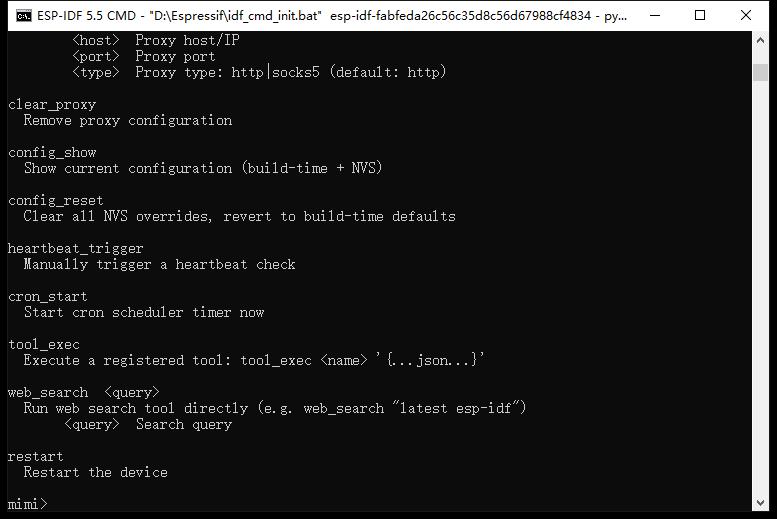
帮助文档全文
mimi>  help
help  [<string>] [-v <0|1>]
  Print the summary of all registered commands if no arguments are given,
  otherwise print summary of given command.
      <string>  Name of command
  -v, --verbose=<0|1>  If specified, list console commands with given verbose level

set_wifi  <ssid> <password>
  Set WiFi SSID and password (e.g. set_wifi MySSID MyPass)
        <ssid>  WiFi SSID
    <password>  WiFi password

wifi_status
  Show WiFi connection status

wifi_scan
  Scan and list nearby WiFi APs

set_tg_token  <token>
  Set Telegram bot token
       <token>  Telegram bot token

set_feishu_creds  <app_id> <app_secret>
  Set Feishu app credentials (app_id app_secret)
      <app_id>  Feishu App ID
  <app_secret>  Feishu App Secret

feishu_send  <receive_id> <text>
  Send Feishu text: feishu_send <open_id|chat_id> "hello"
  <receive_id>  Feishu open_id/chat_id
        <text>  Text message (quote if contains spaces)

set_api_key  <key>
  Set LLM API key
         <key>  LLM API key

set_model  <model>
  Set LLM model (default: claude-opus-4-5)
       <model>  Model identifier

set_model_provider  <provider>
  Set LLM model provider (default: anthropic)
    <provider>  Model provider (anthropic|openai)

skill_list
  List installed skills from /spiffs/skills/

skill_show  <name>
  Print full content of one skill file
        <name>  Skill name (e.g. weather or weather.md)

skill_search  <keyword>
  Search skill files by keyword (filename + content)
     <keyword>  Keyword to search in skills

memory_read
  Read MEMORY.md

memory_write  <content>
  Write to MEMORY.md
     <content>  Content to write

session_list
  List all sessions

session_clear  <chat_id>
  Clear a session
     <chat_id>  Chat ID to clear

heap_info
  Show heap memory usage

set_search_key  <key>
  Set Brave Search API key for web_search tool
         <key>  Brave Search API key

set_tavily_key  <key>
  Set Tavily API key for web_search tool
         <key>  Tavily Search API key

set_proxy  <host> <port> [<type>]
  Set proxy (e.g. set_proxy 192.168.1.83 7897 [http|socks5])
        <host>  Proxy host/IP
        <port>  Proxy port
        <type>  Proxy type: http|socks5 (default: http)

clear_proxy
  Remove proxy configuration

config_show
  Show current configuration (build-time + NVS)

config_reset
  Clear all NVS overrides, revert to build-time defaults

heartbeat_trigger
  Manually trigger a heartbeat check

cron_start
  Start cron scheduler timer now

tool_exec
  Execute a registered tool: tool_exec <name> '{...json...}'

web_search  <query>
  Run web search tool directly (e.g. web_search "latest esp-idf")
       <query>  Search query

restart
  Restart the device

mimi>
## MimiClaw 嵌入式 AI 智能体命令全集:含飞书配置、串口调试、系统管理与常用指令汇总
提示符:mimi>
说明:本文所有命令均提取自 MimiClaw 内置 help 输出,已按功能重新分类,并补充典型用法。部分高级命令(如 tool_exec、cron_start)需理解 JSON 格式或定时器机制。
## 一、系统基础
命令 说明 示例
help [cmd] [-v] 列出所有命令或查看某命令详情 help set_wifi
restart 重启设备 配置变更后常用
heap_info 显示堆内存使用情况(空闲/最小剩余) 排查内存泄漏
config_show 显示当前所有配置(NVS + 编译期默认值) 检查 API Key、代理等
config_reset 清除所有 NVS 覆盖,恢复出厂编译期默认值 慎用
heartbeat_trigger 手动触发一次心跳检查(用于调试定时任务) 结合 cron 使用
## 二、Wi‑Fi 网络
命令 说明 示例
set_wifi
wifi_status 查看当前连接状态(IP、信号强度等) 排查网络问题
wifi_scan 扫描周围 2.4G Wi‑Fi 热点 先扫描确认 SSID
ESP32-S3 仅支持 2.4GHz 频段,wifi_scan 不会列出 5G 网络。
## 三、代理配置
适用于需要通过代理访问 LLM API 或飞书的环境。
命令 说明 示例
set_proxy
clear_proxy 清除代理配置 恢复直连
代理类型默认为 http,可选 socks5。
## 四、LLM / AI 模型配置
命令 说明 示例
set_api_key
set_model
set_model_provider
实际 LLM 连通性测试需通过飞书/TG 或 tool_exec 触发对话,无独立 llm test 命令。
## 五、飞书机器人
命令 说明 示例
set_feishu_creds
feishu_send
重要:
receive_id 可以是 open_id(用户)或 chat_id(群聊),需通过飞书开放平台调试或接收事件获得。
飞书机器人启动是自动的(配置凭证后即生效),无需手动 start/stop。消息接收通过长连接,无需公网 IP。
## 六、Telegram 机器人
命令 说明 示例
set_tg_token
机器人同样自动运行,无需额外 start/stop。
## 七、长期记忆(MEMORY.md)
记忆存储于 /spiffs/MEMORY.md,直接读写。
命令 说明 示例
memory_read 打印 MEMORY.md 的全部内容 查看当前记忆
memory_write
memory_write 会覆盖原有内容,如需追加,需先 memory_read 后手动拼接。
## 八、技能管理(Skills)
技能文件存放在 /spiffs/skills/ 下(Markdown 格式),定义 AI 可调用的工具。
命令 说明 示例
skill_list 列出所有已安装的技能文件 确认技能是否就绪
skill_show
skill_search
九、会话管理(Session)
每个对话(飞书/TG 用户或群)有独立会话上下文。
命令 说明 示例
session_list 列出所有活跃会话及其 chat_id 查看哪些用户在对话
session_clear
## 十、工具执行(Tool Execution)
MimiClaw 内置或技能定义的工具,可通过 JSON 参数直接调用。
命令 说明 示例
tool_exec
常用内置工具(需先配置相应 API Key):
web_search – 网络搜索(需 set_search_key 或 set_tavily_key)
其他工具可通过 skill_list 发现
## 十一、网络搜索配置
为 web_search 工具提供 API 密钥(二选一)。
命令 说明 示例
set_search_key
set_tavily_key
配置后即可通过 tool_exec web_search '{"query":"..."}' 或直接使用 web_search 命令(见下节)。
## 十二、快捷搜索命令
命令 说明 示例
web_search
## 十三、定时任务(Cron)
MimiClaw 内置 cron 调度器,需手动启动。
命令 说明 示例
cron_start 启动 cron 调度器(定时任务生效) 配置好 cron 规则后执行
注意:当前版本未提供 cron_add/cron_list 等命令,定时规则可能需要通过配置文件(如 /spiffs/cron.json)预设。建议查阅固件文档。
## 十四、调试与信息
命令 说明 示例
heap_info 显示堆内存统计(总大小、当前空闲、最小剩余) 监控内存碎片
附:完整命令一览(按字母排序)
clear_proxy
config_reset
config_show
cron_start
feishu_send
heap_info
help
heartbeat_trigger
memory_read
memory_write
restart
session_clear
session_list
set_api_key
set_feishu_creds
set_model
set_model_provider
set_proxy
set_search_key
set_tavily_key
set_tg_token
set_wifi
skill_list
skill_search
skill_show
tool_exec
web_search
wifi_scan
wifi_status
共计 28 条 命令(不含 help 内部变体)。
快速上手示例(飞书 + DeepSeek)
#1. 连接 Wi‑Fi
mimi> set_wifi MySSID MyPassword
mimi> wifi_status          # 应显示 IP

#2. 配置 LLM(DeepSeek 兼容 OpenAI 格式)
mimi> set_model_provider openai
mimi> set_api_key sk-xxxx
mimi> set_model deepseek-chat

#3. 配置飞书
mimi> set_feishu_creds cli_xxx secret_xxx
#此时机器人已自动上线,可接收飞书消息

#4. (可选)配置网络搜索
mimi> set_tavily_key tvly-xxxx

#5. 查看当前配置
mimi> config_show

#6. 测试记忆
mimi> memory_write "用户昵称:花雕"
mimi> memory_read
## 结语
本速查表完全基于 MimiClaw 官方 help 输出整理,不添加未出现的命令,确保每一条都可直接在 mimi> 提示符下执行。建议收藏本文,或在串口终端中输入 help 随时查阅。随着固件更新,命令集可能变化,请以设备实际 help 为准。
Happy Clawing!