
1.1602LCD 就是16(字符)x2(行)
2.树莓派默认I2c是关闭的,在/dev 中我们不能发现设备
vi /etc/modprobe.d/raspi-blacklist.conf
- # blacklist spi and i2c by default (many users don't need them)
- #blacklist spi-bcm2708
- #blacklist i2c-bcm2708
注释掉代表使用
vi /etc/modules
- # /etc/modules: kernel modules to load at boot time.
- #
- # This file contains the names of kernel modules that should be loaded
- # at boot time, one per line. Lines beginning with "#" are ignored.
-
- snd-bcm2835
- i2c-bcm2708
- i2c-dev
3.查看设备
lsmod
4.安装工具
apt-get install i2c-tools python-smbus
5.查看设备地址
i2cdetect -y 1
设备地址就是0x27
6示例代码logx.py
- import logging
- #print on log file
- logging.basicConfig(level=logging.INFO,
- format='%(asctime)s <%(levelname)s> [line:%(lineno)d] %(filename)s : %(message)s',
- datefmt='%Y-%m-%d %H:%M:%S',
- filename='trace.log',
- filemode='a')#w a
- #print on screem
- console = logging.StreamHandler()
- console.setLevel(logging.DEBUG)
- formatter = logging.Formatter('%(asctime)s <%(levelname)s> [line:%(lineno)d] %(filename)s : %(message)s')
- console.setFormatter(formatter)
- logging.getLogger('').addHandler(console)
- if __name__ == '__main__':
- #CRITICAL > ERROR > WARNING > INFO > DEBUG > NOTSET
- logging.critical('This is critical message')
- logging.error('This is error message')
- logging.warning('This is warning message')
- logging.info('This is info message')
- logging.debug('This is debug message')
- #logging.notset('This is notset message')
LCD1602.py
- import time
- import smbus
- import logx
- import logging
- BUS = smbus.SMBus(1)
- LCD_ADDR = 0x27
- BLEN = 1 #turn on/off background light
-
- def turn_light(key):
- global BLEN
- BLEN = key
- if key ==1 :
- BUS.write_byte(LCD_ADDR ,0x08)
- logging.info('LCD executed turn on BLight')
- else:
- BUS.write_byte(LCD_ADDR ,0x00)
- logging.info('LCD executed turn off BLight')
-
- def write_word(addr, data):
- global BLEN
- temp = data
- if BLEN == 1:
- temp |= 0x08
- else:
- temp &= 0xF7
- BUS.write_byte(addr ,temp)
-
- def send_command(comm):
- # Send bit7-4 firstly
- buf = comm & 0xF0
- buf |= 0x04 # RS = 0, RW = 0, EN = 1
- write_word(LCD_ADDR ,buf)
- time.sleep(0.002)
- buf &= 0xFB # Make EN = 0
- write_word(LCD_ADDR ,buf)
-
- # Send bit3-0 secondly
- buf = (comm & 0x0F) << 4
- buf |= 0x04 # RS = 0, RW = 0, EN = 1
- write_word(LCD_ADDR ,buf)
- time.sleep(0.002)
- buf &= 0xFB # Make EN = 0
- write_word(LCD_ADDR ,buf)
-
- def send_data(data):
- # Send bit7-4 firstly
- buf = data & 0xF0
- buf |= 0x05 # RS = 1, RW = 0, EN = 1
- write_word(LCD_ADDR ,buf)
- time.sleep(0.002)
- buf &= 0xFB # Make EN = 0
- write_word(LCD_ADDR ,buf)
-
- # Send bit3-0 secondly
- buf = (data & 0x0F) << 4
- buf |= 0x05 # RS = 1, RW = 0, EN = 1
- write_word(LCD_ADDR ,buf)
- time.sleep(0.002)
- buf &= 0xFB # Make EN = 0
- write_word(LCD_ADDR ,buf)
-
- def init_lcd():
- try:
- send_command(0x33) # Must initialize to 8-line mode at first
- time.sleep(0.005)
- send_command(0x32) # Then initialize to 4-line mode
- time.sleep(0.005)
- send_command(0x28) # 2 Lines & 5*7 dots
- time.sleep(0.005)
- send_command(0x0C) # Enable display without cursor
- time.sleep(0.005)
- send_command(0x01) # Clear Screen
- logging.info('LCD init over')
- BUS.write_byte(LCD_ADDR ,0x08)
- logging.info('LCD turning on BLight')
- except:
- return False
- else:
- return True
-
- def clear_lcd():
- send_command(0x01) # Clear Screen
-
- def print_lcd(x, y, str):
- if x < 0:
- x = 0
- if x > 15:
- x = 15
- if y <0:
- y = 0
- if y > 1:
- y = 1
-
- # Move cursor
- addr = 0x80 + 0x40 * y + x
- send_command(addr)
-
- for chr in str:
- send_data(ord(chr))
-
- if __name__ == '__main__':
- init_lcd()
- print_lcd(0, 0, 'Hello, DFRobot!!!')
- print_lcd(8, 1, 'By lingfeng')
lcdtest.py
- #!/user/bin/env python
-
-
- import smbus
- import time
- import sys
- import LCD1602 as LCD
- import logx
- import logging
-
- if __name__ == '__main__':
- LCD.init_lcd()
- time.sleep(2)
- LCD.print_lcd(0,0,'Hello DFRobot!')
- LCD.print_lcd(1,1,'local time')
- logging.info('wait 2 seconds')
- LCD.turn_light(1)
- logging.info('turn on Light')
- time.sleep(5)
- while True:
- nowtime = time.strftime('%m-%d %H:%M:%S',time.localtime(time.time()))
- hourtime = time.strftime('%H',time.localtime(time.time()))
- mintime = time.strftime('%M',time.localtime(time.time()))
- sectime = time.strftime('%S',time.localtime(time.time()))
- LCD.print_lcd(1,1,nowtime)
- if mintime == '59':
- if sectime == '00':
- LCD.turn_light(1)
- elif sectime == '59':
- LCD.turn_light(0)
- time.sleep(1)
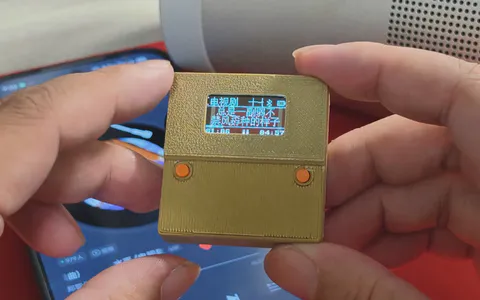
上图难,上图难于上青天~~~网速好了再发图
|




哈哈哈哈 悟出经验了
https://www.dfrobot.com.cn/goods-372.html