 首先,感谢大爱的DFROBOT给还是新手的我这次机会。有了这块控制板,我相信自己能够学到更多东西,产生更多好点子。 说实话CurieNano是一块功能非常强大的控制板。 首先,感谢大爱的DFROBOT给还是新手的我这次机会。有了这块控制板,我相信自己能够学到更多东西,产生更多好点子。 说实话CurieNano是一块功能非常强大的控制板。
它除了拥有内部时钟、BLE、电子罗盘、加速度计、陀螺仪等功能外,
还有传说中的IUM。
{:5_136:}
不过可惜我这个项目里面只用到了BLE、内部时钟这两个功能。
材料:一个TF卡读写模块(外加一张128MB的TF卡);
一个热释电红外传感器; 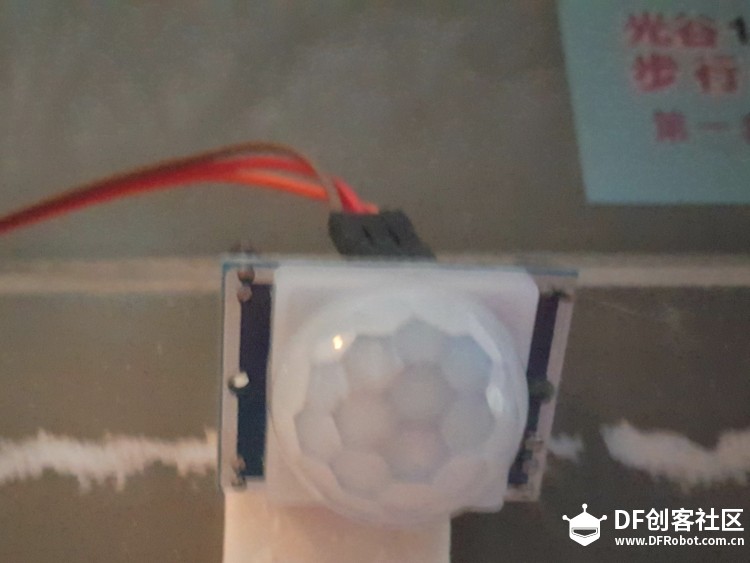
一个9g舵机;
杜邦线若干 细钢丝一根 泡沫双面胶一卷
电池
![]()
由于需要用到蓝牙功能,所以要在手机上安装nRF Connect
那么我要着的事情简单的说就是:
红外模块检测到人靠近后,控制板由低功耗(sleep)被唤醒(wakeup);
手机连接Cruienano后发送特定的若干个16进制数(密码),促发舵机开门,门开状态维持3秒钟;
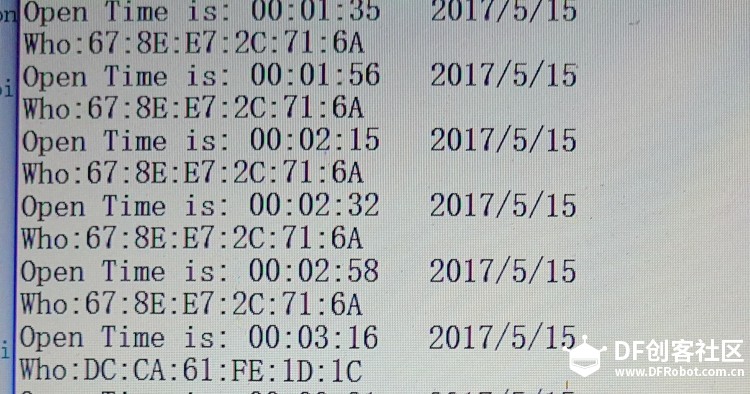
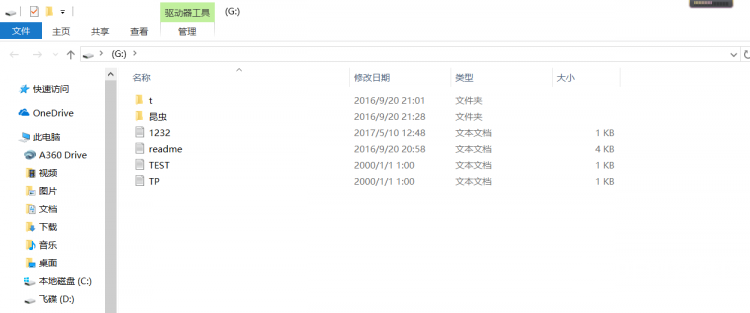
在开门的同时,将时间和蓝牙地址记录下来。 首先我找了很就,终于在国外的贴吧上找到了可以用在curie上的lowpower库文件
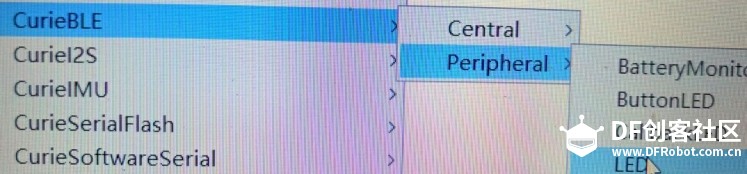
然后我将热释放电传感器digital引脚于5好引脚相连,准备将5号用作中断引脚。(这里补充一下,cruienano的所有数字引脚都可以用作外部中断。)当有人靠近,传感器输出底变高(RISING)。因此,我将中断模式设置为RISING。然后就根据周围有无人,来决定系统的状态,从而节电。然后是蓝牙部分。这里总结打开BLE里面的LED例子
控制LED和控制servo就差了一个servo库。然后把SD里面的ReadWrite例子融合到自己的程序里面来,就可以了。
看代码:
- #include <SD.h>//SD库需要自己下载
-
- #include <Servo.h>
- #include <CurieTime.h>
- #include <CurieBLE.h>
-
- #include <Power.h>//这个库直接通过添加一个zip库来添加
-
-
- int time1=0;//用time1来记录工作时间
- BLEService ServoService("19B10000-E8F2-537E-4F6C-D104768A1214");
- Servo myservo;
-
- BLEUnsignedCharCharacteristic switchCharacteristic("19B10001-E8F2-537E-4F6C-D104768A1214", BLERead | BLEWrite);
- File myFile;
- void setup() {
-
- Serial.begin(9600);
-
- attachInterrupt(5, wakeup, RISING);//中断开
-
- myservo.attach(9);//舵机开
-
- myservo.write(90);//设置初始位置
-
- setTime(00, 00, 00, 15, 5, 2017);//设置时间
-
- BLE.begin();//蓝牙开
- BLE.setLocalName("Servo");//蓝牙名
- BLE.setAdvertisedService(ServoService);
- ServoService.addCharacteristic(switchCharacteristic);
- BLE.addService(ServoService);
- switchCharacteristic.setValue(0);
- BLE.advertise();
-
- Serial.print("Initializing SD card...");//判断SD卡是否正常
- if (!SD.begin(4)) {
- Serial.println("initialization failed!");
- return;
- }
- Serial.println("initialization done.");
- }
-
- void loop()
- {
- if(millis()-time1>=20000)//判断工作时间
- {
- time1=0;
- PM.sleep();//低功耗
- }
-
-
- BLEDevice central = BLE.central();
-
- if (central)
- {
-
- Serial.print("Connected to central: ");
- Serial.println(central.address());
-
- while (central.connected())
- {
- if (switchCharacteristic.written())
- {
- if (switchCharacteristic.value()==0x02) //依次接收两次蓝牙信号,并检测是否是02、06
- {
- while (1)
- {
- if (switchCharacteristic.written())
- {
- if (switchCharacteristic.value()==0x06)
- {
- myservo.write(0);//开门
- myFile = SD.open("tp.txt", FILE_WRITE);//记录时间,开门蓝牙地址
-
- // if the file opened okay, write to it:
- if (myFile) {
- Serial.print("Writing to test.txt...");
- myFile.print("Who:");
- myFile.println(central.address());
-
- myFile.print("Open Time is: ");
-
- print2digits(hour());
- myFile.print(":");
- print2digits(minute());
- myFile.print(":");
- print2digits(second());
-
- myFile.print(" ");
-
- myFile.print(year());
- myFile.print("/");
- myFile.print(month());
- myFile.print("/");
- myFile.print(day());
- myFile.println();
-
- myFile.close();
- delay(3000);
- myservo.write(90);
- Serial.println("done.");
- }
- else {
- // if the file didn't open, print an error:
- Serial.println("error opening test.txt");
- }
- break;
- }
- else
- break;
-
- }
-
- }
-
- }
-
- else
- myservo.write(90);
- }
-
- }
-
- }
- }
- //中断函数,唤醒
- void wakeup()
- {
- PM.wakeFromDoze();
- time1=millis();
- }
- //使数据记录整齐的补零函数
- void print2digits(int number) {
- if (number >= 0 && number < 10) {
- myFile.print('0');
- }
- myFile.print(number);
- }
[media=x,500,375][/media]视频不知道为什么不能看,等我再上传一次吧。{:5_151:}
| 





已经帮改掉了,需要勾选一下“禁用表情”(被logo当掉的部分)