懒癌福利——懒得开微信
2020-02-116569
AI 快速预览详细
本文介绍了一个懒人福利项目,通过掌控板和Python代码实现微信消息显示。项目使用itchat库和paho-mqtt库,实现了在掌控板上接收并显示微信消息的功能。具体步骤包括在电脑上运行Python代码以连接微信,并通过MQTT协议将消息发送到掌控板。项目适用于希望在家中更方便地查看微信消息的用户。
|
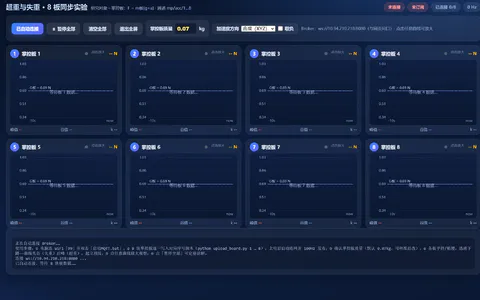
关于我掌控板看微信的项目————他死了好久 现在,我又来了 —————————————————————— 宅在沙发上太舒服了 然而手机响了o((>ω< ))o w(゚Д゚)w又要爬起来->走过去->开机->走回来->爬下来 多麻烦 因为作者(我)很懒 掌控板没有配备二维码功能 登入要在电脑 —————————————————————— 代码: (python电脑) import itchat import paho.mqtt.client as mqtt @itchat.msg_register(TEXT, isFriendChat=True, isGroupChat=True, isMpChat=True) def simple_reply(msg): client.publish("chat",msg['FromUserName'],2) client.publish("chat",msg['Text'],2) @itchat.msg_register([PICTURE, RECORDING, ATTACHMENT, VIDEO]) def download_files(msg): client.publish("chat","get "+msg['Type']+" "+msg['FileName'],2) itchat.auto_login() itchat.run() MQTTHOST = "ip" mqttClient = mqtt.Client() def onMqtt(): mqttClient.connect(MQTTHOST, 1883, 2) client.username_pw_set(username, password = passwd) mqttClient.loop_start() onMQtt() client.publish("chat","hello",2) (MIND-) /*! * MindPlus * mpython * */ #include <MPython.h> #include <DFRobot_Iot.h> // 函数声明 void obloqMqttEventT0(String& message); // 静态常量 const String topics[5] = {"(chat端口)","","","",""}; const MsgHandleCb msgHandles[5] = {obloqMqttEventT0,NULL,NULL,NULL,NULL}; // 创建对象 DFRobot_Iot myIot; // 主程序开始 void setup() { myIot.setMqttCallback(msgHandles); mPython.begin(); } void loop() { myIot.init("iot.dfrobot.com.cn","","","",topics,1883); myIot.connect(); } // 事件回调函数 void obloqMqttEventT0(String& message) { display.setCursorXY(0, 0); display.print(message); while (!(buttonA.isPressed())) {yield();} display.fillScreen(0); } 欢迎检查 我没有检查过 python装itchat文件和 paho-mqtt |