IntelUP2-Ubuntu14-PoseNet-Reproduction
2021-03-095064
AI 快速预览详细
本文详细记录了在Intel-UP2上重现PoseNet的过程。首先解决了外部摄像头无法识别的问题,通过ffmpeg成功配置。接着解决了Python3.5下pip版本过高导致的语法错误,并处理了TensorFlow导入失败和cv2.VideoCapture问题。最终实现了在轻量级板上运行PoseNet的目标。
|
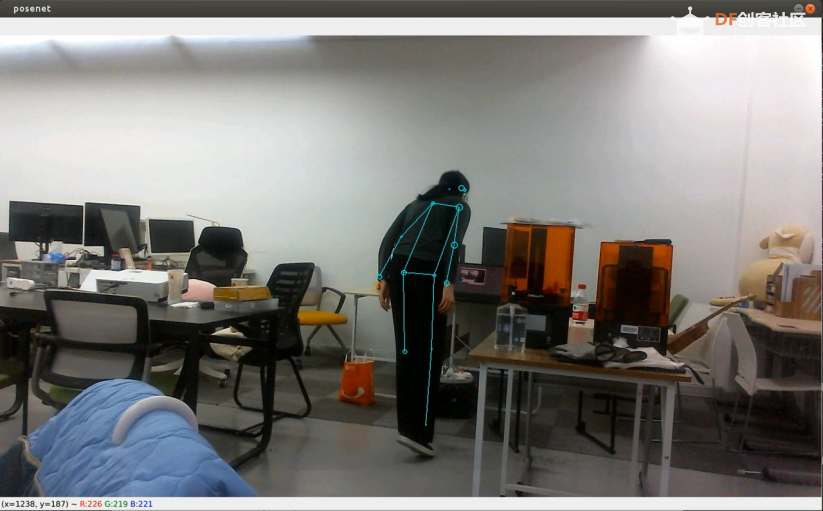
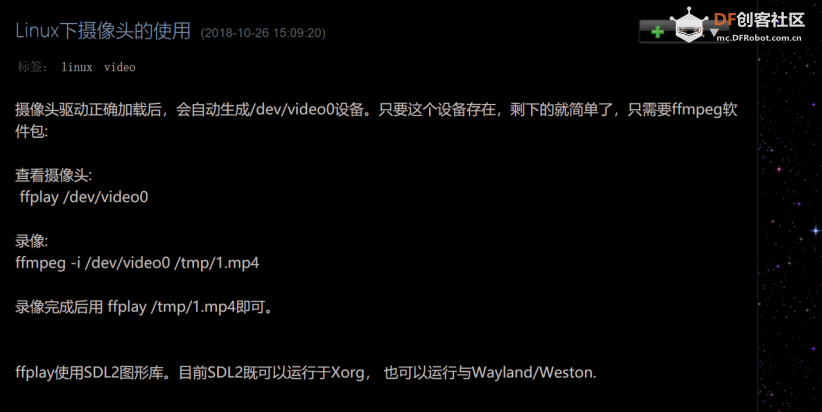
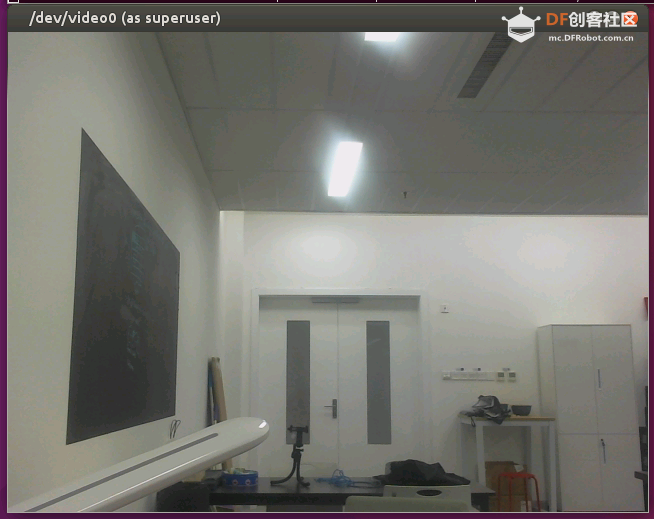
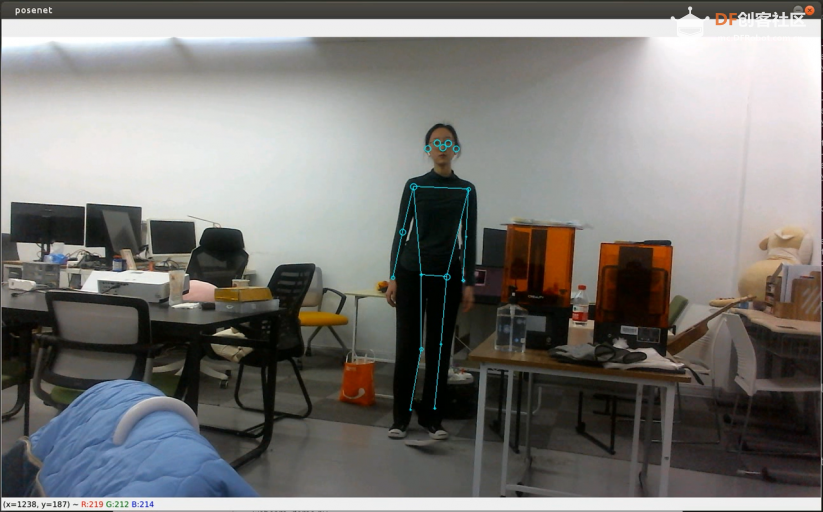
This blog will follow the logic: What did we do? What problems did we meet? What attempts did we make? This blog can also help you if you'd like to make a reproduction of PoseNet on Intel-UP2. We are all interested in ML, and want to reproduce a PoseNet on a board, since tiny up2 and ML is much more attractive than a PC. no camera on up2 boared We found an external video device and linked it to up2 by usb port. But something unexpected happened: object not found First we linked in and out to check if the device worked. It worked and was identified. ls /dev/v* ls are used to show folder contents, v* are used to show all files starting with v, to check if there is a video. We tried many libraries to config the external video, such as camorama, gconf2, cheese (no device found), guvcview (no video device found) but all failed, until we found this and tried ffmpeg. We succeeded!! By the way, we first met /dev/video0 permission denied because of laking of sudo. FPS was shown on the video. PoseNet on up2 We all have interests in tensorflow.js, aiming to reproduct the posenet demo on up2, because we think running on a lighter board rather than a PC is much more interesting and meaningful. But we met bugs when running a tfjs demo on a website. this browser does not support video capture,or this device does not have a camera. After searching, we guess: Browser does not support webgl: we allowed the gpu acceleration and many others, but we still find the posenet on p5.js not working while the welgl was supported as shown on webglreport. Here's the problems we found: up2 is lack of discrete graphics card or the GPU version is too low to afford a posenet on p5js. Therefore we decided to run it on the local computer and based on python language. We decided to choose a repository on github and tried to reproduce it first. I first chose a pytorch form expecting a higher speed, but we met AssertionError: Torch not compiled with CUDA enabled, and Found no NVIDIA driver on your system. Please check that you have an NVIDIA GPU and installed a driver from nvidia.com/Download/index.aspx. So finally we turned to the python form without the slight acceleration. SyntaxError using pip After I update, upgrade python to python3.5, install pip, and decide to install libraries, SyntaxError: invalid syntax occurred. I had changed the ubuntu source, and tried updating pip, changing pip source to aliyun mirror, unistalling and reinstalling, giving sudo, but still failed. Finally by this site, I learned that in Ubuntu14 and python3.5, the pip should not be so high, or it will meet expectations. The warning looks like: So we should go back to the previous version: though there will be a WARNING that said pip is being invoked by an old script wrapper. This will fail in a future version of pip. illegal instruction (core dump) importing tensorflow Following the README, I installed tensorflow but met illegal instruction (core dumped). Then I was told on https://tensorflow.google.cn/install/source that So I ran to unistall and get a former vision. The next step is to install missed libraries. After that it seems that all was done but when I ran it, downloading model: timed out. I already changed the ubuntu and pip to mirror source, it can only be the Internet's fault. However, we can change the model to 50 and it will run well. Run we can get a folder named output. Then I tried to run the webcam demo, a real time demo to detect and draw a man's skeleton. However, OSError: webcam failure. After debugging function by function and line by line, I found that it was in cv2.VideoCapture failure Reading cv2 Capture Video from Camera tutorial, I got
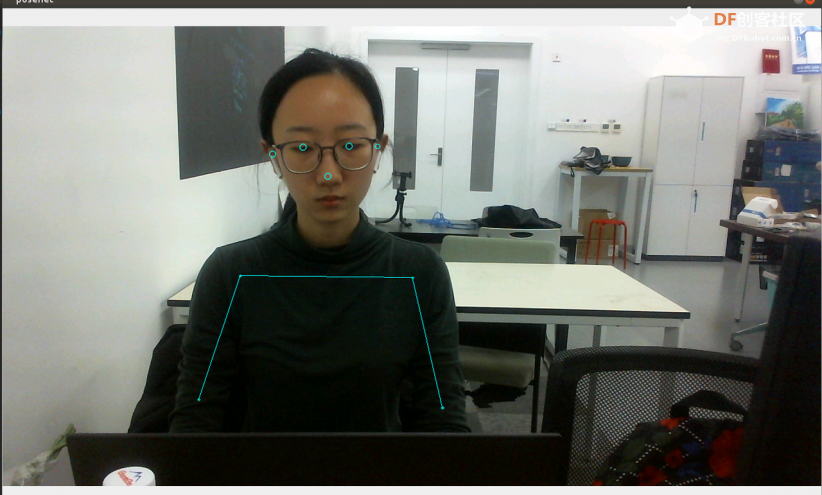
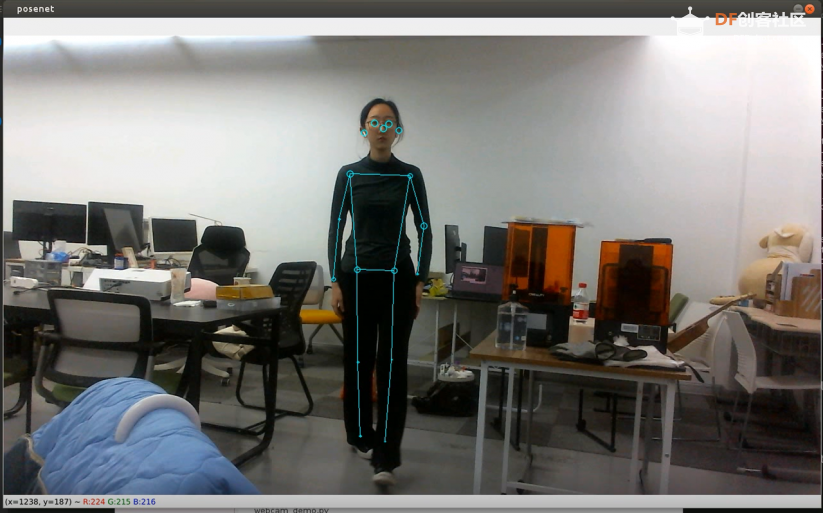
Luckily we also had Raspberry Pi, and it runs well. And the parameter of cap.open() means built-in camera for 0 and external for 1. Searching on the Internet, many people said that we need to run to obtain the supported camera devices. But on up2 it meet permission deny even if I add sudo. The key is to run Here it comes!! It can not only act well to detect the face, but also the whole body, even if the man was walking or doing other things. And the result was not influenced by the messy background or the lights. To sum up... To be honest, we truly had a long journey with up2.... Running PoseNet demo of python seems a piece of cake usually, but on up2 we met unexpected problems on and on and on and on. At first we decided to detect sports using up2, such as role-jumping, squating and others, but now we think it costs too much and the FPS was too low to satisfy such need. Maybe other usage requiring less hashrate are more available. Whatever, such a journey is unforgettable. |
-
check_video.png (17.14 KB, 下载次数: 3068)


-
cam_linux.png (105.34 KB, 下载次数: 3068)
-
cam_up2.png (161.1 KB, 下载次数: 3080)
-
pip_error_exp.png (84.55 KB, 下载次数: 3053)

-
success0.png (605.88 KB, 下载次数: 3032)
-
success1.png (528.07 KB, 下载次数: 3007)
-
success2.png (534.3 KB, 下载次数: 3067)
-
tfjs_avx.png (50.47 KB, 下载次数: 3063)

-
success3.png (535.02 KB, 下载次数: 2965)