项目介绍
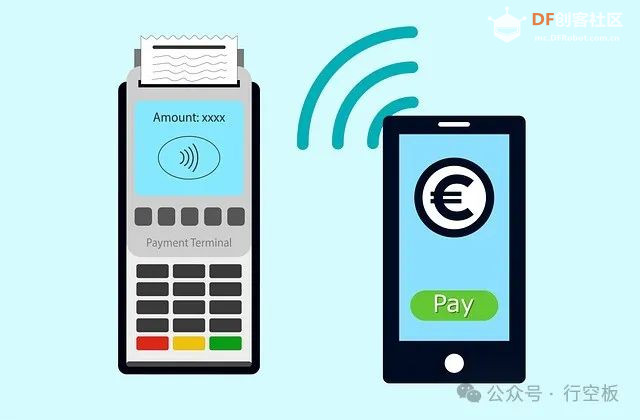
NFC技术(Near Field Communication,近场通讯技术)已经悄然走入我们的日常生活。你或许没有听说过它,但你一定用过它。你是否在便利店尝试过手机感应支付?在地铁站用手机刷NFC公交卡进站?这些方便又快捷的操作,全靠的就是NFC技术。它让设备可以在极短距离内安全、快速地传输数据,通常距离不超过几厘米。
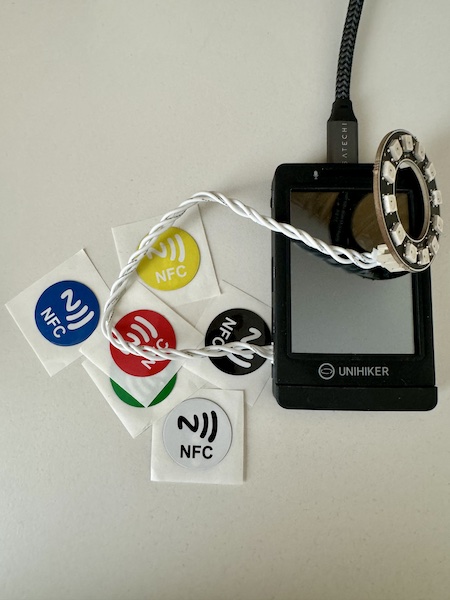
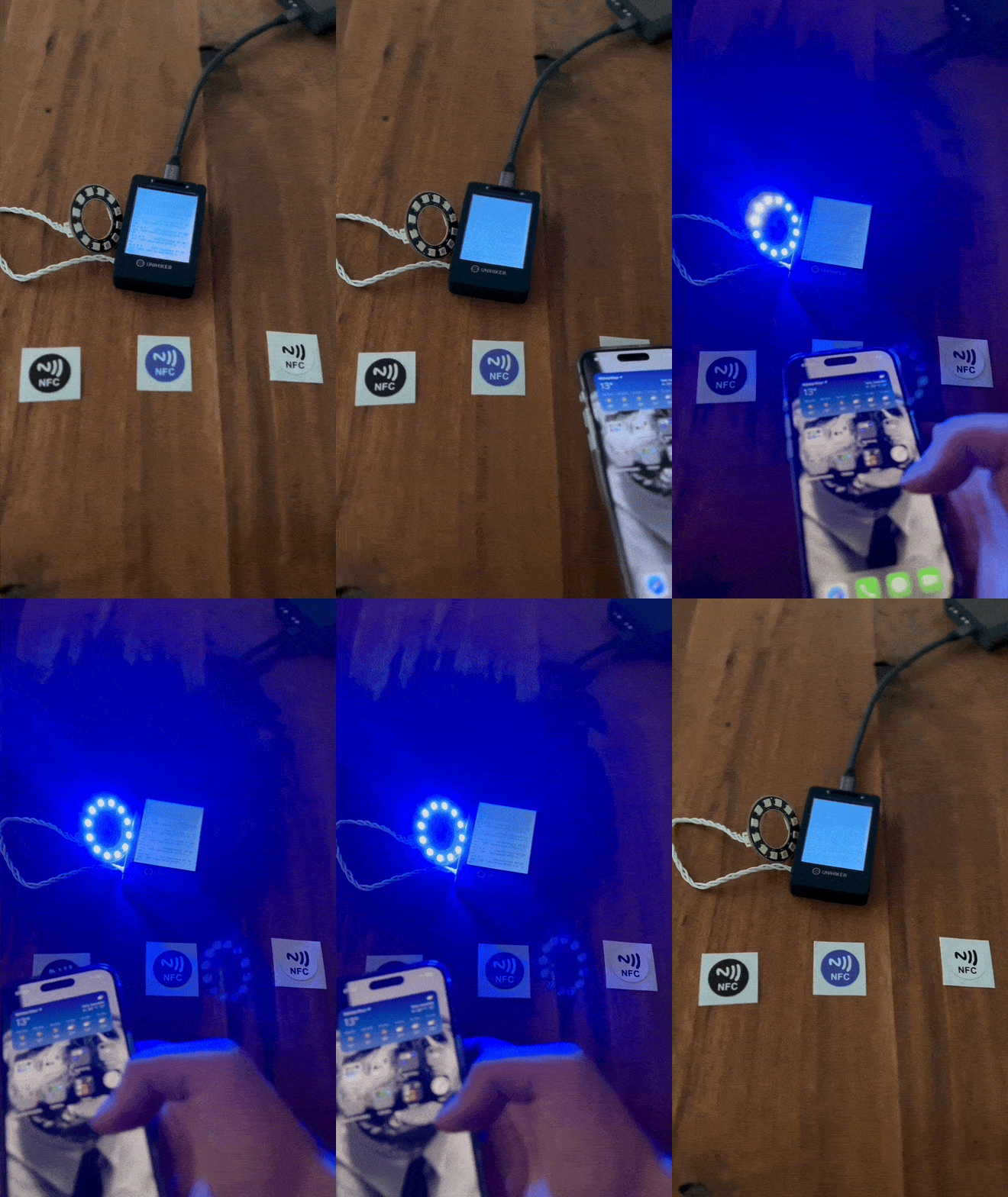
NFC不仅被广泛应用于支付和门禁系统,还在智能家居和智能设备控制中扮演重要角色。今天,我们将探索如何利用NFC技术,结合行空板和LED灯环,打造一款简单创新的互动装置。通过简单的手机动作扫描NFC标签,就能实时控制灯光颜色。这个项目不仅展示了硬件与软件的完美结合,更是对移动NFC交互和彩色LED显示的新颖应用。
硬件清单
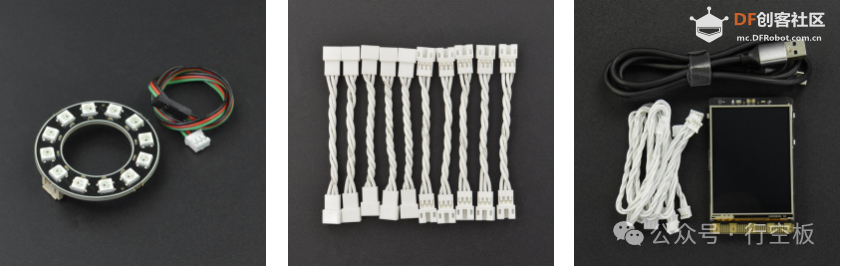
· 行空板
· 12位RGB灯环
· PH2.0母母头3 Pin连接线
制作过程
1 硬件连接通电
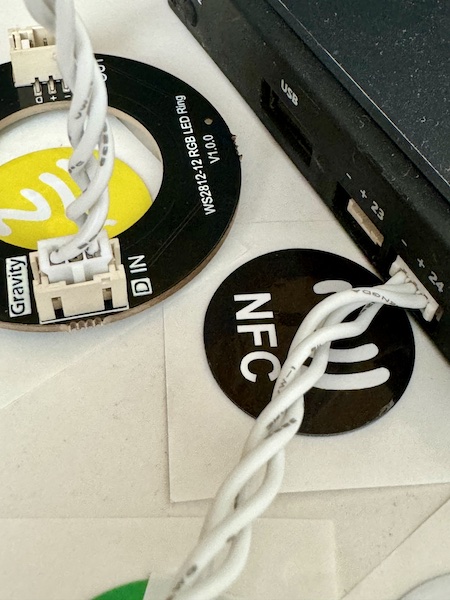
连接:使用3pin连接线将LED环连接到行空板端口(P24端口)
加电:使用USB线将行空板连接到电源。一旦通电,板子会自动识别连接的LED环
2 创建本地项目和Python脚本
在您的本地设备上创建一个名<NeoPixelAPI>的新项目目录。在新目录<NeoPixelAPI>中创建名为<main.py>的Python文件。
示例代码如下
- from pinpong.board import Board, Pin, NeoPixel
- from flask import Flask, jsonify
-
-
- COLORS: dict = {
- 'red': (255, 0, 0),
- 'green': (0, 255, 0),
- 'blue': (0, 0, 255),
- 'black': (0, 0, 0),
- 'white': (255, 255, 255)
- }
-
-
- app = Flask(__name__)
-
- @app.route(rule='/api/colors', methods=['GET'])
- def get_available_colors():
- """
- This method is an API route that returns the available colors. The values are from the COLORS dictionary.
-
- :return: A JSON object containing the status and the available colors.
- """
- return jsonify({'status': 'success',
- 'message': COLORS}), 200
-
- @app.route(rule='/api/<string:color>', methods=['GET'])
- def set_color(color):
- """
- This method is an API route that sets the color of an LED strip. It takes in a color parameter as a string and
- returns a JSON response indicating the status and message. The color parameter is used to set the color of each
- LED in the strip. It is expected to be a valid color value that matches one of the predefined colors in the COLORS
- dictionary. If the provided color is valid, the method iterates through each LED in the strip and sets the color to
- the corresponding value from the COLORS dictionary.
-
- The method returns a success response with a status code of 200 and a message indicating the color that was set if
- the provided color is valid. If the provided color is not valid, the method returns an error response with a
- status code of 400 and a message indicating that the color is not valid.
-
- :param color: The color value to set for the LED strip.
- :return: Response indicating the status and message.
- """
- global led
-
- api_color = str(color.lower())
-
- if api_color in COLORS:
- for pixel in range(led.num):
- led[pixel] = COLORS[api_color]
-
- return jsonify({'status': 'success',
- 'message': f"{color} is valid."}), 200
- else:
- return jsonify({'status': 'error',
- 'message': f"{color} is not valid."}), 400
-
-
- if __name__ == '__main__':
- Board().begin()
-
- try:
- led = NeoPixel(Pin(Pin.P24), 12)
- led.clear()
- except Exception as err:
- print(err)
-
- app.run(host='0.0.0.0')
3 将Python脚本上传到行空板
通过WI-FI或USB连接的方式,将项目文件上传到行空板,然后通过SSH在行空板上运行REST API服务。
示例代码如下
- ```bash
- # upload script with SCP
- scp -r ~/NeoPixelAPI root@10.1.2.3:/root/NeoPixelAPI
-
- # login with SSH
- ssh -C4 root@10.1.2.3
-
- # change directory
- cd ~/NeoPixelAPI
- ```
4 运行REST API服务器
启动Python Flask Web API服务器,通过串口连接,就能在特定IP和端口上提供REST API服务。
- ```bash
- # run simple Flask server
- python3 main.py
-
- ___________________________
- | |
- | PinPong v0.5.1 |
- | Designed by DFRobot |
- |___________________________|
-
- [01] Python3.7.3 Linux-4.4.143-67-rockchip-g01bbbc5d1312-aarch64-with-debian-10.13 Board: UNIHIKER
- selected -> board: UNIHIKER serial: /dev/ttyS3
- [10] Opening /dev/ttyS3
- [32] Firmata ID: 3.7
- [22] Arduino compatible device found and connected to /dev/ttyS3
- [40] Retrieving analog map...
- [42] Auto-discovery complete. Found 30 Digital Pins and 30 Analog Pins
- ------------------------------
- All right. PinPong go...
- ------------------------------
- * Serving Flask app 'main' (lazy loading)
- * Environment: production
- WARNING: This is a development server. Do not use it in a production deployment.
- Use a production WSGI server instead.
- * Debug mode: off
- * Running on all addresses.
- WARNING: This is a development server. Do not use it in a production deployment.
- * Running on http://10.0.0.14:5000/ (Press CTRL+C to quit)
- ```
这里Running on http://10.0.0.14:5000/是我家环境中行空板的WLAN IP。你也可以在本地WLAN中测试API:
- ### Example usage:
-
- ```
- GET http://[IP address]/api/colors
- Response:
- {
- "message":{
- "black":[0,0,0],
- "blue":[0,0,255],
- "green":[0,255,0],
- "red":[255,0,0],
- "white":[255,255,255]
- },
- "status":"success"
- }
-
- GET http://[IP address]/api/red
- Response:
- {
- "status": "success",
- "message": "red is valid."
- }
-
- GET http://[IP address]/api/black
- Response:
- {
- "status": "success",
- "message": "black is valid."
- }
-
- GET http://[IP address]/api/invalid_color
- Response:
- {
- "status": "error",
- "message": "invalid_color is not valid."
- }
- ```
5 在手机上创建API调用
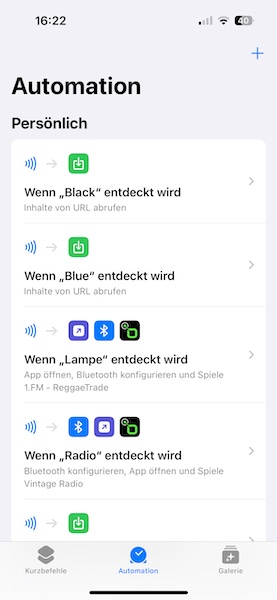
代码测试成功后,就可以用手机读取NFC标签来触发操作。当NFC标签被扫描时,手机会发送一个HTTP GET请求到行空板上的Flask网络服务,改变LED的颜色。
我这里用的iPhone,可以使用“快捷指令”应用来实现这个功能。
效果展示
作者:Lupin
发布时间:2024年7月14日
原文链接:https://community.dfrobot.com/makelog-314414.html
|