

【花雕学编程】Arduino动手做(193)--TCS34725模块2个小实验
2021-08-093.5万
精华项目
AI 快速预览详细
本文介绍了Arduino与TCS34725颜色识别传感器的两个实验。首先,文章详细说明了硬件连接方式,然后提供了具体的代码实现。通过这两个实验,初学者可以轻松掌握颜色识别技术,适用于STEM教育场景。
|
37款传感器与模块的提法,在网络上广泛流传,其实Arduino能够兼容的传感器模块肯定是不止37种的。鉴于本人手头积累了一些传感器和执行器模块,依照实践出真知(一定要动手做)的理念,以学习和交流为目的,这里准备逐一动手试试多做实验,不管成功与否,都会记录下来——小小的进步或是搞不掂的问题,希望能够抛砖引玉。 【Arduino】168种传感器模块系列实验(资料代码+仿真编程+图形编程) 实验一百九十三:TCS34725颜色识别传感器 RGB IIC明光感应模块 ColorSensor 方形紫版 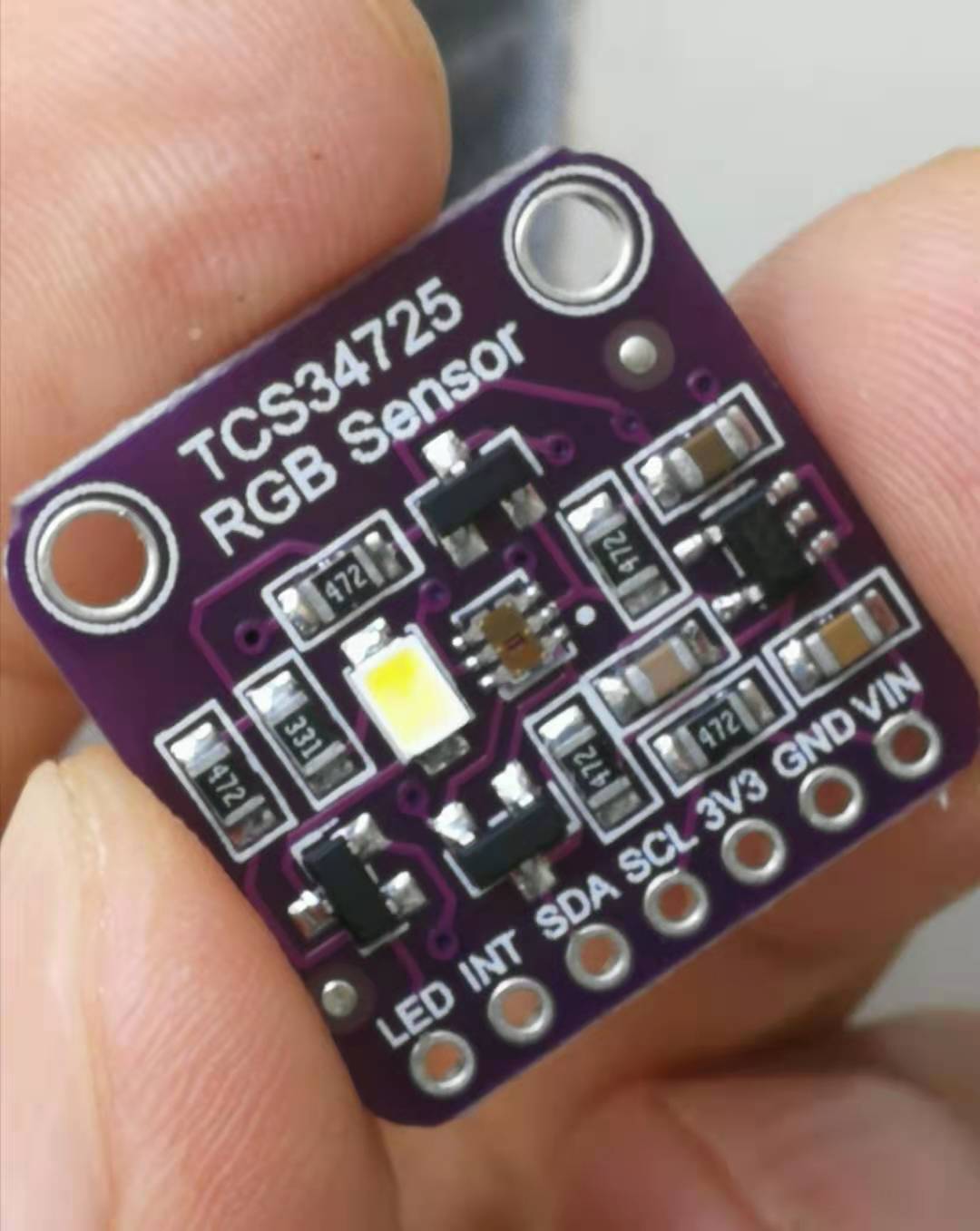 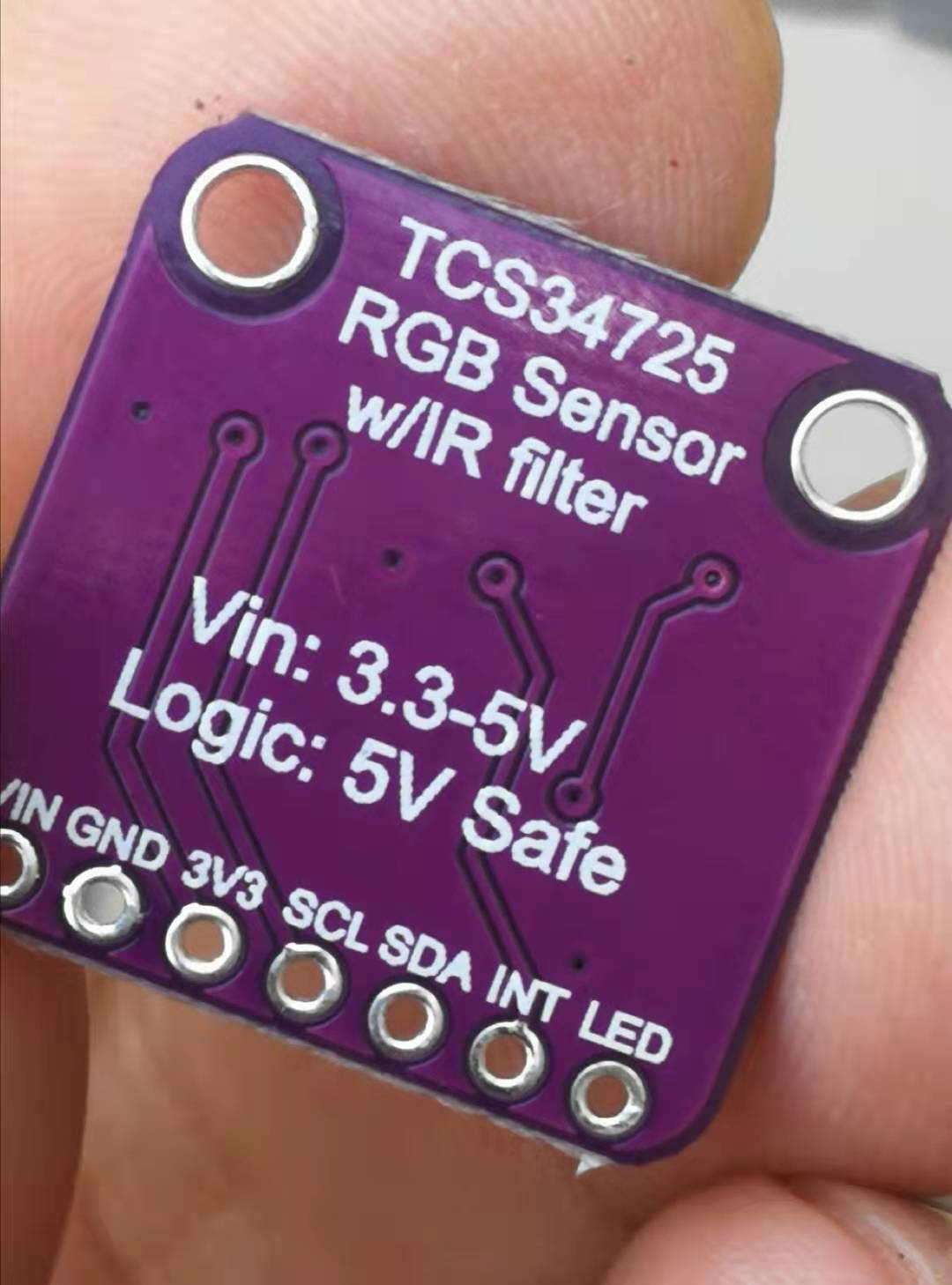 |
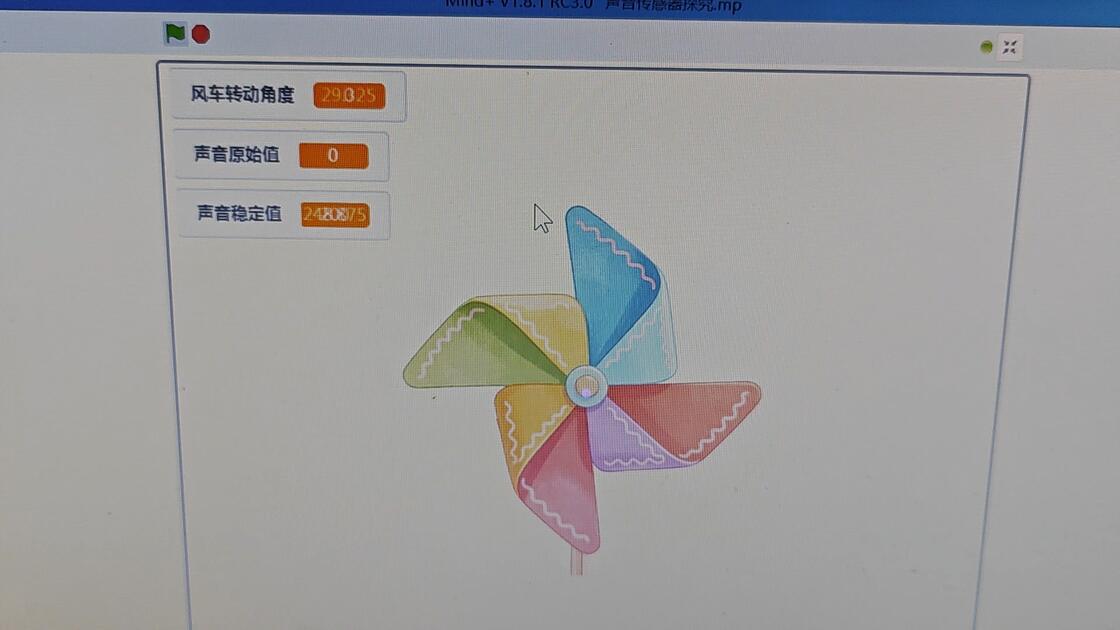

TCS34725颜色传感器用mind+编程测试全是0问题解决方法:
先用Arduino IDE导入库Adafruit_TCS34725 1.4.4,使用示例程序colorview测试,可得到数据。再用mind+编程测试也有数据了。
原因大概是导入库Adafruit_TCS34725时,会同时下载Adafruit BusIO库,是这个库起了作用。
TCS34725颜色传感器用mind+编程测试全是0问题解决方法:
先用Arduino IDE导入库Adafruit_TCS34725 1.4.4,使用示例程序colorview测试,可得到数据。再用mind+编程测试也有数据了。
原因大概是导入库Adafruit_TCS34725时,会同时下载Adafruit BusIO库,是这个库起了作用。
一块扩展板完成Arduino的10类37项实验(代码+图形+仿真)
https://mc.dfrobot.com.cn/thread-280845-1-1.html
连杆形式的腿机构十一种:盘点机器人行走背后的机械原理
https://mc.dfrobot.com.cn/thread-308097-1-1.html
【花雕动手做】超低成本,尝试五十元的麦克纳姆轮小车!
https://mc.dfrobot.com.cn/thread-307863-1-1.html
【花雕动手做】超迷你哦,用徽商香烟盒做个智能小车!
https://mc.dfrobot.com.cn/thread-307907-1-1.html
【花雕动手做】太搞笑啦,一支胶管制成二只蠕动机器人
https://mc.dfrobot.com.cn/thread-308046-1-1.html
【花雕动手做】快餐盒盖,极低成本搭建机器人实验平台
https://mc.dfrobot.com.cn/thread-308063-1-1.html
【花雕动手做】特别苗条,使用微波传感器控制的纤细小车
https://mc.dfrobot.com.cn/thread-308866-1-1.html
【花雕动手做】脑洞大开、五花八门的简易机器人66种
https://mc.dfrobot.com.cn/thread-307900-1-1.html
实验一百五十八:QMC5883L电子指南针罗盘模块 三轴磁场传感器GY-271
https://mc.dfrobot.com.cn/thread-308195-1-1.html
实验一百六十三:BMI160 6轴惯性运动传感器 16位3轴加速度+超低功耗3轴陀螺仪 I2C/SPI 14LGA
https://mc.dfrobot.com.cn/thread-310371-1-1.html
实验一百六十五:2.4 英寸 TFT LCD 触摸屏模块 XPT2046 PCB ILI9341 240x320 像素 8 位 SPI 串口显示器
https://mc.dfrobot.com.cn/thread-309803-1-1.html
实验一百七十六:6mm大尺寸8x8LED方块方格点阵模块 可级联 红绿蓝白色 可选8级亮度
https://mc.dfrobot.com.cn/thread-309845-1-1.html
实验一百八十三:GY-530 VL53L0X 激光测距 ToF测距 飞行时间测距传感器模块 IIC通信协议
https://mc.dfrobot.com.cn/thread-310273-1-1.html
实验一百八十五:MAX4466声音传感器 驻极体话筒放大器 麦克风可调功放模块 microphone
https://mc.dfrobot.com.cn/thread-310193-1-1.html
实验一百八十九:TDA1308 硅麦克风 数字咪头放大模块 拾音器放大板 楼氏SUNLEPHANT
https://mc.dfrobot.com.cn/thread-310246-1-1.html
实验一百九十三:TCS34725颜色识别传感器 RGB IIC明光感应模块 ColorSensor
https://mc.dfrobot.com.cn/thread-310209-1-1.html
实验二百:RCWL-0515微波雷达感应开关 人体感应 智能感应探测传感器 12-15米远距离2.7G微波检测模块
https://mc.dfrobot.com.cn/thread-310313-1-1.html
实验二百零三:Air724UG合宙 Cat14G模块 DTU物联网UART串口通信数据TCP透传 核心板组合套餐
https://mc.dfrobot.com.cn/thread-310342-1-1.html
实验二百零九:Gravity: I2C & UART BC20 NB-IoT & GNSS通信模块 NB-IoT广域低功耗无线通信 GPS/北斗精准定位
https://mc.dfrobot.com.cn/thread-310433-1-1.html
[backcolor=rgb(255, 255, 255)][font="]
[/font][/backcolor]
[backcolor=rgb(255, 255, 255)][font="]
[/font][/backcolor]
[backcolor=rgb(255, 255, 255)][font="]
[/font][/backcolor]
[code]#define redpin 3
#define greenpin 5
#define bluepin 6[/code]
[backcolor=rgb(255, 255, 255)][font="]这部分是您将 RGB 引脚分配到 arduino 的地方。这里选择了 3 作为红色引脚,5 作为绿色引脚,6 作为蓝色引脚,最后一个引脚用于 GND,因为使用了一个普通的 共阴极 RGB LED。如果您使用的是共阳极,则应将其接VCC。[/font][/backcolor]
[code]#define commonAnode false[/code]
[backcolor=rgb(255, 255, 255)][font="]如果使用了通用阳极 RGB LED,请将其设置为 true。[/font][/backcolor]
[code]pinMode(redpin, OUTPUT);
pinMode(greenpin, OUTPUT);
pinMode(bluepin, OUTPUT);[/code]
[backcolor=rgb(255, 255, 255)][font="]在这部分中,我们将 RGB LED 指定为 RGB 传感器的输出。我们使用这三个引脚驱动的 RGB LED。[/font][/backcolor]
[code]analogWrite(redpin, gammatable[(int)r]);
analogWrite(greenpin, gammatable[(int)g]);
analogWrite(bluepin, gammatable[(int)b]);[/code]
[backcolor=rgb(255, 255, 255)][font="]最后,使用了 AnalogWrite函数,因为与 DigitalWrite函数相比,我们希望我们的输出为任意数字(模拟量),而DigitalWrite输出只有 HIGH 和 LOW(数字量)。[/font][/backcolor]
实验一百九十三:TCS34725颜色识别传感器 RGB IIC明光感应模块 ColorSensor
项目之四:使用 TCS34725 模块的 RGB 灯颜色传感器
实验开源代码
[code]/*
【Arduino】168种传感器模块系列实验(资料代码+仿真编程+图形编程)
实验一百九十三:TCS34725颜色识别传感器 RGB IIC明光感应模块 ColorSensor
项目之四:使用 TCS34725 模块的 RGB 灯颜色传感器
*/
#include
#include "Adafruit_TCS34725.h"
#define redpin 3
#define greenpin 5
#define bluepin 6
#define commonAnode false
byte gammatable[256];
Adafruit_TCS34725 tcs = Adafruit_TCS34725(TCS34725_INTEGRATIONTIME_50MS, TCS34725_GAIN_4X);
void setup() {
Serial.begin(9600);
Serial.println("Color View Test!");
if (tcs.begin()) {
Serial.println("Found sensor");
} else {
Serial.println("No TCS34725 found ... check your connections");
while (1); // halt!
}
// use these three pins to drive an LED
pinMode(redpin, OUTPUT);
pinMode(greenpin, OUTPUT);
pinMode(bluepin, OUTPUT);
for (int i = 0; i < 256; i++) {
float x = i;
x /= 255;
x = pow(x, 2.5);
x *= 255;
if (commonAnode) {
gammatable[i] = 255 - x;
} else {
gammatable[i] = x;
}
//Serial.println(gammatable[i]);
}
}
void loop() {
uint16_t clear, red, green, blue;
tcs.setInterrupt(false); // turn on LED
delay(60);
tcs.getRawData(&red, &green, &blue, &clear);
tcs.setInterrupt(true);
Serial.print("C:\t"); Serial.print(clear);
Serial.print("\tR:\t"); Serial.print(red);
Serial.print("\tG:\t"); Serial.print(green);
Serial.print("\tB:\t"); Serial.print(blue);
// Figure out some basic hex code for visualization
uint32_t sum = clear;
float r, g, b;
r = red; r /= sum;
g = green; g /= sum;
b = blue; b /= sum;
r *= 256; g *= 256; b *= 256;
Serial.print("\t");
Serial.print((int)r, HEX); Serial.print((int)g, HEX); Serial.print((int)b, HEX);
Serial.println();
//Serial.print((int)r ); Serial.print(" "); Serial.print((int)g);Serial.print(" "); Serial.println((int)b );
analogWrite(redpin, gammatable[(int)r]);
analogWrite(greenpin, gammatable[(int)g]);
analogWrite(bluepin, gammatable[(int)b]);
}[/code]
[backcolor=rgb(255, 255, 255)][font="]
[/font][/backcolor]
实验一百九十三:TCS34725颜色识别传感器 RGB IIC明光感应模块 ColorSensor
项目之三:测试Adafruit TCS34725 的突破库
实验开源代码
[code]/*
【Arduino】168种传感器模块系列实验(资料代码+仿真编程+图形编程)
实验一百九十三:TCS34725颜色识别传感器 RGB IIC明光感应模块 ColorSensor
项目之三:测试Adafruit TCS34725 的突破库
模块接线:
TCS34725 Arduino
VCC 5V
GND GND
SDA A4
SCL A5
*/
#include
#include "Adafruit_TCS34725.h"
/* Initialise with default values (int time = 2.4ms, gain = 1x) */
// Adafruit_TCS34725 tcs = Adafruit_TCS34725();
//使用特定的 int 时间和增益值初始化
Adafruit_TCS34725 tcs = Adafruit_TCS34725(TCS34725_INTEGRATIONTIME_614MS, TCS34725_GAIN_1X);
void setup(void) {
Serial.begin(9600);
if (tcs.begin()) {
Serial.println("Found sensor");
} else {
Serial.println("No TCS34725 found ... check your connections");
while (1);
}
// 现在我们准备好获取读数了!
}
void loop(void) {
uint16_t r, g, b, c, colorTemp, lux;
tcs.getRawData(&r, &g, &b, &c);
// colorTemp = tcs.calculateColorTemperature(r, g, b);
colorTemp = tcs.calculateColorTemperature_dn40(r, g, b, c);
lux = tcs.calculateLux(r, g, b);
Serial.print("Color Temp: "); Serial.print(colorTemp, DEC); Serial.print(" K - ");
Serial.print("Lux: "); Serial.print(lux, DEC); Serial.print(" - ");
Serial.print("R: "); Serial.print(r, DEC); Serial.print(" ");
Serial.print("G: "); Serial.print(g, DEC); Serial.print(" ");
Serial.print("B: "); Serial.print(b, DEC); Serial.print(" ");
Serial.print("C: "); Serial.print(c, DEC); Serial.print(" ");
Serial.println(" ");
}[/code]
项目之二:TCS34725颜色识别
实验一百九十三:TCS34725颜色识别传感器 RGB IIC明光感应模块 ColorSensor
项目之一:简单的颜色识别,串口输出识别情况
实验开源代码
[code]/*
【Arduino】168种传感器模块系列实验(资料代码+仿真编程+图形编程)
实验一百九十三:TCS34725颜色识别传感器 RGB IIC明光感应模块 ColorSensor
项目之一:简单的颜色识别,串口输出识别情况
*/
#include "DEV_Config.h"
#include "TCS34725.h"
RGB rgb, RGB888;
UWORD RGB565 = 0;
void setup() {
Config_Init();
if (TCS34725_Init() != 0) {
Serial.print("TCS34725 初始化错误!\r\n");
return 0;
}
Serial.print("TCS34725 初始化成功!\r\n");
}
void loop() {
rgb = TCS34725_Get_RGBData();
RGB888 = TCS34725_GetRGB888(rgb);
RGB565 = TCS34725_GetRGB565(rgb);
Serial.print("RGB888 :R=");
Serial.print(RGB888.R);
Serial.print(" G=");
Serial.print(RGB888.G);
Serial.print(" B=");
Serial.print(RGB888.B);
Serial.print("\r\n");
Serial.print("RGB 编号= 0x");
Serial.println((RGB565), HEX);
if (TCS34725_GetLux_Interrupt(0xff00, 0x00ff) == 1) {
Serial.print("Lux_Interrupt = 1\r\n");
} else {
Serial.print("勒克斯中断 = 0\r\n");
}
Serial.print("\r\n");
DEV_Delay_ms(1000);
}[/code]