【Arduino】168种传感器模块系列实验(资料代码+仿真编程+图形编程)
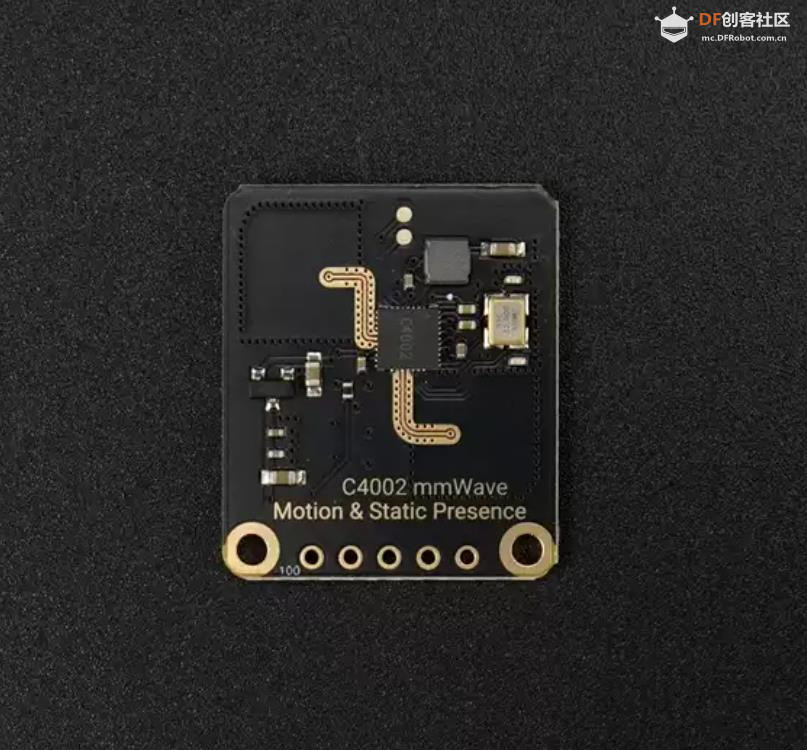
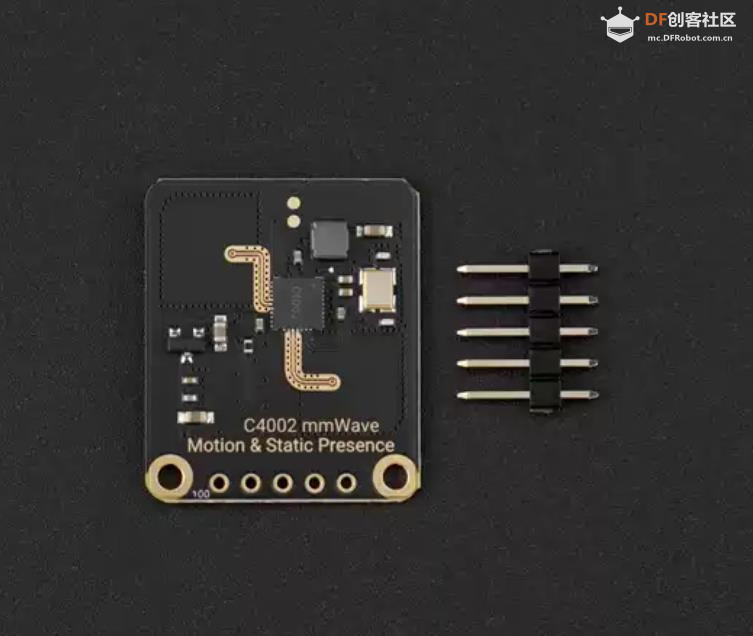
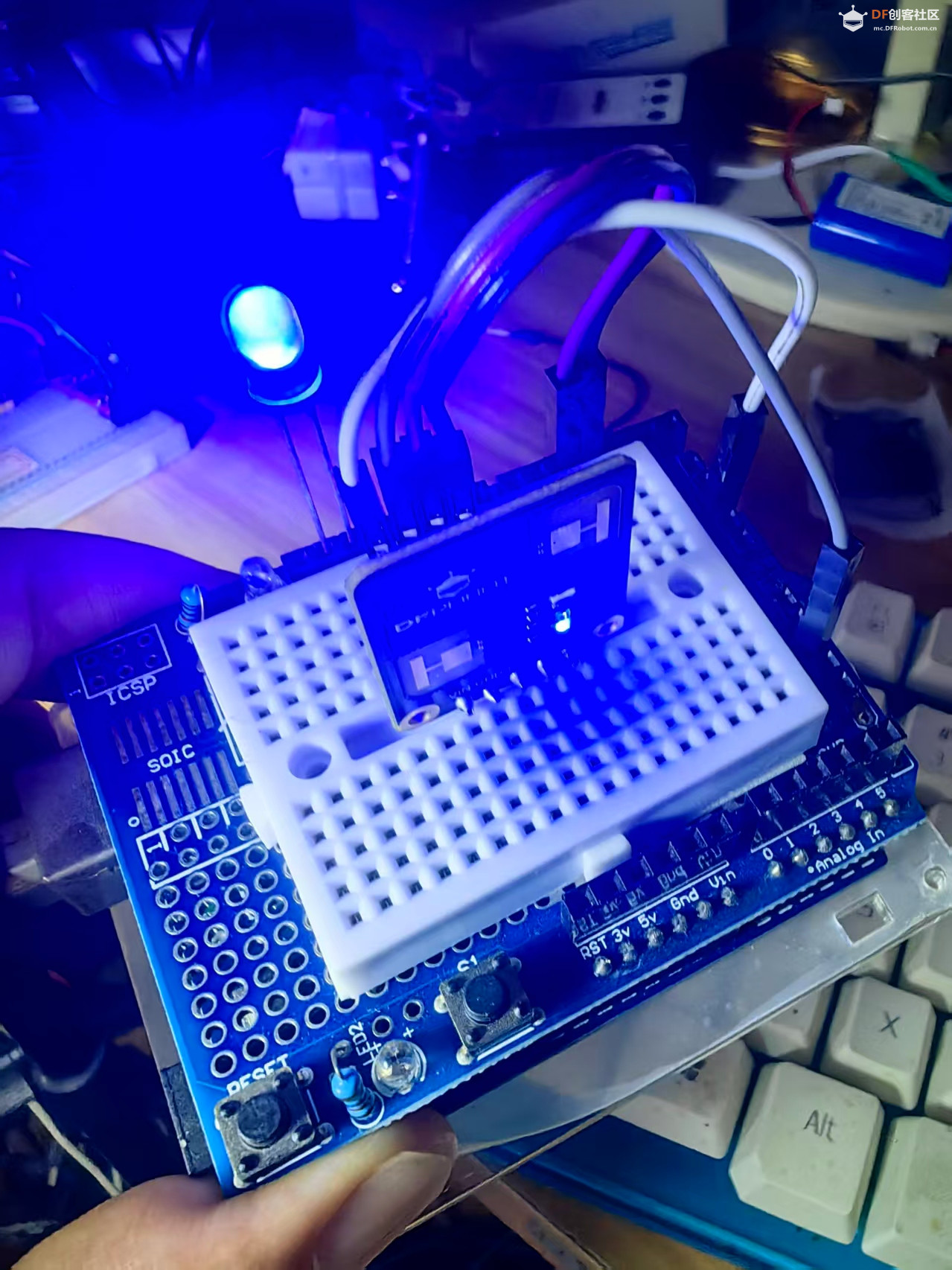
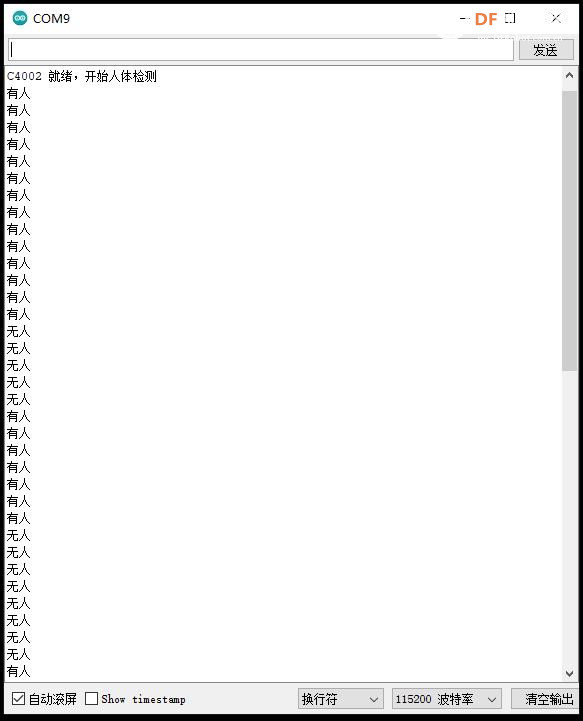
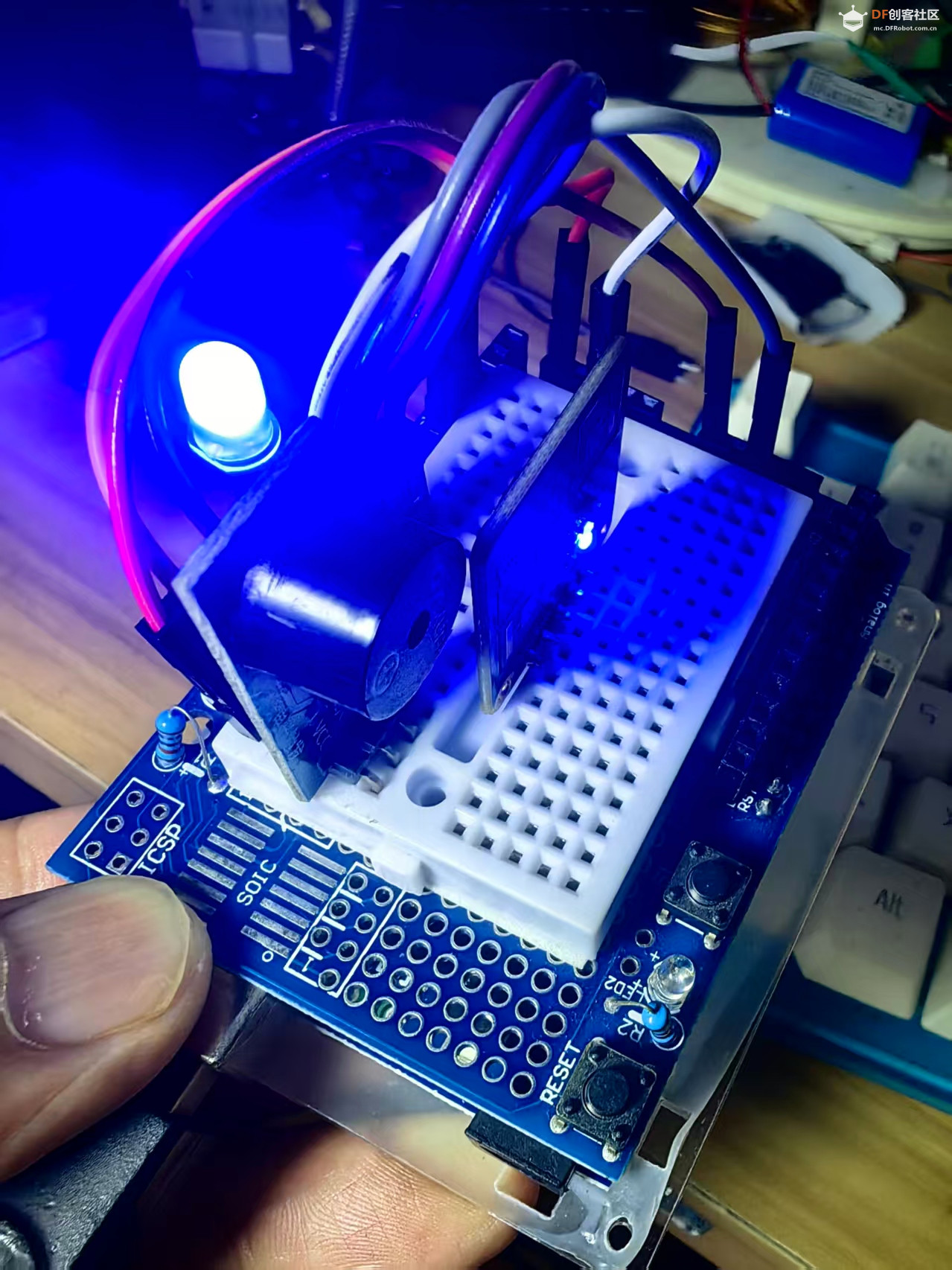
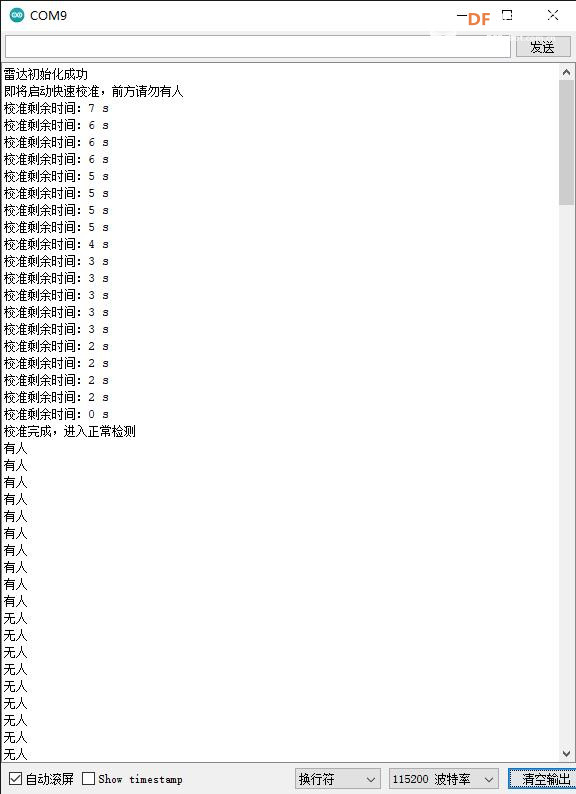
实验二百一十七:C4002 毫米波运动与静态存在检测模块人体存在传感器
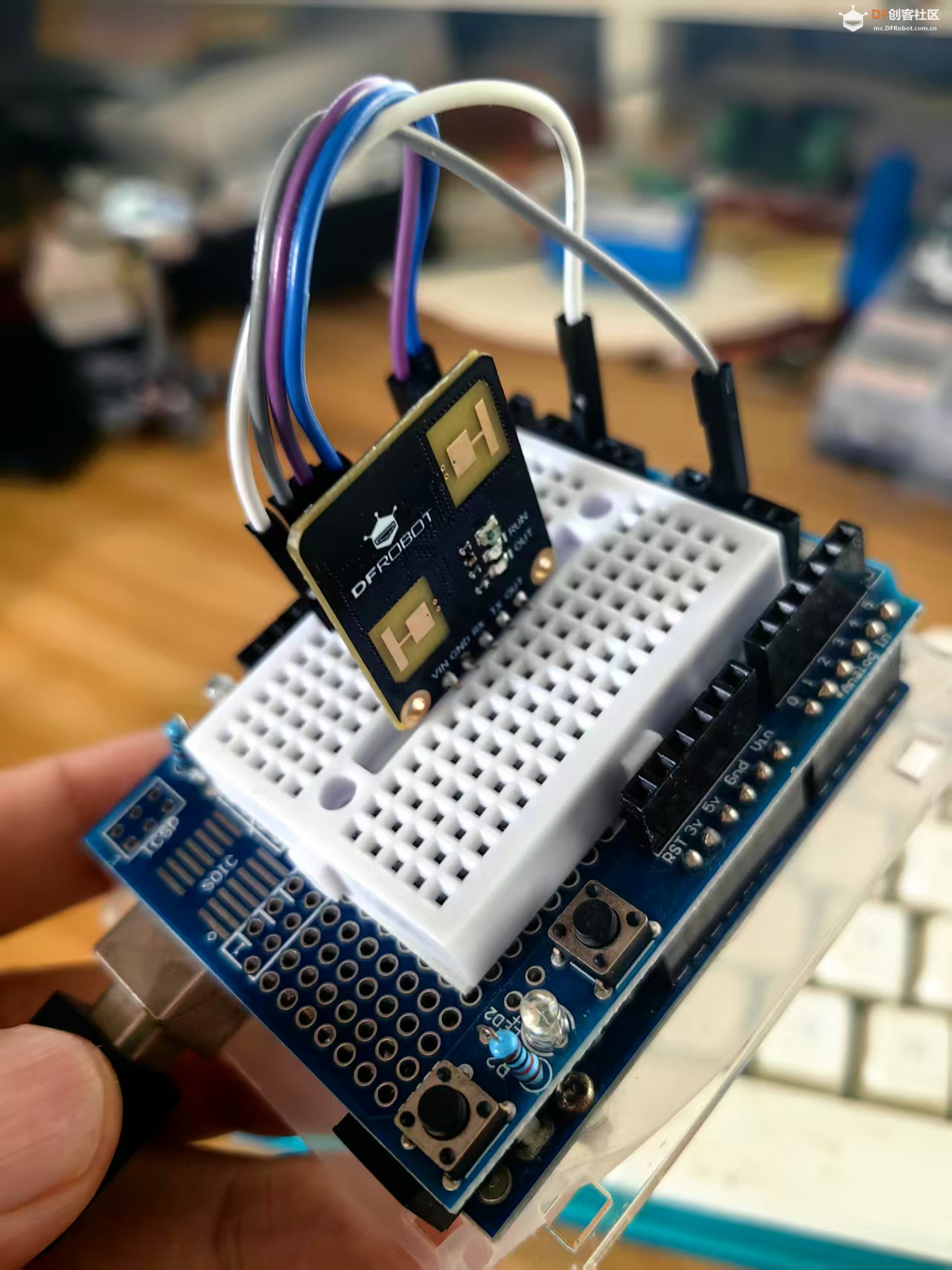
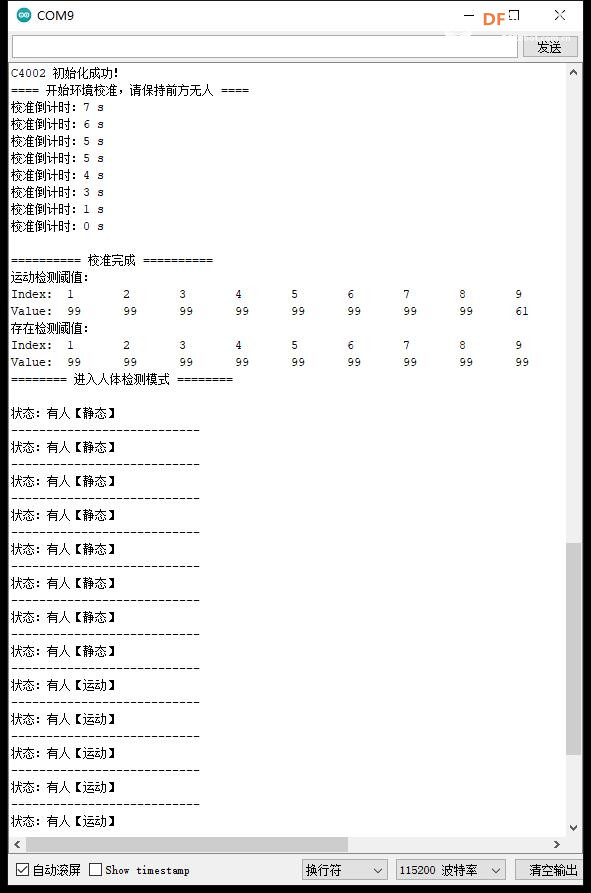
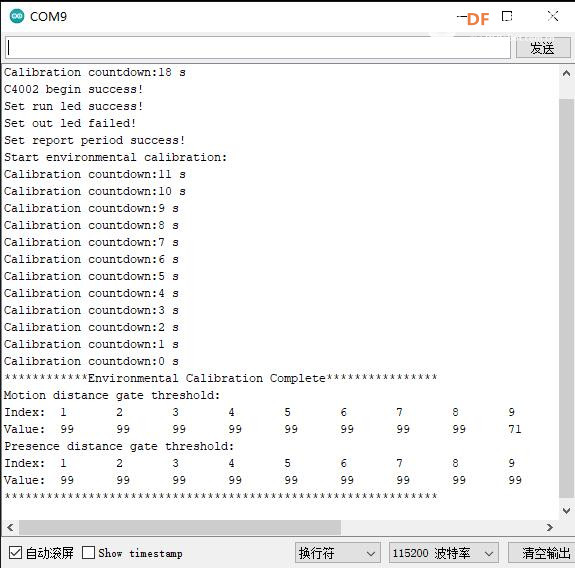
案例一:使用DFRobot_C4002库来获取C4002传感器的所有结果
- /*
- 【Arduino】168种传感器模块系列实验(资料代码+仿真编程+图形编程)
- 实验二百一十七:C4002 毫米波运动与静态存在检测模块人体存在传感器
- 案例一:使用DFRobot_C4002库来获取C4002传感器的所有结果
- */
-
- // 引入DFRobot C4002毫米波雷达传感器的驱动库头文件
- #include "DFRobot_C4002.h"
-
- /* ---------------------------------------------------------------------------------------------------------------------
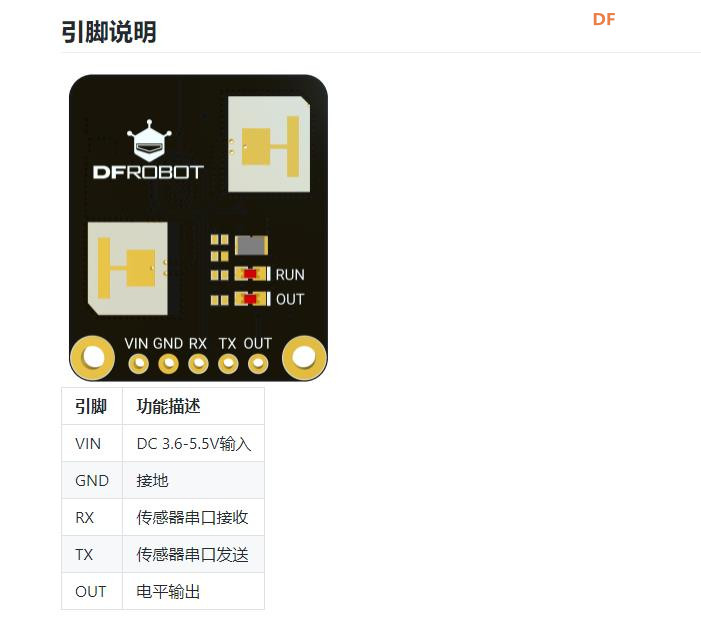
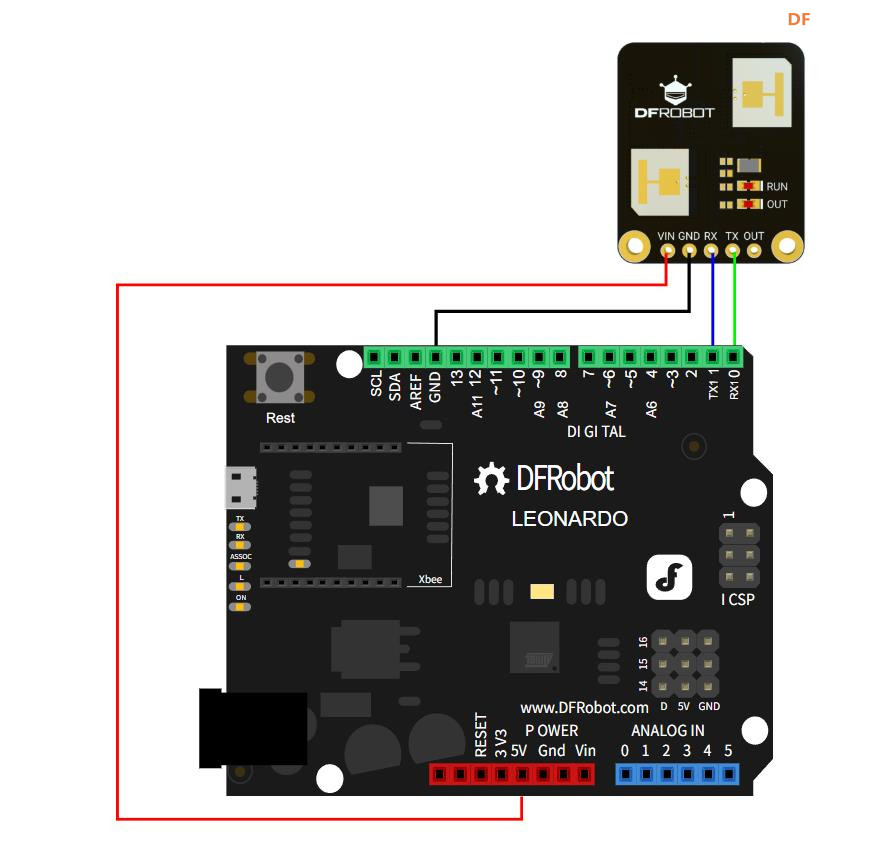
- * 硬件接线对照表(不同开发板引脚对应关系)
- * 开发板 | MCU | Leonardo/Mega2560/M0 | UNO | ESP8266 | ESP32 | microbit | m0 |
- * VCC | 5V | 5V | 5V | 5V | 5V | X | 5V |
- * GND | GND | GND | GND | GND | GND | X | GND |
- * RX | TX | Serial1 TX1 | 5 | 5/D6 | 25/D2 | X | tx1 |
- * TX | RX | Serial1 RX1 | 4 | 4/D7 | 26/D3 | X | rx1 |
- * ----------------------------------------------------------------------------------------------------------------------
- * 说明:
- * 1. 传感器的 RX 接开发板的 TX
- * 2. 传感器的 TX 接开发板的 RX
- * 3. 波特率可以通过代码修改
- */
-
- /*
- 根据不同开发板自动选择串口方式初始化C4002传感器
- 1. ESP8266 / UNO:使用软件模拟串口(SoftwareSerial)
- 2. ESP32:使用硬件串口1,指定收发引脚
- 3. 其他开发板:直接使用硬件串口1
- */
- #if defined(ESP8266) || defined(ARDUINO_AVR_UNO)
- // 软件串口:RX=4, TX=5(对应传感器TX、RX)
- SoftwareSerial mySerial(4, 5);
- // 创建C4002对象,绑定软件串口,波特率115200
- DFRobot_C4002 c4002(&mySerial, 115200);
- #elif defined(ESP32)
- // ESP32 使用硬件串口1,指定引脚:RX=D2, TX=D3
- DFRobot_C4002 c4002(&Serial1, 115200, /*D2*/ D2, /*D3*/ D3);
- #else
- // 其他板子(Mega/M0等)直接使用硬件串口1
- DFRobot_C4002 c4002(&Serial1, 115200);
- #endif
-
- // 初始化函数,只运行一次
- void setup()
- {
- // 初始化USB串口,用于电脑串口监视器打印调试信息
- Serial.begin(115200);
-
- // ===================== 1. 初始化C4002传感器 =====================
- // 循环等待传感器初始化成功,失败则每秒重试一次
- while (c4002.begin() != true) {
- Serial.println("C4002 begin failed!");
- delay(1000);
- }
- Serial.println("C4002 begin success!");
- delay(50); // 短暂延时,保证指令稳定执行
-
- // ===================== 2. 关闭传感器运行指示灯 =====================
- if (c4002.setRunLedState(eLedOff)) {
- Serial.println("Set run led success!");
- } else {
- Serial.println("Set run led failed!");
- }
- delay(50);
-
- // ===================== 3. 关闭传感器输出指示灯 =====================
- if (c4002.setOutLedState(eLedOff)) {
- Serial.println("Set out led success!");
- } else {
- Serial.println("Set out led failed!");
- }
- delay(50);
-
- // ===================== 4. 设置距离门分辨率模式 =====================
- // 设置为 80cm 分辨率模式
- if (c4002.setResolutionMode(eResolution80Cm)) {
- Serial.println("Set resolution mode success!");
- } else {
- Serial.println("Set resolution mode failed!");
- }
- delay(50);
- /**
- * 分辨率模式说明:
- * 1. eResolution80Cm:距离门分辨率80cm
- * 最多支持15个距离门,最大检测距离11.6米
- * 2. eResolution20Cm:距离门分辨率20cm
- * 最多支持25个距离门,最大检测距离4.9米
- */
-
- // ===================== 5. 设置检测距离范围 =====================
- // 最近距离 0cm,最远距离 1100cm(11米)
- uint16_t clostRange = 0;
- uint16_t farRange = 1100;
- // 设置有效检测区间,超出区间不触发检测
- if (c4002.setDetectRange(clostRange, farRange)) { // 最大支持 0-1100cm
- Serial.println("Set detect range success!");
- } else {
- Serial.println("Set detect range failed!");
- }
- delay(50);
-
- // ===================== 6. 设置光照阈值 =====================
- // 设置为 0 lux,范围 0-50 lux
- // 用于光照联动触发(可选功能)
- if (c4002.setLightThresh(0)) {
- Serial.println("Set light threshold success!");
- } else {
- Serial.println("Set light threshold failed!");
- }
- delay(50);
-
- /**
- * 手动设置距离门阈值(注释备用)
- * 说明:
- * 如果自动环境校准效果不好,可以手动设置每个距离门的灵敏度阈值
- * 数值范围 0-99,越大越灵敏
- */
- // // 80cm分辨率模式下共15个距离门
- // uint8_t presenceThreshold[15] = { 50, 50, 50, 50, 50, 50, 50, 50, 50, 50, 50, 50, 50, 50, 50 };
- // uint8_t motionThreshold[15] = { 50, 50, 50, 50, 50, 50, 50, 50, 50, 50, 50, 50, 50, 50, 50 };
- // // 设置存在检测阈值
- // if (c4002.setGateThresh(ePresenceDistGate, presenceThreshold)) {
- // Serial.println("Set presence gate threshold success!");
- // } else {
- // Serial.println("Set presence gate threshold failed!");
- // }
- // delay(50);
- // // 设置运动检测阈值
- // if (c4002.setGateThresh(eMotionDistGate, motionThreshold)) {
- // Serial.println("Set motion gate threshold success!");
- // } else {
- // Serial.println("Set motion gate threshold failed!");
- // }
- // delay(50);
-
- // ===================== 7. 启用所有距离门 =====================
- // 80cm分辨率 = 15个距离门,全部启用
- // C4002_DISABLE = 关闭距离门;C4002_ENABLE = 开启距离门
- uint8_t gateState[15] = { C4002_ENABLE, C4002_ENABLE, C4002_ENABLE, C4002_ENABLE, C4002_ENABLE, C4002_ENABLE, C4002_ENABLE, C4002_ENABLE, C4002_ENABLE, C4002_ENABLE, C4002_ENABLE, C4002_ENABLE, C4002_ENABLE, C4002_ENABLE, C4002_ENABLE };
-
- // 启用【运动检测】距离门
- if (c4002.configureGate(eMotionDistGate, gateState)) {
- Serial.println("Enable motion distance gate success!");
- }
- delay(50);
-
- // 启用【静态存在检测】距离门
- if (c4002.configureGate(ePresenceDistGate, gateState)) {
- Serial.println("Enable presence distance gate success!");
- }
- delay(50);
-
- // ===================== 8. 设置目标消失延时 =====================
- // 目标离开后,延时1秒才判定为无人
- // 范围:0~65535 秒
- if (c4002.setTargetDisappearDelay(1)) {
- Serial.println("Set target disappear delay time success!");
- } else {
- Serial.println("Set target disappear delay time failed!");
- }
- delay(50);
-
- // ===================== 9. 设置数据上报周期 =====================
- // 上报周期 = 10 × 0.1秒 = 1秒
- // 即传感器每1秒输出一次检测数据
- if (c4002.setReportPeriod(10)) {
- Serial.println("Set report period success!");
- } else {
- Serial.println("Set report period failed!");
- }
- /* 注意:必须设置上报周期,传感器才会输出校准和所有检测数据 */
- }
-
- // 主循环,反复执行
- void loop()
- {
- // ===================== 获取传感器所有数据 =====================
- // 获取一帧完整的传感器结果数据
- sRetResult_t retResult = c4002.getNoteInfo();
-
- // 判断是否收到有效结果数据
- if (retResult.noteType == eResult) {
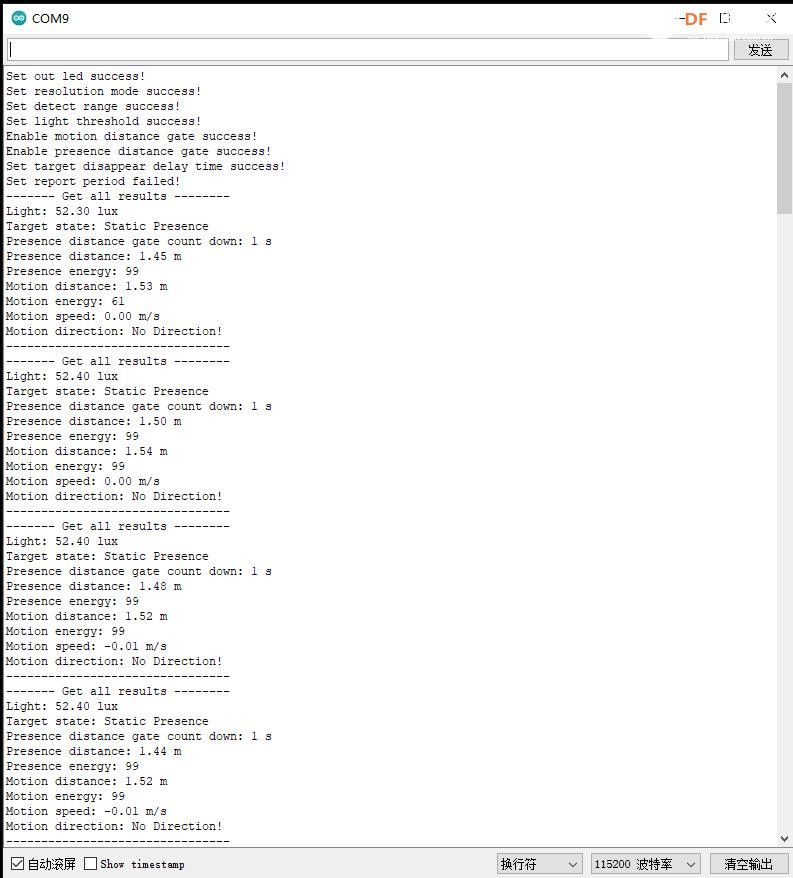
- Serial.println("------- Get all results --------");
-
- // 1. 获取环境光照强度(单位:lux)
- float light = c4002.getLightIntensity();
- Serial.print("Light: ");
- Serial.print(light);
- Serial.println(" lux");
-
- // 2. 获取目标状态:无人 / 静态存在 / 运动
- eTargetState_t targetState = c4002.getTargetState();
- Serial.print("Target state: ");
- if (targetState == eNoTarget) {
- Serial.println("No Target"); // 无人
- } else if (targetState == ePresence) {
- Serial.println("Static Presence"); // 静态存在(睡觉/静坐)
- } else if (targetState == eMotion) {
- Serial.println("Motion"); // 运动(走动/挥手)
- }
-
- // 3. 获取存在检测倒计时(剩余多少秒判定无人)
- uint16_t presenceGateCount = c4002.getPresenceCountDown();
- Serial.print("Presence distance gate count down: ");
- Serial.print(presenceGateCount);
- Serial.println(" s");
-
- // 4. 获取静态存在目标信息:距离 + 能量值
- sPresenceTarget_t presenceTarget = c4002.getPresenceTargetInfo();
- Serial.print("Presence distance: ");
- Serial.print(presenceTarget.distance);
- Serial.println(" m");
- Serial.print("Presence energy: ");
- Serial.println(presenceTarget.energy);
-
- // 5. 获取运动目标信息:距离 + 能量 + 速度 + 方向
- sMotionTarget_t motionTarget = c4002.getMotionTargetInfo();
- Serial.print("Motion distance: ");
- Serial.print(motionTarget.distance);
- Serial.println(" m");
- Serial.print("Motion energy: ");
- Serial.println(motionTarget.energy);
- Serial.print("Motion speed: ");
- Serial.print(motionTarget.speed);
- Serial.println(" m/s");
-
- // 判断运动方向:远离 / 无方向 / 靠近
- Serial.print("Motion direction: ");
- if (motionTarget.direction == eAway) {
- Serial.println("Away!"); // 远离
- } else if (motionTarget.direction == eNoDirection) {
- Serial.println("No Direction!"); // 无方向
- } else if (motionTarget.direction == eApproaching) {
- Serial.println("Approaching!"); // 靠近
- }
- Serial.println("--------------------------------");
- }
- delay(50); // 小延时,保证串口稳定
- }
|


 沪公网安备31011502402448

 置顶卡
置顶卡 变色卡
变色卡 千斤顶
千斤顶

 萌萌哒新人
萌萌哒新人
 活跃会员
活跃会员
 宣传大使
宣传大使
 牛X认证
牛X认证
 创作达人
创作达人
 ARD DAY
 摸鱼团员
摸鱼团员
 志“童”道合
 编辑选择奖
编辑选择奖