本帖最后由 云天 于 2026-5-22 15:51 编辑
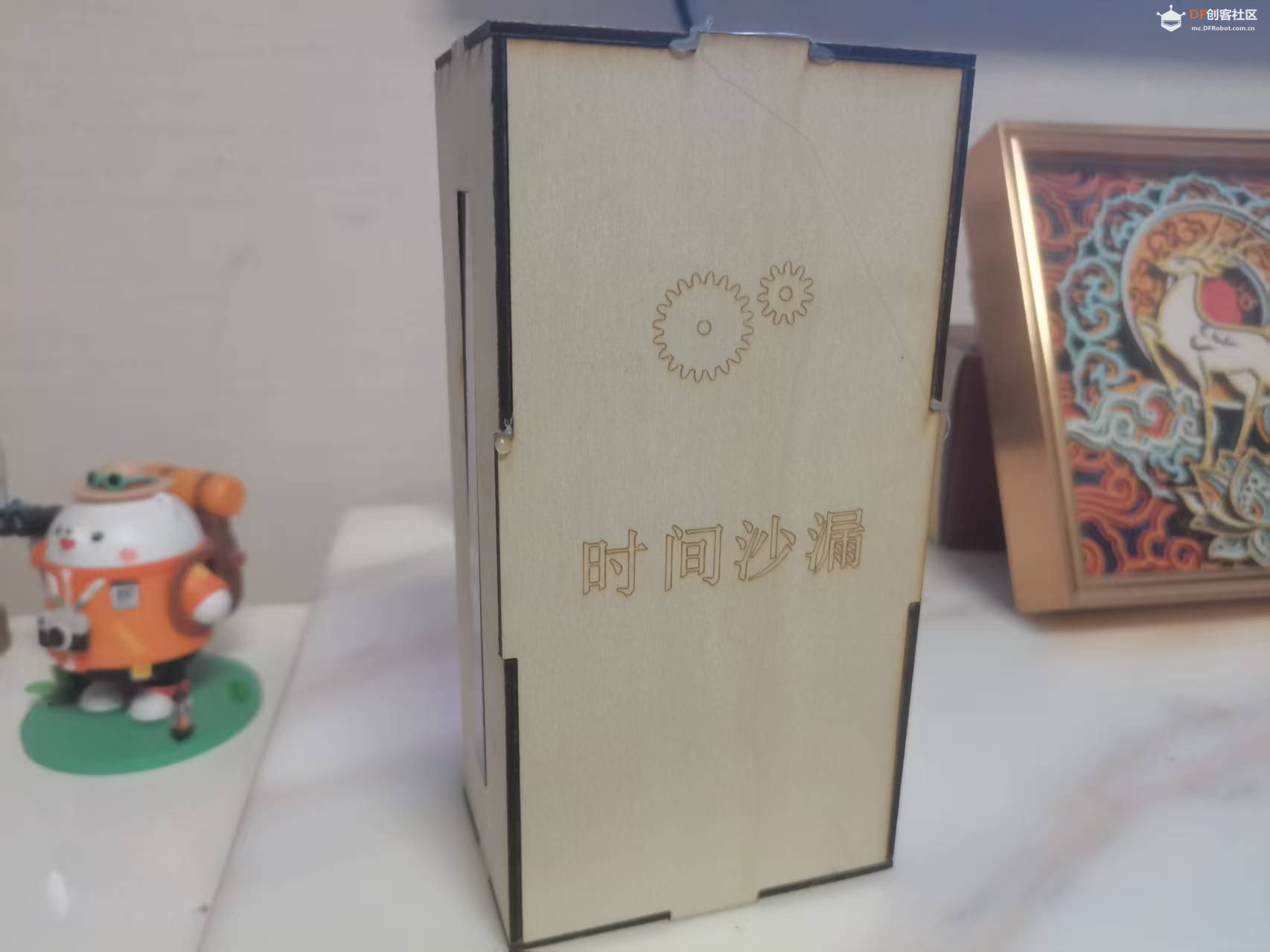
【项目简介】
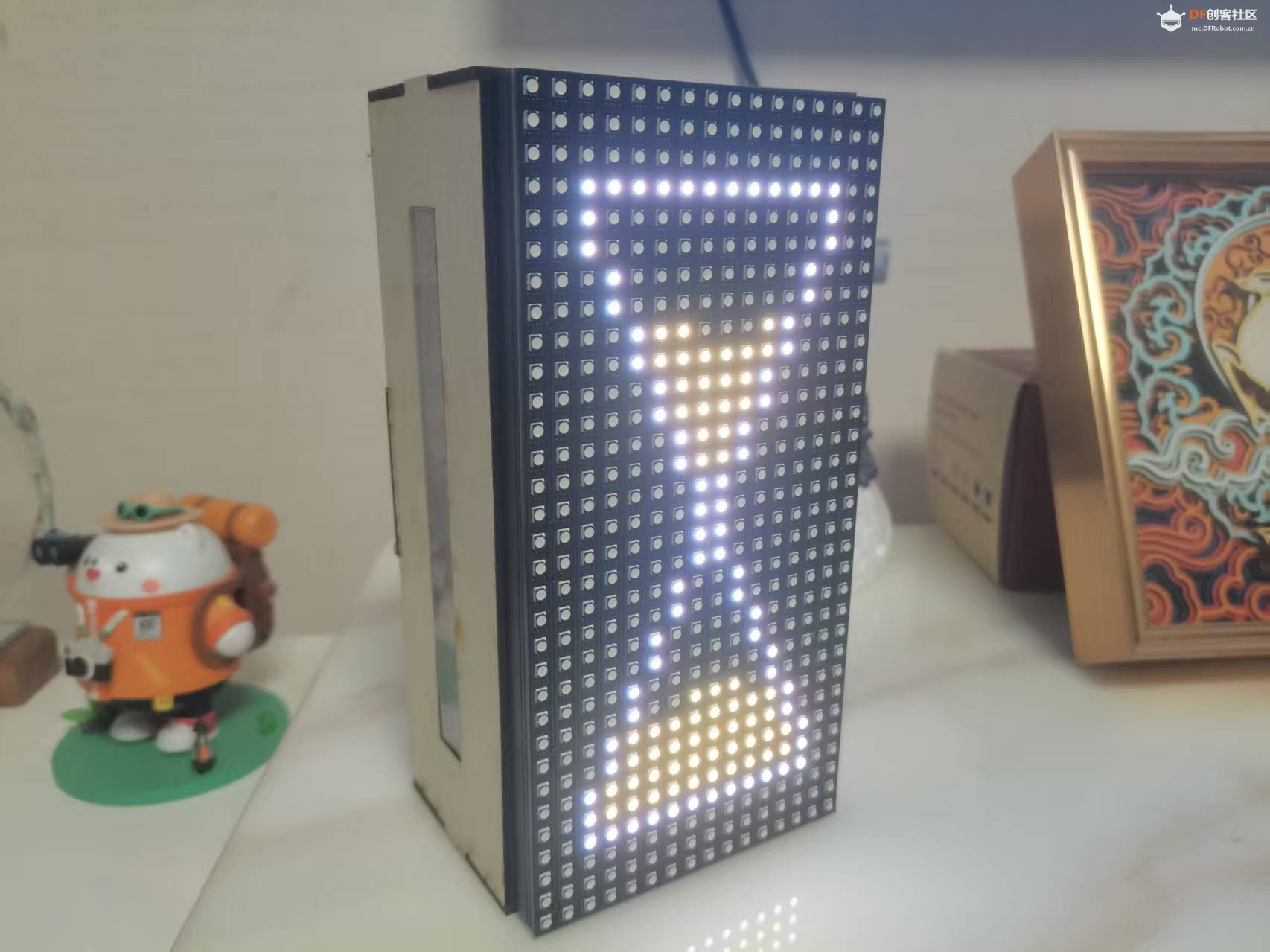
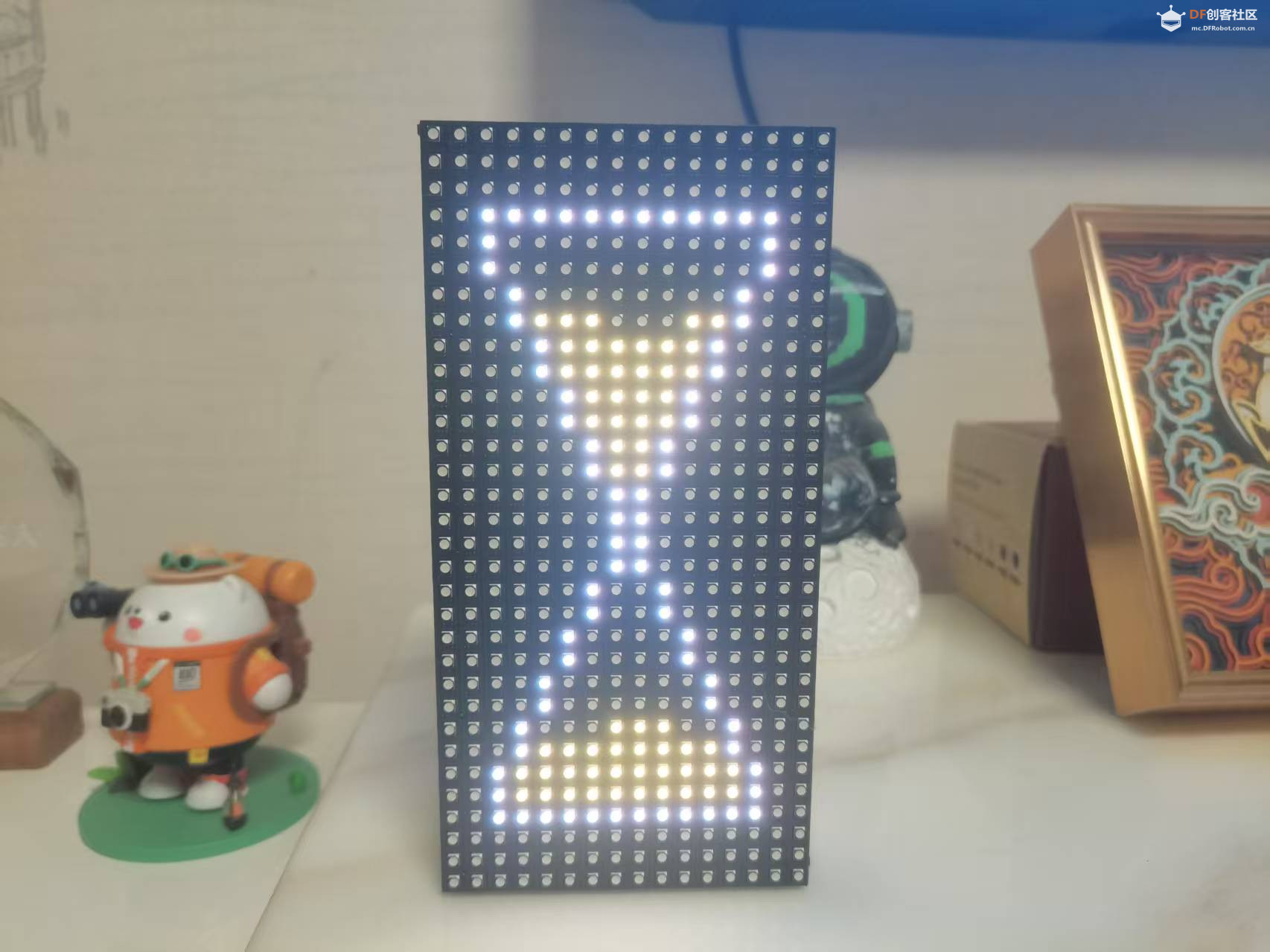
传统沙漏靠重力驱动,翻转一次固定时间。本项目用 ESP32-S2 主控 + 16×32 HUB75 LED 矩阵 + LIS2DH 三轴加速度传感器,打造一枚"数字沙漏"。核心特性:
- 屏幕正放时,沙子静止在上半部
- 翻转屏幕,沙子开始逐颗下落,约 60 秒 漏完
- 再次翻转,沙子"倒流"回上半部
- 每颗沙子从行中间向两侧扩散,模拟真实堆积形态
- 严格 1 秒 1 颗,时间精准可控
【硬件清单】
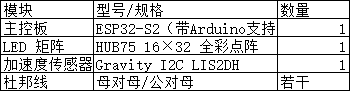
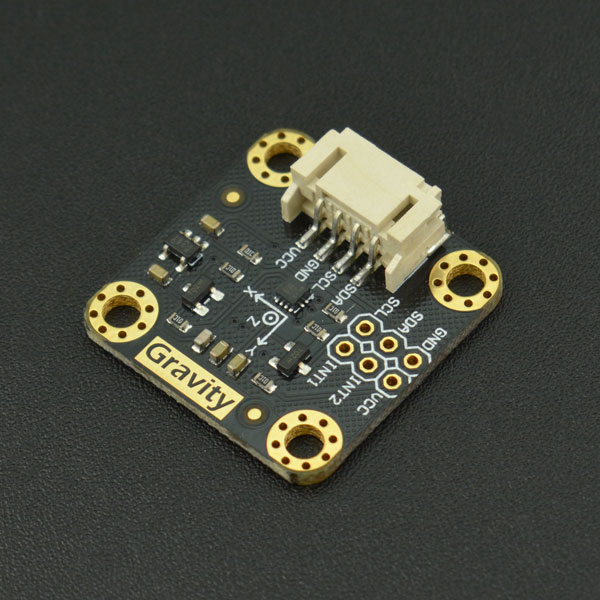
I2C LIS2DH 三轴加速度计(https://www.dfrobot.com.cn/goods-1372.html)
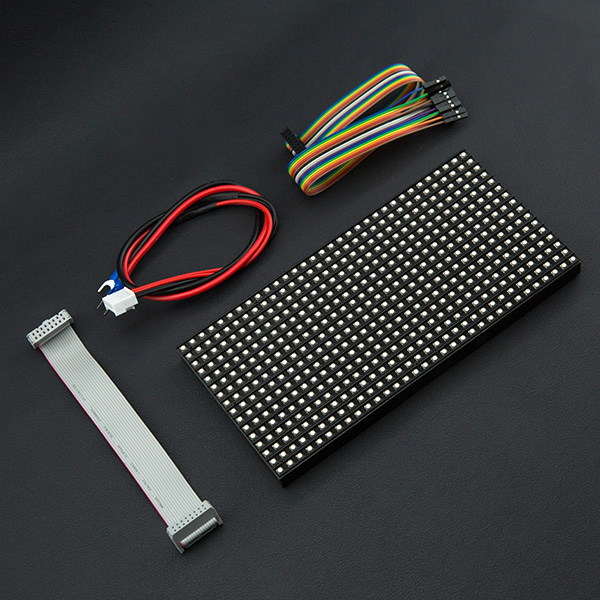
32x16 RGB LED Matrix - 6mm pitch 点阵屏(https://www.dfrobot.com.cn/goods-1474.html)
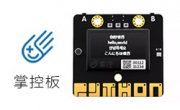
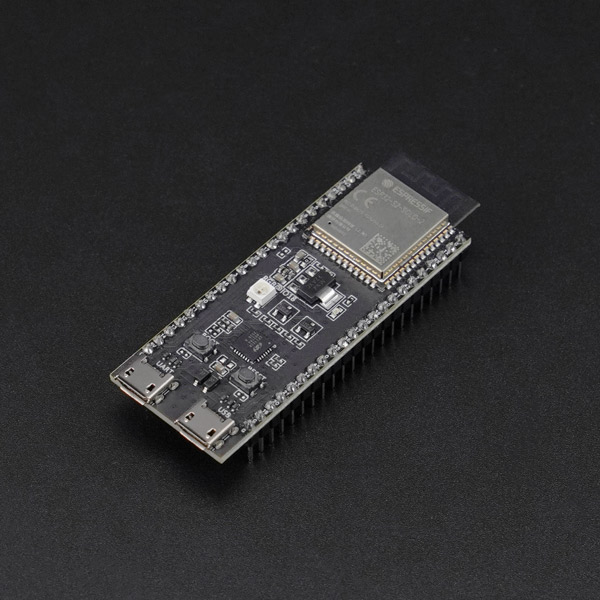
ESP32-S2-DevKitC-1-N8R2开发板(https://www.dfrobot.com.cn/goods-3075.html)
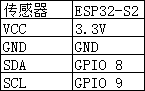
【接线图】
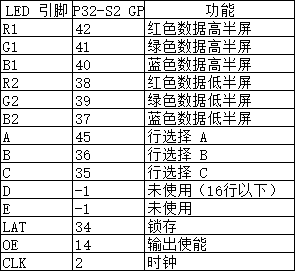
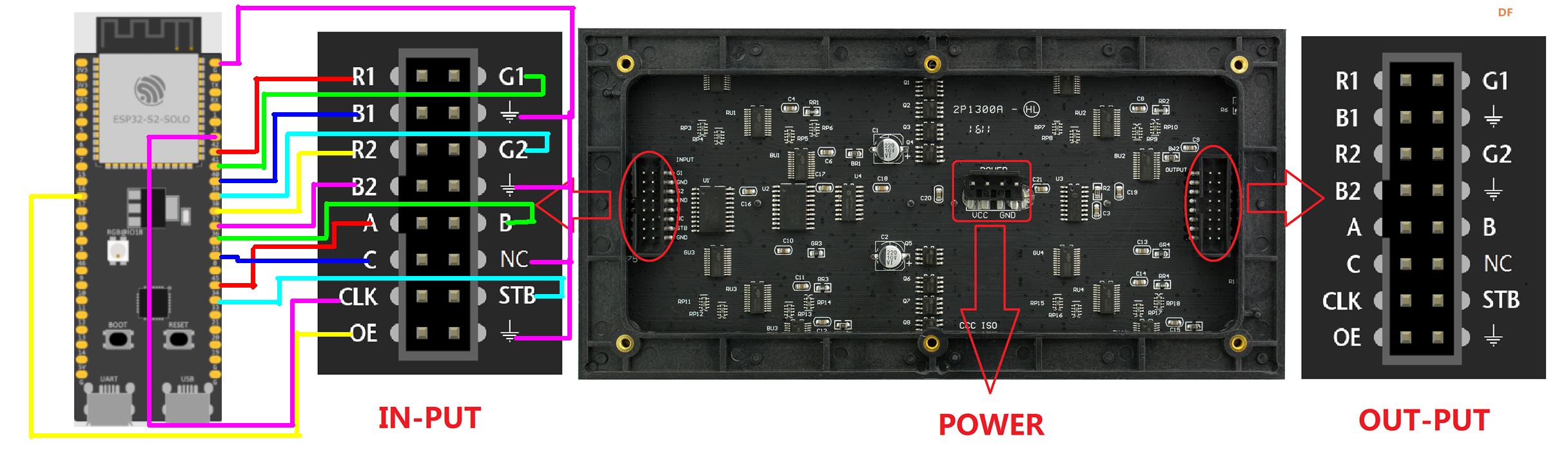
HUB75 LED 矩阵 → ESP32-S2
LIS2DH 传感器 → ESP32-S2
【硬件组装】
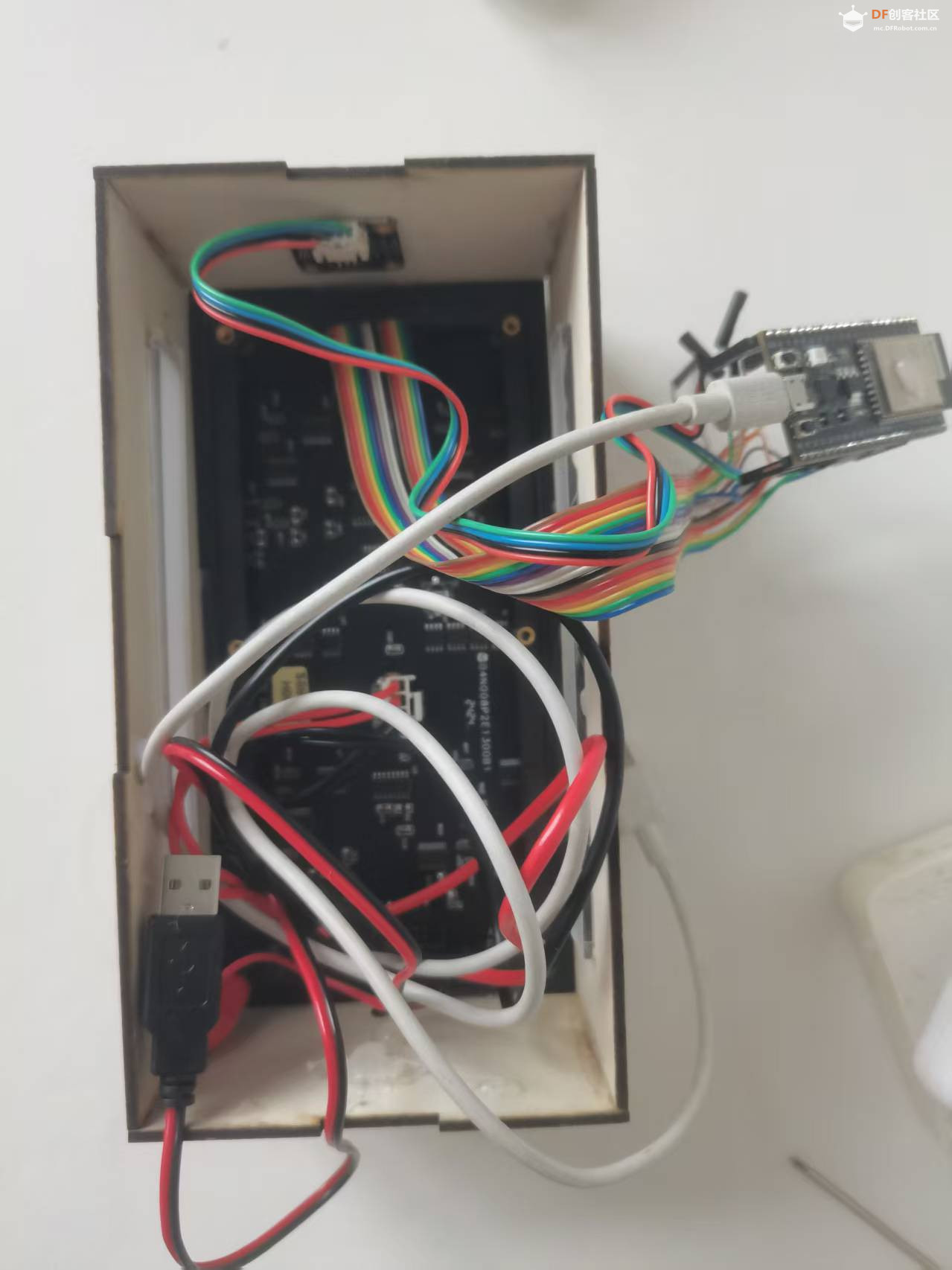
接线
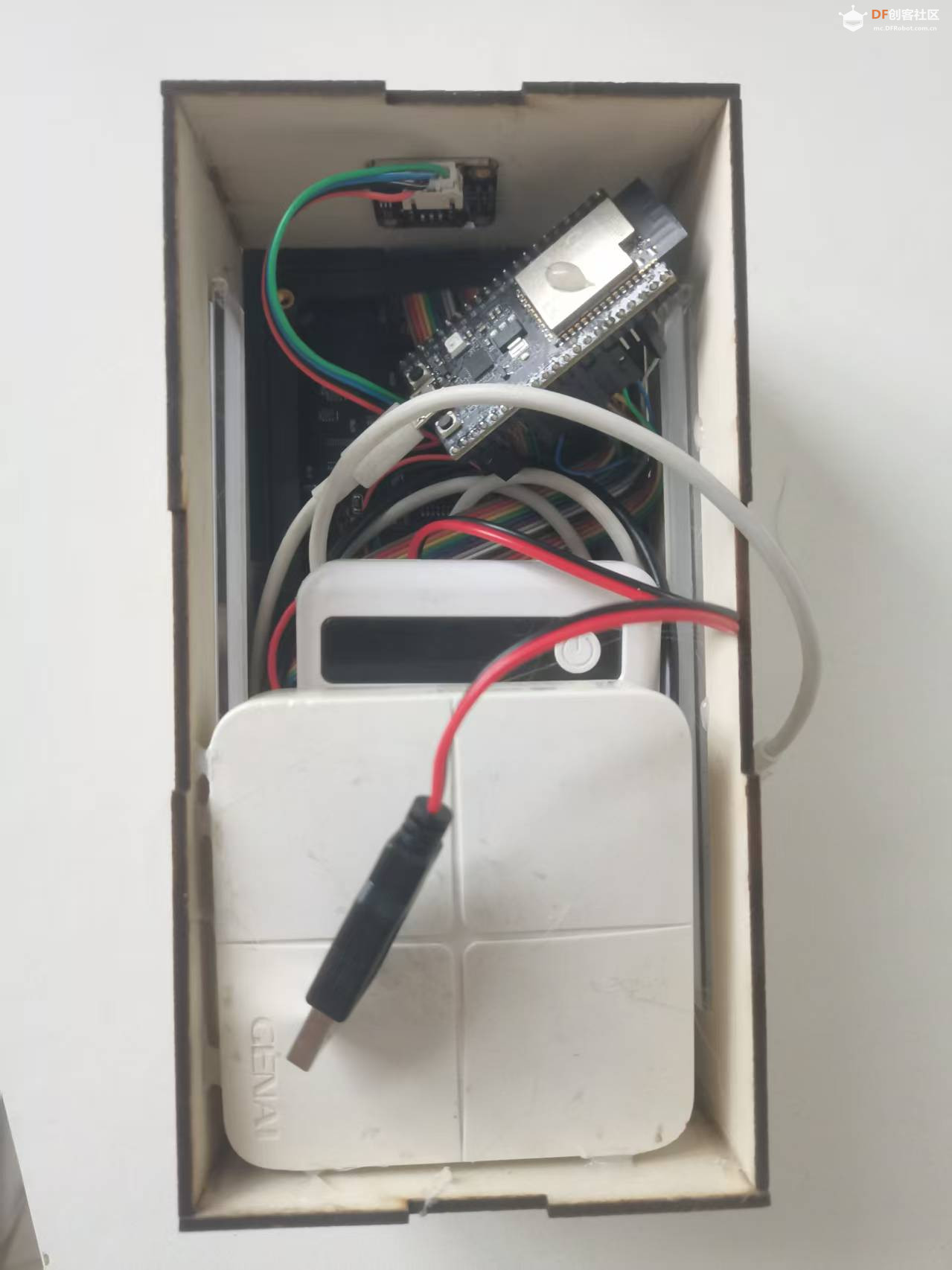
两充电宝供电,一个为主控供电,一个为屏幕供电。
【完整代码】
-
- #include <ESP32-HUB75-MatrixPanel-I2S-DMA.h>
- #include <Wire.h>
- // ==================== 面板配置 ====================
- #define R1_PIN 42
- #define G1_PIN 41
- #define B1_PIN 40
- #define R2_PIN 38
- #define G2_PIN 39
- #define B2_PIN 37
- #define A_PIN 45
- #define B_PIN 36
- #define C_PIN 35
- #define D_PIN -1
- #define E_PIN -1
- #define LAT_PIN 34
- #define OE_PIN 14
- #define CLK_PIN 2
-
- HUB75_I2S_CFG::i2s_pins _pins = {
- R1_PIN, G1_PIN, B1_PIN,
- R2_PIN, G2_PIN, B2_PIN,
- A_PIN, B_PIN, C_PIN, D_PIN, E_PIN,
- LAT_PIN, OE_PIN, CLK_PIN
- };
-
- HUB75_I2S_CFG mxconfig(32, 16, 1, _pins);
- MatrixPanel_I2S_DMA dma_display(mxconfig);
-
- // ==================== 屏幕参数 ====================
- const int SCREEN_W = 16;
- const int SCREEN_H = 32;
- const int HW = 12; // 沙漏宽度
- const int HH = 26; // 沙漏高度(24+2,上下各加一行)
- const int START_X = (SCREEN_W - HW) / 2; // = 2
- const int START_Y = (SCREEN_H - HH) / 2; // = 3
- const int HALF_H = HH / 2; // = 13
-
- const uint16_t COLOR_BORDER = 0xFFFF; // 白
- const uint16_t COLOR_SAND = 0xFFE0; // 黄
- const uint16_t COLOR_BG = 0x0000; // 黑
-
- // ==================== LIS2DH I2C ====================
- #define LIS2DH_ADDR 0x19
- #define SDA_PIN 8
- #define SCL_PIN 9
-
- // ==================== 沙漏像素表 ====================
- struct Pixel { int8_t x; int8_t y; };
- Pixel topPixels[80];
- Pixel bottomPixels[80];
- int topPixelCount = 0;
- int bottomPixelCount = 0;
- int maxStep = 0;
-
- // ==================== 状态机 ====================
- int currentStep = 0; // 当前步数(0=上半满, maxStep=漏完)
- int targetStep = 0; // 目标步数
- int orientation = 0; // 0=正放, 1=倒放
-
- // ==================== LIS2DH 底层驱动 ====================
- void lis2dhWrite(uint8_t reg, uint8_t val) {
- Wire.beginTransmission(LIS2DH_ADDR);
- Wire.write(reg);
- Wire.write(val);
- Wire.endTransmission();
- }
-
- uint8_t lis2dhRead(uint8_t reg) {
- Wire.beginTransmission(LIS2DH_ADDR);
- Wire.write(reg);
- Wire.endTransmission();
- Wire.requestFrom(LIS2DH_ADDR, 1);
- return Wire.read();
- }
-
- void initLIS2DH() {
- Wire.begin(SDA_PIN, SCL_PIN);
- lis2dhWrite(0x20, 0x57); // CTRL_REG1: 100Hz, 正常模式, XYZ使能
- lis2dhWrite(0x23, 0x88); // CTRL_REG4: BDU=1, HR=1, ±2g
- }
-
- void readAccel(int16_t &x, int16_t &y, int16_t &z) {
- Wire.beginTransmission(LIS2DH_ADDR);
- Wire.write(0x28 | 0x80); // 从 OUT_X_L 自动递增读取
- Wire.endTransmission();
- Wire.requestFrom(LIS2DH_ADDR, 6);
- uint8_t xl = Wire.read(), xh = Wire.read();
- uint8_t yl = Wire.read(), yh = Wire.read();
- uint8_t zl = Wire.read(), zh = Wire.read();
- x = (int16_t)(xl | (xh << 8)) >> 4;
- y = (int16_t)(yl | (yh << 8)) >> 4;
- z = (int16_t)(zl | (zh << 8)) >> 4;
- }
-
- // ==================== 沙漏几何计算 ====================
- int getOffset(int y) {
- int relY = y - START_Y;
- if (relY < HALF_H) {
- return max(0, (relY - 1) / 2); // 上半:前2行不缩进
- } else {
- return max(0, (HH - 2 - relY) / 2); // 下半:底部2行不缩进
- }
- }
-
- void collectRow(int y, Pixel *buf, int &idx) {
- int off = getOffset(y);
- int left = START_X + off + 1;
- int right = START_X + HW - 2 - off;
- if (left > right) return;
- int mid = (left + right) / 2;
- for (int d = 0; ; d++) {
- bool added = false;
- int xl = mid - d, xr = mid + d;
- if (d == 0) {
- if (xl >= left && xl <= right) {
- buf[idx++] = {(int8_t)xl, (int8_t)y}; added = true;
- }
- } else {
- if (xl >= left && xl <= right) {
- buf[idx++] = {(int8_t)xl, (int8_t)y}; added = true;
- }
- if (xr >= left && xr <= right && xr != xl) {
- buf[idx++] = {(int8_t)xr, (int8_t)y}; added = true;
- }
- }
- if (!added) break;
- }
- }
-
- void initPixels() {
- int idx = 0;
- for (int y = START_Y + 1; y < START_Y + HALF_H; y++)
- collectRow(y, topPixels, idx);
- topPixelCount = idx;
-
- idx = 0;
- for (int y = START_Y + HH - 2; y >= START_Y + HALF_H; y--)
- collectRow(y, bottomPixels, idx);
- bottomPixelCount = idx;
-
- maxStep = max(topPixelCount, bottomPixelCount);
- }
-
- // ==================== 绘制函数 ====================
- void drawFrame() {
- for (int x = START_X; x < START_X + HW; x++) {
- dma_display.drawPixel(x, START_Y, COLOR_BORDER);
- dma_display.drawPixel(x, START_Y + HH - 1, COLOR_BORDER);
- }
- for (int y = START_Y; y < START_Y + HH; y++) {
- int off = getOffset(y);
- dma_display.drawPixel(START_X + off, y, COLOR_BORDER);
- dma_display.drawPixel(START_X + HW - 1 - off, y, COLOR_BORDER);
- }
- }
-
- void clearInside() {
- for (int y = START_Y + 1; y < START_Y + HH - 1; y++) {
- int off = getOffset(y);
- int left = START_X + off + 1;
- int right = START_X + HW - 2 - off;
- if (left <= right)
- for (int x = left; x <= right; x++)
- dma_display.drawPixel(x, y, COLOR_BG);
- }
- }
-
- void drawSand(int step, bool reverse) {
- clearInside();
- if (!reverse) {
- int topShow = constrain(topPixelCount - step, 0, topPixelCount);
- for (int i = topPixelCount - topShow; i < topPixelCount; i++)
- dma_display.drawPixel(topPixels[i].x, topPixels[i].y, COLOR_SAND);
- int botShow = constrain(step, 0, bottomPixelCount);
- for (int i = 0; i < botShow; i++)
- dma_display.drawPixel(bottomPixels[i].x, bottomPixels[i].y, COLOR_SAND);
- } else {
- int topShow = constrain(step, 0, topPixelCount);
- for (int i = 0; i < topShow; i++)
- dma_display.drawPixel(topPixels[i].x, topPixels[i].y, COLOR_SAND);
- int botShow = constrain(bottomPixelCount - step, 0, bottomPixelCount);
- for (int i = bottomPixelCount - botShow; i < bottomPixelCount; i++)
- dma_display.drawPixel(bottomPixels[i].x, bottomPixels[i].y, COLOR_SAND);
- }
- drawFrame();
- }
-
- // ==================== 主程序 ====================
- void setup() {
- Serial.begin(115200);
- initLIS2DH();
- Serial.print("LIS2DH WHO_AM_I: 0x");
- Serial.println(lis2dhRead(0x0F), HEX);
-
- dma_display.begin();
- dma_display.setBrightness(20);
- dma_display.fillScreen(COLOR_BG);
- dma_display.setRotation(1);
-
- initPixels();
- Serial.printf("Top=%d Bot=%d Step=%d\n", topPixelCount, bottomPixelCount, maxStep);
-
- drawSand(0, false);
- }
-
- void loop() {
- int16_t ax, ay, az;
- readAccel(ax, ay, az);
-
- int newOrient = orientation;
- if (az > 700) newOrient = 0;
- else if (az < -700) newOrient = 1;
-
- if (newOrient != orientation) {
- orientation = newOrient;
- targetStep = (orientation == 0) ? 0 : maxStep;
- }
-
- if (currentStep < targetStep) {
- currentStep++;
- drawSand(currentStep, false);
- delay(1000);
- } else if (currentStep > targetStep) {
- currentStep--;
- drawSand(maxStep - currentStep, true);
- delay(1000);
- } else {
- delay(50);
- }
- }
【功能模块解析】
模块一:LED 矩阵驱动配置
- HUB75_I2S_CFG mxconfig(32, 16, 1, _pins);
- MatrixPanel_I2S_DMA dma_display(mxconfig);
ESP32-HUB75-MatrixPanel-I2S-DMA 库利用 ESP32 的 I2S 外设 + DMA 驱动 HUB75 面板,CPU 只需填充显存,刷新由硬件自动完成,无闪烁。
参数 (32, 16, 1, _pins) 表示:
- 32 列 × 16 行物理分辨率
- 1 个面板级联
- 自定义引脚映射 _pins
竖屏模式:dma_display.setRotation(1) 将坐标系旋转 90°,使 16×32 变为 32×16 的竖屏使用体验。
模块二:沙漏几何引擎- int getOffset(int y) {
- int relY = y - START_Y;
- if (relY < HALF_H) {
- return max(0, (relY - 1) / 2); // 上半
- } else {
- return max(0, (HH - 2 - relY) / 2); // 下半
- }
- }
这是沙漏形状的核心算法。offset 表示某一行相对于边框的缩进量。
关键设计:max(0, ...) 确保顶部和底部各有 2 行保持满宽(10 点),之后每 2 行缩进 1 点。单边像素分布:
- 行号: 1 2 3 4 5 6 7 8 9 10 11 12 13
- 宽度: 10 10 8 8 6 6 4 4 2 2 0 0 0(腰部)
总计 60 点,翻一次 60 秒漏完。
模块三:像素排序与逐点动画- void collectRow(int y, Pixel *buf, int &idx) {
- // ... 每行从中间向两边收集像素
- }
排序规则:
- 上半:y 从 顶部往下,每行内 中间 → 左 → 右
- 下半:y 从 底部往上,每行内 中间 → 左 → 右
这样 topPixels[0] 是最顶部行的中心点,topPixels[59] 是腰部边缘点。正向动画时显示数组尾部(保留腰部),隐藏头部(顶部先空),实现最顶行中心先漏、向两侧扩散的真实效果。
模块四:正向/逆向镜像渲染
- void drawSand(int step, bool reverse) {
- if (!reverse) {
- // 正向:上半显示尾部(腰部保留),下半显示头部(底部堆积)
- } else {
- // 逆向:上半显示头部(顶部填满),下半显示尾部(腰部保留)
- }
- }
时间反演对称性:逆向不是简单倒放 percent,而是严格镜像——上半从顶部往下填充,下半从腰部往下消失。这样沙子"流回去"和"流下来"的视觉逻辑完全一致。
模块五:LIS2DH 裸机驱动
- void initLIS2DH() {
- Wire.begin(SDA_PIN, SCL_PIN);
- lis2dhWrite(0x20, 0x57); // 100Hz ODR
- lis2dhWrite(0x23, 0x88); // BDU + 高分辨率
- }
不依赖外部库,直接用 Wire.h 操作寄存器:
- 0x20 (CTRL_REG1):100Hz 数据率,XYZ 三轴使能
- 0x23 (CTRL_REG4):BDU=1 防止高低字节撕裂,HR=1 开启 12bit 高分辨率
读取时 0x28 | 0x80 启用地址自动递增,一次读取 6 字节 XYZ 数据。
模块六:方向检测与状态机
- int newOrient = orientation;
- if (az > 700) newOrient = 0; // 正面朝上
- else if (az < -700) newOrient = 1; // 倒过来
迟滞设计:700(约 0.7g)作为阈值,中间区间保持原状态,防止抖动。
状态机:
- orientation 记录当前朝向
- targetStep 根据朝向设为 0 或 maxStep
- currentStep 逐秒向目标逼近
翻转后沙子不会瞬间跳变,而是从当前状态平滑继续流动,体验自然。
【效果演示】
|

 沪公网安备31011502402448

 置顶卡
置顶卡 变色卡
变色卡 千斤顶
千斤顶
 活跃会员
活跃会员
 宣传大使
宣传大使
 牛X认证
牛X认证
 创客造
创客造
 编辑选择奖
编辑选择奖
 志“童”道合
 编辑选择奖
编辑选择奖
 编辑选择奖
编辑选择奖
 编辑选择奖
编辑选择奖
 编辑选择奖
编辑选择奖