|
2217| 2
|
[M10项目] 行空板M10 + 硅基流动:打造语音触发的多模态交互小助手 |

|
本帖最后由 云天 于 2026-2-12 17:09 编辑 【项目背景】 作为一名创客,我一直希望制作一个能“听懂”并“看见”世界的智能助手。借助行空板M10的硬件扩展能力和硅基流动(SiliconFlow)提供的免费AI模型调用额度,我实现了一个按键录音、语音识别、智能分析(图像/对话)、带情感/方言的语音合成的完整闭环系统。 这个项目不仅展示了行空板在AI应用中的潜力,也验证了硅基流动API对创客项目的友好性——使用OpenAI SDK统一调用多种模态模型,门槛极低,体验流畅。 【项目亮点】 1.行空板M10——它拥有完整的Linux系统、Python3.12环境、丰富的USB接口、板载GPIO,并且即插即用各种摄像头、麦克风、音箱。 2.硅基流动提供的免费多模态API(语音理解、视觉分析、对话生成、情感方言TTS)完美兼容OpenAI SDK,让创客无需编写复杂代码,就能用上工业级AI模型。 用行空板M10作为“身体”,用硅基流动AI作为“大脑”,打造一个看得见、听得懂、会方言、有情绪的智能助手。 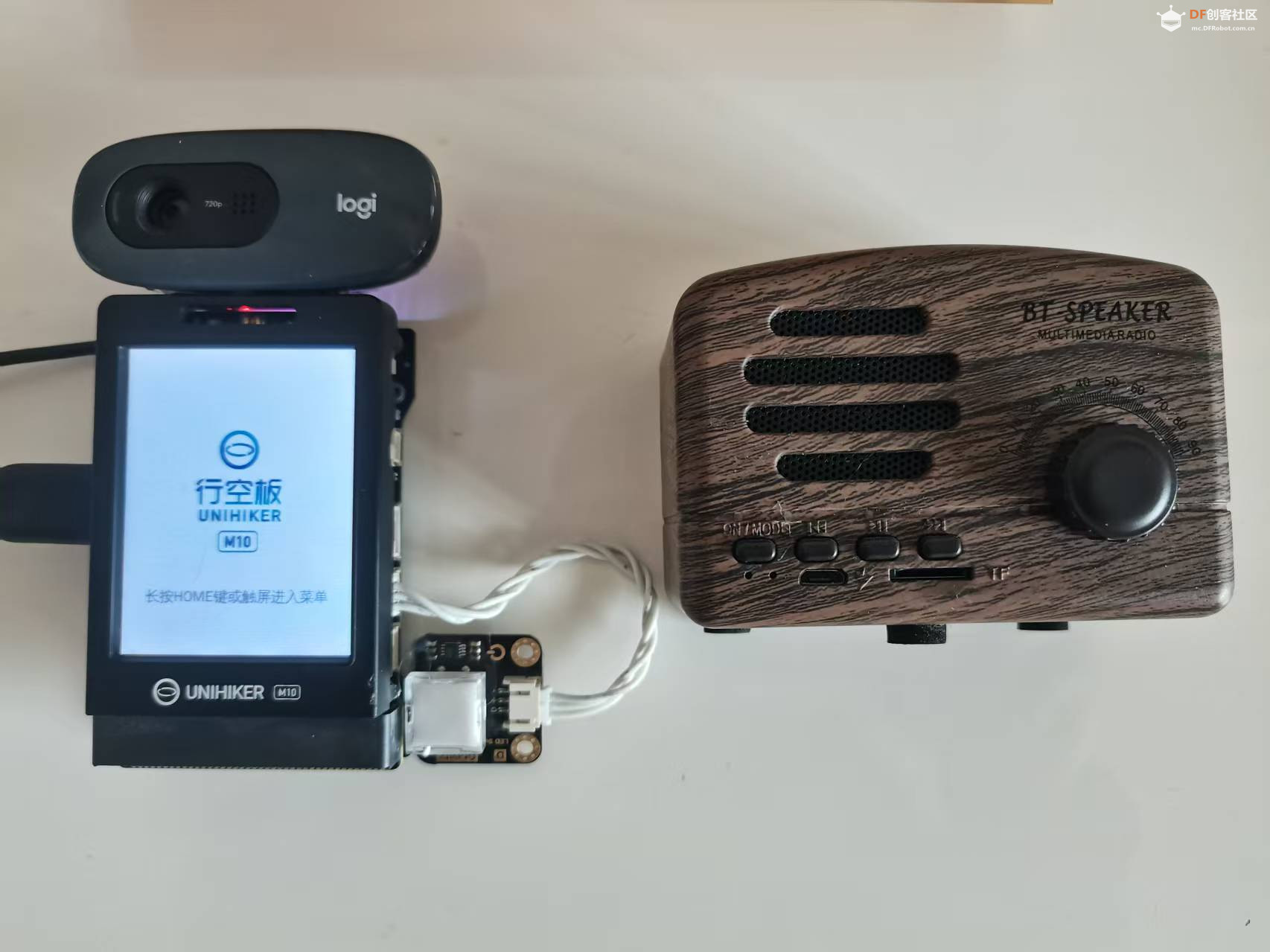 【硬件准备】
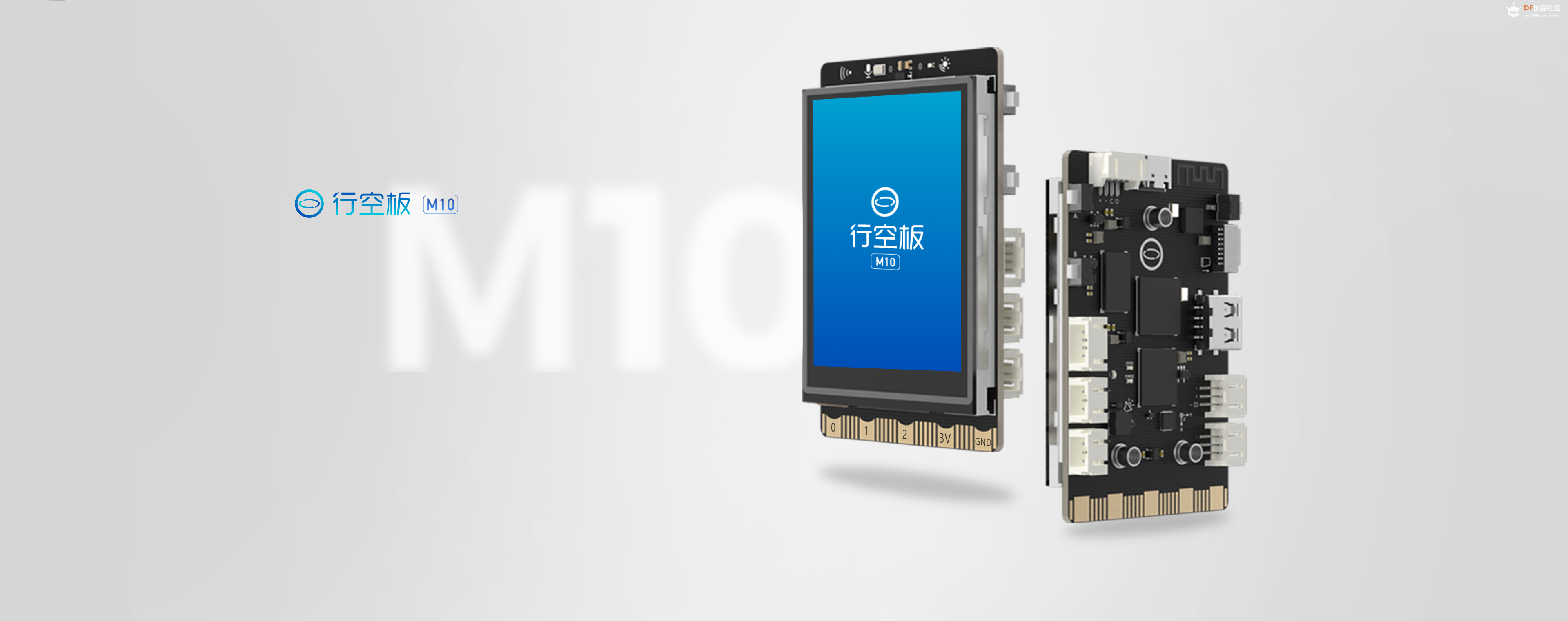 【软件准备】
 【软件架构】 # ---------- 导入库 ---------- 项目完全使用Python编写,核心库如下:
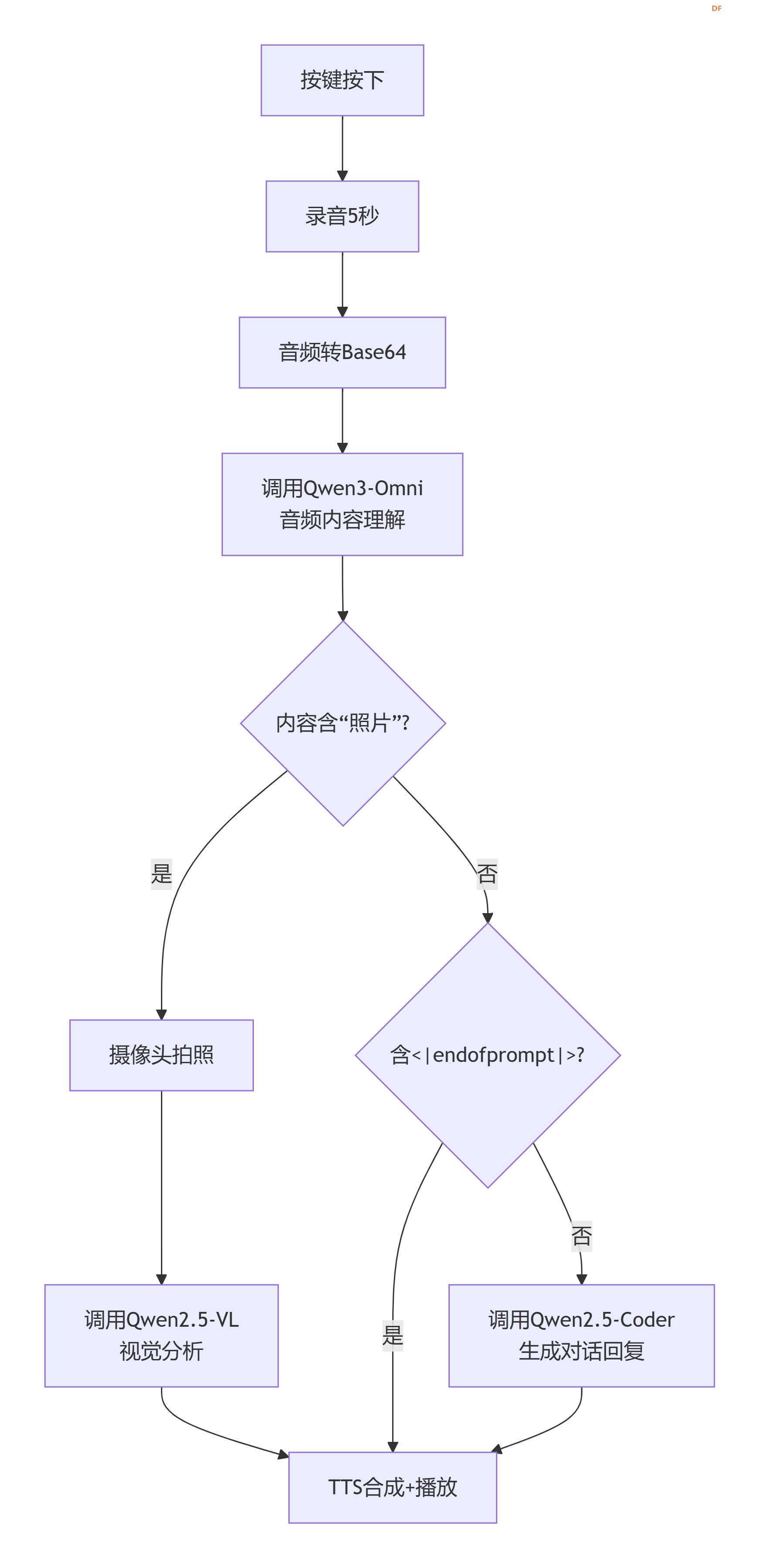 【核心功能实现解析】 1. 一键录音,自动编码 利用sounddevice采集5秒16kHz单声道音频,实时转换为16-bit PCM,再封装成WAV格式并Base64编码,生成可直接用于硅基流动API的data:audio/wav;base64,xxxx字符串。
将Base64音频直接作为audio_url发送给Qwen3-Omni-30B-A3B-Instruct模型,同时附加提示词:
这个设计是项目的灵魂:
当检测到内容含“照片”时,立即调用cv2.VideoCapture拍照,编码为JPEG Base64,通过image_url传给Qwen2.5-VL-72B-Instruct,并将刚才的识别文本作为问题发送。例如用户说“这张桌子上的杯子是什么颜色?”,模型会输出“红色的马克杯”。 4. 普通对话——Qwen2.5-Coder 32B 对于不含“照片”且不含<|endofprompt|>的内容,将其作为纯文本输入给对话模型,获得流畅自然的回复。 5. 情感/方言语音合成——FunAudioLLM/CosyVoice2-0.5B 这是项目的另一大亮点。硅基流动提供的CosyVoice2模型支持跨语言、方言、情感、细粒度韵律控制。我们直接将从AI获得的文本(可能已包含<|endofprompt|>指令)传给TTS接口,例如: 模型会自动识别“生气的口气”指令,合成出饱含情绪的语音,并保留方言特征(粤语、四川话等)。 播放:行空板预装aplay,直接将合成好的WAV文件通过命令行播放,稳定无依赖。 import sounddevice as sd import numpy as np import wave import io import base64 import subprocess import cv2 from pathlib import Path from openai import OpenAI from pinpong.board import Board, Pin from pinpong.extension.unihiker import * import time import traceback import sys Board().begin() btn = Pin(Pin.P21, Pin.IN) # 行空板板载按键 # ---------- 硅基流动客户端 ---------- client = OpenAI( api_key="sk-你的新密钥", # 替换为你自己的 base_url="https://api.siliconflow.cn/v1" ) # 摄像头初始化 cap = cv2.VideoCapture(0) if not cap.isOpened(): print("无法打开摄像头") sys.exit(1) # ---------- 函数定义 ---------- def image_to_base64(image): if image is None: return None success, encoded = cv2.imencode('.jpg', image) if not success: return None return base64.b64encode(encoded).decode('utf-8') def tts_and_play(text): speech_file = Path(__file__).parent / "speech.wav" tts_response = client.audio.speech.create( model="FunAudioLLM/CosyVoice2-0.5B", voice="FunAudioLLM/CosyVoice2-0.5B:alex", input=text, response_format="wav" ) tts_response.stream_to_file(speech_file) subprocess.run(["aplay", str(speech_file)], check=True) def record_to_base64(duration=5): print(f"录音{duration}秒...") recording = sd.rec(int(duration * 16000), samplerate=16000, channels=1, dtype='float32') sd.wait() recording_int16 = (recording * 32767).clip(-32768, 32767).astype(np.int16) wav_buffer = io.BytesIO() with wave.open(wav_buffer, 'wb') as wf: wf.setnchannels(1) wf.setsampwidth(2) wf.setframerate(16000) wf.writeframes(recording_int16.tobytes()) wav_buffer.seek(0) b64_str = base64.b64encode(wav_buffer.read()).decode('utf-8') return f"data:audio/wav;base64,{b64_str}" # ---------- 主循环 ---------- def main(): while True: if btn.read_digital(): try: # 1. 录音+音频理解 audio_url = record_to_base64() print("分析音频中...") resp = client.chat.completions.create( model="Qwen/Qwen3-Omni-30B-A3B-Instruct", messages=[{ "role": "user", "content": [ {"type": "audio_url", "audio_url": {"url": audio_url}}, {"type": "text", "text": "如果用户说“使用生气的口气说:我放假了”,返回“使用生气的口气说<|endofprompt|>我放假了”;如果用户说“模拟四川方言说:今天天气不错”,返回“模拟四川方言说<|endofprompt|>今天天气不错”……如不是以上形式,直接输出音频内容。"} ] }] ) content = resp.choices[0].message.content print("音频理解:", content) # 2. 判断分支 if "照片" in content: print("触发拍照分析") ret, frame = cap.read() if not ret: continue img_b64 = image_to_base64(frame) if img_b64: data_uri = f"data:image/jpeg;base64,{img_b64}" resp = client.chat.completions.create( model="Qwen/Qwen2.5-VL-72B-Instruct", messages=[{ "role": "user", "content": [ {"type": "image_url", "image_url": {"url": data_uri}}, {"type": "text", "text": content} ] }] ) content = resp.choices[0].message.content print("视觉分析:", content) elif "<|endofprompt|>" not in content: # 普通对话 resp = client.chat.completions.create( model="Qwen/Qwen2.5-Coder-32B-Instruct", messages=[{"role": "user", "content": content}] ) content = resp.choices[0].message.content print("对话回复:", content) # 3. 语音播报 tts_and_play(content) except Exception as e: traceback.print_exc() finally: print("--- 等待下次按键 ---") time.sleep(0.5) time.sleep(0.1) if __name__ == "__main__": main() 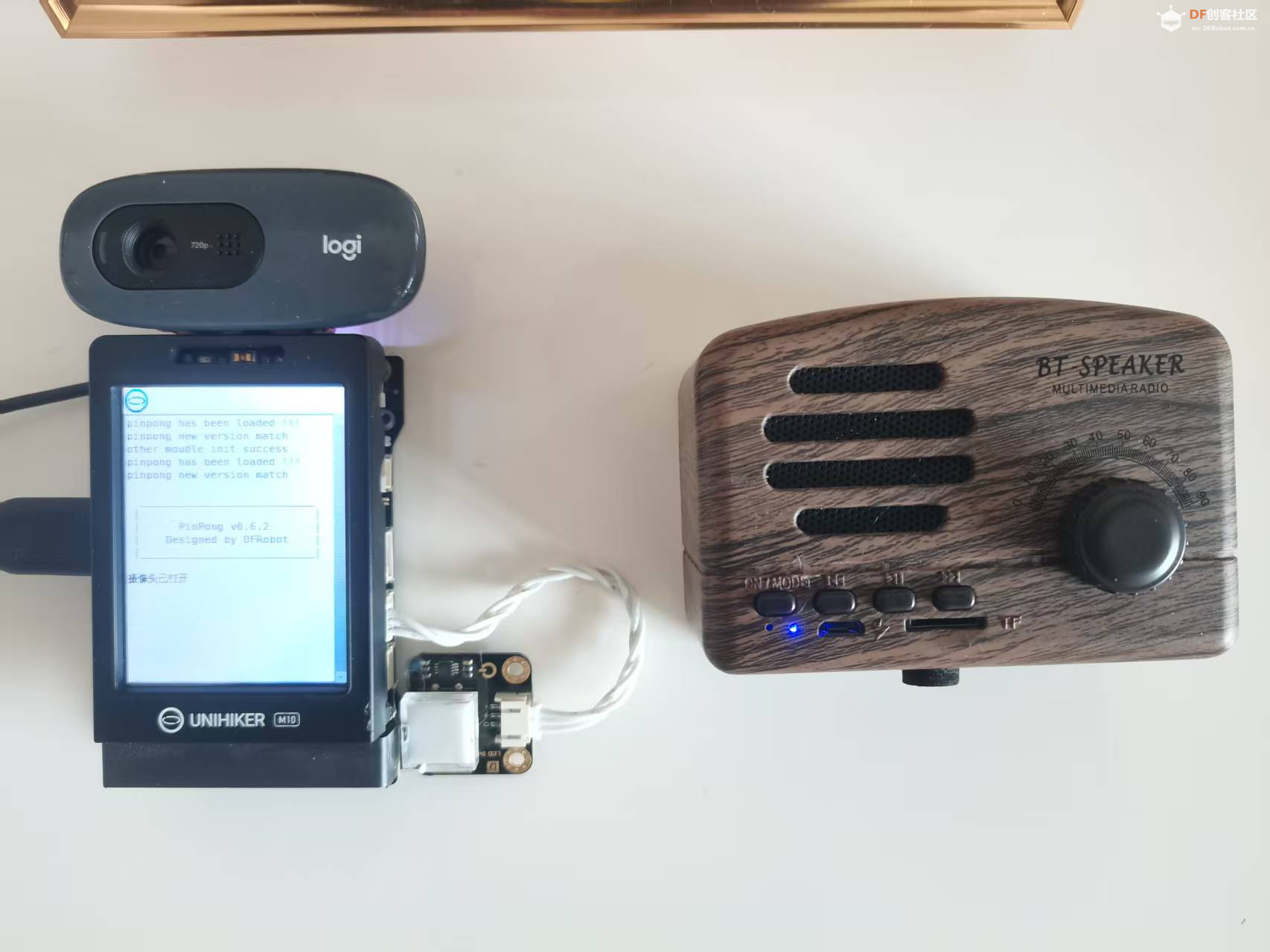 【演示视频】 |

 沪公网安备31011502402448
© 2013-2026 Comsenz Inc. Powered by Discuz! X3.4 Licensed


 置顶卡
置顶卡 变色卡
变色卡 千斤顶
千斤顶
 活跃会员
活跃会员
 宣传大使
宣传大使
 牛X认证
牛X认证
 创客造
创客造
 编辑选择奖
编辑选择奖
 志“童”道合
 编辑选择奖
编辑选择奖
 编辑选择奖
编辑选择奖
 编辑选择奖
编辑选择奖
 编辑选择奖
编辑选择奖